


Track Wix Bookings in Google Tag Manager with this Free GTM Recipe
A free Google Tag Manager recipe that captures Wix bookings and gives you a Trigger you can use to fire conversions to Google Ads, Google Analytics and more.

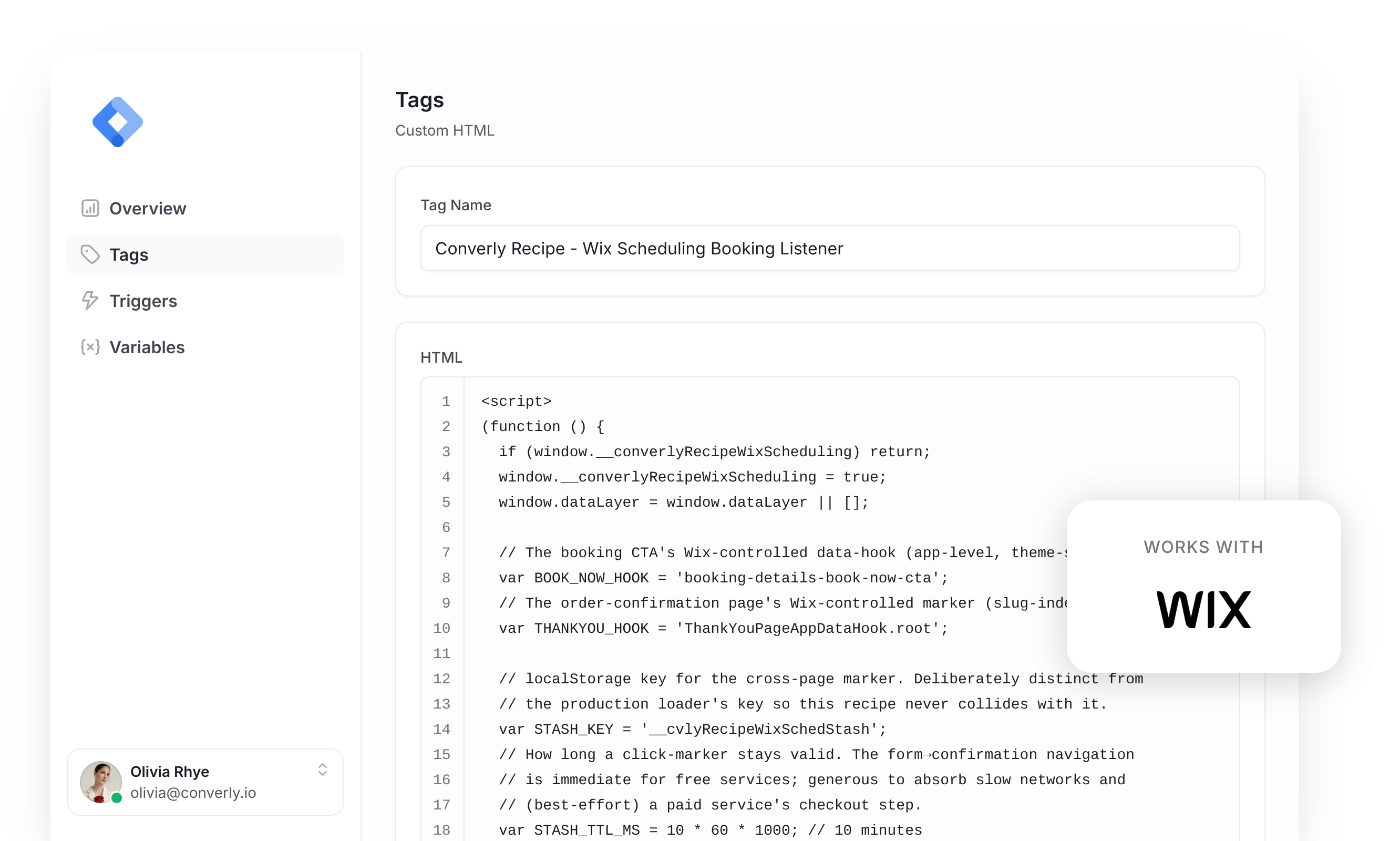
Google Tag Manager is a common way to send conversions to Google Ads, Google Analytics, etc when someone books an appointment through Wix Bookings on your website.
The problem is, it's quite difficult to set up. Wix Bookings gives no signal when a booking completes, and the confirmation happens on a completely different page, so Google Tag Manager's built-in triggers have nothing to hook into and you're left having to write custom code to detect the booking, send an event to the dataLayer, and build a trigger on top of that.
And unless you're a developer or very experienced with Google Tag Manager, you're going to struggle.
Fortunately though, there is a simple solution.
You can simply install this Wix Scheduling Conversion Tracking Recipe in your Google Tag Manager account and you'll have everything you need to get basic conversion tracking set up.
What Is a Google Tag Manager Recipe and What's in It?
A recipe is a pre-built bundle of Google Tag Manager assets (a tag, a trigger and two variables) that you import in one go instead of building each piece yourself.
This recipe detects appointments booked through Wix Bookings, sends an 'Appointment Booked' event to Google Tag Manager, and gives you a Trigger you can use to fire conversions to Google Analytics, Google Ads, etc.
Here's exactly what each piece contains, so you can see what you're importing before you import it:
Custom HTML Tag
Detects successful Wix Bookings appointments and pushes a 'wix_appointment_scheduled' event to the dataLayer. It fires on All Pages, once per event, and this is the code inside it:
(function () {
  if (window.__converlyRecipeWixScheduling) return;
  window.__converlyRecipeWixScheduling = true;
  window.dataLayer = window.dataLayer || [];

  // The booking CTA's Wix-controlled data-hook (app-level, theme-stable).
  var BOOK_NOW_HOOK = 'booking-details-book-now-cta';
  // The order-confirmation page's Wix-controlled marker (slug-independent).
  var THANKYOU_HOOK = 'ThankYouPageAppDataHook.root';

  // localStorage key for the cross-page marker. Deliberately distinct from
  // the production loader's key so this recipe never collides with it.
  var STASH_KEY = '__cvlyRecipeWixSchedStash';
  // How long a click-marker stays valid. The form→confirmation navigation
  // is immediate for free services; generous to absorb slow networks and
  // (best-effort) a paid service's checkout step.
  var STASH_TTL_MS = 10 * 60 * 1000; // 10 minutes
  // How long, on a given page load, we wait for the confirmation marker to
  // render (Wix boots its widgets asynchronously) before giving up.
  var THANKYOU_WAIT_MS = 12000;

  function now() {
    return Date.now();
  }

  function writeStash(obj) {
    try {
      window.localStorage.setItem(STASH_KEY, JSON.stringify(obj));
    } catch (e) {
      // Private mode / storage disabled — can't bridge the navigation, so
      // the booking simply won't be tracked. Fail quietly.
    }
  }

  function readStash() {
    try {
      var raw = window.localStorage.getItem(STASH_KEY);
      if (!raw) return null;
      var obj = JSON.parse(raw);
      return (obj && typeof obj === 'object') ? obj : null;
    } catch (e) {
      return null;
    }
  }

  function clearStash() {
    try { window.localStorage.removeItem(STASH_KEY); } catch (e) {}
  }

  function isFreshStash(stash) {
    return !!(stash && typeof stash.ts === 'number' && (now() - stash.ts) <= STASH_TTL_MS);
  }

  function fireConversion(bookingId, pageUrl) {
    var payload = {
      event: 'wix_appointment_scheduled',
      booking_page_url: pageUrl || ''
    };
    if (bookingId) payload.booking_id = bookingId;
    window.dataLayer.push(payload);
  }

  // ---- Booking form page: mark the Book Now click ----
  //
  // Simplification vs. the production module: because this recipe never
  // reads or reports form field values, it doesn't need to locate the
  // specific booking-form widget on the page (the source module climbs the
  // DOM to scope a field walk to the correct form) — matching on the
  // Wix-controlled CTA hook alone is enough to know a booking attempt was
  // made.
  function handleClick(event) {
    try {
      var target = event.target;
      if (!target || !target.closest) return;

      var btn = target.closest('[data-hook="' + BOOK_NOW_HOOK + '"]');
      if (!btn) return;

      writeStash({
        // The page where the booking was submitted — the meaningful
        // pageUrl for the conversion (the confirmation page's URL carries
        // only a random booking UUID).
        pageUrl: window.location.pathname,
        ts: now()
      });
    } catch (e) {
      // Never throw back into Wix's own click handling.
    }
  }

  // ---- Confirmation page: fire on the success marker ----

  function isThankYouPage() {
    try {
      return !!document.querySelector('[data-hook="' + THANKYOU_HOOK + '"]');
    } catch (e) {
      return false;
    }
  }

  function extractBookingId() {
    try {
      var m = window.location.pathname.match(
        /[0-9a-f]{8}-[0-9a-f]{4}-[0-9a-f]{4}-[0-9a-f]{4}-[0-9a-f]{12}/i
      );
      return m ? m[0] : null;
    } catch (e) {
      return null;
    }
  }

  function fireFromThankYou() {
    // Consume-first idempotency: the stash is the single source of truth.
    // Clearing it before firing means a second call (observer + immediate
    // check racing) is a no-op.
    var stash = readStash();
    if (!stash) return;
    if (!isFreshStash(stash)) { clearStash(); return; }

    clearStash(); // consume before firing so re-entry can't double-fire

    fireConversion(extractBookingId(), stash.pageUrl);
  }

  // Runs at load on EVERY page. If a fresh booking marker exists and this
  // page is the confirmation page, fire. If the page hasn't rendered the
  // marker yet (Wix boots widgets async), watch for it within a bounded
  // window. On non-confirmation pages the watcher simply times out and
  // disconnects — harmless.
  function maybeFireOnThankYou() {
    var stash = readStash();
    if (!stash) return;
    if (!isFreshStash(stash)) { clearStash(); return; }

    if (isThankYouPage()) { fireFromThankYou(); return; }

    var done = false;
    var observer = null;
    var timer = null;

    function cleanup() {
      done = true;
      if (observer) { try { observer.disconnect(); } catch (e) {} observer = null; }
      if (timer) { clearTimeout(timer); timer = null; }
    }

    function check() {
      if (done) return;
      if (isThankYouPage()) {
        cleanup();
        fireFromThankYou();
      }
    }

    try {
      observer = new MutationObserver(check);
      observer.observe(document.documentElement || document.body, {
        childList: true,
        subtree: true
      });
    } catch (e) {
      // MutationObserver unavailable — the immediate check above already ran.
    }
    timer = setTimeout(cleanup, THANKYOU_WAIT_MS);
  }

  if (typeof document !== 'undefined' && document.addEventListener) {
    document.addEventListener('click', handleClick, true); // booking form
    maybeFireOnThankYou();                                  // confirmation page
  }
})();Variables
Captures the booking ID and the booking page URL, which you can use to filter conversions based on certain conditions. These are their exact settings:
Name
DLV - Wix Booking ID
Variable Type
Data Layer Variable
Data Layer Variable Name
booking_id
Name
DLV - Wix Booking Page URL
Variable Type
Data Layer Variable
Data Layer Variable Name
booking_page_url
Trigger
Fires when the 'wix_appointment_scheduled' event is received. Use it as the trigger for any of your conversion tags. These are its exact settings:
Name
CE - Wix Appointment Scheduled
Trigger Type
Custom Event
Event Name
wix_appointment_scheduled
Download This Recipe
Get the ready-to-import file and upload it into Google Tag Manager. Everything shown above (the tag, the trigger and both variables) comes pre-built inside.
Built from Converly's own Wix Bookings detection code
Why It's the Best Recipe Out There
It is built from the same detection code we use in our own conversion tracking product, Converly, just adapted to run inside Google Tag Manager.
How to Use the Wix Scheduling GTM Recipe
Install the Recipe
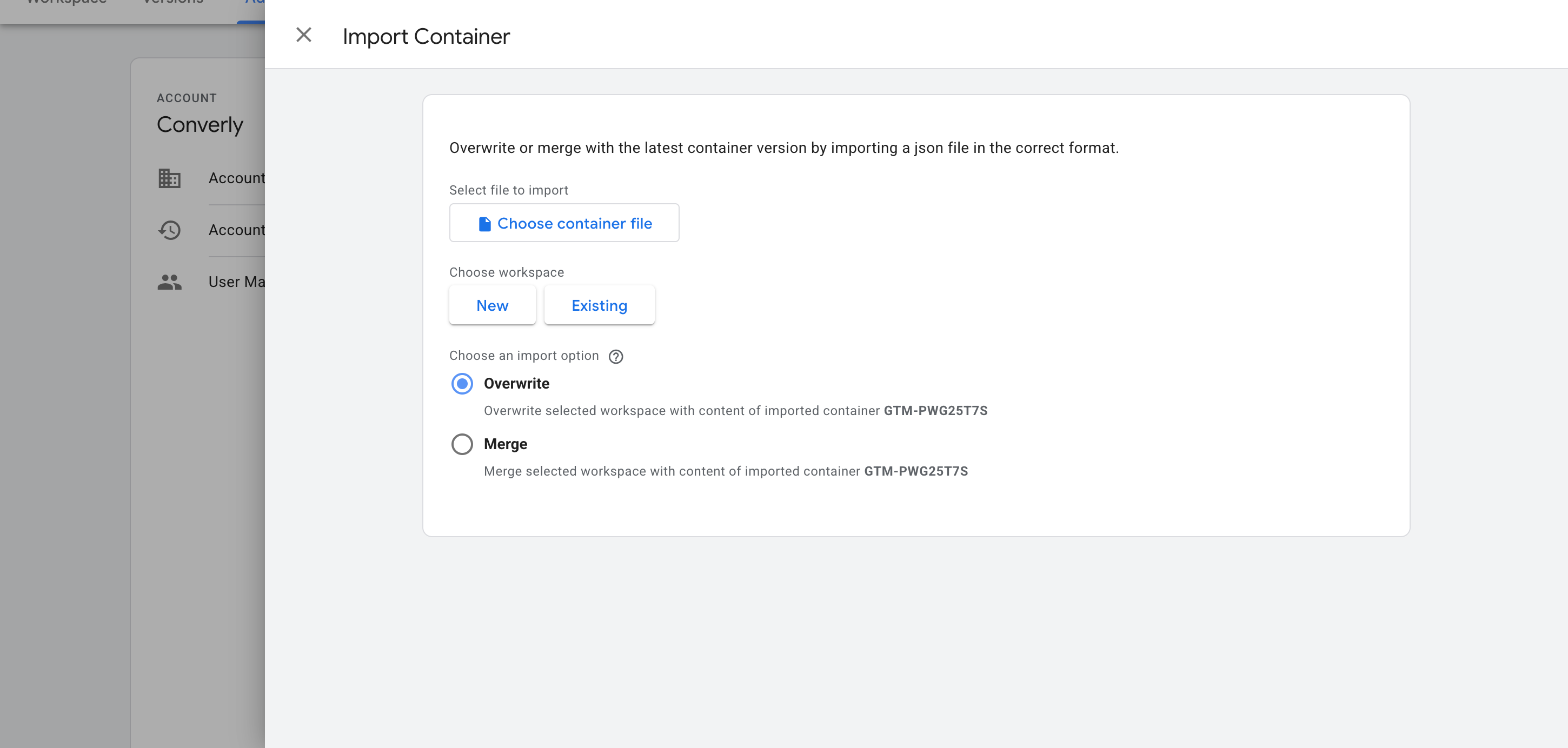
Download the recipe using the form above, then import it into your Google Tag Manager container. In GTM, head to Admin, choose Import Container, select the downloaded file, and pick the Merge option (so it doesn't overwrite anything already in your container). The listener, variables and trigger are added for you automatically.
Configure Your Tags
Now that the recipe is installed, you can use it as a Trigger for your conversion tags. Here are two common examples.
Example 1: Google Analytics
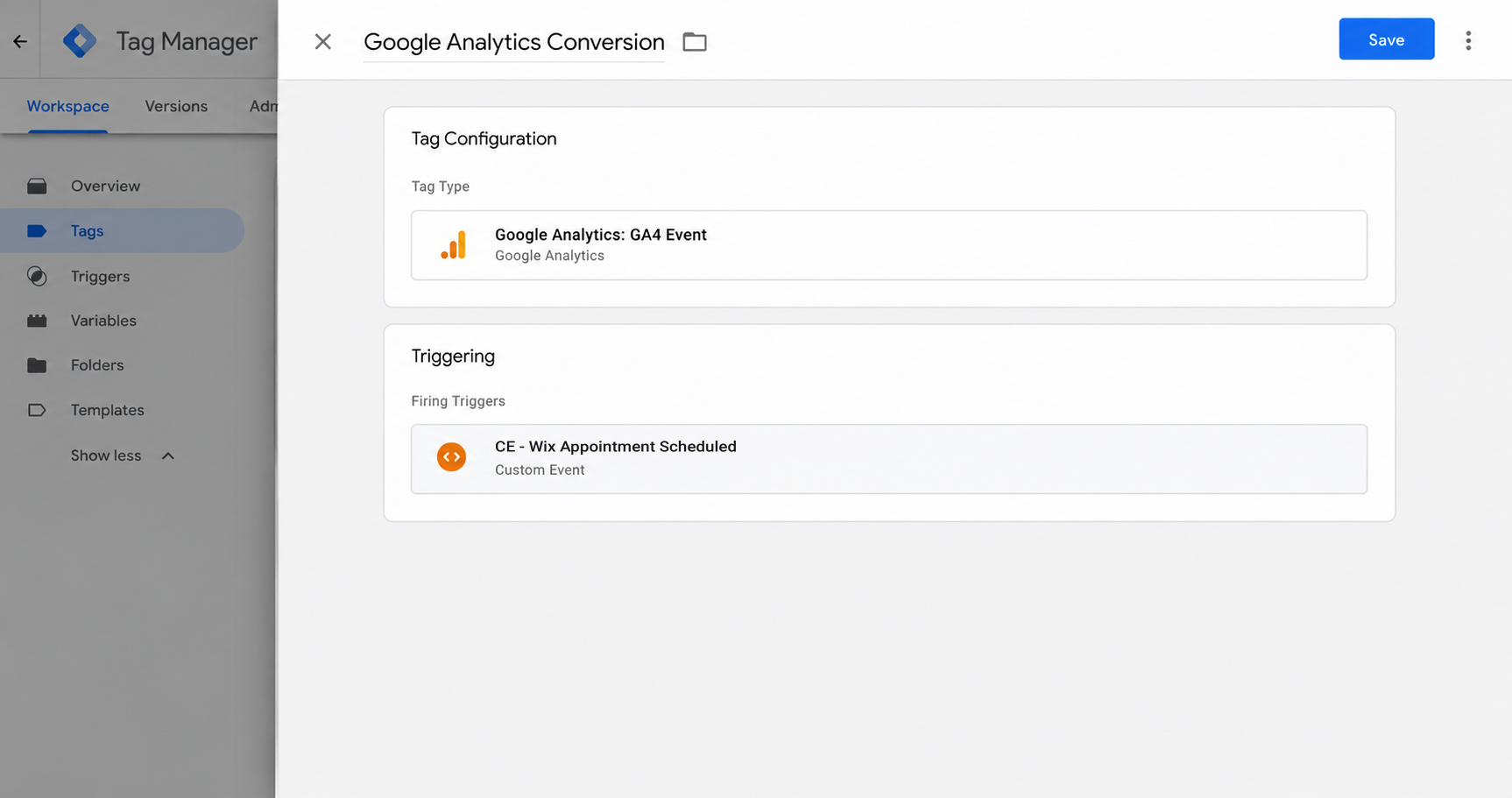
Create a GA4 event tag and set it to fire on the Trigger the recipe gives you (called CE - Wix Appointment Scheduled). Every Wix booking now sends an event to Google Analytics.
Example 2: Google Ads
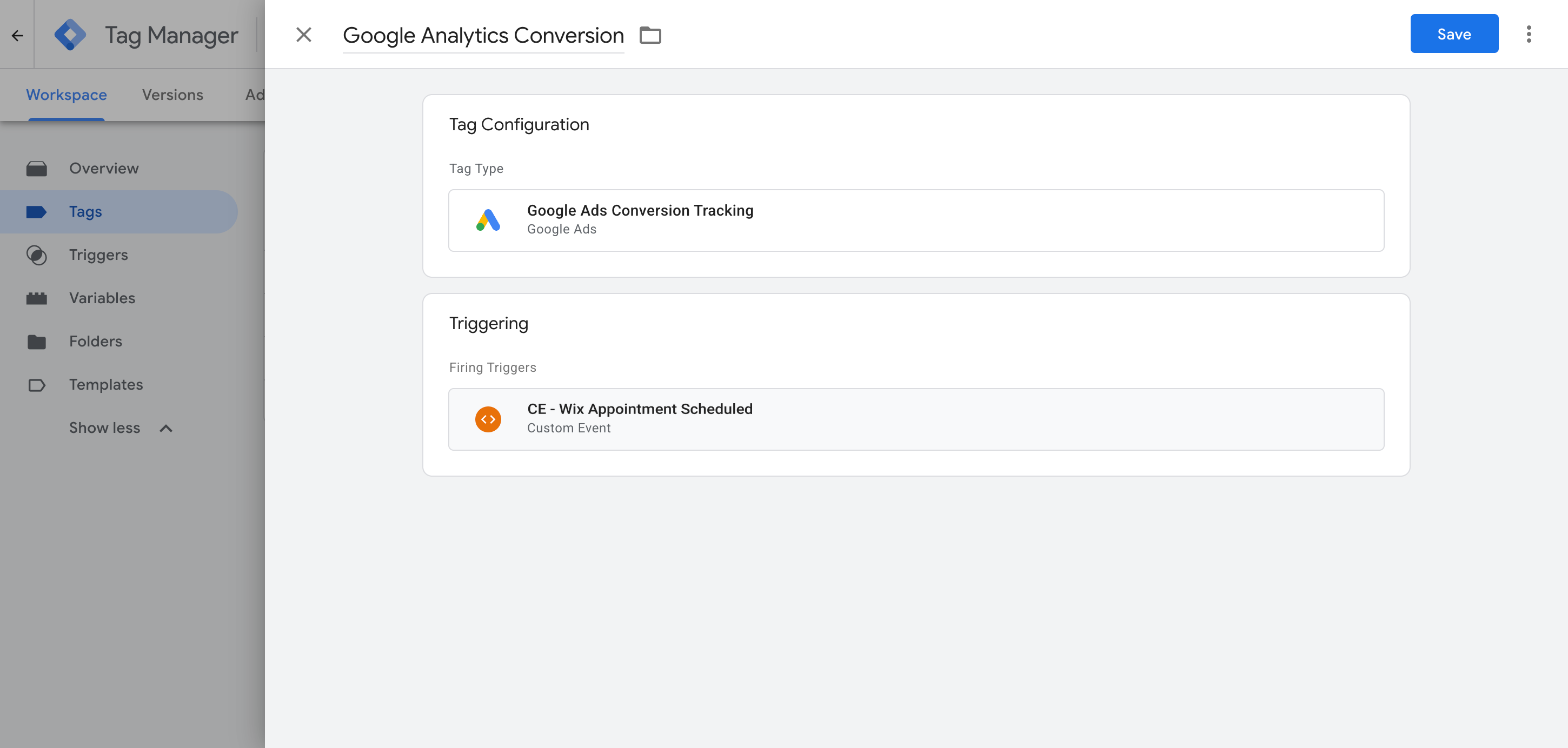
Add your Google Ads conversion tag and set it to fire on the recipe's trigger (called CE - Wix Appointment Scheduled). New Wix bookings will now be sent as conversions to Google Ads.
What This Enables You to Do (and What It Doesn't)
This recipe fires an event in Google Tag Manager whenever a Wix Bookings appointment is detected. You can use that as a trigger to send conversions to Google Ads, Google Analytics and other tags.
What it does
Sends an Event to GTM
Detects successful appointments made through Wix Bookings and pushes an event called 'wix_appointment_scheduled' into your dataLayer automatically.
Tells You Which Booking It Was
Captures the booking ID and the booking page URL, so you can tell bookings apart and fire different tags for different services.
Creates a Trigger in GTM
Gives you a 'Trigger' in Google Tag Manager that you can use to fire any of your conversion tags.
What it doesn't do
Doesn't send the conversion server-side
Conversions are sent to Google, Meta, etc through the visitor's browser, so ad blockers and privacy settings in browsers can block them before they arrive.
No Click IDs or Identifiers
It does not capture the Google click ID, Facebook click ID, Meta pixel cookies, IP address or user agent, which means ad platforms will have a hard time matching the conversions back to a campaign (and it won't show in your reports if they can't).
No Personal Details
The script only fires an event. It does not capture the lead's name, email or phone number, all of which Google and Meta require for Enhanced Conversions (Google) and a high Event Match Quality score (Meta).
No Logging or Notifications
You can test it with Tag Assistant when you first set it up, but unless you check every week you have no way of knowing if it breaks (you'll just start to see 0 conversions in your accounts all of a sudden).
The Proper Way to Send Conversions to Google Ads, Meta Ads & More
This recipe is fine if you only send events to Google Analytics, which does not accept personal information or IP addresses. But to get a good Event Match Quality (EMQ) score in Meta, or use Enhanced Conversions in Google, you need to send the data server-side, together with the lead's name and email. That is what Converly does.
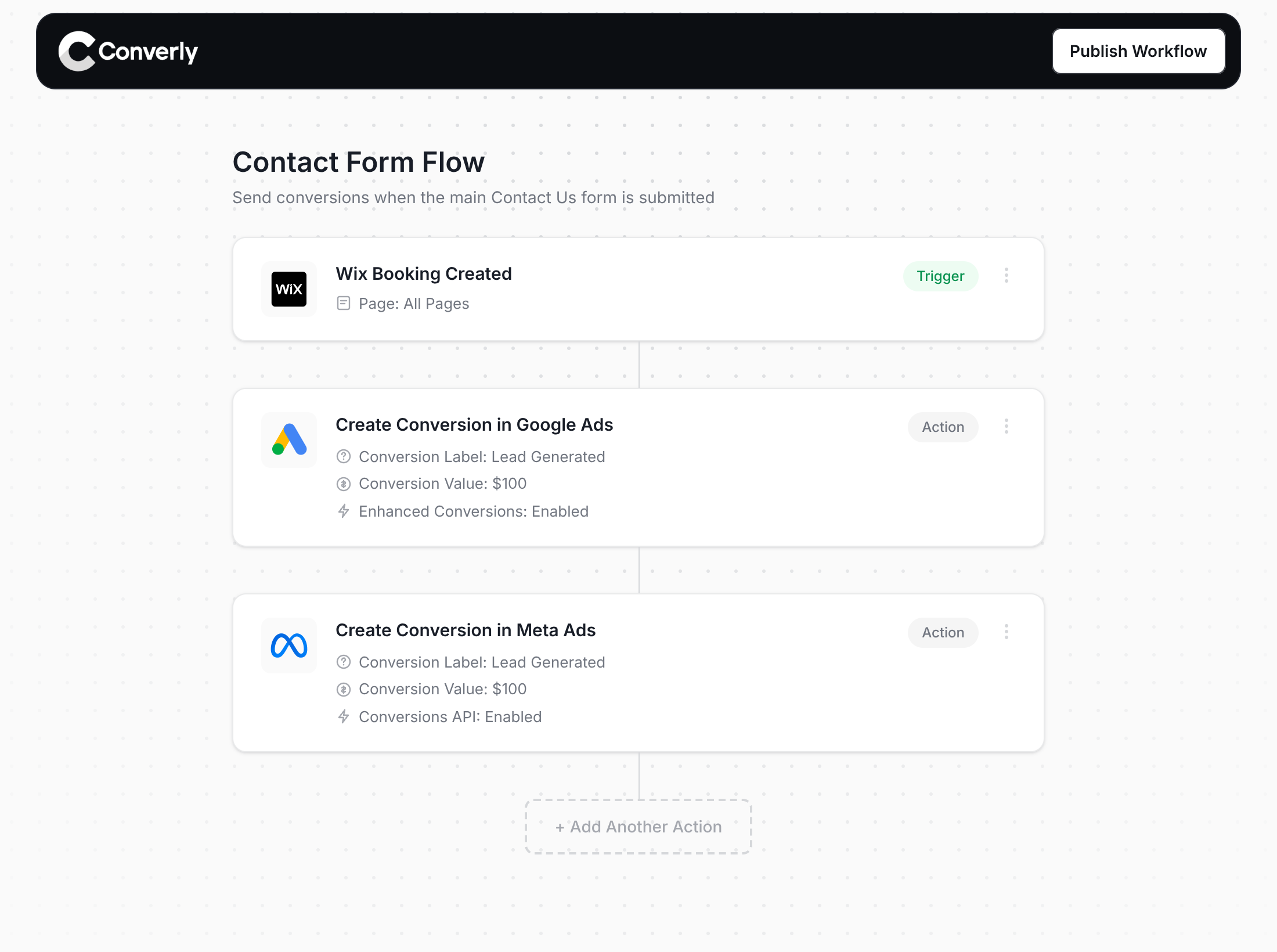
Here's why Converly is the best way to send conversions to Google Ads, Meta Ads, Microsoft Ads, LinkedIn Ads, etc.
Easy to set up
Converly gives you a simple drag-and-drop builder you can use to build a Conversion Flow. Simply select a trigger (like an appointment being booked through Wix Bookings) and then select your actions (like sending a conversion to Google Ads). No custom code, no complex configuration.
Sends Data Server-Side
Instead of sending conversions through the visitor's browser, Converly sends them directly from its servers to Google, Meta, etc., so ad blockers and privacy restrictions can't get in the way.
Sends More Data
It captures the lead's name, email and phone plus the Google and Facebook click IDs, IP address, user agent, etc. and sends them with every conversion. That enables Enhanced Conversions in Google Ads, or gives you an Event Match Quality (EMQ) score of 9 or 10 in Meta.
Full Conversion Log & Email Notifications
See every conversion, what was captured, what was sent to each platform and whether it was received. Get email alerts so tracking can't break without you knowing.
Supports Multiple Tools & Destinations
Detects submissions across 100+ form, scheduling and chat tools and sends conversions to 20+ destinations including Google Ads, Meta, ChatGPT, LinkedIn, Microsoft and TikTok. So if you ever add a new tool or start advertising on a new platform, it's just a few clicks to set up proper conversion tracking.
Provides Free Support
Our team has 20 years of experience in conversion tracking and analytics and is here to help whenever you need it. With Google Tag Manager, you're on your own.
Start Your Free Trial
Start a 14-day free trial and track your conversions the proper way. No code, no complicated configuration.
About the author
Aaron is the founder of Converly. With over 15 years of experience in digital marketing and SaaS, he's passionate about helping businesses track and optimise their ad conversions.