


Track Wix Forms Submissions in Google Tag Manager with this Free GTM Recipe
A free, tested Google Tag Manager recipe that captures Wix Forms submissions and turns them into a Trigger you can use to fire conversions to Google Ads, Google Analytics and more.

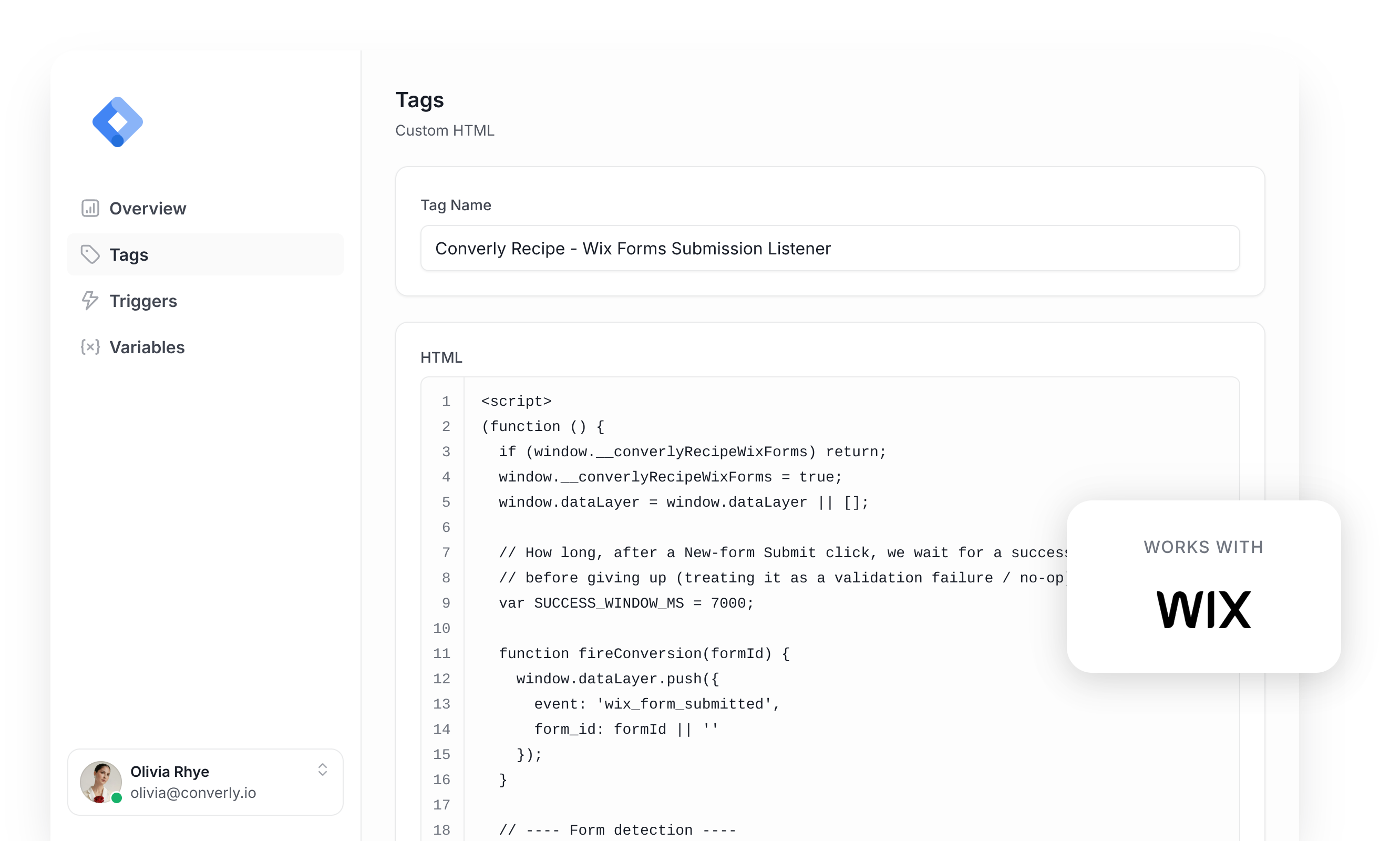
Google Tag Manager is a common way to send conversions to Google Ads, Google Analytics, etc when someone submits a form on your Wix site.
The problem is, it's quite difficult to set up. Wix renders and submits its forms with its own JavaScript (and has two different form systems that behave differently), which means Google Tag Manager's built-in form submission trigger doesn't work. This leaves you writing custom code to detect the form submission, send an event to the dataLayer, and build a trigger on top of that.
And unless you're a developer or very experienced with Google Tag Manager, you're going to struggle.
Fortunately though, there is a simple solution.
You can install this Wix Forms Conversion Tracking Recipe in your Google Tag Manager account and you'll have everything you need to get basic conversion tracking set up.
What Is a Google Tag Manager Recipe and What's in It?
A recipe is a pre-built bundle of Google Tag Manager assets (a tag, a trigger and a variable) that you import in one go instead of building each piece yourself. You can see all our recipes and how they work in the GTM recipe library.
This recipe detects successful Wix Forms submissions, sends a 'Form Submitted' event to Google Tag Manager, and gives you a Trigger you can use to send conversions to Google Analytics, Google Ads, etc. There are three parts to it, and nothing inside is hidden. Here's exactly what each piece contains, so you can see what you're importing before you import it.
Custom HTML Tag
Listens for successful Wix Forms submissions and pushes a 'wix_form_submitted' event to the dataLayer. It fires on All Pages, once per event, and this is the code inside it.
(function () {
  if (window.__converlyRecipeWixForms) return;
  window.__converlyRecipeWixForms = true;
  window.dataLayer = window.dataLayer || [];

  // Wait for Wix's inline confirmation without reading form answers.
  var SUCCESS_WINDOW_MS = 60000;

  function fireConversion(formId) {
    window.dataLayer.push({
      event: 'wix_form_submitted',
      form_id: formId || ''
    });
  }

  // ---- Form detection ----

  // New Wix Forms carry data-hook markers: the form itself is
  // data-hook="form-<uuid>", fields are wrapped in
  // data-hook="form-field-...", and the submit control is
  // data-hook="submit-button".
  function isNewWixForm(root) {
    if (!root) return false;
    try {
      var hook = root.getAttribute ? root.getAttribute('data-hook') : null;
      if (hook && hook.indexOf('form-') === 0 && hook.indexOf('form-field-') !== 0) {
        return true;
      }
      if (root.querySelector &&
          (root.querySelector('[data-hook^="form-field-"]') ||
           root.querySelector('[data-hook="submit-button"]'))) {
        return true;
      }
    } catch (e) {
      // fall through
    }
    return false;
  }

  // Legacy Forms have no observed accepted-only browser verdict in this pack.
  // Their native submit event is an attempt, so coverage is deliberately withheld.

  // New Wix Forms arm on a click and confirm with Wix's success marker.

  // Watchers currently in flight, keyed by form root, so duplicate click
  // events Wix emits for a single Submit press don't arm two watchers. A
  // re-click on a watched root REFRESHES the existing watcher instead of
  // being dropped, so a visitor who fails validation, fixes a field, and
  // clicks again inside the window gets a fresh verdict.
  var activeWatchers = [];

  function findWatcher(root) {
    for (var w = 0; w < activeWatchers.length; w++) {
      if (activeWatchers[w].root === root) return activeWatchers[w];
    }
    return null;
  }

  function findNewFormRoot(btn) {
    var root = btn.closest ? btn.closest('form') : null;
    if (root && isNewWixForm(root)) return root;
    if (btn.closest) {
      var alt = btn.closest('[data-hook="form-root"]') || btn.closest('[data-hook^="form-"]');
      if (alt && isNewWixForm(alt)) return alt;
    }
    return null;
  }

  // Wix FormViewerWidget renders this hook after its submission action
  // returns a submission. Generic classes and navigation are not acceptance.
  function classifySuccessNode(node) {
    if (!node || node.nodeType !== 1) return null;
    return node.getAttribute &&
      node.getAttribute('data-hook') === 'submit-form-success-message'
      ? 'structural' : null;
  }

  function isNodeHidden(el) {
    try {
      if (el.hidden) return true;
      if (el.getAttribute && el.getAttribute('aria-hidden') === 'true') return true;
      var view = el.ownerDocument && el.ownerDocument.defaultView;
      if (view && view.getComputedStyle) {
        var cs = view.getComputedStyle(el);
        if (cs && (cs.display === 'none' || cs.visibility === 'hidden')) return true;
      }
    } catch (e) {
      // fall through
    }
    return false;
  }

  // Ancestor-aware hiding check, capped at the observed container.
  function isConcealed(el, stopAt) {
    var node = el;
    var depth = 0;
    while (node && node.nodeType === 1 && depth < 12) {
      if (isNodeHidden(node)) return true;
      if (node === stopAt) break;
      node = node.parentNode;
      depth++;
    }
    return false;
  }

  function watchForSuccess(root, formId) {
    var entry = { root: root, refresh: refresh, cancel: cleanup };
    activeWatchers.push(entry);

    var fired = false;
    var timer = null;
    var observer = null;
    function startTimer() {
      if (timer) clearTimeout(timer);
      timer = setTimeout(function() {
        if (!fired) cleanup(); // No success signal within the window.
      }, SUCCESS_WINDOW_MS);
    }

    // A later click on the same root can be a duplicate click event for one
    // press, or a real re-submit after the visitor corrected a failed
    // field. Everything reflects the LATEST attempt.
    function refresh(nextFormId) {
      if (fired) return;
      formId = nextFormId;
      startTimer();
    }

    function cleanup() {
      if (timer) { clearTimeout(timer); timer = null; }
      if (observer) { try { observer.disconnect(); } catch (e) {} observer = null; }
      var idx = activeWatchers.indexOf(entry);
      if (idx !== -1) activeWatchers.splice(idx, 1);
      discardMethod2(formId, root);
    }

    function fire() {
      if (fired) return;
      fired = true;
      var handled = false;
      try {
        if (typeof window.__converlyWixMethod2Emit === 'function') {
          handled = window.__converlyWixMethod2Emit(formId, root) === true;
        }
      } catch (e) {}
      if (!handled) fireConversion(formId);
      cleanup();
    }

    function noteEvidence(node) {
      if (!node || node === scope) return false;
      if (classifySuccessNode(node) === 'structural' && !isConcealed(node, scope)) {
        fire();
        return true;
      }
      if (node.querySelectorAll) {
        var markers = node.querySelectorAll('[data-hook="submit-form-success-message"]');
        for (var i = 0; i < markers.length; i++) {
          if (noteEvidence(markers[i])) return true;
        }
      }
      return false;
    }

    function onMutations(muts) {
      if (fired) return;
      for (var i = 0; i < muts.length; i++) {
        var added = muts[i].addedNodes || [];
        for (var j = 0; j < added.length; j++) {
          var node = added[j];
          if (noteEvidence(node)) return;
        }
      }
    }

    // The inline confirmation belongs to this form only.
    var scope = root;
    try {
      observer = new MutationObserver(onMutations);
      observer.observe(scope, {
        childList: true,
        subtree: true
      });
    } catch (e) {
      // Without observation, no conversion is inferred.
    }

    startTimer();
  }

  function handleClick(event) {
    try {
      var target = event.target;
      if (!target || !target.closest) return;

      var btn = target.closest('[data-hook="submit-button"]');
      if (!btn) return;

      var root = findNewFormRoot(btn);
      if (!root) return;

      var formId = root.getAttribute ? (root.getAttribute('data-hook') || root.id || '') : (root.id || '');

      var existing = findWatcher(root);
      if (existing) {
        existing.refresh(formId);
        return;
      }

      watchForSuccess(root, formId);
    } catch (e) {
      // Never throw back into Wix's own click handling.
    }
  }

  if (typeof document !== 'undefined' && document.addEventListener) {
    document.addEventListener('click', handleClick, true);     // NEW forms
  }

  function discardMethod2(formId, root) {
    try {
      if (typeof window.__converlyWixMethod2Discard === 'function') {
        window.__converlyWixMethod2Discard(formId, root);
      }
    } catch (e) {}
  }
})();Variable
Captures the ID of the form that was submitted, so you can reference it in any tag. These are its exact settings.
Name
DLV - Wix Form ID
Variable Type
Data Layer Variable
Data Layer Variable Name
form_id
Trigger
Fires when the 'wix_form_submitted' event is received. Use it as the trigger for any conversion tag. These are its exact settings.
Name
CE - Wix Form Submitted
Trigger Type
Custom Event
Event Name
wix_form_submitted
Download This Recipe
Get the ready-to-import file and upload it into Google Tag Manager. Everything shown above (the tag, the variable and the trigger) comes pre-built inside.
Built from Converly's own Wix Forms detection code
Why It's the Best Recipe Out There
It is built from the same detection code we use in our own conversion tracking product, Converly, just adapted to run inside Google Tag Manager.
How to Use the Wix Forms GTM Recipe
Install the Recipe
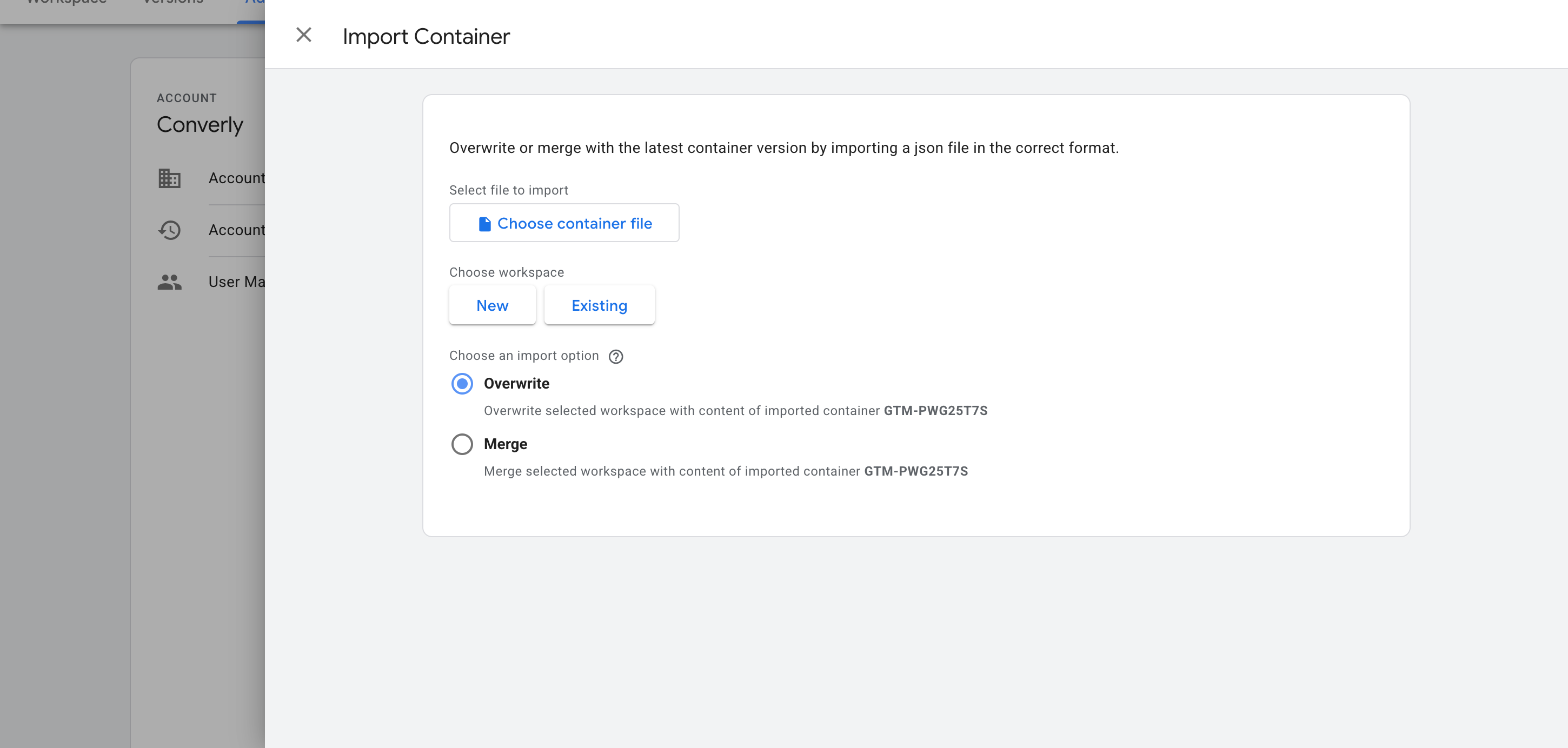
Download the recipe using the form above, then import it into your Google Tag Manager container. In GTM, head to Admin, choose Import Container, select the downloaded file, and pick the Merge option (so it doesn't overwrite anything else that's already in your container). The custom HTML Tag, the Variable, and the Trigger are added for you automatically.
Configure Your Tags
Now that the recipe is installed, you can use it as a Trigger for your conversion tags. Here are two common examples.
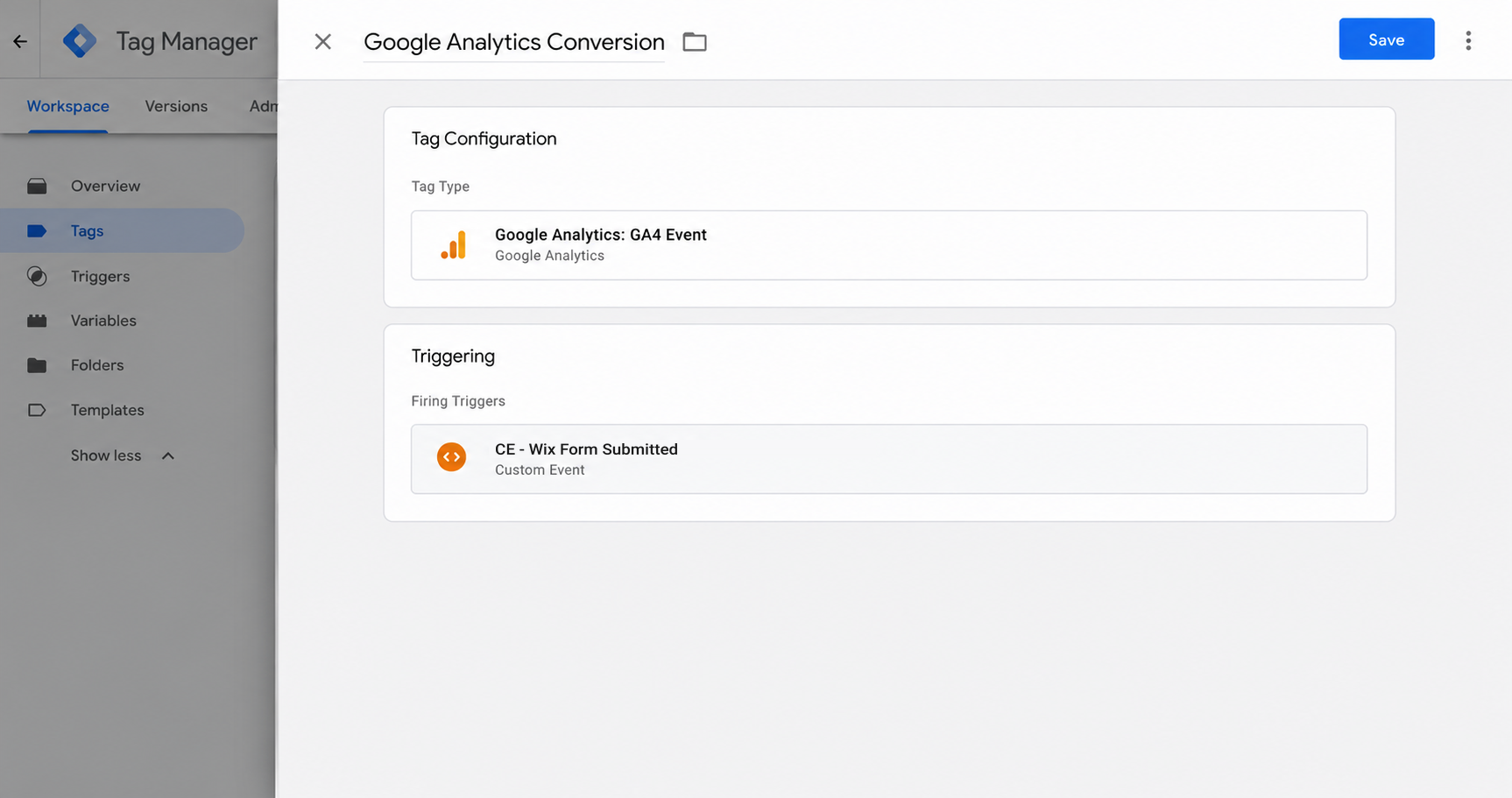
Example 1: Google Analytics
Create a GA4 event tag and set it to fire on the recipe's Trigger (called CE - Wix Form Submitted). Every Wix Forms submission now sends an event to Google Analytics.
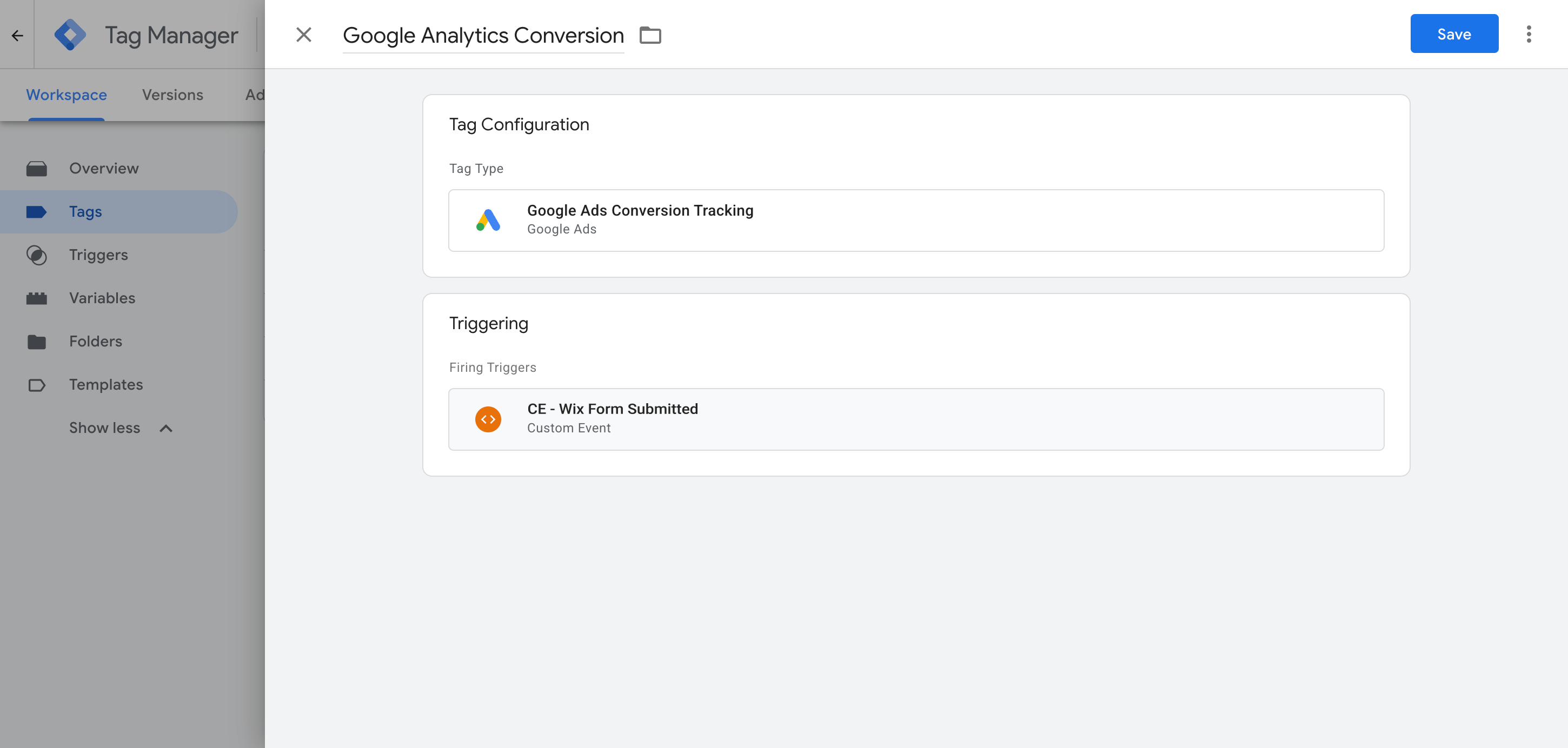
Example 2: Google Ads
Add your Google Ads conversion tag and set it to fire on the recipe's Trigger so that any new Wix form submissions are sent to Google Ads.
What This Enables You to Do (and What It Doesn't)
This recipe fires an event in Google Tag Manager whenever a successful Wix Forms submission is detected. You can use that as a trigger to send conversions to Google Ads, Google Analytics and other tags.
What it does
Sends an Event to GTM
Detects successful Wix Forms submissions and pushes an event called 'wix_form_submitted' into your dataLayer automatically.
Tells You Which Form Fired
Captures an ID for the form that was submitted, which means you can set it up to fire different conversion Tags when different forms are submitted.
Creates a Trigger in GTM
Gives you a 'Trigger' in Google Tag Manager which you can use as the trigger for any of your conversion tags.
What it doesn't do
Doesn't send the conversion server-side
Everything happens in the visitor's browser, so ad blockers can stop the tag loading and browser privacy restrictions can limit tracking to as little as a day.
Doesn't capture click IDs or other identifiers
It does not capture the Google click ID, Facebook click ID, Meta pixel cookies, IP address or user agent, which ad platforms need for Enhanced Conversions (Google) or a proper Event Match Quality score (Meta).
Doesn't capture the lead's details
The script only fires a generic 'Form Submitted' event and does not capture the lead's name, email or phone number. Ad platforms like Google and Meta require these for Enhanced Conversions (Google) and a high match score (Meta), and without them, the conversions won't do much.
No Logging or Notifications
You can test it with GTM's Tag Assistant when you first set it up, and that will help you confirm it's working, but unless you check every week, you have no way of knowing if it breaks (you'll just see 0 conversions in your ad platform and they'll start bidding wildly to make up for the lost conversions).
The Proper Way to Send Conversions to Google Ads, Meta Ads & More
This recipe is fine if you only send events to Google Analytics, which does not accept personal information or IP addresses. But to get a good Event Match Quality (EMQ) score in Meta, or use Enhanced Conversions in Google, you need to send the data server-side, together with the lead's name and email. That is what Converly does.
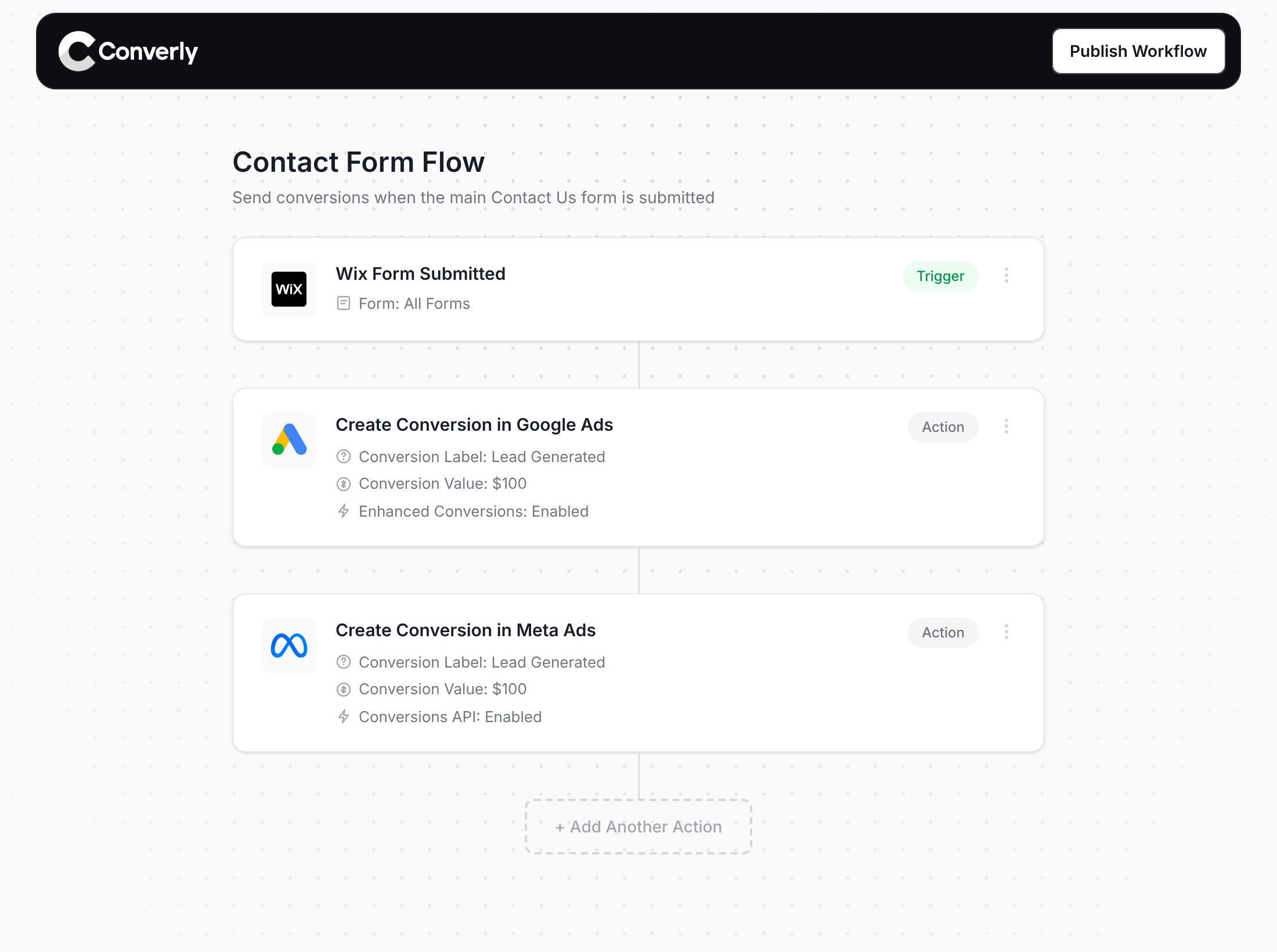
Here's why Converly is the best way to send conversions to Google Ads, Meta Ads, Microsoft Ads, ChatGPT Ads, LinkedIn Ads, etc.
Easy to set up
Converly gives you a simple drag-and-drop builder you can use to build a Conversion Flow. Simply select a trigger (like a Wix Forms form being submitted) and then select your actions (like sending a conversion to Google Ads). No custom code, no complex configuration.
Sends Data Server-Side
Converly sends conversions directly from its servers to Google, Meta, LinkedIn, etc., so ad blockers and privacy restrictions can't get in the way.
Sends More Data
Converly Captures the lead's name, email, and phone, plus the Google and Facebook click IDs, IP address, and user agent, and sends them with every conversion. That enables Enhanced Conversions in Google Ads, gives you an Event Match Quality (EMQ) score of 9 or 10 in Meta, and gives you a 100% match rate in platforms like ChatGPT Ads.
Full Conversion Log & Email Notifications
See every conversion, what was captured, what was sent to each platform and whether it was received. You can even set up email alerts so you get notified if anything breaks.
Supports Multiple Tools & Destinations
Converly detects submissions across 80+ form, scheduling, and chat tools and sends them to 20+ destinations, including Google Ads, Meta, LinkedIn, ChatGPT, Microsoft, and TikTok. So if you ever add a new tool or start advertising on a new platform, setting up conversion tracking is just a few clicks.
Provides Free Support
Our team has 20 years of experience in conversion tracking and analytics and is here to help whenever you need it. With Google Tag Manager, you're on your own.
Start Your Free Trial
Start a 14-day free trial and track your conversions the proper way. No code, no complicated configuration.
About the author
Aaron is the founder of Converly. With over 15 years of experience in digital marketing and SaaS, he's passionate about helping businesses track and optimise their ad conversions.