


Track Salesforce form submissions as conversions in ChatGPT Ads
Learn how to send server-side conversions to ChatGPT Ads every time someone fills out a Salesforce Web-to-Lead form on your website. No code required!
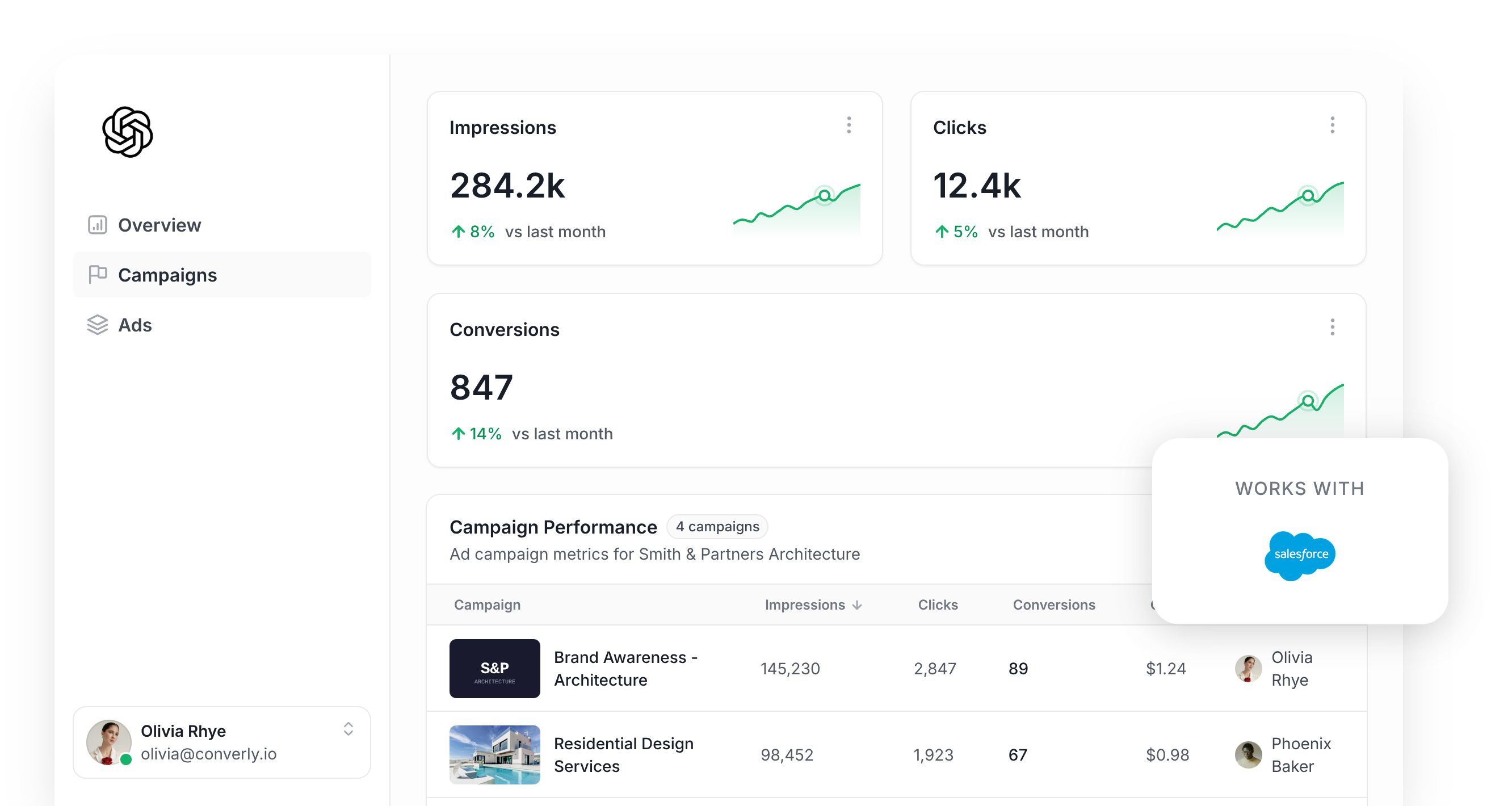
Planning to run ChatGPT Ads to bring more leads into Salesforce? Then getting your conversion tracking right needs to be near the top of your to do list.
ChatGPT Ads works much like every other ad platform out there. It relies on AI to figure out which people are most likely to become leads, and then it puts your ads in front of those people more often.
But that AI can only learn from the conversion data you feed it. If ChatGPT Ads can't see which ad clicks turned into real leads, it has no idea who it should be targeting, so it ends up burning through your budget on people who were never going to fill out your form.
This is even more important with ChatGPT Ads, because there are no keywords to choose. You're relying on ChatGPT to slot your ad into conversations it thinks are relevant, and if no conversion data is coming back, it can't tell which of those conversations are producing leads and which are a waste of money.
So what does solid ChatGPT Ads conversion tracking actually involve, and how do you set it up?
In this guide, we'll walk you through the best way to send a conversion to ChatGPT Ads whenever someone completes a Salesforce Web-to-Lead form on your website.
What proper conversion tracking looks like in ChatGPT Ads
Getting ChatGPT Ads conversion tracking right comes down to 2 things. Every conversion needs to actually reach OpenAI, and each one needs to carry enough detail for ChatGPT Ads to link it back to a real person and the ad they clicked on.
Getting every conversion delivered
The most basic setup is to install the ChatGPT Ads Measurement Pixel on your site and fire a conversion when someone reaches your thank you page (the page Salesforce redirects people to after they submit a Web-to-Lead form). The catch is that this depends completely on the visitor's browser passing the conversion along, and ad blockers and built-in browser privacy features block that all the time.
The gap is bigger than most people expect. Industry research suggests that 30% or more of conversions go missing this way, so your reports undercount your leads and ChatGPT's algorithm has a lot less to learn from when it decides who should see your ads.
For that reason, OpenAI recommends sending every conversion through 2 separate routes. One goes through the visitor's browser via the Measurement Pixel, and the other goes from a server straight to OpenAI using the Conversions API (which is what "server-side tracking" means). If the pixel gets blocked in someone's browser, the server-side conversion still gets through as a backup.
Making sure each conversion can be matched
Delivering the conversion is only the first half of the job. When it lands, ChatGPT Ads needs to connect it to an actual person and the particular ad they clicked, and if it can't make that link, the conversion simply doesn't count. Several things get in the way of that matching:
- Browser privacy features - Safari and other privacy-first browsers clear tracking cookies after a short window (often 7 days or less). If someone clicks your ad on a Monday and only comes back to complete your Salesforce form the following week, the cookie tying them to that click is already gone.
- Switching devices - Plenty of people click an ad on their phone and then return days later on a laptop or desktop to fill out your form. Since the click and the form submission happened on separate devices, there's nothing connecting the conversion to the original ad.
- Switching browsers - A lot of people use the ChatGPT app on their phone, and tapping your ad opens your site inside a small browser window within the app. That window stores its cookies separately from the phone's regular browser, so if they later visit in Safari or Chrome and fill in your form, ChatGPT Ads can't tie it back to the click.
The answer to all 3 problems is to send more information about the lead with each conversion. That means their name, email address and phone number, plus the Click ID (ChatGPT Ads calls this the oppref, and it gets tacked onto the end of your URL when someone clicks your ad). Sending the lead's IP address and user agent helps too, since it tells ChatGPT about the device they're on. Every extra identifier gives ChatGPT Ads one more way to work out who the lead is, so the more you include, the more conversions get matched.
3 simple steps to send proper, server-side conversions to ChatGPT Ads from Salesforce
Now that you know what good tracking involves, here's the simplest way to get it running.
Step 1: Build your Conversion Flow in Converly
Converly is a conversion tracking tool that takes the hassle out of sending proper, server-side conversions from your Salesforce forms to ChatGPT Ads.
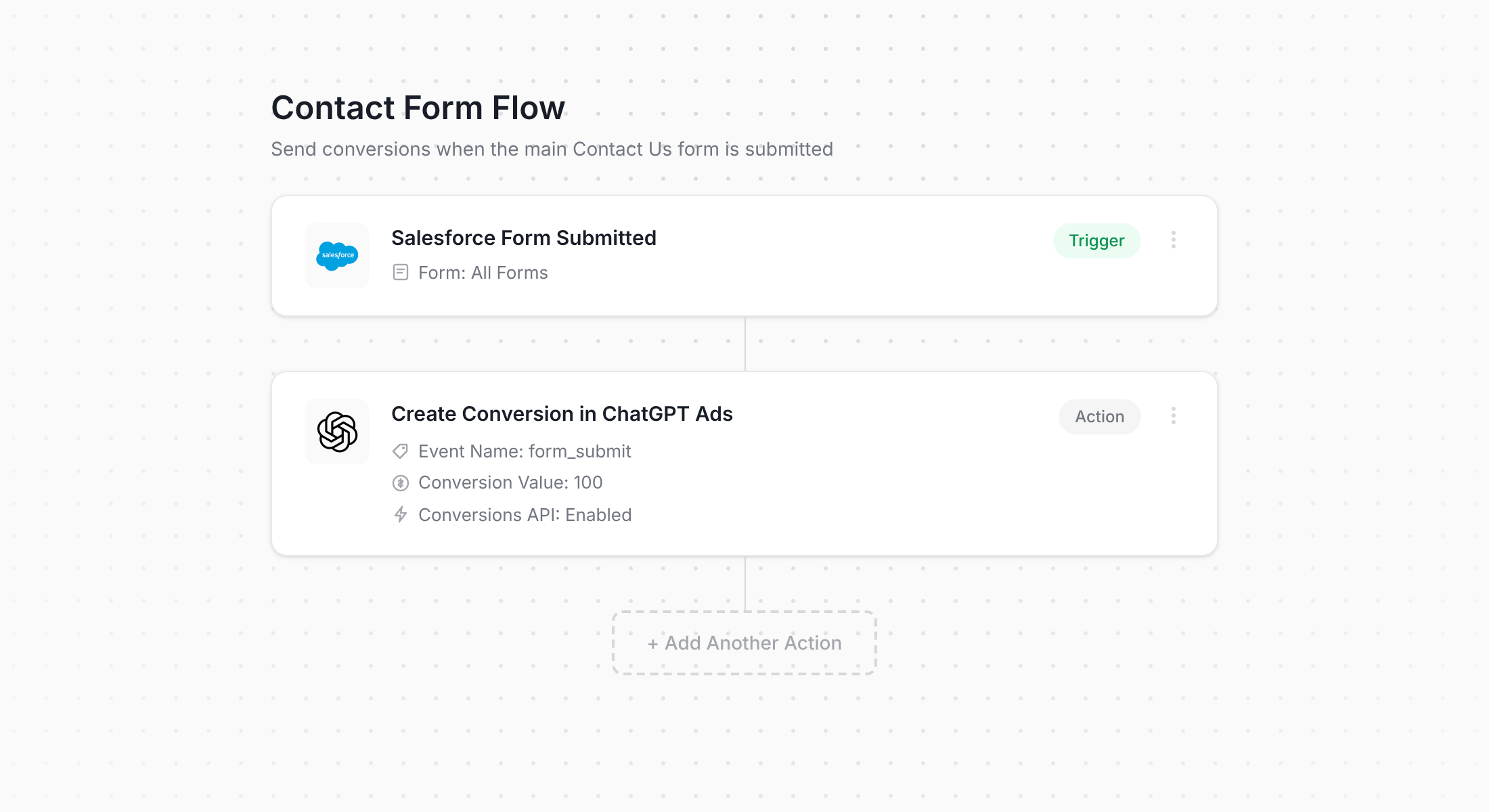
Above is Converly's flow builder. If you've used Zapier (or built an automation with Salesforce Flow), it will look very familiar.
You start by choosing a trigger (such as someone submitting a Salesforce Web-to-Lead form on your website), and then you choose what should happen as a result (such as a conversion being sent to ChatGPT Ads). That really is all there is to it. A few clicks later, you have server-side conversion tracking for ChatGPT Ads up and running.
It's even easier if you use an AI assistant like Claude or ChatGPT. Just install the plugin, ask it to 'Set up ChatGPT Ads conversion tracking for my Salesforce forms', and it will build the whole thing for you!
Step 2: Add the Converly code to your website
After you build and publish your Conversion Flow, Converly gives you a short code snippet to add to your website.
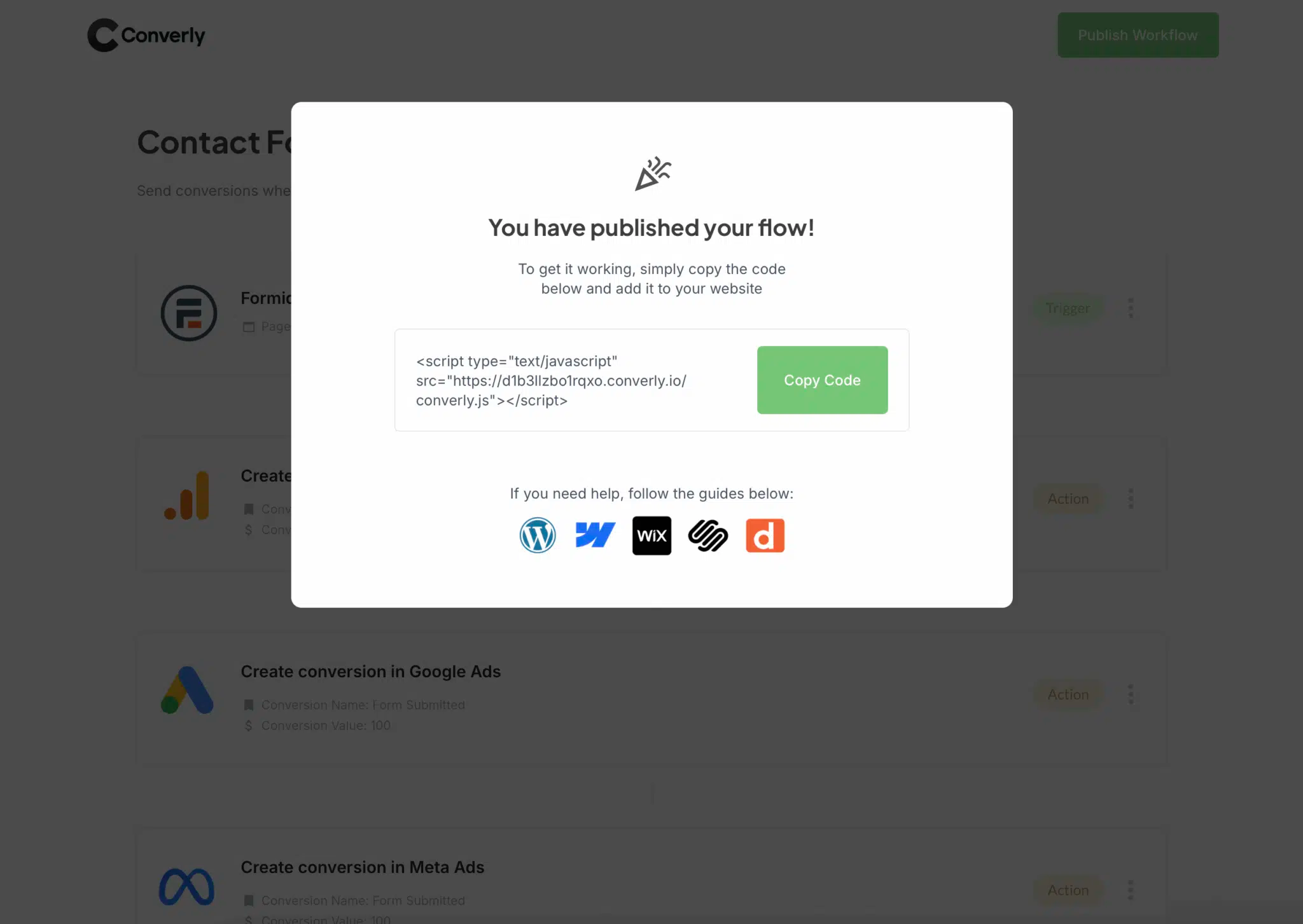
Salesforce Web-to-Lead forms live on your own website (you generate the form HTML inside Salesforce Setup and paste it onto a page), so the snippet needs to go on that same site. The easiest option is to paste it into the site-wide header using your website platform's custom code setting (WordPress, Webflow, Squarespace and most other builders have one). If you'd rather, you can also add it through Google Tag Manager.
Step 3: Test it works
All that's left is to head to your website and submit your Salesforce form yourself.
Then jump back into Converly and click 'Logs' in the main navigation.
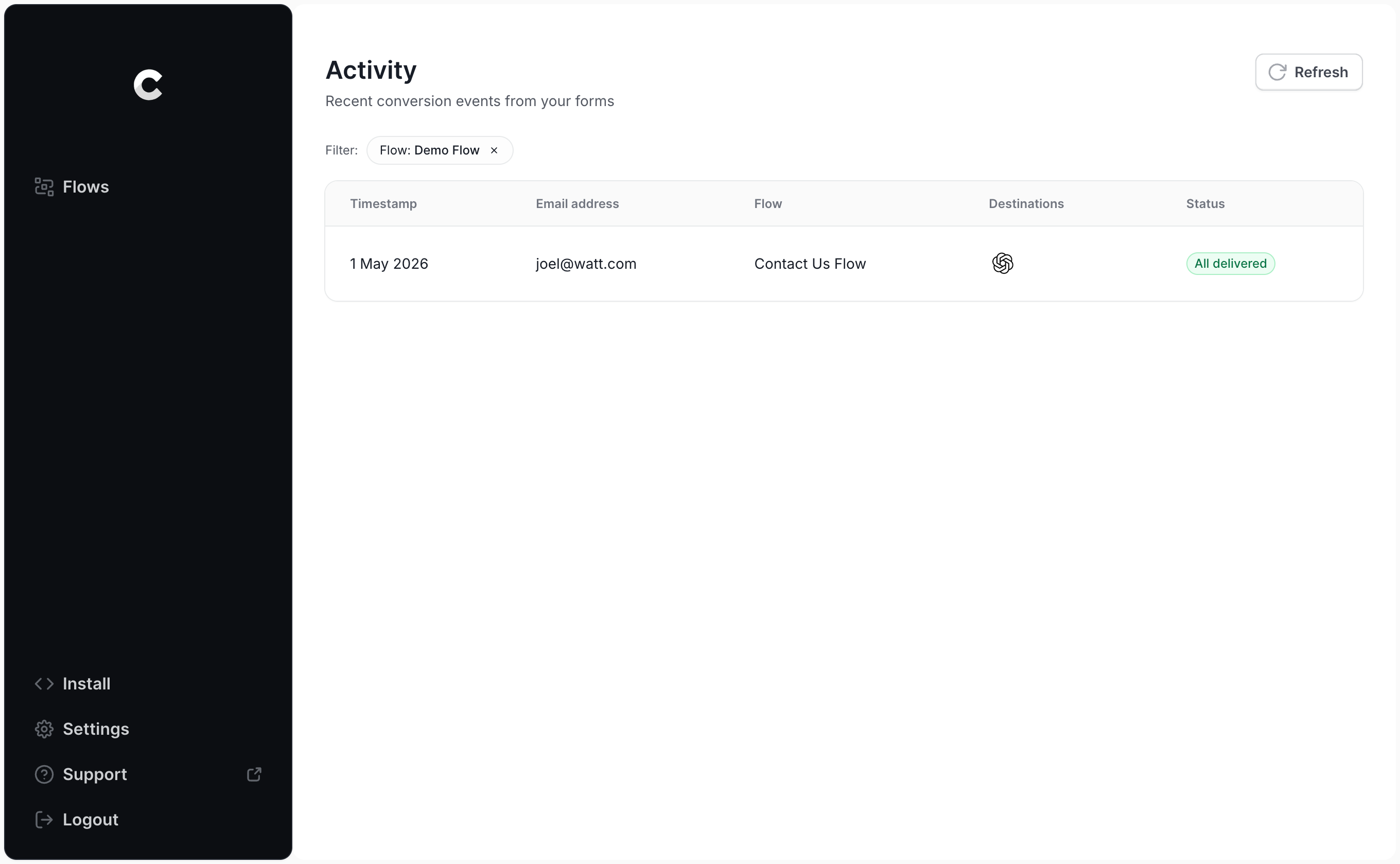
Find your test submission on the logs page and click into it. You'll see all the information Converly collected about the submission, and whether the conversion was successfully delivered to ChatGPT Ads.
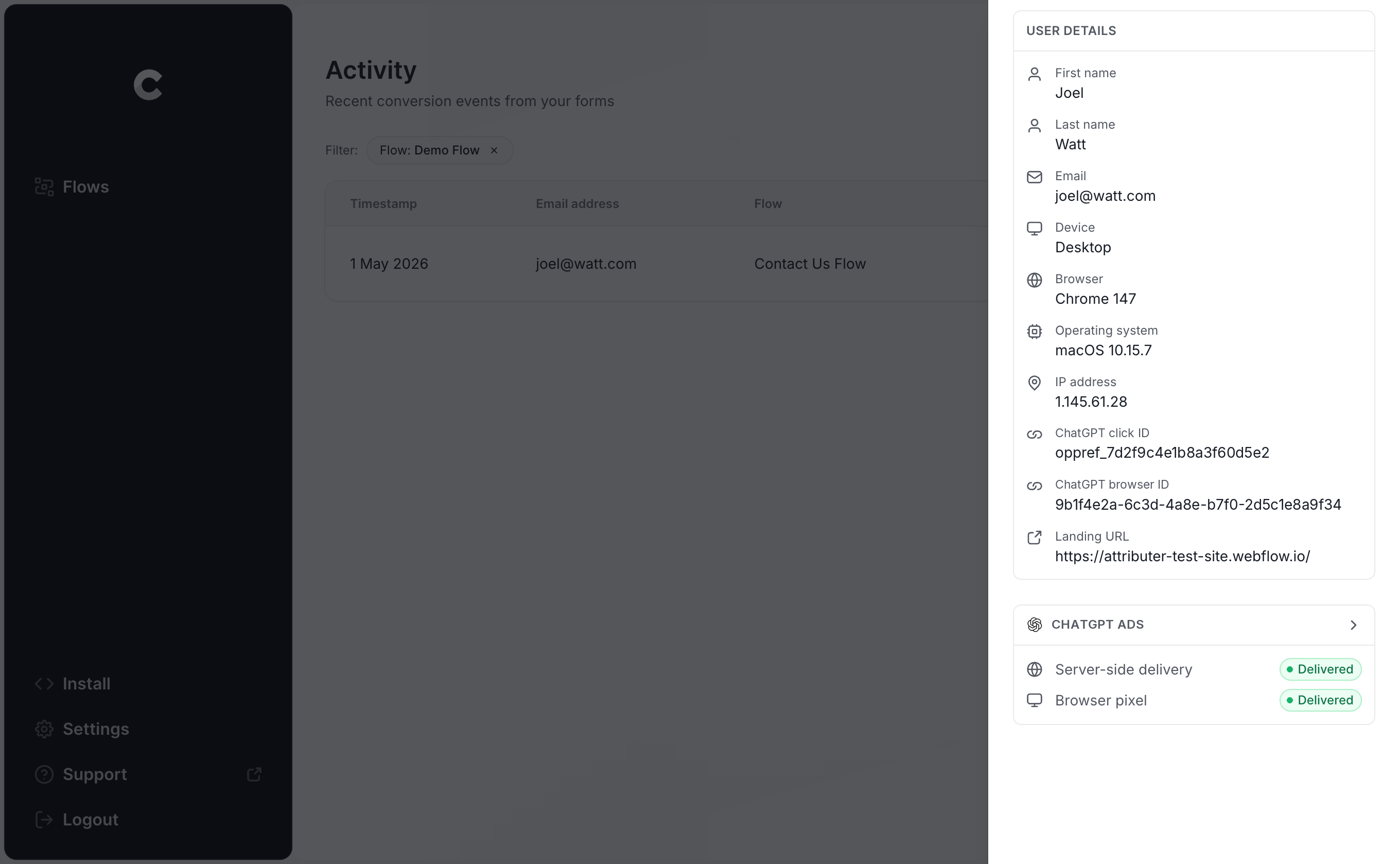
If you want to dig deeper, you can open the exact payload Converly sent to ChatGPT Ads (including the click ID, browser ID and hashed email address) along with the response OpenAI's server sent back.
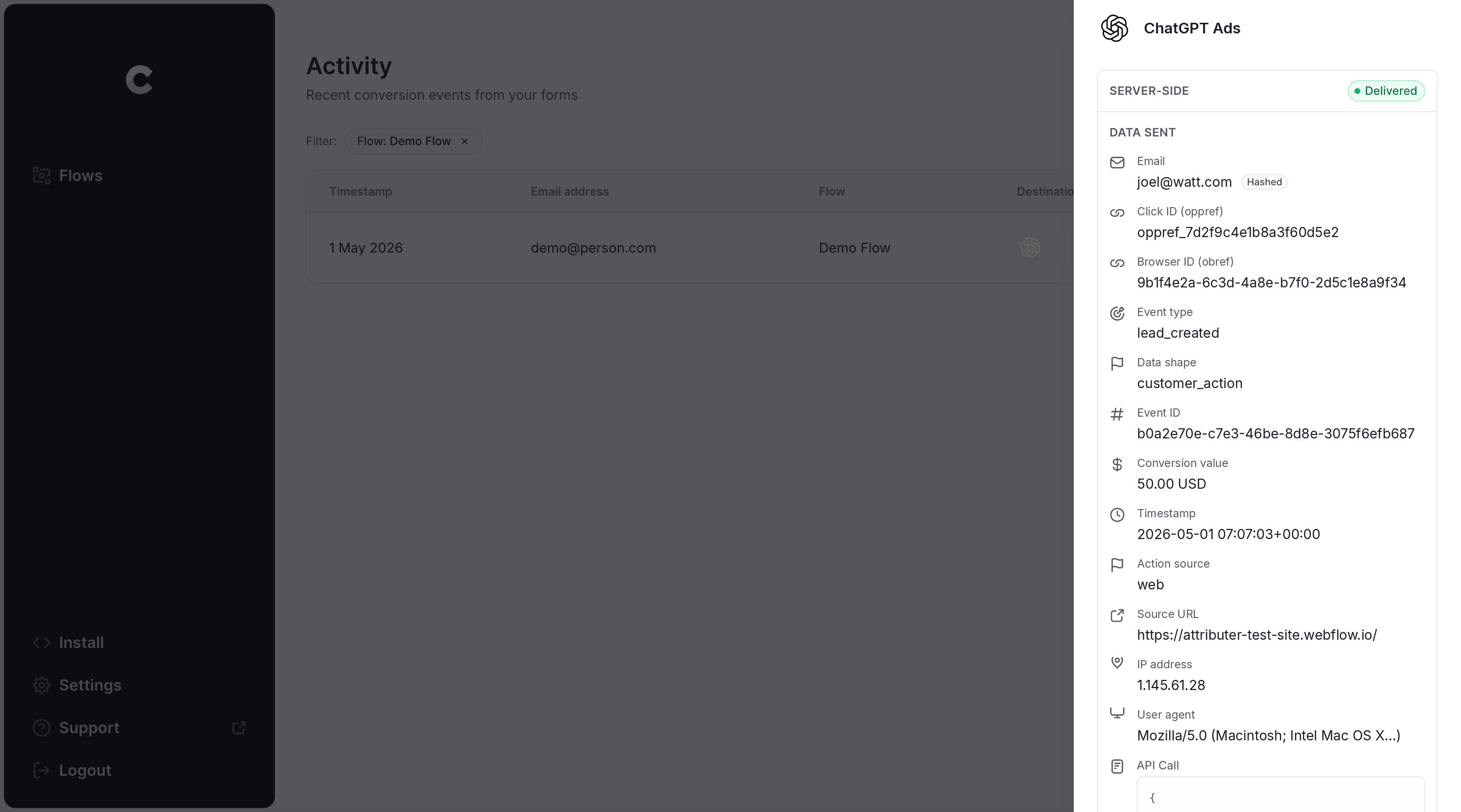
Once your test submission appears in the log as successfully sent to ChatGPT Ads, your conversion tracking is live. Most people finish the entire setup in less than 5 minutes.
Why Converly is the best way to send conversions to ChatGPT Ads from Salesforce
You have a few options for getting a conversion into ChatGPT Ads when someone fills out a Salesforce form on your website, so why choose Converly? Here's what makes it different:
1. Easy to set up
Doing all of this by hand would be a big job. You'd need code to detect when a Salesforce Web-to-Lead form is submitted (before the browser gets redirected to your thank you page), capture the click ID and browser cookie, pull out the name, email address and phone number, hash them with SHA-256, format the payload exactly how OpenAI expects it, and then handle API keys, deduplication and retries on top of that.
Converly does all of that for you. Pick a trigger (a Salesforce form submission), pick an action (a conversion sent to ChatGPT Ads), and Converly looks after everything else. There's no custom code to write and no API keys to manage, just conversion tracking that works.
And if you already use an AI tool like Claude or ChatGPT, simply install the Converly plugin, ask it to 'Set up ChatGPT Ads tracking for my Salesforce forms', and it will configure everything for you!
2. Not affected by ad blockers and privacy restrictions
When you rely on the ChatGPT Ads Measurement Pixel alone (without also sending conversions server-side through the Conversions API), a good chunk of your conversions will never reach OpenAI, because ad blockers and privacy-focused browsers stop the pixel from loading in the first place.
So how much are we talking about? A study covering more than 7 million conversions found that browser-based tracking missed roughly 30% of them. In other words, close to a third of your conversions would go uncounted.
Converly sends every conversion through both routes (via the browser to the ChatGPT Measurement Pixel, and server-side to the Conversions API), so your conversions should reach ChatGPT Ads no matter what ad blocker or privacy settings your visitors are using.
3. Works across devices
A lot of leads find your website on one device (say, on their phone during their lunch break) and then come back to fill out your Salesforce form later on their work computer.
If you're relying on something like thank you page tracking, there's no way to connect that conversion to the original ad click, because the click and the submission happened in different browsers on different devices.
Converly solves this. It captures the click ID (the oppref) and passes it to ChatGPT Ads together with the lead's name, email address and phone number. That gives ChatGPT Ads everything it needs to match the conversion to a real person and the ad they clicked, even when that click happened on another device weeks before the form was submitted.
4. Sends more data
The moment someone arrives on your site, Converly captures the ChatGPT click ID, the browser cookie set by the ChatGPT Ads pixel, and their user agent, and saves them. When that same visitor eventually submits your Salesforce form, Converly pairs that information with their name, email and phone and sends it all to ChatGPT Ads in one go.
That means ChatGPT Ads can link each conversion to the ad click that kicked it off, and you end up with conversion numbers you can actually rely on.
5. Supports multiple tools and platforms
Converly connects with more than 100 form builders, scheduling tools, chat widgets and more. On the other side, it can send conversions to ChatGPT Ads, Google Ads, Meta Ads, LinkedIn Ads, Microsoft Ads, Google Analytics and plenty of other platforms.
So if you're running Google Ads or LinkedIn Ads alongside ChatGPT Ads, there's no need to build a separate setup for each one. Add them as extra actions in the same Conversion Flow and every Salesforce form submission is sent to all of them at the same time. And when you decide to try a new ad platform, adding it takes a few clicks rather than a whole new project.
6. Gives you a full conversion log and email alerts
Most other ways of tracking ChatGPT Ads conversions (like Google Tag Manager) don't give you a simple way to check that everything is still working. You can test it on the day you set it up, but if someone later regenerates the Web-to-Lead form HTML, changes the return URL, or tweaks a setting in ChatGPT Ads Manager, your tracking can quietly stop working and nobody would notice.
Converly removes the guesswork. You get a full conversion log that shows every conversion from your Salesforce forms, what data was captured, exactly what was sent to ChatGPT Ads, and whether it was accepted.
You can also switch on email notifications so you hear about every conversion sent to ChatGPT Ads (or only the ones that fail, if you'd prefer a calmer inbox). That way, if something ever breaks, you'll find out right away.
2 things you can do when you properly send conversions to ChatGPT Ads from Salesforce
Once accurate conversion data is flowing from your Salesforce forms into ChatGPT Ads, you can do a couple of things that just aren't possible when you're guessing.
1. See which campaigns and ads actually produce leads
Without proper conversion tracking, the only things ChatGPT Ads can report on are impressions and clicks, and clicks on their own won't grow your business.
With reliable conversion data coming in, you can see how many leads each campaign and ad is bringing in, what you're paying for each lead, and where your best growth opportunities are.
2. Let OpenAI's algorithm find you more of the right people
ChatGPT Ads relies on sophisticated AI to decide who sees your ads and which conversations they appear in.
With conversion tracking set up properly, it has the information it needs to learn what a great lead looks like for your business, and it will show your ads to more people like that. With a weak setup it has very little to work with, so it keeps showing your ads to the wrong people (which drives up your cost per lead and chews through your marketing budget).
Wrap Up
If you want ChatGPT Ads to receive a conversion every time someone fills out a Salesforce Web-to-Lead form on your website, Converly is the simplest (and best) way to make it happen.
Because it sends conversions straight to OpenAI's servers, ad blockers and privacy-focused browsers can't get in the way. And because it includes every identifier OpenAI uses for matching (the click ID, name, email address and more), each lead has the best possible chance of being connected to the ad that brought it in.
Best of all, setup only takes a few minutes and there's a 14-day free trial (no credit card required), so start your free trial today!
About the author

Aaron is the founder of Converly. With over 15 years of experience in digital marketing and SaaS, he's passionate about helping businesses track and optimise their ad conversions.