


Track Kit form submissions as conversions in Google Ads
Learn how to send server-side conversions to Google Ads whenever someone signs up through a Kit form on your website. No code required!
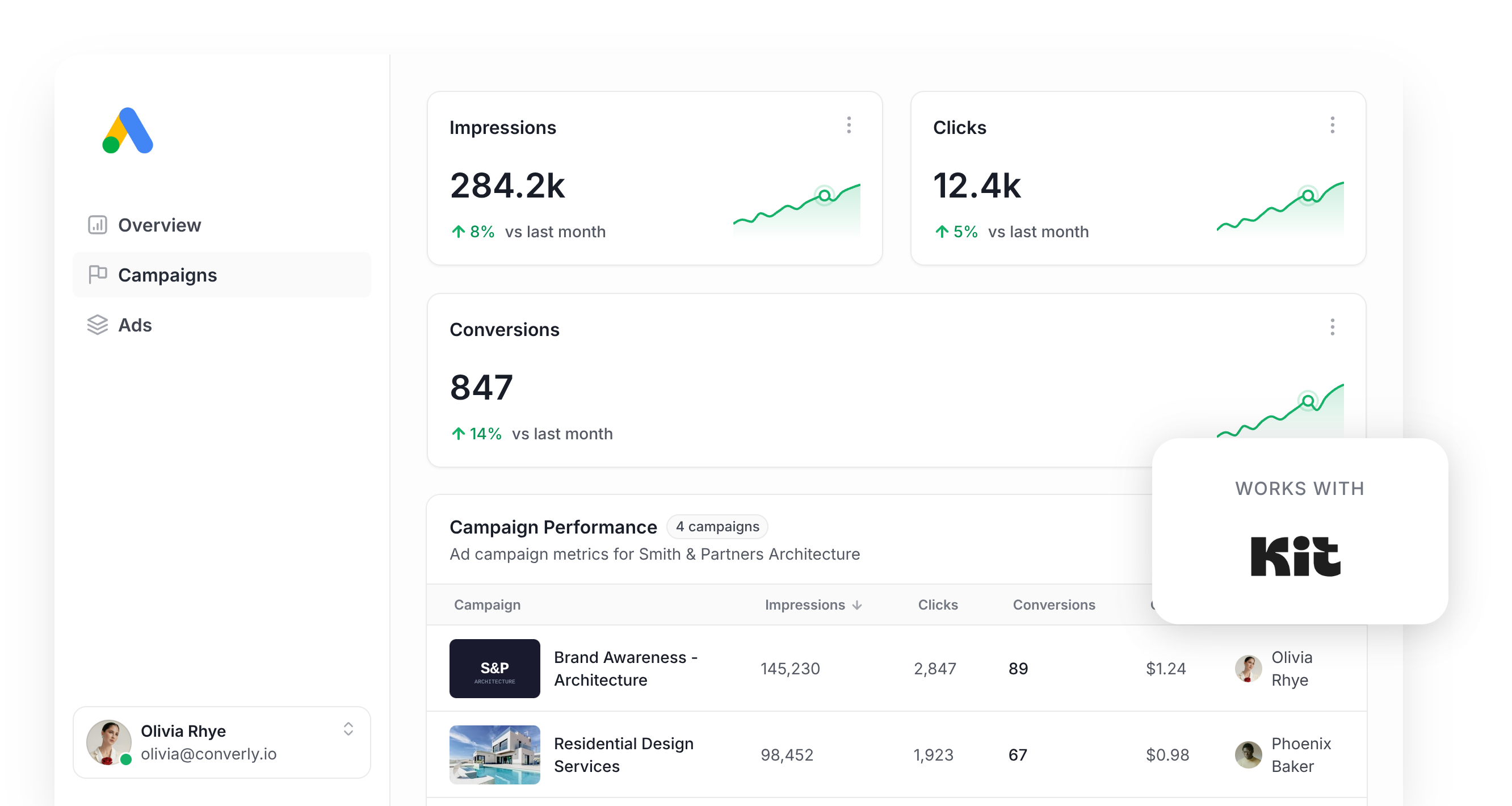
Struggling to track how many new subscribers you are getting from your Google Ads?
If so, you're not alone. Tools like Google Tag Manager make it surprisingly difficult to send conversions back to Google Ads when someone submits a Kit form on your site. You've got to write custom-code to detect the form submission and fire an event into the dataLayer, and then you've got to set up Triggers, Tags, Variables, etc to actually make it all work.
There are easier options, like tracking a thank-you page visit, but that isn't great either. Although it's easier to set up, ad platforms like Google Ads want you to send the lead's name, email, phone, etc back with each conversion so they can use them to match the conversion to a real person and the ad they clicked, and you can't do that when you are tracking a thank you page visit.
Fortunately though, there is a solution.
In this article, we'll walk you through how to set up reliable server-side conversion tracking in Google Ads whenever someone subscribes through a Kit (formerly ConvertKit) form on your website.
Why server-side tracking matters for Google Ads
Conversion tracking has stopped being a nice extra. It's the foundation that the rest of your account is built on.
Think about how Google's smart bidding strategies work (Maximize Conversions, Target CPA, and the rest). They weigh up signals like location, device, time of day, and past buying behaviour to work out how likely a particular searcher is to convert, then they adjust your bids for you. Searchers who look promising get a higher bid and better ad placement, and the ones who don't get pulled back to save you money.
Used well, it's a genuinely effective way to pull in more leads for less money. But it lives or dies on the quality of the conversion data you're sending through. Google needs a steady stream of "this person converted" and "this person didn't" so it can learn what your best leads look like and go find more of them.
Older tracking methods (tracking thank-you page views being the classic example) all share the same weak point. They rely on the visitor's own browser to deliver the conversion to Google, and that creates a handful of problems:
- Ad blockers - Plenty of people browse with extensions that block ad scripts, which means the Google Tag never loads when they visit your site and the conversion is never recorded.
- Browser privacy limits - Safari and other privacy-first browsers cap how long the Google Tag is allowed to remember a visitor, sometimes at a single day, so if someone clicks your ad but doesn't actually subscribe until a few days later, then they can't be tied back to the original ad click and won't appear in your reports.
- Multiple devices - Someone might discover you on their phone on the train in the morning, then join your list through your Kit form that afternoon on their work laptop. Browser-based tracking can't stitch those two sessions together, so your ad never gets credited for the subscriber it produced.
Server-side tracking solves these issues. The subscriber's details are sent straight to Google's servers as a direct API call, leaving no way for an ad blocker or a privacy setting to interrupt.
It sounds like a technical detail, but the effect on your numbers is real. Google's own figures put server-side tracking at roughly a 23% lift in recorded conversions and a 10% reduction in cost per conversion, largely because the bidding algorithms finally have enough data to recognise your ideal customer and put your ads in front of more people who look like them.
3 simple steps to send server-side conversions to Google Ads from Kit
Connecting your Kit forms to Google Ads with server-side tracking is quick work in Converly. Here's what's involved:
Step 1: Build your Conversion Flow in Converly
With Converly, it's easy to send a server-side conversion to Google Ads every time somebody subscribes through a Kit form on your site.
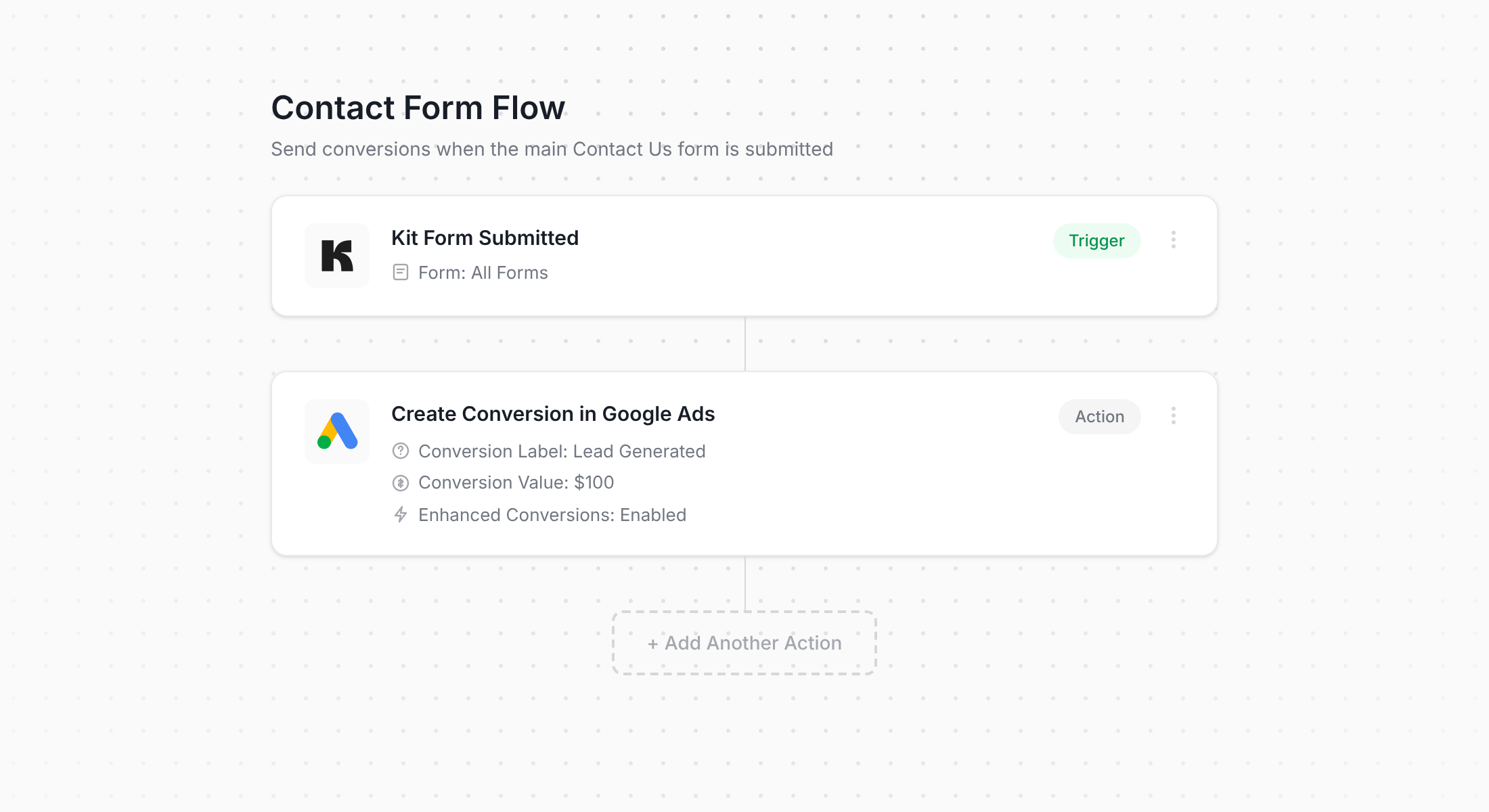
What you're looking at above is Converly's flow builder. Anyone who has spent time in Zapier or built a sequence inside Kit's Visual Automations will find their way around it straight away.
You simply choose your trigger first (someone subscribing through your Kit form), then select the action that should follow (a conversion delivered to Google Ads).
Genuinely, that's the whole job. A handful of clicks and your server-side conversion tracking is live, with no custom scripts and no developer time.
And if you use an AI tool like Claude or ChatGPT, it's even easier. You just connect it to your Converly account, tell it to ‘Set up conversion tracking in Google Ads from Kit’ and your AI tool will set everything up for you!
Step 2: Add the Converly code to your website
Once your Conversion Flow is published, Converly gives you a short snippet of code to add to your site.
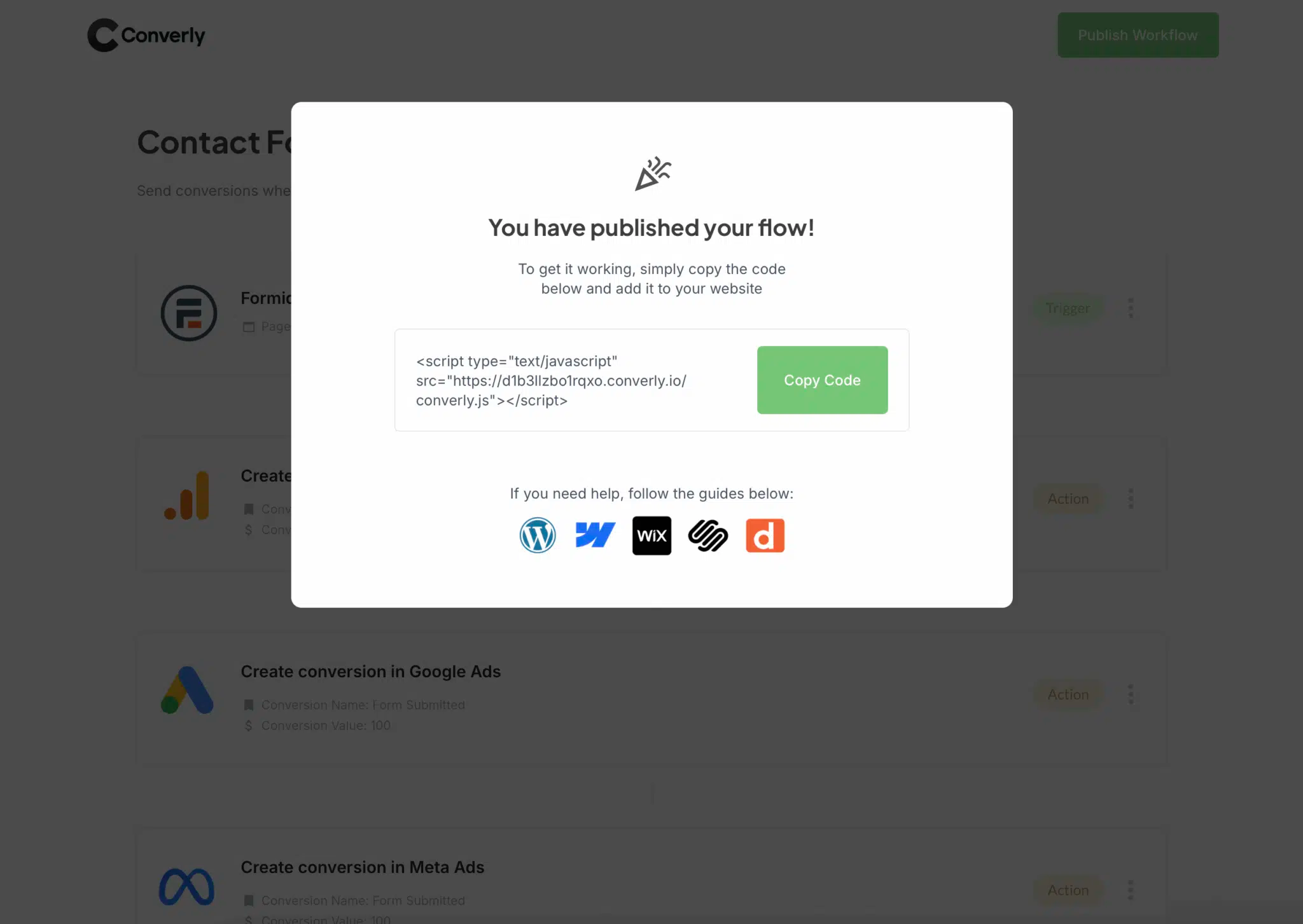
Paste it into the Header or Custom Code area of your website (wherever your CMS or site builder allows you to add scripts) and set it to load site-wide. Or, if you already manage your scripts through Google Tag Manager, you can add the snippet there instead.
Step 3: Test it works
With everything in place, visit your live site and subscribe through one of your Kit forms.
Then hop back into Converly, open up the Conversion Flow, hit the 3 dots menu in the top right corner, and choose View Logs.
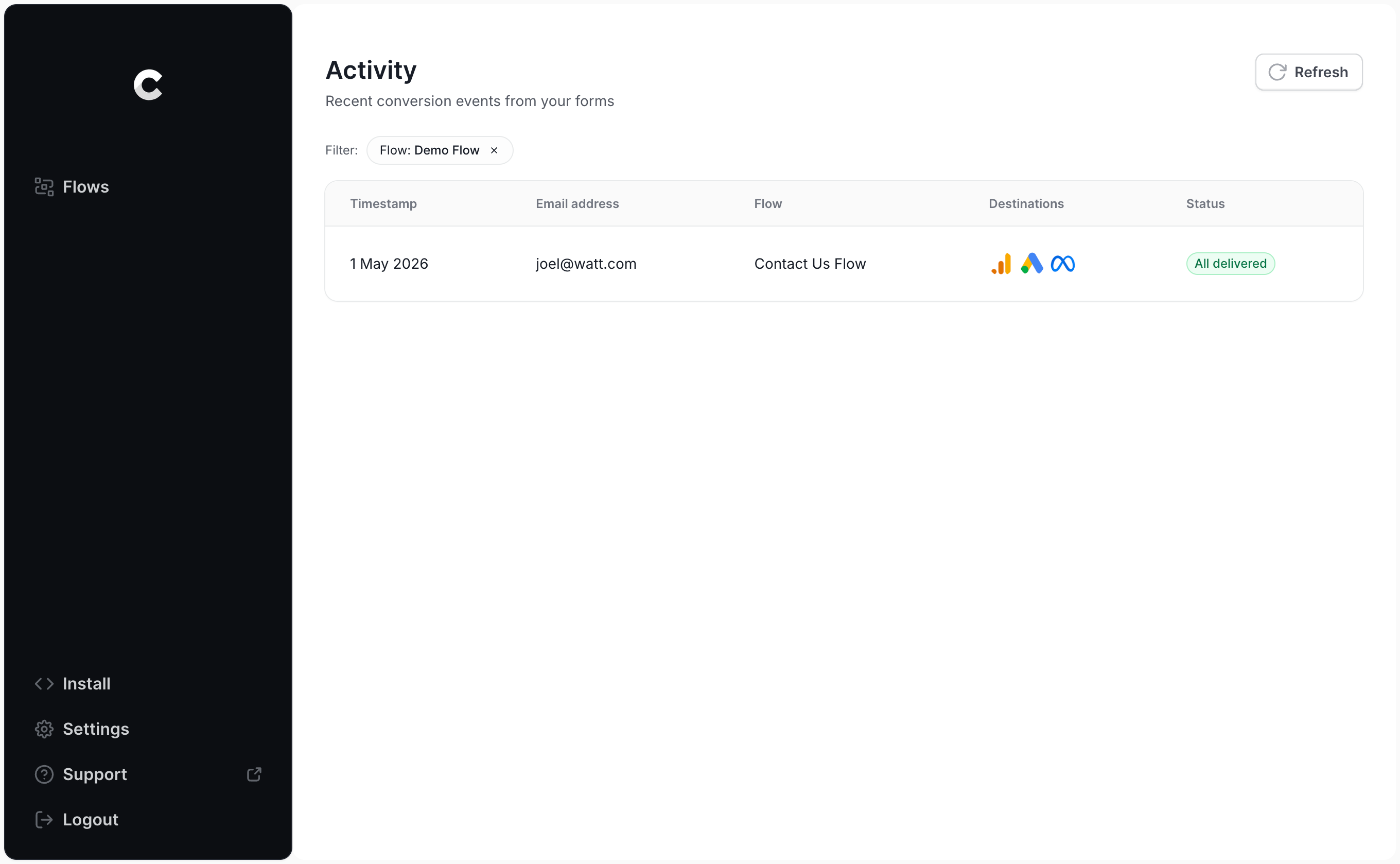
Click into the entry for the test signup you just made and you'll see exactly what data was captured and where it went.
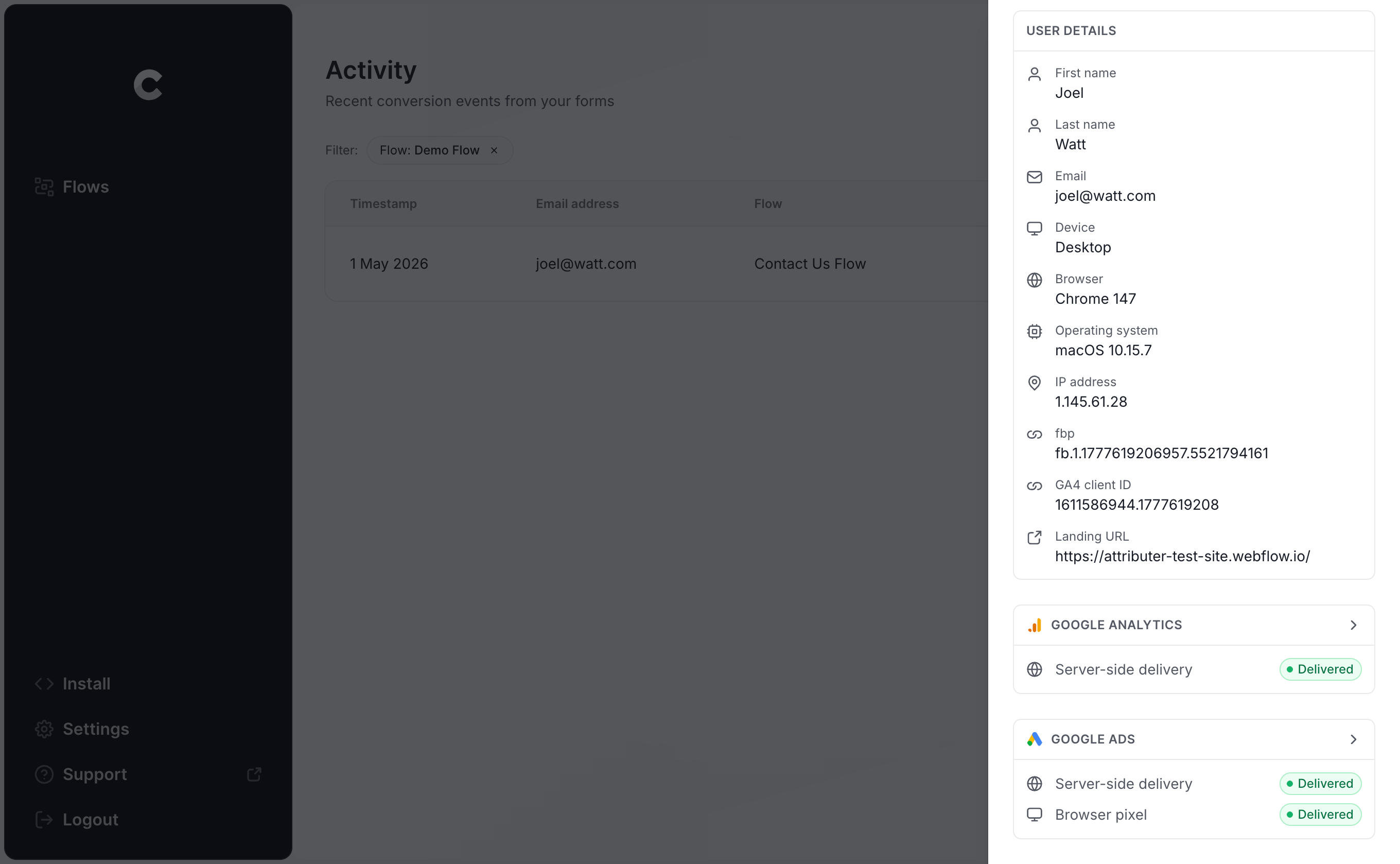
There's another level below that too, showing the exact payload sent to Google Ads alongside the response their server returned.
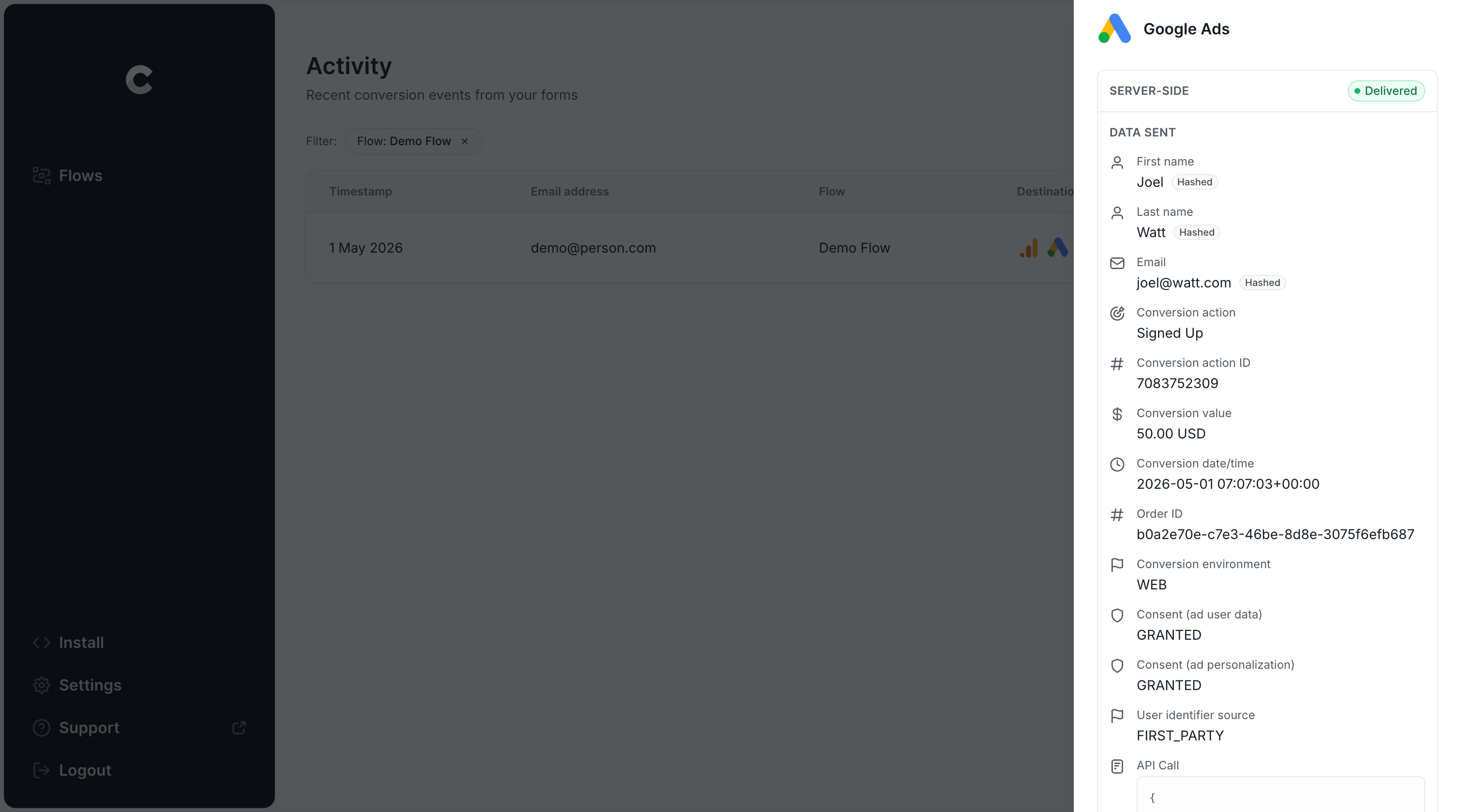
As soon as your test signup shows up in the log with a successful send to Google Ads, you're done. For most people the entire setup takes under 5 minutes.
Why Converly is the best way to send conversions to Google Ads from Kit
Converly isn't the only way to send Kit subscribers to Google Ads as conversions, so what makes it worth choosing?
1. Easy to set up
Probably the most common way to try to set up conversion tracking is using Google Tag Manager, but that involves writing custom JavaScript to detect the Kit form submission, pushing the subscriber's name and email into the dataLayer, retrieving them again with dataLayer Variables, running them through SHA-256 hashing (which Google Ads insists on), and finally building the Tags and Triggers that hold the whole thing together.
None of that is impossible, but unless you already know Google Tag Manager very well (and can write custom code), you'll lose hours working it out.
Converly is far less work. You just pick the trigger (a Kit form being submitted), pick the action (a Google Ads conversion), and you're finished!
And if your team already uses an AI assistant like Claude or ChatGPT, you can hook it up to Converly's MCP and simply ask it to ‘Set up conversion tracking between Google Ads and Kit’ and it'll set it all up for you!
2. Not affected by ad blockers and privacy restrictions
Any browser-based approach (Google Tag Manager, thank you page tracking, button clicks) will fail to deliver a significant portion of your conversions, because ad blockers and privacy-focused browsers stop the Google Tag from loading when the visitor lands on your site. And if the tag never loads, nothing that visitor does can be tracked.
One study spanning over 7 million conversions found browser-based tracking only managed to deliver around 70% of conversions to Google Ads. So roughly 30% of conversions simply vanish.
Converly doesn't have that problem. Conversions get sent from our servers straight to Google's, which means ad blockers and privacy focused browser can't get in the way.
3. Works across devices
Imagine someone lands on your site from a Google Ad while scrolling on their phone, but then doesn't actually join your list until they're sitting at their desk on a work computer the next day.
Because those two visits happened in different browsers on different machines, browser-based tools like Google Tag Manager have no way to link them, and Google can't credit the conversion to the original ad click.
Converly solves this by passing the subscriber's details (name, email, and more) directly to Google's servers, giving Google what it needs to connect the conversion back to a real person and the ad they originally clicked (even when the two events happened on completely separate devices).
4. Sends more data
Alongside the subscriber's name, email, and phone number, Converly also picks up technical signals like the Google Click ID (GCLID), IP address, and user agent, and passes all of it to Google Ads with every conversion.
That extra detail matters. Millions of people share the same name and plenty of us juggle several email addresses, so those fields alone can't tie a conversion back to a real person and the ad they clicked with 100% accuracy. So by sending the Google Click ID, the visitor's IP address, etc., you are giving Google much more information about the subscriber that it can use to match them back to their original ad click, even when the click and the signup are weeks apart on different devices.
The payoff is cleaner reporting and more trustworthy numbers inside your Google Ads account.
5. Supports multiple tools and platforms
Converly plugs into more than 100 form builders, scheduling tools, and chatbots, and can push conversion events to Google Analytics, Google Ads, Meta Ads, ChatGPT Ads, LinkedIn Ads, Microsoft Ads, and plenty more.
So when you add a new tool later on (like a scheduling widget to your website for consulting calls), or start advertising somewhere new, you don't have to rebuild your conversion tracking from scratch. Connect it inside Converly and it's handled.
6. Gives you a full conversion log and email alerts
If you build your conversion tracking setup in Google Tag Manager, there's no easy way to confirm it's still alive once it's shipped.
You might test it and everything might work on day one, but then a small edit to your Kit form, a change inside GTM, or a tweak in Google Ads can break it (and you only find out 2 weeks later when you notice 0 conversions in your account)
Converly removes that blind spot. Every conversion is logged with the data that came in, what was sent to Google Ads, and how Google Ads replied. You can switch on email alerts as well, either for all conversions or only the failures, so you'll know about a problem as soon as it happens.
3 things you can do when you properly send conversions to Google Ads from Kit
With genuinely good conversion data flowing into Google Ads, a whole layer of reporting and optimisation opens up:
1. Report on conversions by campaign, ad group, keyword, etc.
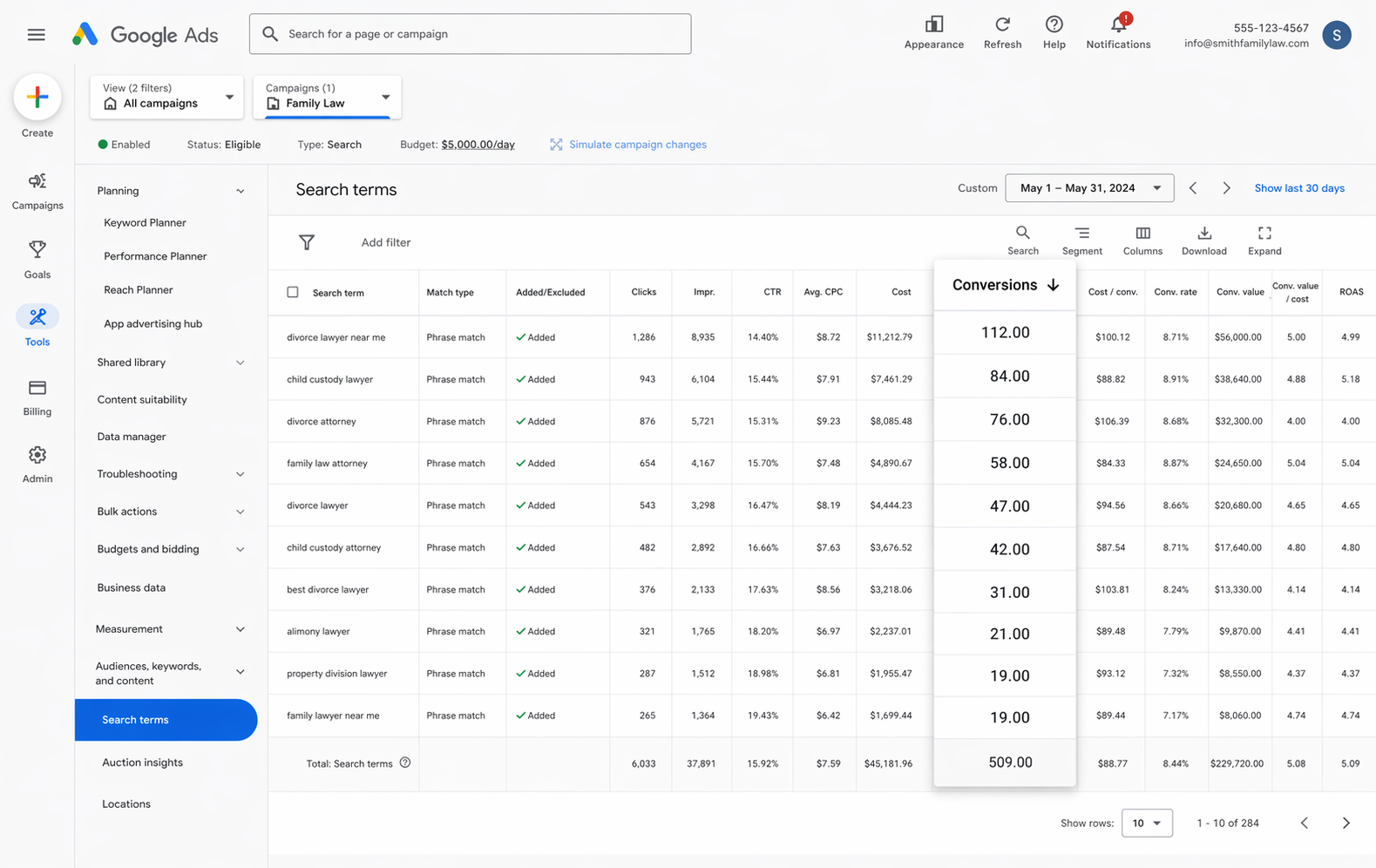
Once you properly send conversions to Google Ads, your account reports will show far more than impressions and clicks. You get conversion volume, conversion rate, cost per conversion, return on ad spend, and more. Better still, you can slice any of it by campaign, ad group, keyword, ad, etc to find out what's really working and what isn't.
2. Use Google's Smart Bidding technology
Running an account on manual bidding isn't a great approach. You're effectively telling Google you'll pay $3 a click (for example), and it bids up to that number no matter who is searching or how likely they are to become a subscriber.
Google's Smart Bidding strategies handle it far more intelligently. You set a target, something like $45 per subscriber, and Google takes care of the bidding. It looks at signals about the searcher (device, location, age, interests, past behaviour) and bids up for the people most likely to convert while easing off the ones who won't.
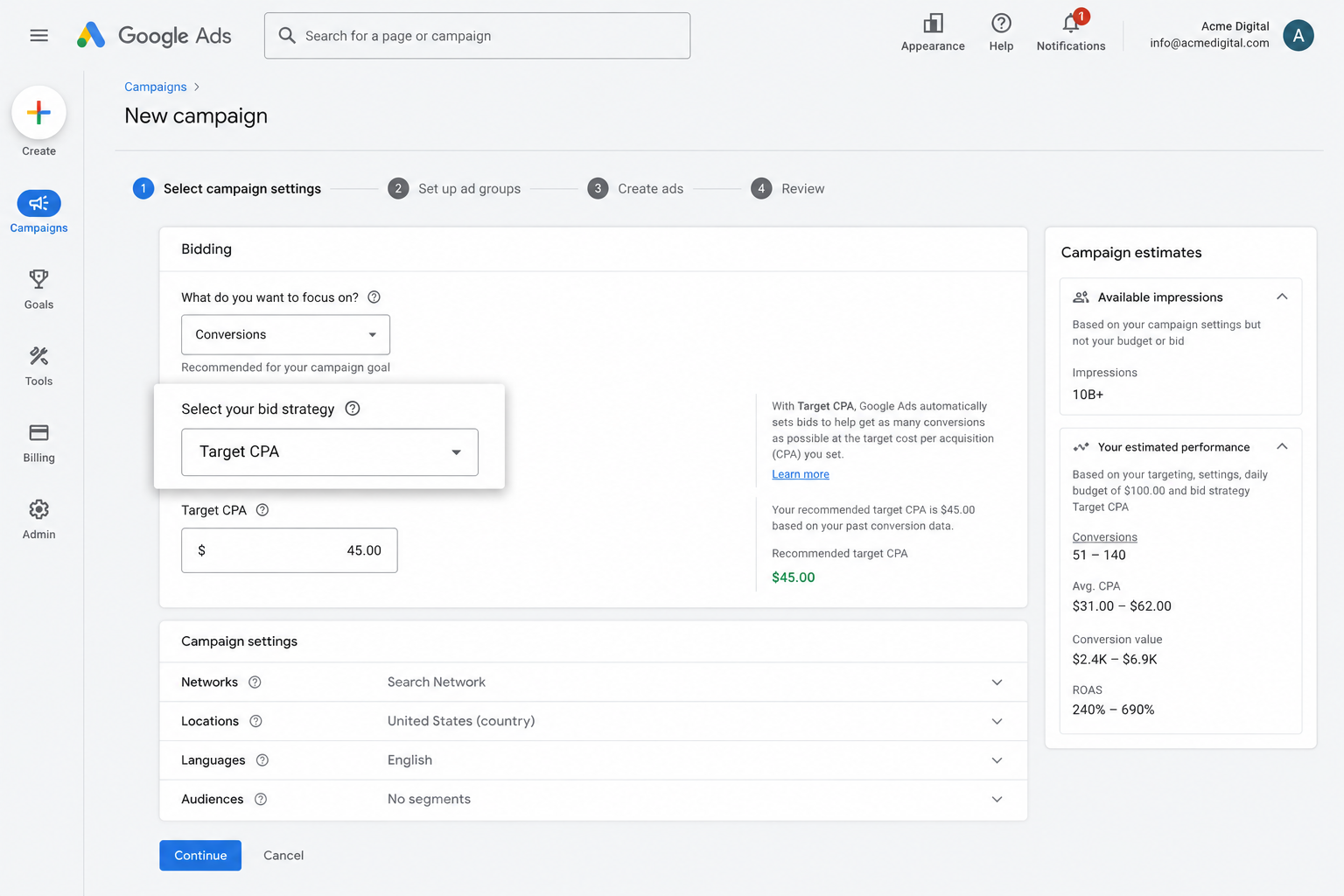
It's a powerful way to get more subscribers at a lower cost, but it only works if the conversion data powering it is accurate. If Google isn't being told reliably which clicks became subscribers and which didn't, it can't learn what a good searcher looks like for your business, and you'll end up spending your ad budget chasing people who were never going to subscribe.
3. Retarget people who visited your site but didn't convert
Reliable conversion data also lets you build remarketing lists made up of visitors who landed on your site but never signed up through a Kit form.
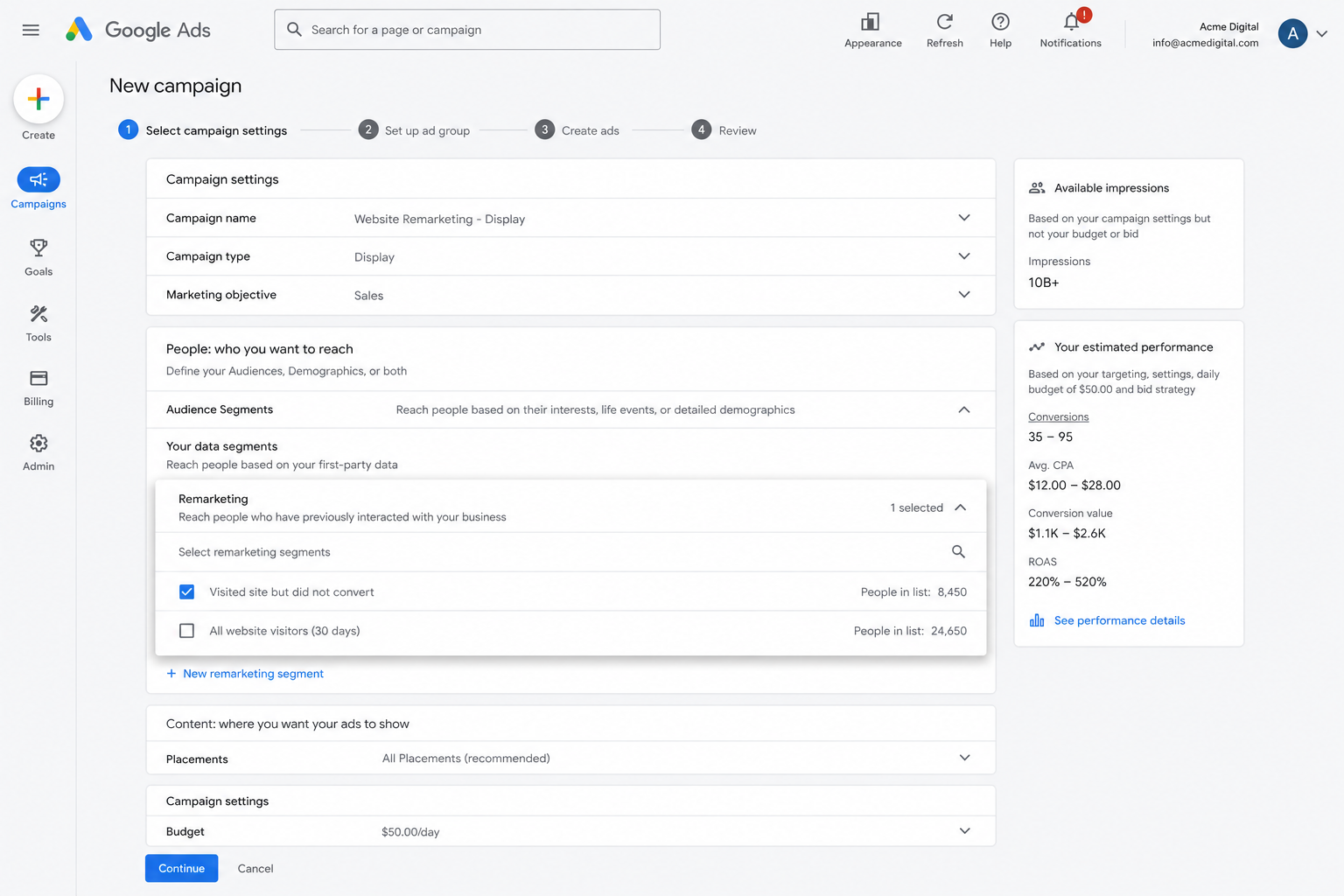
From there you've got several ways to win them back:
- Search Ads - Adjust your bids up or down for these visitors next time they search one of your target keywords.
- Display Ads - Place banner ads across the Google Display Network so your brand keeps showing up as they browse elsewhere.
- YouTube Ads - Reach them with YouTube ads so you stay front of mind while they're watching video.
Wrap Up
If you're after a straightforward way to send conversions to Google Ads every time someone subscribes through a Kit form on your website, Converly is well worth a look.
Conversions are sent directly to Google's servers, so ad blockers and browser privacy restrictions never get a chance to interfere, and Converly sends across a heap of details about the subscriber (name, email, phone, IP address, user agent, and more) so Google can better link the conversion back to the original ad click (even if that click happened weeks earlier on another device).
The best part is that the whole setup takes just a few minutes and there's a 14-day free trial (with no credit card needed to start), so give it a go today!
About the author

Aaron is the founder of Converly. With over 15 years of experience in digital marketing and SaaS, he's passionate about helping businesses track and optimise their ad conversions.