


Track Jotform form submissions as conversions in ChatGPT Ads
Learn how to send a server-side conversion to ChatGPT Ads whenever someone fills out a Jotform on your website. No code required!
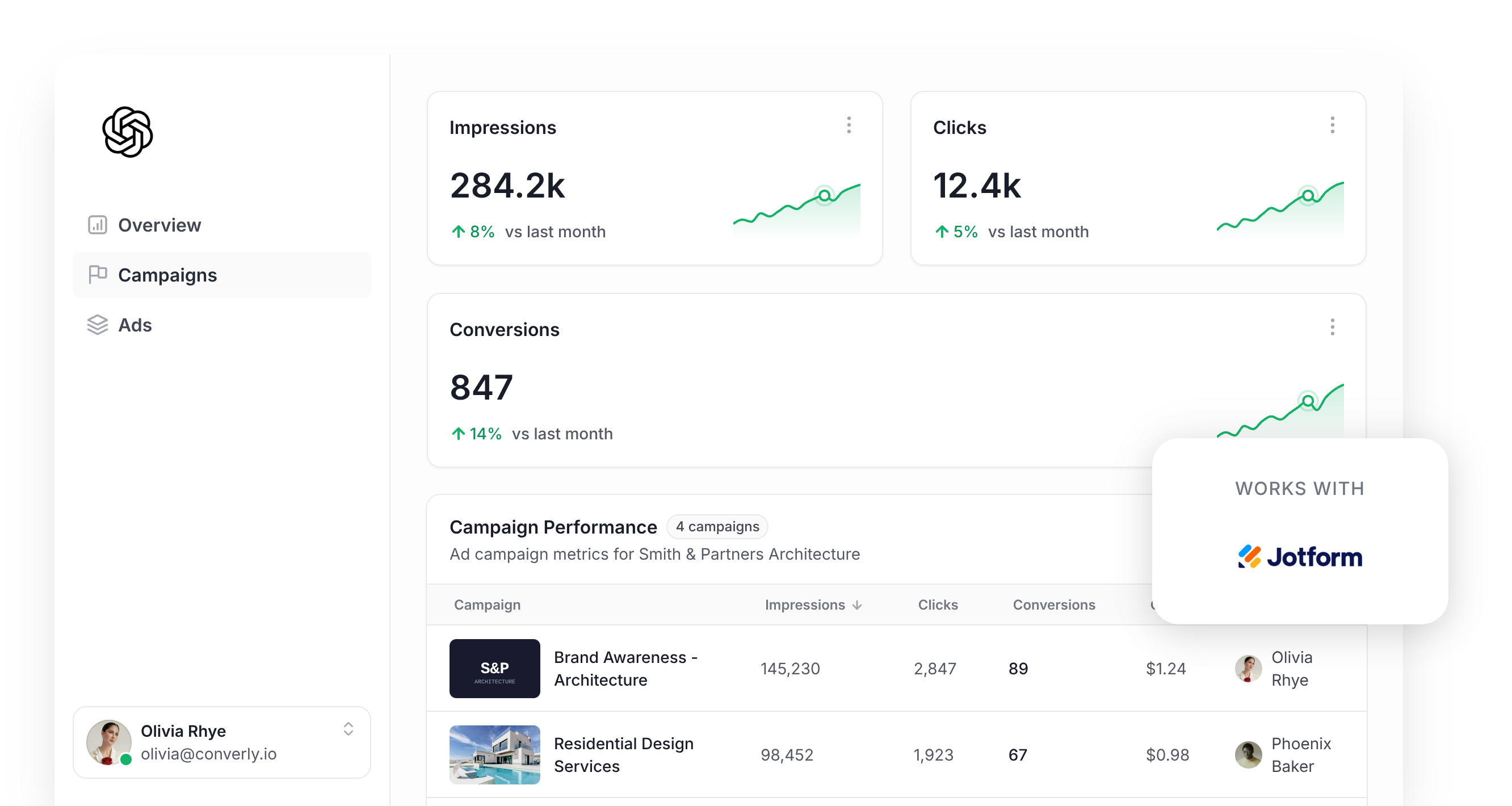
Thinking about using ChatGPT Ads to generate more leads for your business? If so, then conversion tracking needs to be one of the first things you sort out.
That's because ChatGPT Ads uses AI to guess which people are most likely to turn into leads and show your ads more frequently to them.
But it only gets good at guessing when you give it accurate conversion data to learn from. When ChatGPT Ads has no visibility into which clicks became leads, it can't learn what a good lead looks like for you and will show your ads to people who were never going to fill out your form.
It matters even more on ChatGPT Ads too, because you don't pick ‘keywords’ to target like you do on other platforms. Instead, you're trusting ChatGPT to slot your ad into conversations it thinks are relevant, but if it can't see which of those conversations end in a conversion, it has nothing to go on when deciding where your ads should appear next.
So what does good conversion tracking in ChatGPT Ads look like, and how do you get it set up?
This guide walks you through the best way to send a conversion to ChatGPT Ads when someone completes a Jotform on your website.
What proper conversion tracking looks like in ChatGPT Ads
There are really just 2 parts to getting ChatGPT Ads conversion tracking right. The first is delivery (making sure each conversion actually arrives at the ad platform) and the second is data (passing along enough detail for ChatGPT Ads to connect the conversion to a real person and the ad they clicked).
Here's a closer look at both:
Ensuring proper delivery
The obvious option when setting up conversion tracking is just to install the ChatGPT Ads Measurement Pixel and record a conversion when someone reaches your thank you page.
Unfortunately, a large share of your conversions will never make it back to the ad platform that way. That's because ad blockers and privacy features built into browsers stop the ChatGPT Measurement Pixel from loading in the visitor's browser when they land on your site, and if that doesn't load then nothing they do can be tracked.
In fact, research suggests more than 30% of conversions get lost because of this.
For this reason, OpenAI recommends sending each conversion back in 2 different ways. One goes from the visitor's browser to the Measurement Pixel, and the other goes from a server straight to OpenAI via the Conversions API (which is what people mean when they talk about 'server-side tracking'). The idea is that, if the browser version gets blocked, the server-side one still finds its way back to ChatGPT Ads.
Sending the right data
Getting the conversion to ChatGPT Ads is only half the battle. It also needs to be matched to a real person and the specific ad they clicked, or it simply won't be counted as a conversion. A few things tend to get in the way here:
- Browser Privacy Features - Privacy-focused browsers like Safari only let tracking cookies live for a short period, so if someone clicks your ad on a Tuesday but doesn't fill out your form until the Wednesday after, there's a good chance the conversion can't be linked back to that original click.
- Switching Devices - It's really common for someone to click an ad on their phone, then come back a few hours/days later on their laptop and fill out the form. But the pixel running in the browser on the laptop has no idea the earlier click on the phone ever happened, so the conversion can't be linked back to the ad that started it.
- Switching Browsers - A lot of people use ChatGPT through the app on their phone. Clicking your ad there opens your website in a mini browser inside the app, and that mini browser stores its own cookies separate from Safari, Chrome or whatever other browser they normally use. So if they click the ad inside the ChatGPT app and later return through their regular browser and submit the form, the conversion can't be linked to the original click.
The fix for every one of these issues is to send extra information about the lead along with each conversion. That means their name, email address and phone number, plus the Click ID (ChatGPT Ads calls this the oppref), their IP address and their user agent. When ChatGPT Ads has that, it can tie the conversion back to a real user and the ad they clicked with 100% accuracy, and the conversion will actually appear in your reports (the conversion only gets counted when a match can be made back to a real person and the ad they clicked).
3 simple steps to send proper, server-side conversions to ChatGPT Ads from Jotform
With the theory out of the way, here's how to actually set up proper, server-side conversion tracking in ChatGPT Ads:
Step 1: Build your Conversion Flow in Converly
Converly is a purpose-built conversion tracking tool that makes it easy to send proper, server-side conversions from Jotform to ChatGPT Ads.
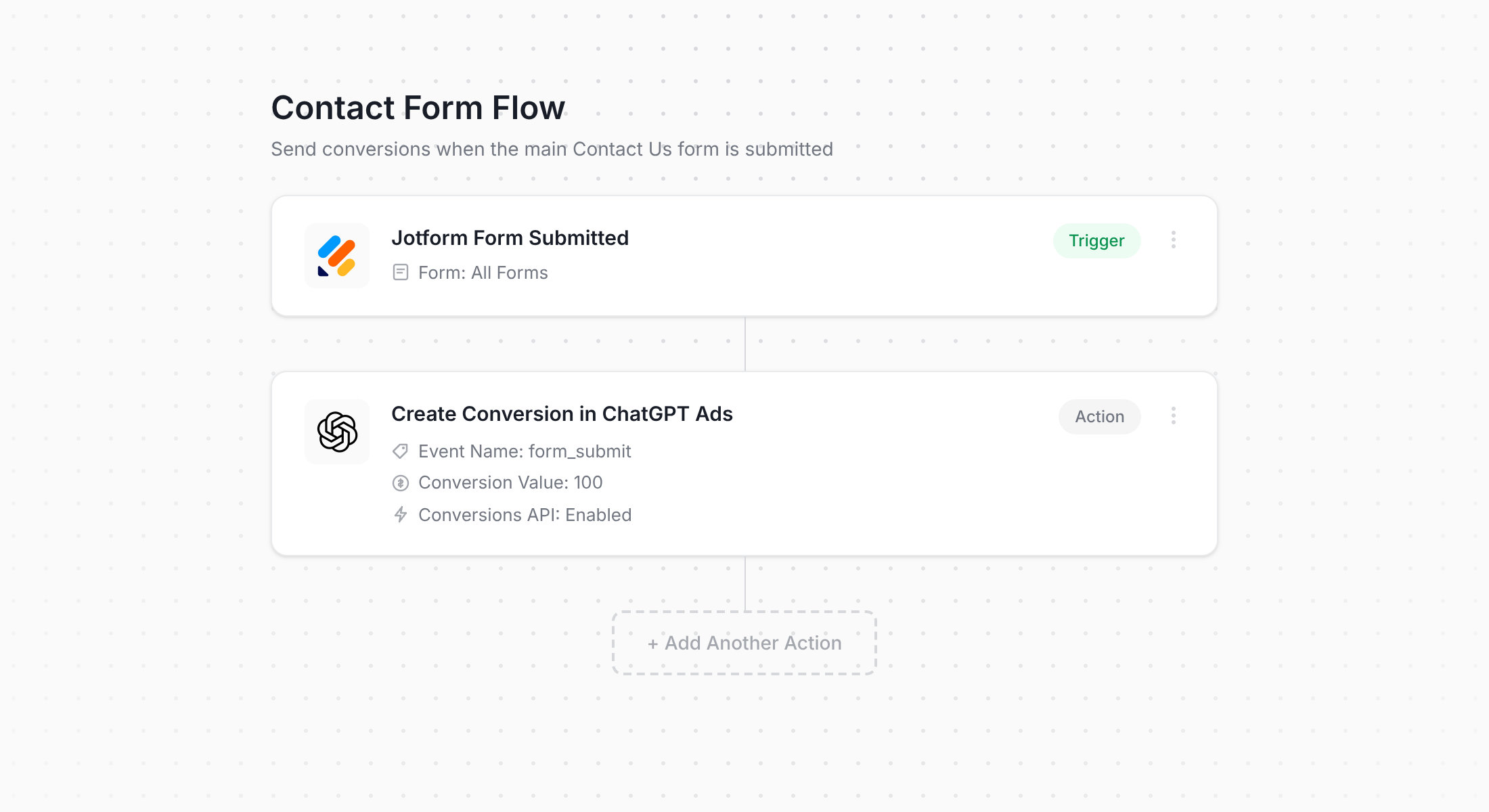
The screenshot above shows Converly's flow builder. Anyone who has put together a Zap in Zapier or a workflow in HubSpot (or any other email automation tool) will recognise the interface right away.
You simply pick your trigger (a visitor submitting a Jotform on your website) then choose what should happen next (a conversion being sent to ChatGPT Ads). That's genuinely it. A couple of clicks and your server-side ChatGPT Ads conversion tracking is live.
And if you use an AI assistant such as Claude or ChatGPT, it's even simpler. Simply install the Converly plugin, tell it to 'Set up ChatGPT Ads conversion tracking for my Jotform forms', and it will build the whole thing on your behalf!
Step 2: Add the Converly code to your website
Once your Conversion Flow is built and published, Converly gives you a small code snippet to add to your website.
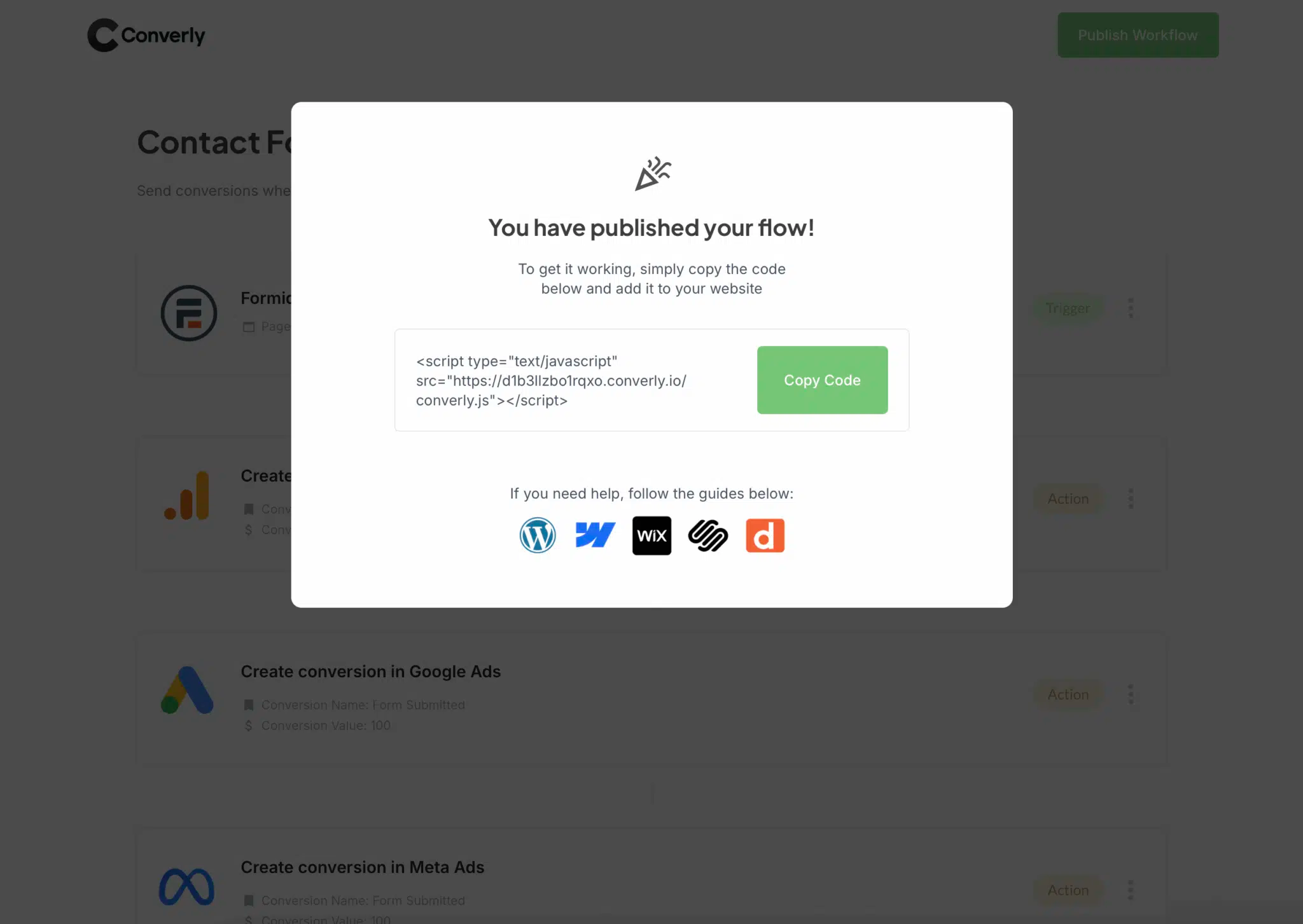
Since Jotform is a hosted form builder, the code doesn't go inside Jotform itself. Instead, it goes on the website where you've embedded your form (usually your main marketing site). If that site runs on WordPress, Webflow, Squarespace, Wix or something similar, paste the snippet into its header or custom code settings. Or if you already have Google Tag Manager set up on your site, you can add the code through there as well.
Step 3: Test it works
Last of all, visit your website and submit your Jotform yourself.
Then head back to Converly and select 'Logs' from the main navigation.
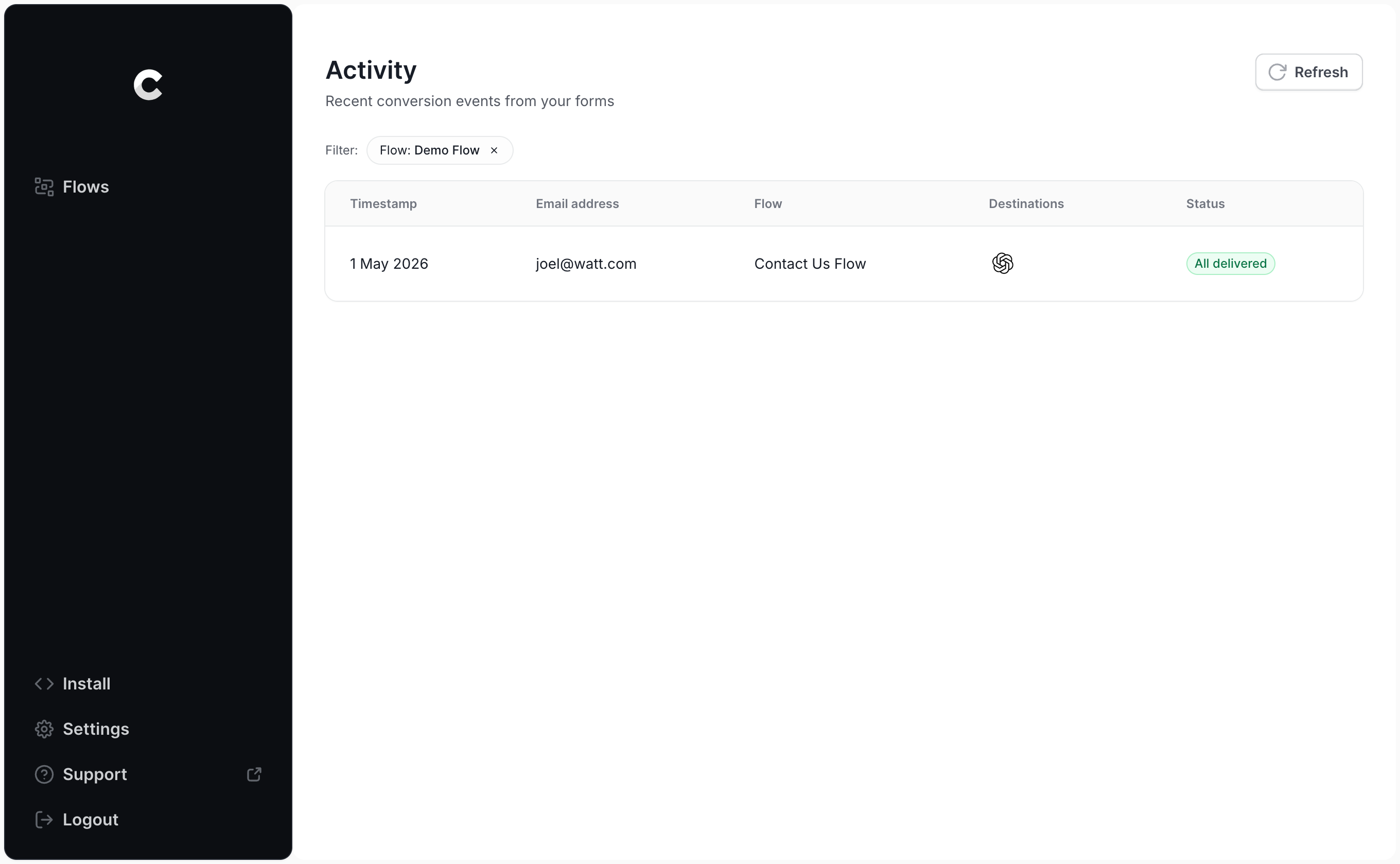
Your test entry should be listed on the logs page. Click on it to see everything Converly captured, along with whether ChatGPT Ads accepted the conversion.
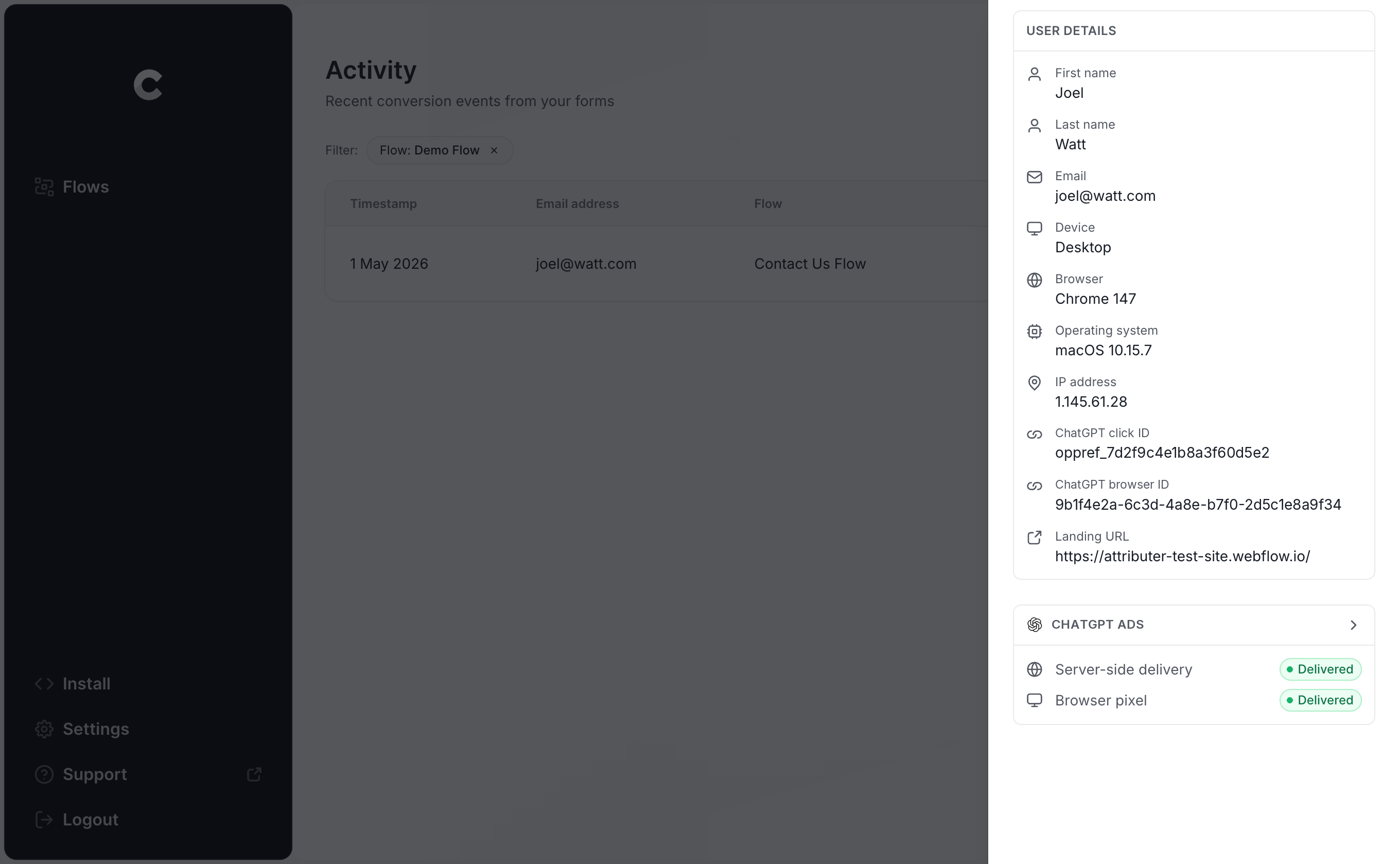
For a more detailed view, you can even see the exact payload Converly delivered to ChatGPT Ads (the click ID, browser ID and hashed email address included) and the response that came back from OpenAI's server.
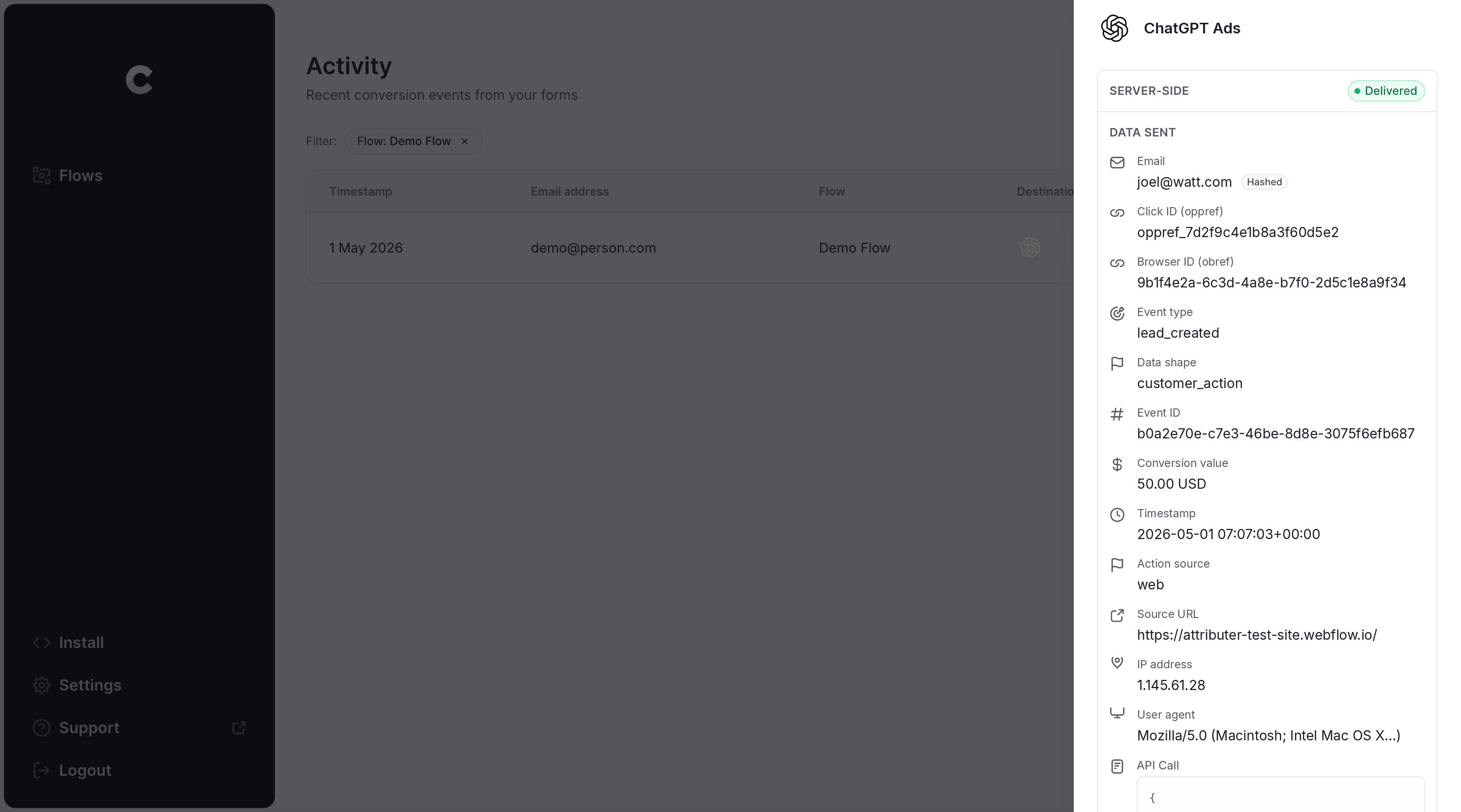
If the log shows your test entry was sent to ChatGPT Ads successfully, your conversion tracking is good to go. Most people get through the whole setup in under 5 minutes.
Why Converly is the best way to send conversions to ChatGPT Ads from Jotform
There's more than one way to get a conversion into ChatGPT Ads when someone completes a Jotform form on your site, so why go with Converly? Here's why it's best:
1. Easy to set up
If you tried to set this up on your own, you'd need to write code that detects Jotform submissions, collects the click ID and browser cookie, pings the Jotform API and gets the lead's name, email and phone, hashes it with SHA-256, and sends it all over in precisely the format OpenAI wants. Then you still have API keys, deduplication, retries, security and a whole heap of other things to deal with.
Converly handles all of that for you. You just pick a trigger (a Jotform submission) and an action (a conversion sent to ChatGPT Ads), and it takes care of the rest. No custom code, no API keys to look after, just conversion tracking that works.
And if you're already using AI tools like Claude or ChatGPT, then you can just install the Converly plugin, ask it to 'Set up ChatGPT Ads tracking for my Jotform forms' and it will do the setup for you!
2. Not affected by ad blockers and privacy restrictions
If you use the ChatGPT Ads Measurement Pixel alone (and skip sending conversions server-side via the Conversions API), then a huge number of your conversions will simply never arrive at OpenAI (because ad blockers and privacy-focused browsers prevent the Measurement Pixel from loading when a visitor lands on your site).
In fact, one study covering more than 7 million conversions found browser-only tracking failed to deliver roughly 30% of conversions to the ad platforms they were intended for.
Converly solves this by delivering every conversion both ways (in the browser to the ChatGPT Measurement Pixel, and server-side to the Conversions API).
3. Works across devices
It's very common for a lead to discover your site on one device (say, scrolling on their phone in the evening) and then return on their laptop the next morning to fill out your Jotform.
With an approach like thank you page tracking, that conversion can't be linked to the original ad click, since the two happened in separate browsers on separate devices.
Converly gets around this. It picks up the click ID (the oppref) and sends it to ChatGPT Ads alongside the lead's email address. Armed with both, ChatGPT Ads can connect the conversion to a real person and the ad they originally clicked, even if that click was on a different device weeks before the form was completed.
4. Sends more data
As soon as a visitor lands on your website, Converly records the ChatGPT click ID, the browser cookie set by the ChatGPT Ads pixel and the user agent, and holds on to them. When that visitor later submits a Jotform, Converly pairs those details with the lead's email address and sends everything to ChatGPT Ads together.
The result is that ChatGPT Ads can match each conversion to the ad click that started it, giving you conversion numbers you can trust.
5. Supports multiple tools and platforms
Converly can detect conversions in more than 100 form builders, scheduling tools, chat widgets and send them to ChatGPT Ads, Google Ads, Meta Ads, LinkedIn Ads, Microsoft Ads, Google Analytics and a long list of other platforms.
So if you are already running Google Ads or Meta Ads then you can just add them as extra actions on the same Conversion Flow, and every Jotform submission gets sent to all of them at once (both server-side and through the browser).
6. Gives you a full conversion log and email alerts
Other ways of setting up ChatGPT Ads conversion tracking (Google Tag Manager, for instance) leave you guessing about whether things are actually working or not.
You can check it on day one, but if a teammate later changes your Jotform, edits the page on your website, or updates a setting in ChatGPT Ads Manager, then your tracking can stop without anyone realising.
Converly takes the guesswork away. Its conversion log shows every conversion it detected in your Jotform forms, what data was captured for each one, what was sent to ChatGPT Ads, and whether it was successfully delivered.
You can turn on email notifications as well, so you get an email whenever a conversion goes to ChatGPT Ads (or just when one fails, if you'd rather). That way, if anything ever breaks, you'll find out straight away.
2 things you can do when you properly send conversions to ChatGPT Ads from Jotform
When accurate conversion data is flowing from Jotform into ChatGPT Ads, you can do two things that will dramatically improve the ROI of your ChatGPT ad campaigns.
1. See which campaigns and ads actually produce leads
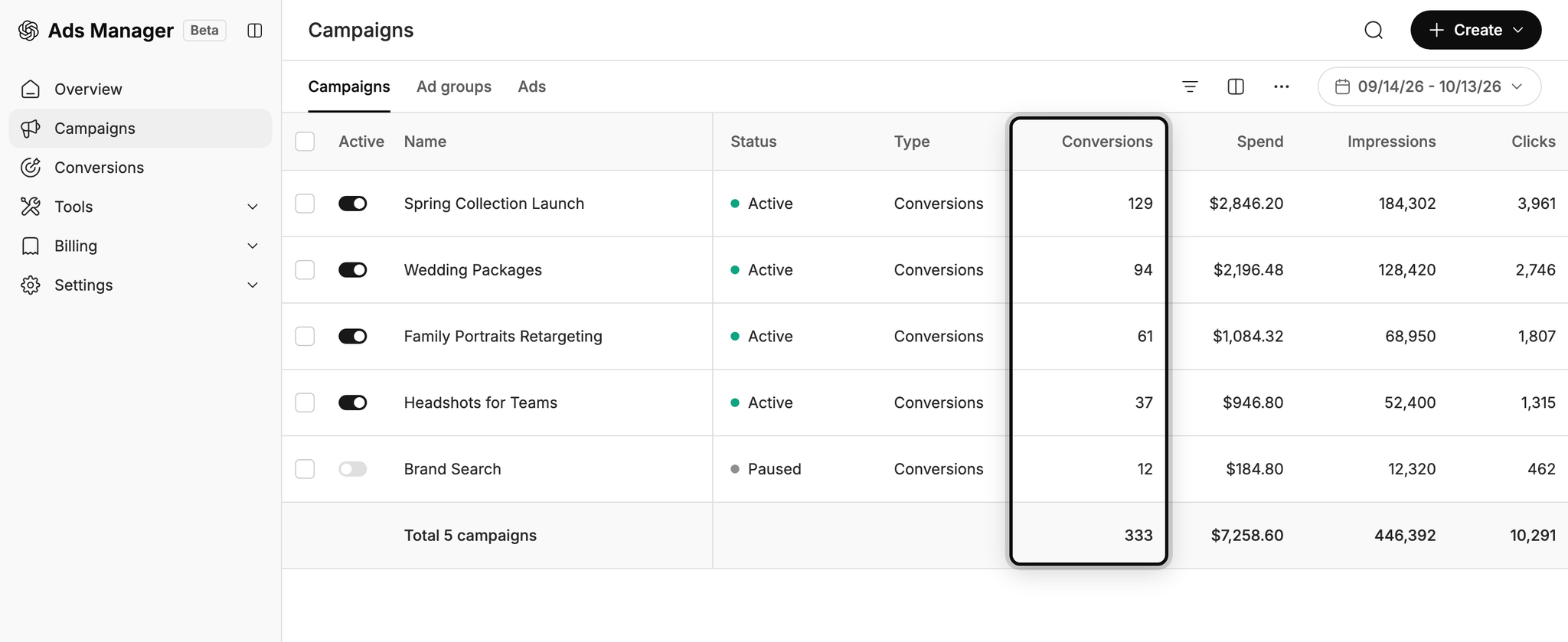
Without proper conversion tracking, all ChatGPT Ads can report on is impressions and clicks, and that's not enough to know if your ads are working or not.
Once reliable conversion data is coming in, you can see how many leads each campaign and ad generates, what you're paying per lead, and where the best opportunities to grow are hiding.
2. Let OpenAI's algorithm find you more of the right people
ChatGPT Ads uses sophisticated AI to choose who sees your ads and what conversations they appear in.
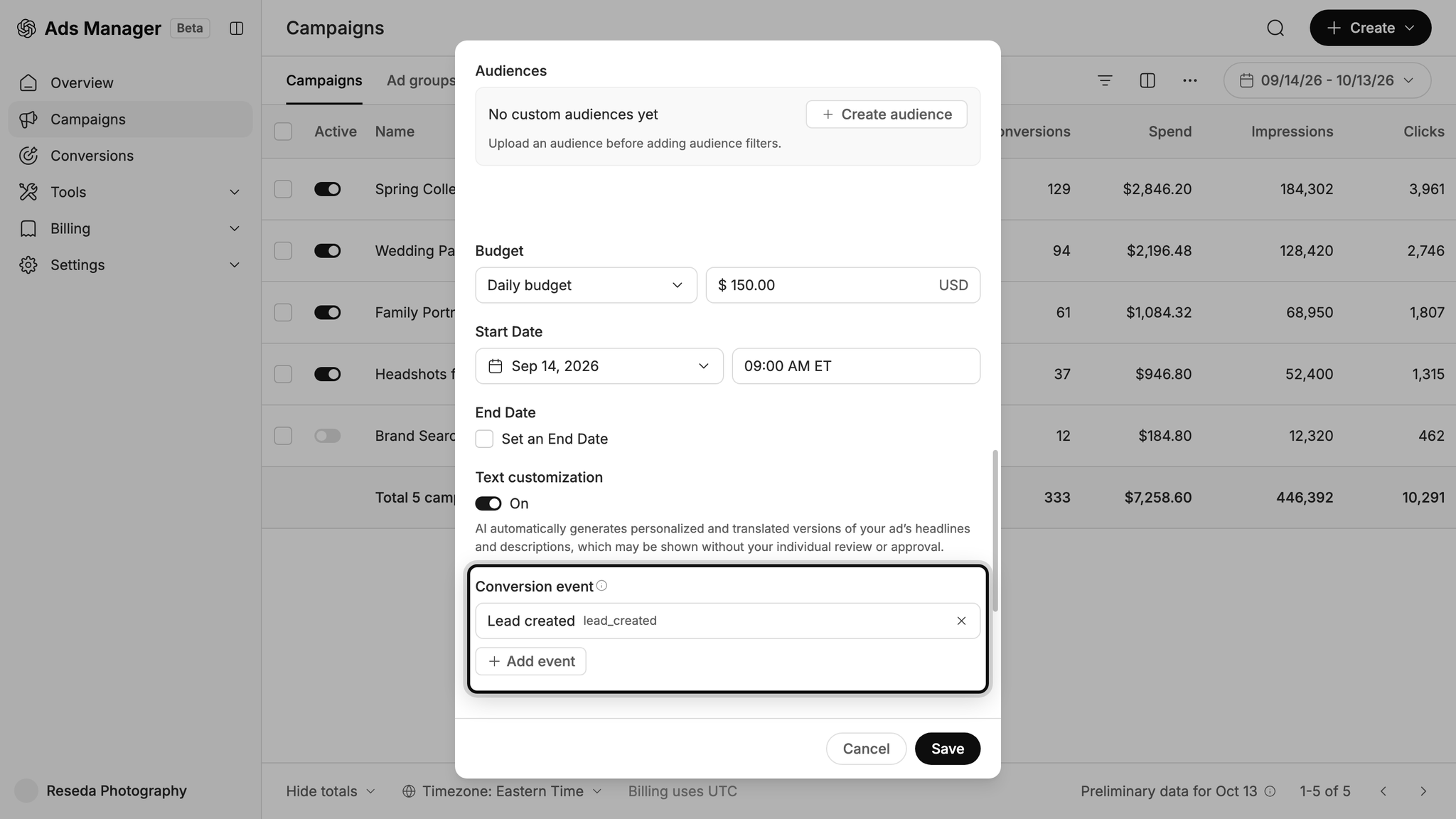
When your conversion tracking is set up properly, the AI has the data it needs to learn what a great lead looks like for your business and what conversations drive the most leads, and it can use that information to serve your ads to the right people at the right time moving forward (which ultimately means you get more conversions at a lower cost per conversion).
Wrap Up
If you want ChatGPT Ads to get sent a conversion each time someone completes a Jotform on your website, Converly is the easiest and most reliable way to do it.
Since conversions are sent directly to OpenAI's servers, ad blockers and privacy-focused browsers can't block them. And because Converly includes all the identifiers OpenAI needs to match the conversion back to a real person and the original ad they clicked, you'll get much more accurate conversion numbers in your account.
Best of all, it only takes a few minutes to set up and there's a 14-day free trial (no credit card required), so start your free trial today!
About the author

Aaron is the founder of Converly. With over 15 years of experience in digital marketing and SaaS, he's passionate about helping businesses track and optimise their ad conversions.