


Track Intercom conversations as conversions in Google Analytics
Use Converly to automatically push conversion events into Google Analytics every time a visitor strikes up a chat through Intercom on your website. Zero code or technical know-how required!
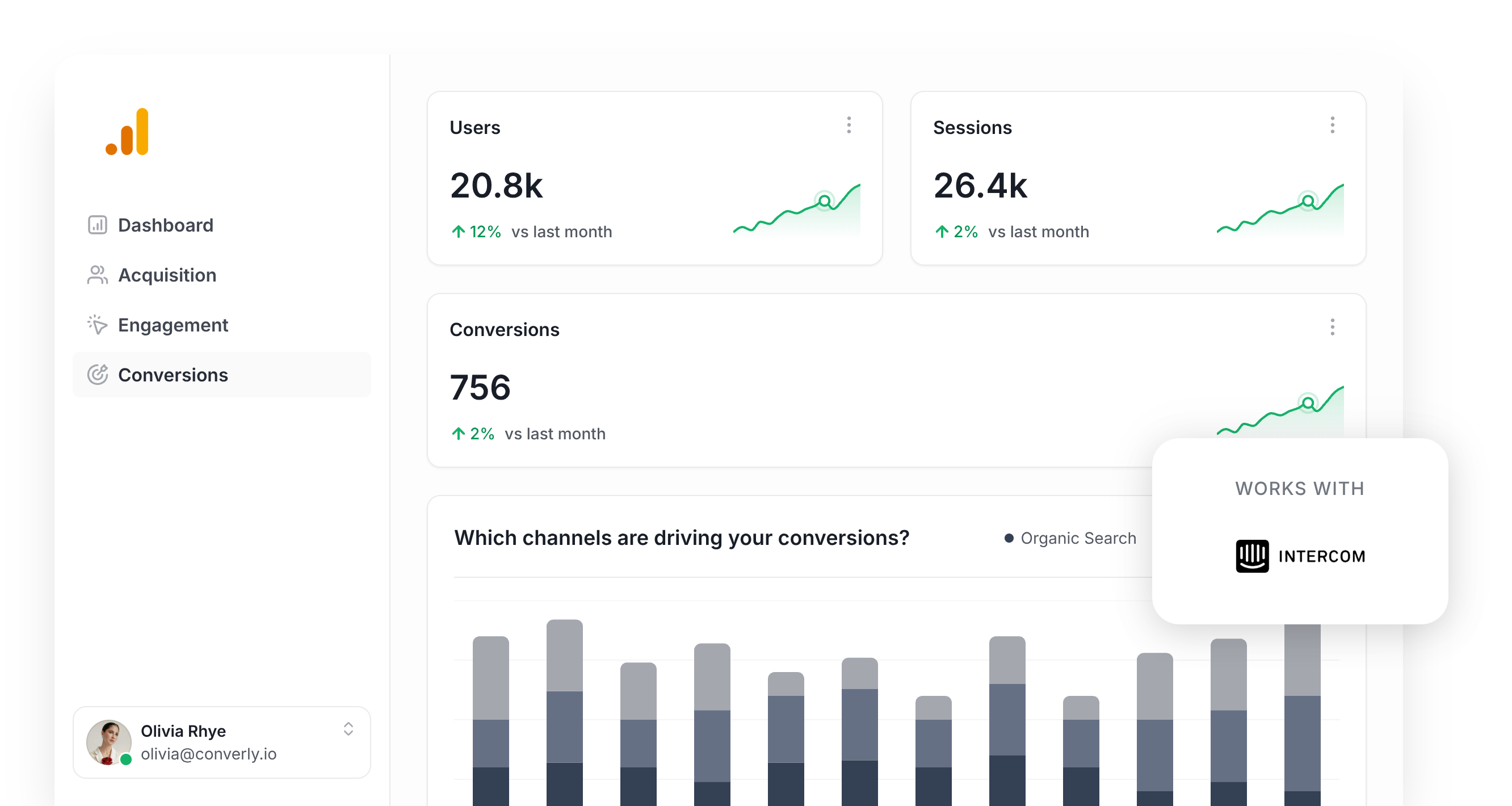
Wondering how many of the leads coming in through your Intercom messenger are actually being driven by the various marketing campaigns you have running?
Whether you are pumping budget into Google Ads, scaling campaigns on Meta Ads, or playing the long game with content and SEO, having a clear picture of how many chat conversations each channel is producing can completely reshape the way you do marketing.
The good news is that there is a simple way to set this up, and it does not require any developer chops to pull off.
In this guide, we are going to walk you through how to use Converly to fire a conversion event into Google Analytics every time someone kicks off a chat through Intercom on your site. Once it is up and running, you will know exactly which campaigns, ads, and keywords are responsible for the chat conversations starting on your website.
4 simple steps for tracking Intercom conversations as conversions in Google Analytics
Here is how you can have conversion tracking for Intercom conversations live in Google Analytics in just 4 steps:
Step 1: Build your Conversion Flow in Converly
Converly is a tool designed to make it easy to send conversion events to analytics tools and ad platforms (like Google Analytics) whenever a visitor takes a specific action on your site, such as opening a chat through your Intercom messenger.
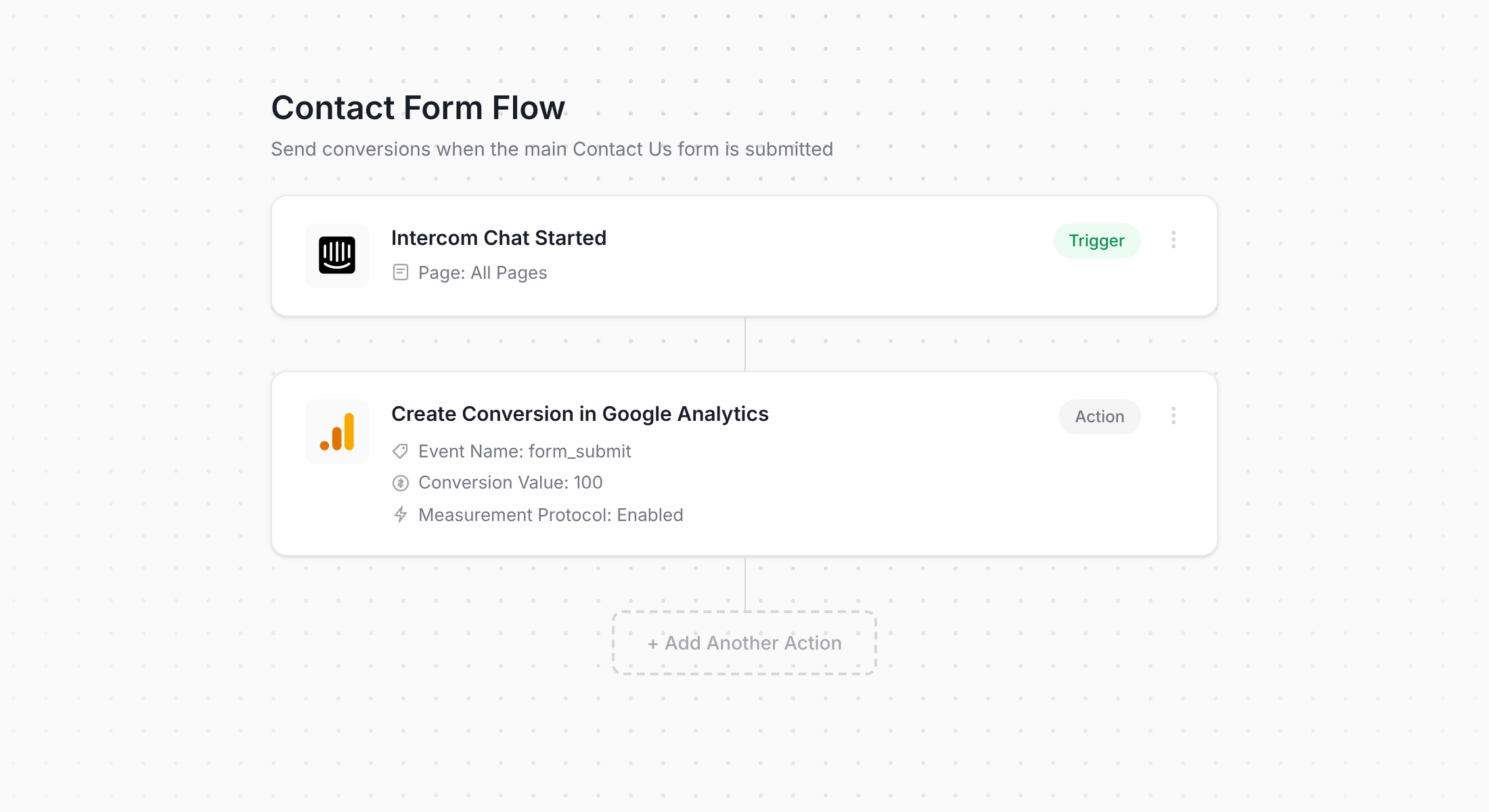
The screenshot above shows the Converly workflow builder, which makes setting up conversion tracking refreshingly easy. Anyone who has spent any time in tools like Zapier or HubSpot Workflows will get the hang of it within seconds.
All you really do is select a trigger (in this case, someone starting an Intercom conversation) and pick a destination for the conversion event (Google Analytics, for example). And that genuinely is the entire setup.
Step 2: Install Converly on your website
With your Conversion Flow built, Converly gives you a small code snippet that you can add to your website.
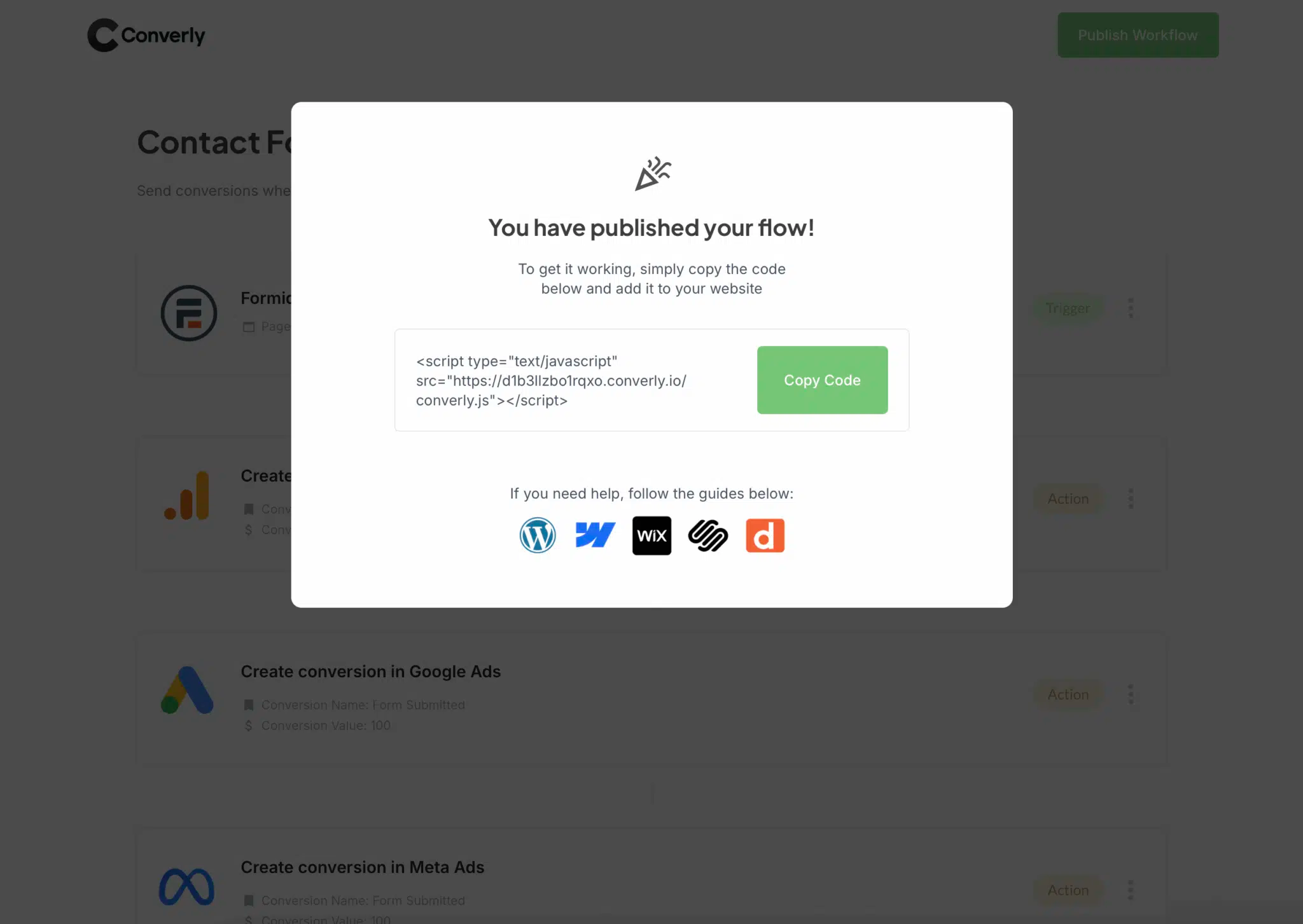
The exact way you install it will depend on the website builder you are using, but in most cases you can just paste the snippet into your site settings under a section usually labelled something like Scripts, Header, or Custom Code. WordPress users have the option of using a plugin like Insert Header and Footer Code as well. And if you are already using Google Tag Manager, that path works just as well.
After the code is in place, Converly handles the rest behind the scenes. It listens for new Intercom conversations and automatically pushes the conversion data into Google Analytics (along with any other destinations you have wired up in your flow).
Step 3: Test it's working
Now that everything is connected, the next thing to do is make sure your chat conversations are being recorded the way they should be.
The simplest way to check is to fire up an incognito browser window, head to a page on your site that loads the Intercom messenger, and start a test chat.
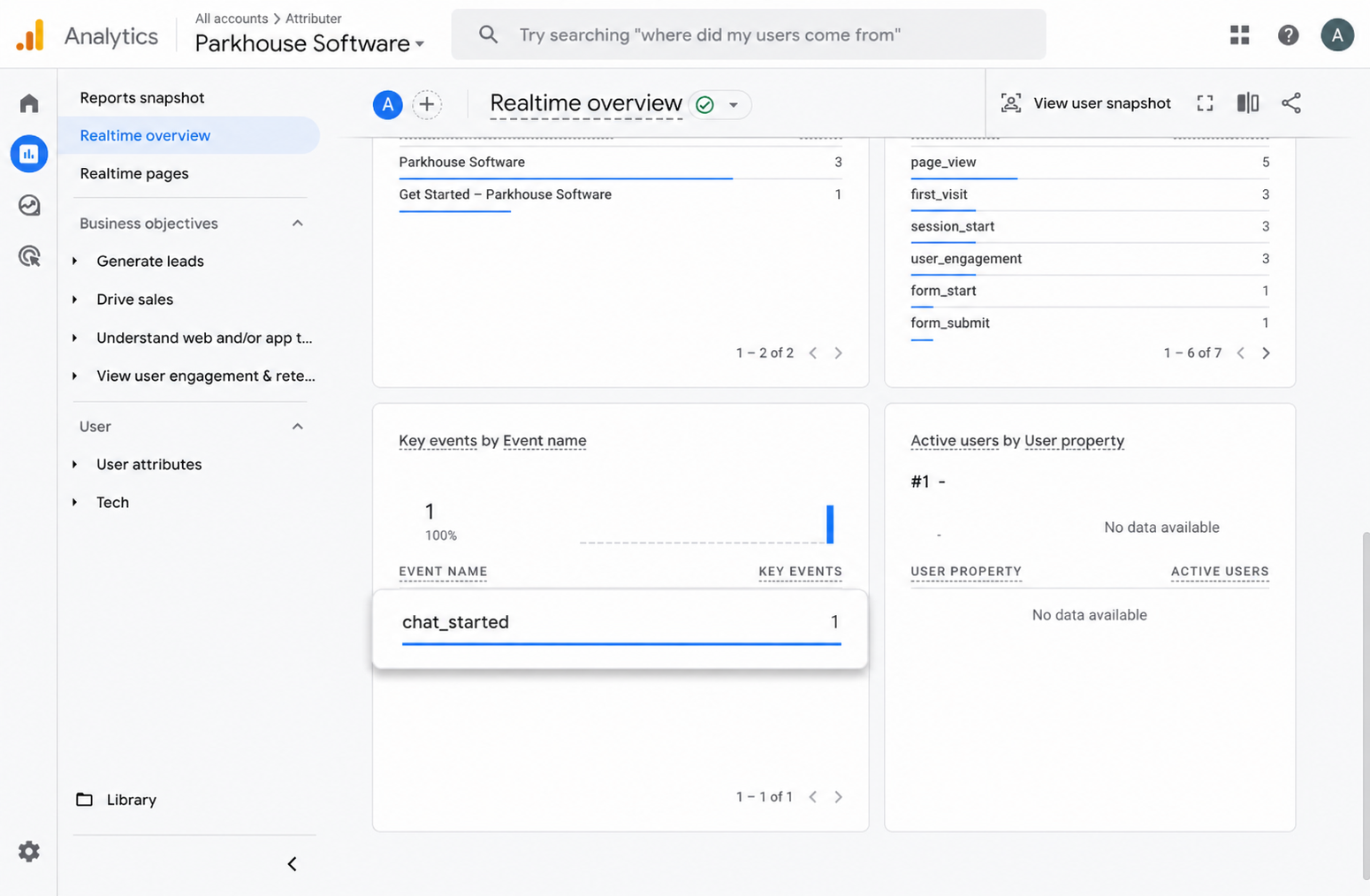
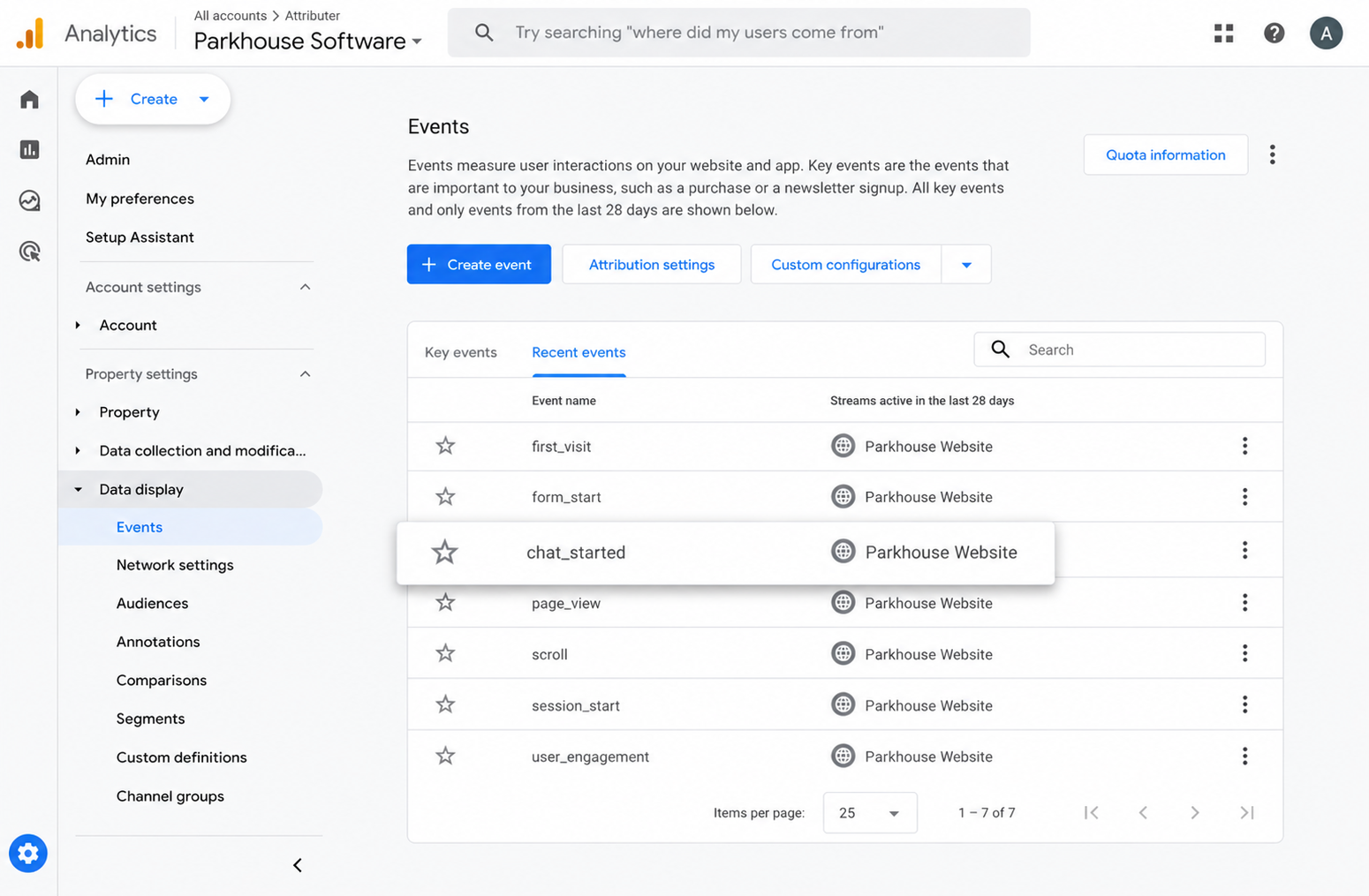
Then jump into Google Analytics, open the Real-Time dashboard, and check the Recent Events section. If you can see the chat_started event appear there, you can be confident the setup is working and tracking properly.
Step 4: Mark the event as a 'Key Event' (Optional, but recommended)
For the final step, we suggest flagging the chat_started event as a Key Event inside GA4. Doing so tells Google Analytics to treat it as a conversion, which unlocks a heap of additional reporting capabilities (like surfacing it in your acquisition reports or using it as a conversion point inside funnels and path analysis).
To do it, head into the Admin area of your GA4 property and click Events under the Data Display menu. Open the Recent Events tab, locate your chat_started event (or whatever name you gave it), and click the star icon next to it to mark it as a Key Event.
Why Converly is the best way to trigger conversions in Google Analytics
There is more than one way to track Intercom conversations as conversions in Google Analytics. Some teams pipe Intercom's JavaScript API into Google Tag Manager and build event triggers there, while others write custom JavaScript that hooks into Intercom events directly.
So why does Converly make the most sense? Here are a few reasons:
1. No code or complicated setup
The other approaches for tracking Intercom conversations as conversions usually involve building custom event tags inside Google Tag Manager that listen to Intercom's JavaScript API, or writing JavaScript that hooks into the Intercom messenger directly. For anyone who is not a developer, that can feel like an awful lot to take on.
Converly takes that complexity completely off your plate. The workflow builder is visual, intuitive, and feels much like the tools you probably already use every week, like Zapier or HubSpot Workflows.
You simply pick your trigger (a new Intercom conversation) and decide what happens next (such as firing a conversion event into Google Analytics). That really is the whole job. No code, no Tag Manager headaches, no stress.
2. More accurate conversion numbers
Converly fires conversions into Google Analytics through the Measurement Protocol, which means the data is sent directly to their servers instead of through a tag running in the visitor's browser.
This sidesteps the things that typically break tag-based tracking. Stuff like ad blockers and the privacy controls baked into Safari, iOS, and other modern browsers.
And the impact is bigger than most people realize. In fact, a recent study covering more than 7 million conversions found that tag-based tracking was failing to capture about 30% of conversions. The breakdown was roughly 5% lost to ad blockers and 25% lost to browser privacy features.
But because Converly sends conversions directly to Google Analytics servers, all of those conversions make it through.
3. Supports multiple tools and platforms
Converly works with more than 50 different form builders, scheduling platforms, and chat widgets. It can also send conversion events to a long list of destinations, including Google Analytics, Google Ads, Meta Ads, LinkedIn Ads, and plenty more.
What that means in practice is that whenever you add a new tool to your stack or branch out and start advertising on a new platform, getting conversion tracking working is only ever a few clicks away.
4. Makes it easy to add conditional logic
Converly also makes it simple to set up smart rules that fire different conversion events depending on the actions people take across your site.
To give you an example, picture a marketing team at a B2B software company. They could create a conversion called Sales Chat Started whenever a visitor starts a chat from the pricing page (a strong buying signal), and a separate conversion called Support Chat Started whenever a visitor opens a chat from the help docs.
Tracking these two conversions independently gives a much sharper view of which campaigns are bringing in actual sales leads (I.e. chats started on your website versus those started on your help docs).
5. Great support provided for free
If you have ever tried reaching out to Google or Meta for help with conversion tracking, you will already know how tough it is to get a real answer.
Converly works very differently.
Our team brings more than 20 years of hands-on experience across advertising and analytics, and we genuinely take responsibility for getting you up and running. Whether you would prefer to sort it out by email or jump on a quick video call, we offer free support to make sure your tracking is configured correctly and running smoothly.
6. Gives you a full conversion log and email alerts
When your Intercom conversations are sent to Google Analytics through a tool like Google Tag Manager, there is no obvious way to know it is still firing. You can run a test the day you set it up, but unless you keep re-testing, the tracking can quietly stop (someone tweaks the Intercom setup, changes a tag in Google Tag Manager, or edits something in Google Analytics) and you would never realise.
Converly takes that worry away. You get a full conversion log that records every conversation, the data Converly captured, what it sent through to Google Analytics, the response Google Analytics returned, and more.
You can also turn on email notifications. Get one for every conversation sent to Google Analytics, or set them to fire only when a send fails, so you know straight away if your tracking breaks.
3 useful reports you can run when you track Intercom conversations as conversions in Google Analytics
After spending the past 15+ years leading marketing teams, I have looked at a huge number of Google Analytics reports trying to make sense of where our visitors and leads were really coming from.
Out of all the reports I have put together over the years, the three below have consistently been the most useful. And once your Intercom conversations are being tracked as conversions in Google Analytics, you will be able to run them too.
1. Conversions by Channel
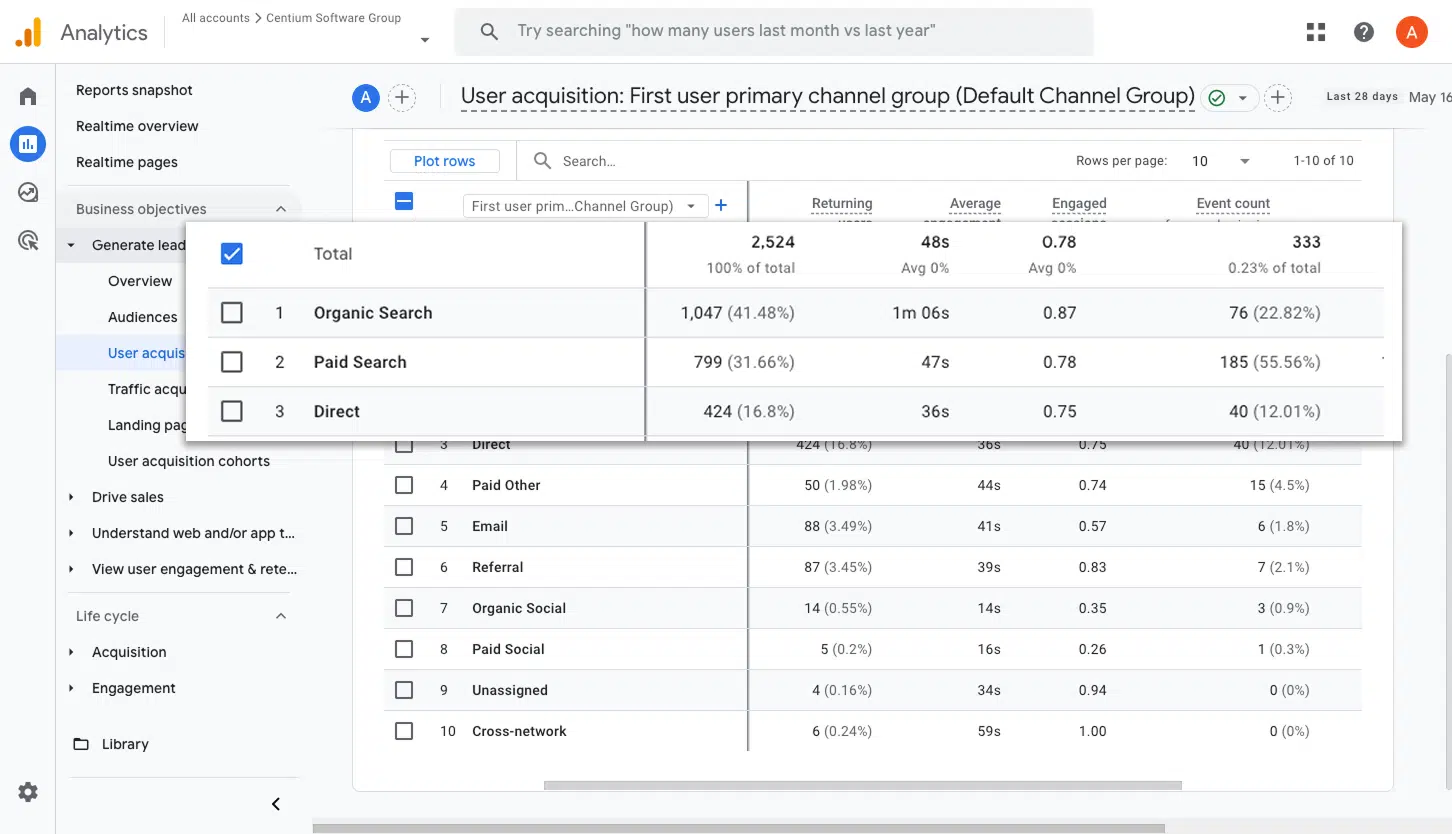
This report breaks down how many chat conversations are coming in from each marketing channel, whether that is Organic Search, Paid Search, Paid Social, Organic Social, or anywhere else.
It is a great way to understand which channels are genuinely generating new sales conversations for your business, and to identify the ones with room to generate more.
2. Conversions by Meta Ads Network
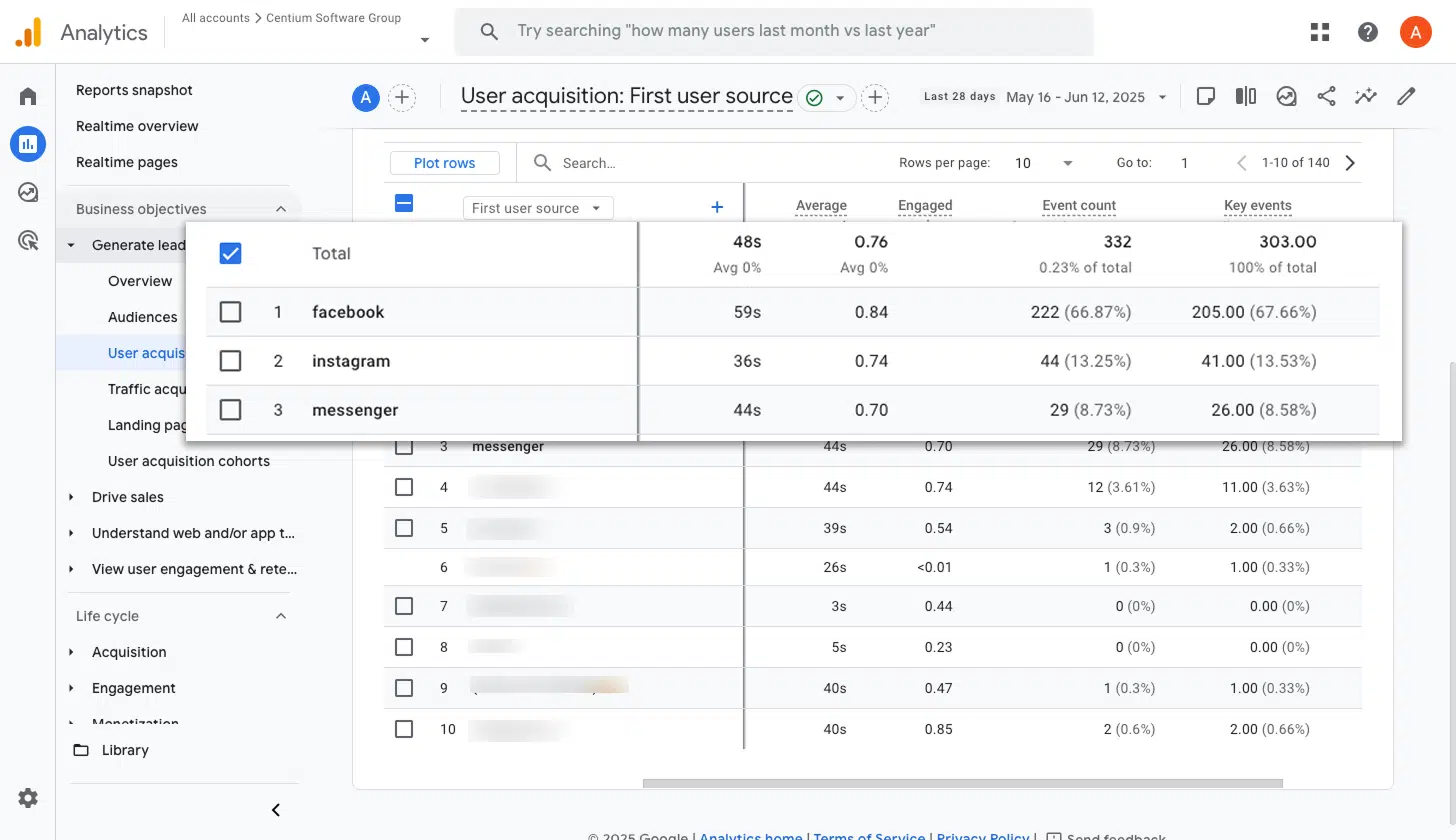
If you are running ads through Meta, those ads are likely showing up across several different networks, like Facebook, Instagram, Messenger, and WhatsApp.
Since each of those networks can perform very differently, it pays to know which ones are actually generating new sales conversations. This report makes that crystal clear, helping you push more budget onto the networks that are delivering and pull back on those that are not.
3. Conversions by Google Ads Campaign
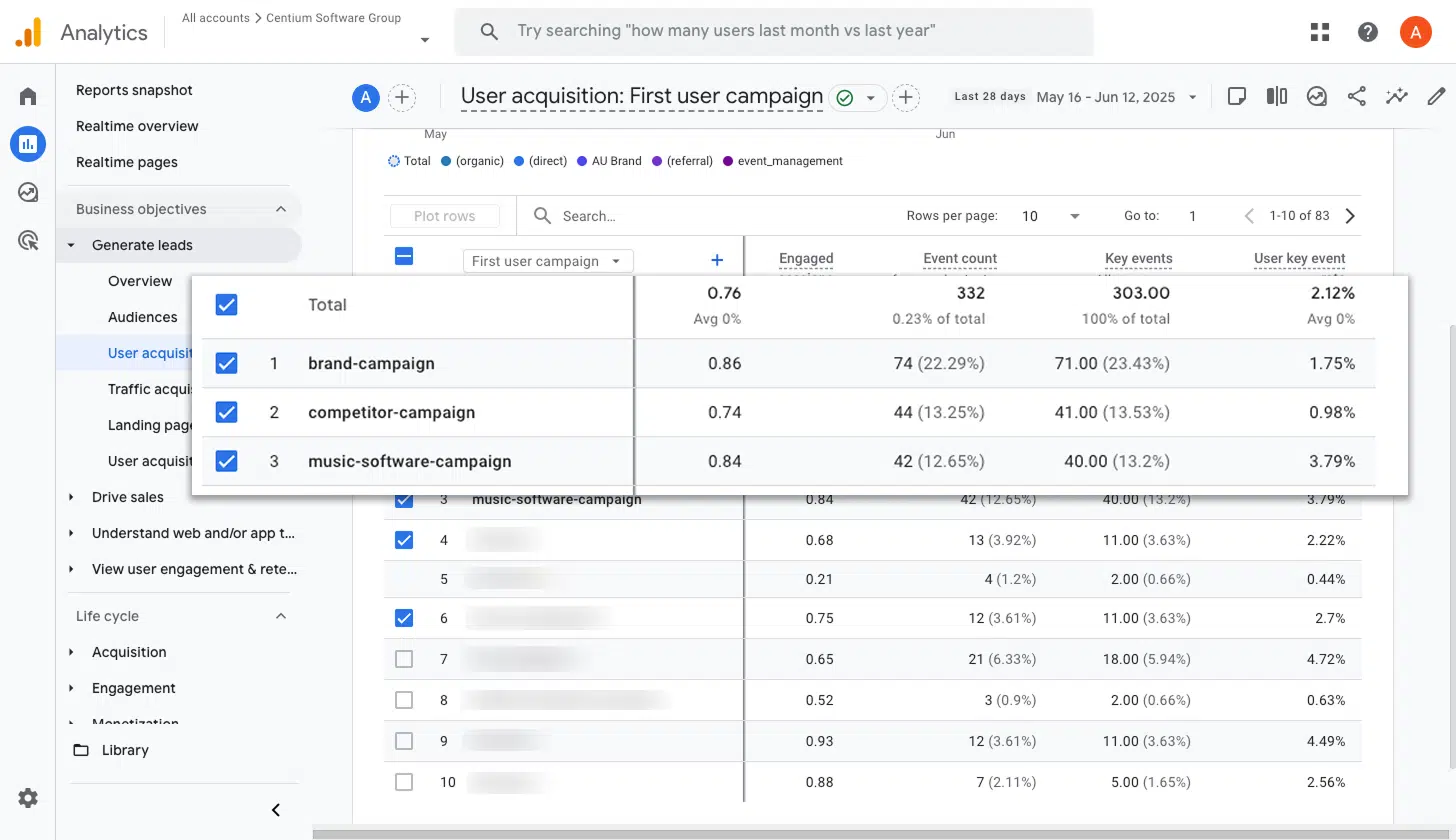
If Google Ads is in your mix, you probably have several campaigns active at the same time. Some might be focused on different services you offer, others might be split between branded and generic keywords, and a few might be aimed at specific geographic regions.
Understanding which of those campaigns are actually generating new sales conversations is critical when it comes to deciding where to put your budget. This report shows it all, giving you conversions by campaign so you can confidently scale up the winners and cut back the ones that are not delivering.
Wrap up
With Converly, sending conversion events to Google Analytics every time someone starts a chat through Intercom is fast and painless. No code to write, no complicated tools to configure, and no headaches along the way.
And if you decide to start advertising on Google Ads, Meta Ads, or any other platform later on, you can drop them into your existing Conversion Flow in just a few clicks. The same chat conversation data will start flowing into those platforms automatically.
Want to give it a try? Converly comes with a 14-day free trial, and most people are fully set up within 10 minutes. Give it a go and see just how simple conversion tracking can really be.
About the author

Aaron is the founder of Converly. With over 15 years of experience in digital marketing and SaaS, he's passionate about helping businesses track and optimise their ad conversions.