


Track HighLevel form submissions as conversions in Google Ads
Learn how to send server-side conversions to Google Ads whenever a lead completes a form, survey, or funnel step in HighLevel. No code required!
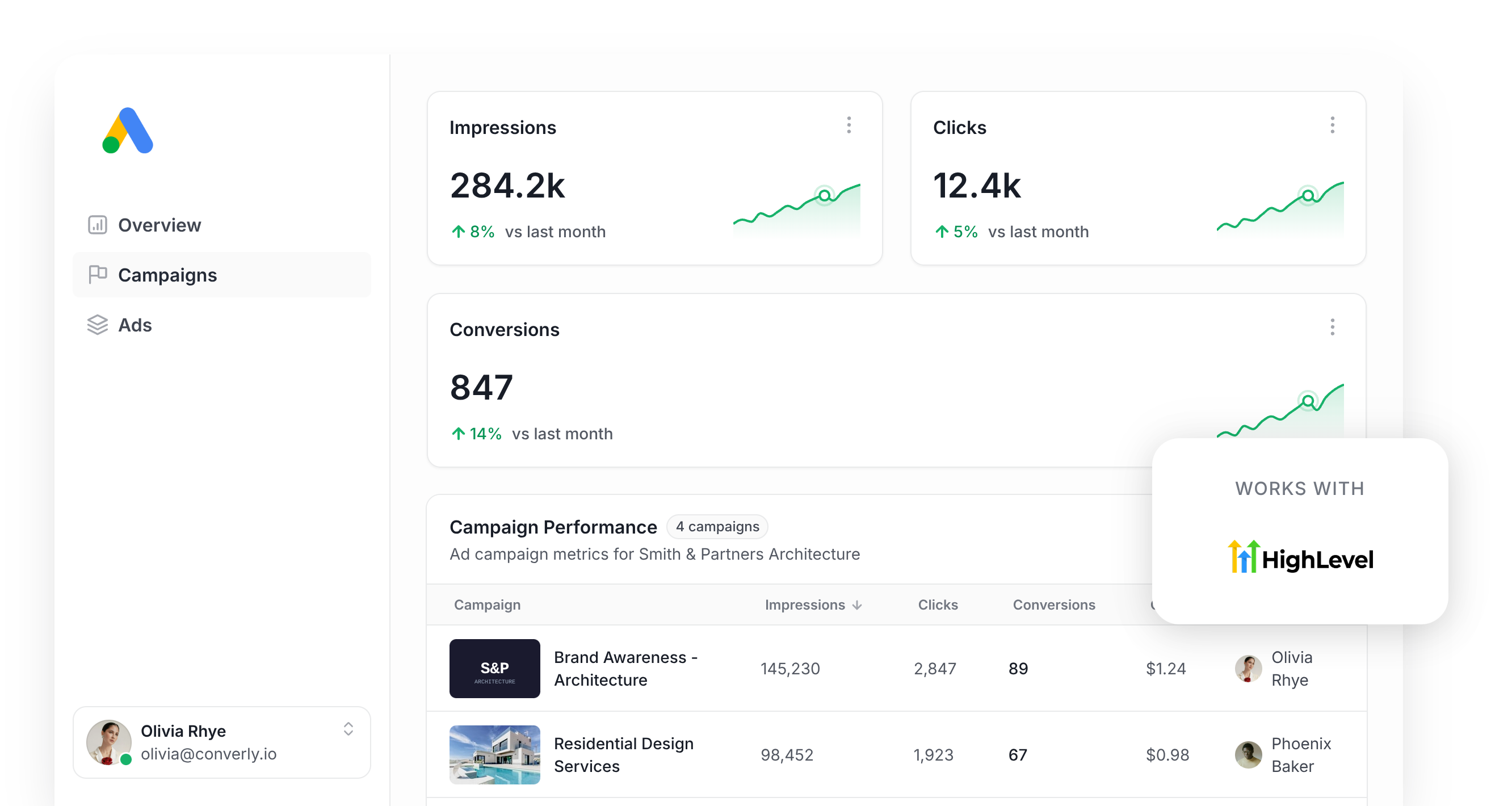
Are you pouring money into Google Ads but struggling to tell which clicks actually became leads in HighLevel?
You're not the only agency or business owner stuck guessing.
The typical fix is Google Tag Manager, but that means writing custom code to detect form and survey submissions, then building out the triggers, tags, and variables needed to push that data over to Google.
Some people go with a simpler shortcut instead, like firing a conversion whenever someone lands on a thank you page, but that relies on the visitor's browser to send the conversion to Google, which means you'll lose about 30% of your conversions to ad blockers and privacy-focused browsers like Safari (which limit how long tracking cookies can stick around). On top of that, Google Ads wants the lead's name, email, and phone number attached to each conversion, and none of that data exists on a thank-you page, so it can't be sent over.
So what's the best way to get reliable conversion tracking working in Google Ads when your funnels and forms live in HighLevel? That's exactly what this guide covers.
Why you need to send conversions to Google Ads server-side
Google Ads' smart bidding engine (the system behind bid strategies like Target CPA and Maximise Conversions) weighs up hundreds of signals, like location, time of day, and a searcher's past purchase behaviour, to decide how much a click is worth bidding on (based on how likely the searcher is to convert)
It's a powerful engine, but it's only as good as the conversion data you feed it. Without accurate conversion tracking, Google is left guessing what an ideal leads looks like for your business and can easily burn your budget chasing clicks from the right kind of searchers.
The trouble is that common approaches to conversion tracking (like tracking thank-you page visits, Google Tag Manager setups) all depend on a tag successfully loading and firing inside the visitor's browser. A handful of things regularly get in the way of that:
- Ad blockers - These stop the Google tag from ever loading in a visitor's browser, so nothing they do on your website can be tracked.
- Browser privacy settings - Safari and other privacy-focused browsers limit how long cookies set by the Google tag can survive (often just a day), so Google struggles to link a conversion back to the original ad click unless it happens on the same day.
- Cross-device behavior - Someone might click your ad on their phone over lunch, then come back that evening on their laptop to actually fill out your HighLevel form. Browser-based tracking has no way to connect those two sessions together because they happened on different devices.
Server-side tracking is the answer to these problems. Instead of relying on the visitor's browser to fire off a conversion event to the Google tag sitting on your site, Converly sends the lead's details straight to Google's servers, so ad blockers and browser privacy settings never get the chance to interfere.
And the impact is real. Google reports that businesses switching over to server-side tracking see conversions climb by 23% on average, while cost per conversion drops by around 10%, simply because the bidding algorithms finally have the data they need to figure out what your best customers look like and go find more of them.
3 simple steps to send server-side conversions to Google Ads from HighLevel
Here's how to get HighLevel talking to Google Ads with server-side conversion tracking, in 3 easy steps.
Step 1: Build your Conversion Flow in Converly
Converly is a dedicated conversion tracking tool that makes it easy to send server-side conversions to Google Ads when someone completes a HighLevel form on your site.
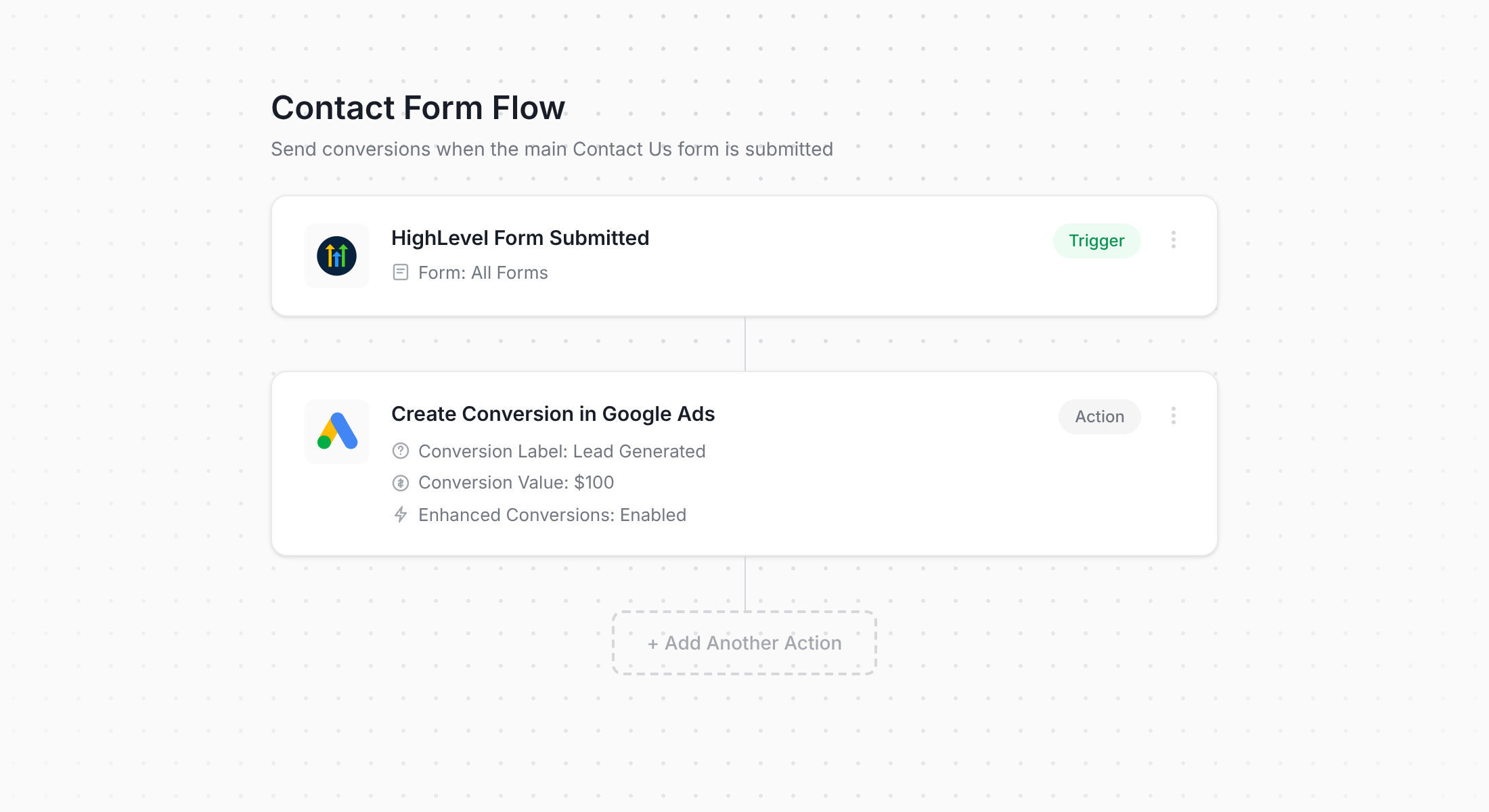
If you've ever used tools like Zapier or HighLevel's Workflow Builder, then the screenshot above will feel familiar right away. All you need to do is pick a trigger (like a HighLevel form or survey being submitted), then choose the action that should follow (like sending a conversion over to Google Ads).
That's genuinely the whole build. A handful of clicks and server-side conversion tracking is live in your Google Ads account.
Step 2: Add the Converly code to your HighLevel account
Once you publish your Conversion Flow, Converly gives you a short snippet of code to install on your site or funnel.
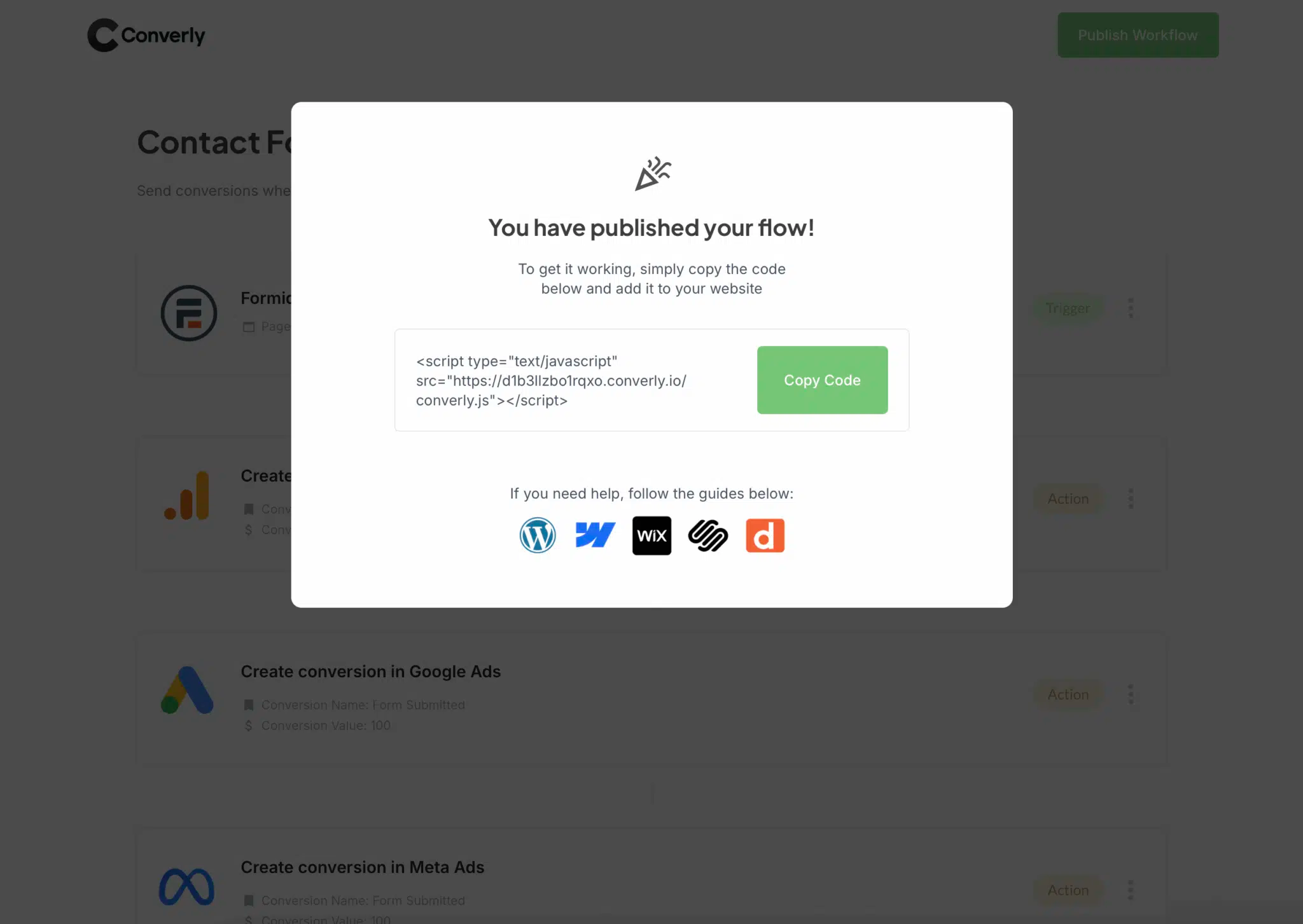
If you're using HighLevel to host your website or funnel, you can drop this into your sub-account's tracking code settings under Settings, Business Profile, so it applies across every funnel or website you build. If you're using another website builder like WordPress, then you can just as easily add it to your site through the Settings section of whatever builder you use (or you can add it using tools like Google Tag manager as well).
Step 3: Test it works
To make sure everything is wired up properly, go submit a test entry on one of your live HighLevel forms.
Then jump back into Converly, open the Conversion Flow you built, click the 3 dots menu in the top right corner, and select View Logs.
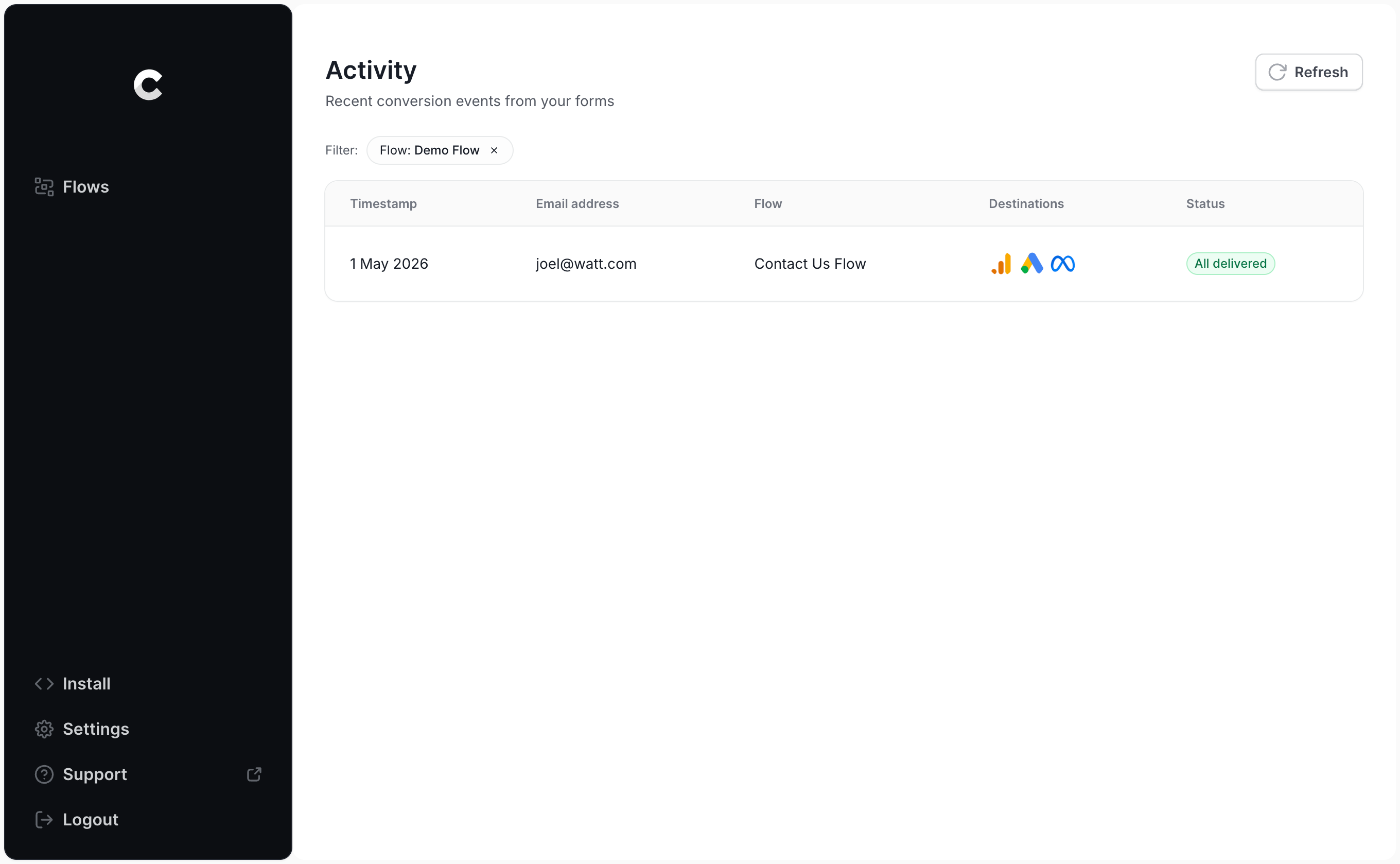
Click into the log entry for the submission you just created and you'll see everything Converly captured about it, including confirmation of whether Google Ads accepted it.
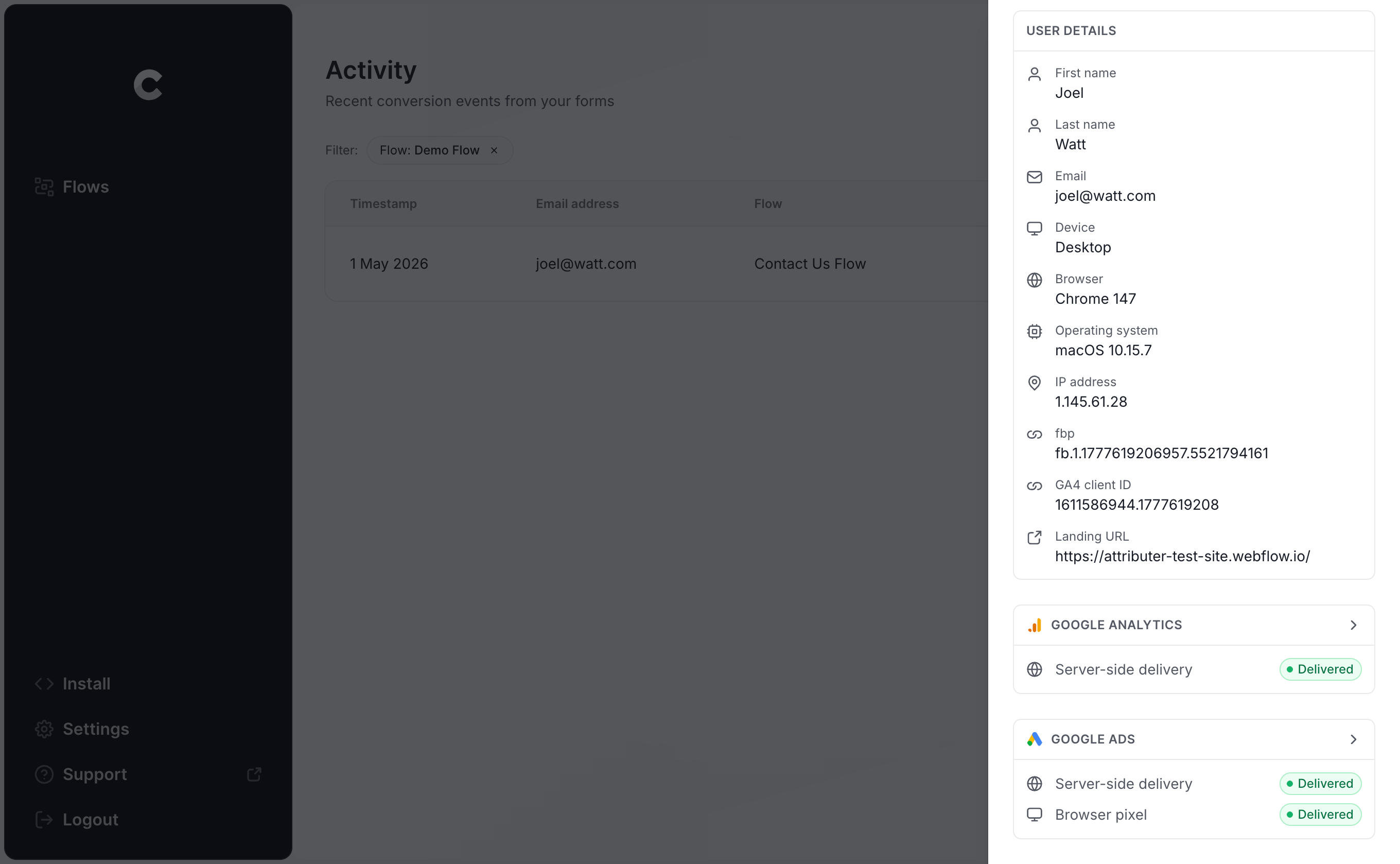
Want to go a level deeper? You can view the exact payload Converly sent over to Google Ads, plus the response that came back.
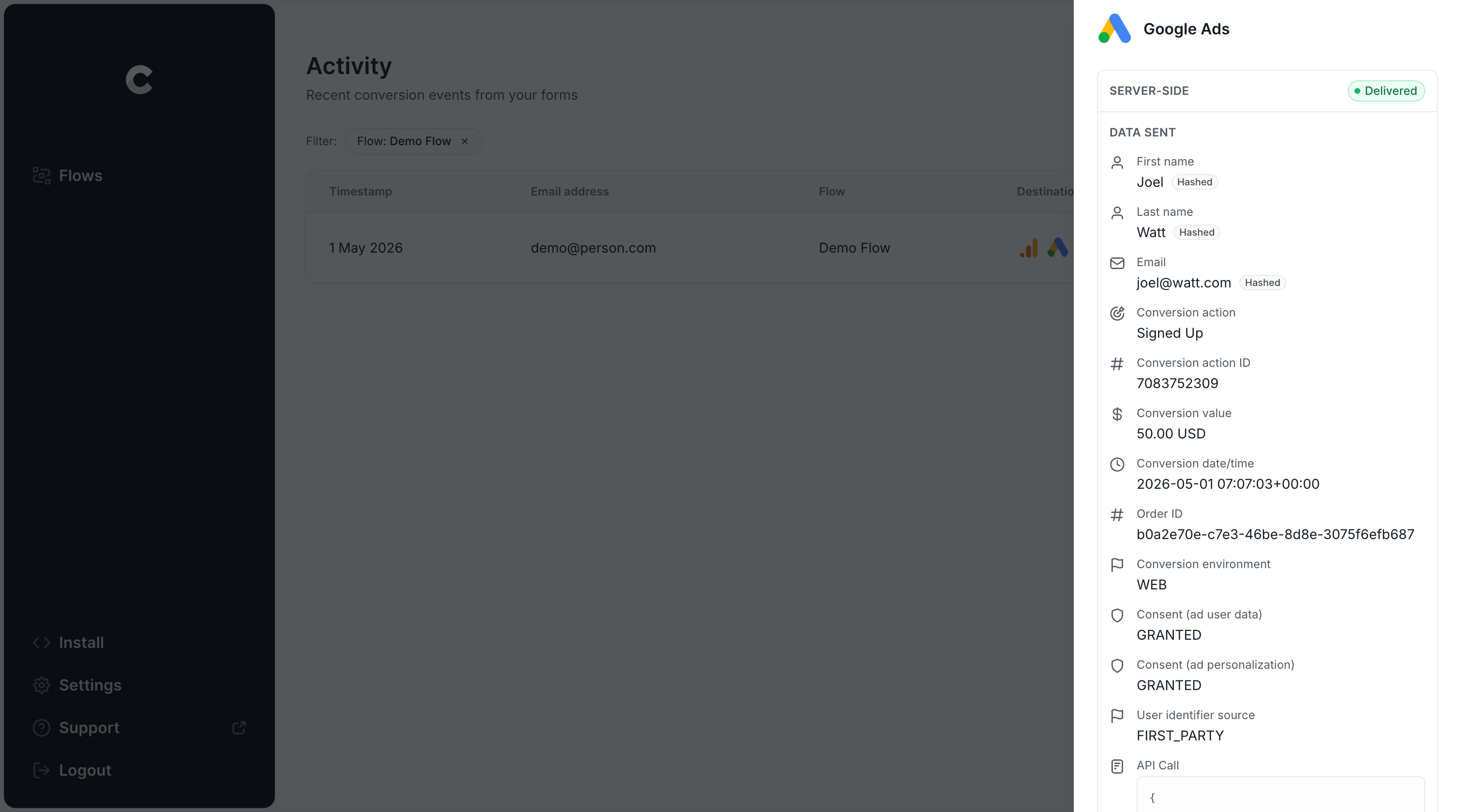
Once your test submission shows up as successfully delivered in the log, you're all set. Most people get the whole thing running in well under 5 minutes.
Why Converly is the best way to send conversions to Google Ads from HighLevel
There's more than one rway to send HighLevel form submissions into Google Ads as conversions, so what makes Converly worth choosing?
1. Easy to set up
Google Tag Manager tends to be the default most people use. But getting it working means writing code to detect submissions across every form and funnel step, pushing the lead's name and email into the dataLayer, hashing that data with SHA-256 the way Google requires, then assembling the right triggers, tags, and variables to tie it all together.
If Google Tag Manager isn't already second nature to you, that's a lot of technical work.
Converly skips all of that complexity. You simply pick your trigger (like a HighLevel form being submitted), pick your action (sending a conversion to Google Ads), and you're finished. No custom code and no digging through GTM documentation.
And if you use an AI tool like Claude or ChatGPT, then it's even easier. Simply install the Converly plugin and ask your AI tool to ‘Set up conversion tracking from HighLevel to Google Ads’ and it will do it for you!
2. Not affected by ad blockers and privacy restrictions
If you're using browser-based approaches, like using Google Tag Manager or tracking thank-you page visits, a meaningful chunk of your conversions will never actually make it to Google thanks to ad blockers and privacy-first browsers.
In fact, one study covering more than 7 million conversions found browser-based tracking was losing close to 30% of all conversions.
Converly solves this problem by sending conversions directly from our server to Google's, so nothing can get blocked.
3. Works across devices
It's completely normal these days for someone to click your ad on their phone, then come back later on a laptop to actually complete your HighLevel form. That's a real problem for browser-based tracking (like firing a Google Tag Manager event off a thank-you page visit), because the ad click and the eventual conversion happen on two separate devices with no built-in way to connect them.
Converly handles this by passing the lead's details (their name, email, and so on) directly to Google's servers. That gives Google what it needs to match the conversion back to the person who clicked the ad in the first place, so it can correctly credit the campaign, ad group, and keyword responsible.
4. Sends more data
On top of the basics like name, email, and phone, Converly also captures technical signals such as the Google Click ID (GCLID), IP address, and User Agent, and sends all of it through to Google Ads with each conversion.
That gives Google Ads a much fuller picture to work with when it's trying to match a conversion back to the person who clicked your ad, which in turn makes your conversion tracking noticeably more accurate.
5. Supports multiple tools and platforms
Converly can detect conversions in over 100 form builders, scheduling tools & chat widgets (HighLevel included), and it can push conversion events out to Google Analytics, Google Ads, Meta Ads, ChatGPT Ads, LinkedIn Ads, Microsoft Ads, and a handful of other destinations.
So the next time you add a new tool to your website or start running ads somewhere new, you're not starting your tracking setup from scratch. Just connect it inside Converly and you're good to go.
6. Gives you a full conversion log and email alerts
With something like Google Tag Manager, you can run a few checks while you're setting it up, but after that you're largely just hoping it keeps working.
Converly takes that guesswork away. Every conversion is logged, so you can see exactly what data was captured, what got sent to Google Ads, and how Google Ads responded.
You can also turn on email alerts, whether that's for every single conversion or just for failures, so you'll know as soon as something breaks instead of finding out weeks later when your reports show zero conversions.
3 things you can do when you properly send conversions to Google Ads from HighLevel
Once Google Ads is receiving clean, accurate conversion data from your HighLevel forms, several new options open up:
1. Report on conversions by campaign, ad group, keyword, etc.
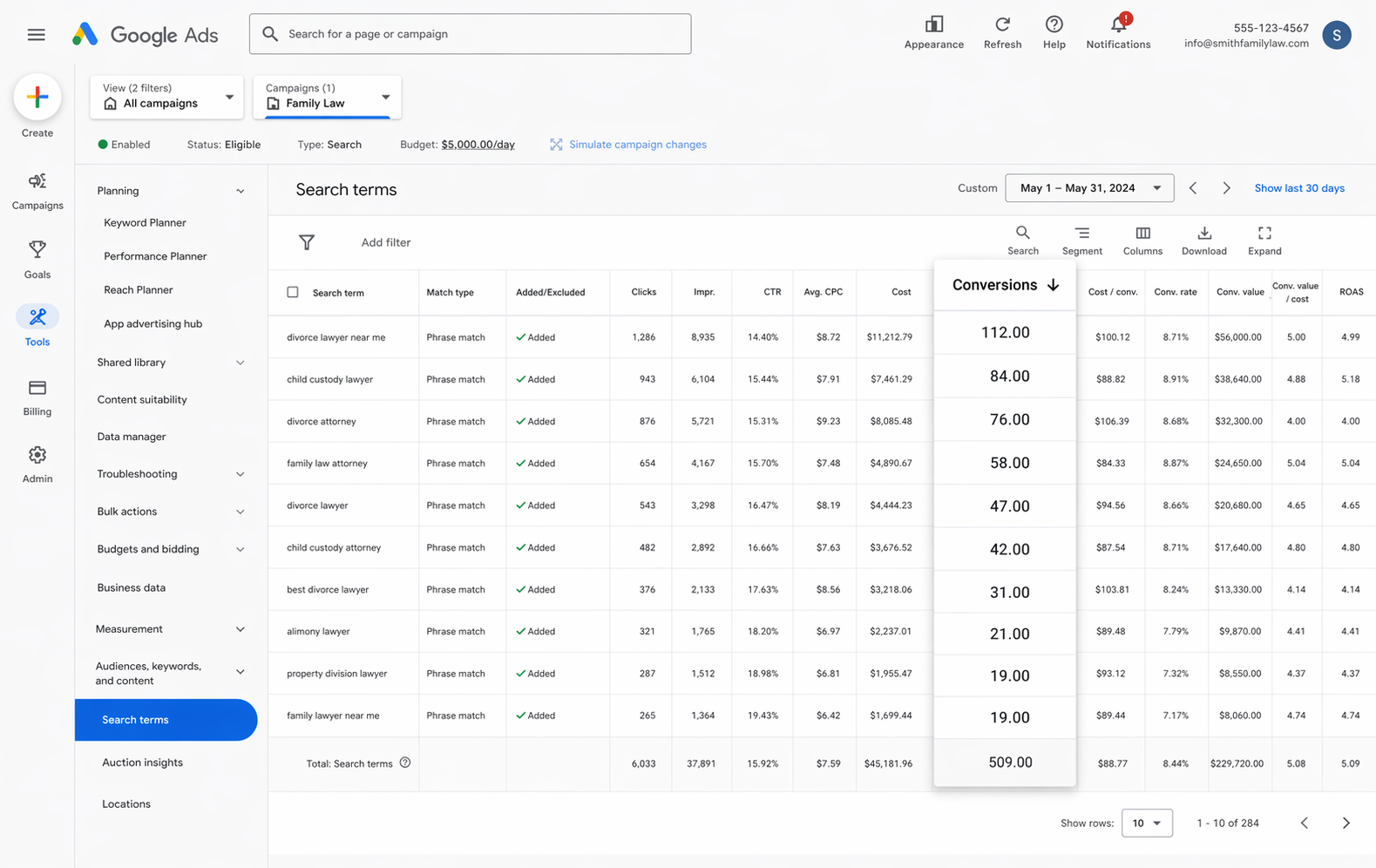
Rather than only seeing clicks and impressions, your Google Ads account starts showing conversions, conversion rate, cost per conversion, return on ad spend, and more, broken down by campaign, ad group, keyword, ad, country, and other dimensions.
That extra detail makes it far easier to spot which campaigns, ads, and keywords are actually delivering results, and which ones are worth cutting.
2. Switch to smart bidding strategies like Maximise Conversions or Target CPA
Manual bidding is rarely the most effective way to run a Google Ads account. You're essentially telling Google ‘I’m willing to pay $3 per click' and it will follow that instruction regardless of who's actually searching or how likely they are to convert.
Smart Bidding takes a different approach. You give Google a target, like $45 per lead, and it handles the bidding on your behalf. When a person searches for one of your keywords, it factors in signals like device, location, age, interests, and past purchase behaviour and will bid higher for people more likely to convert and lower for those who aren't.
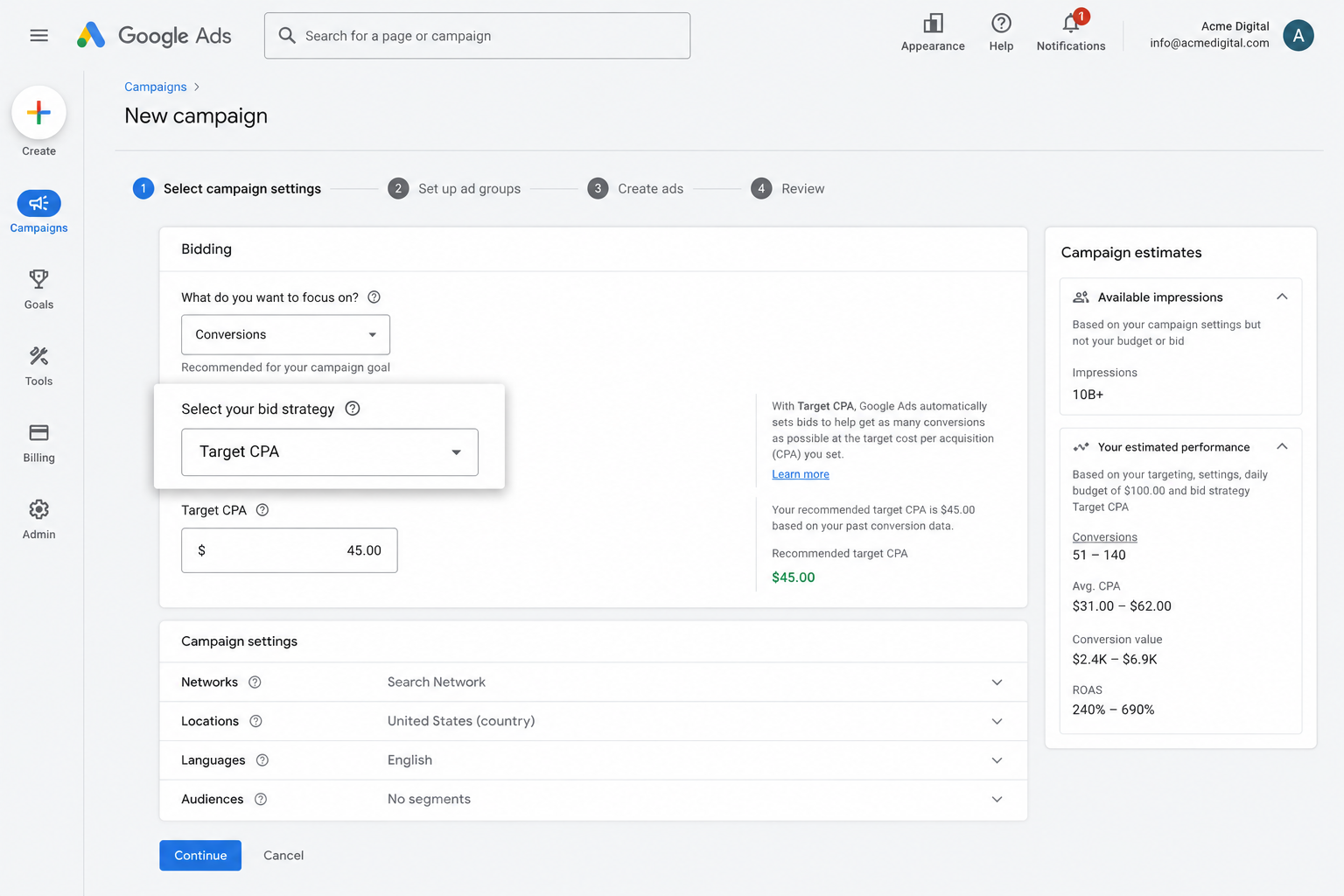
It's a genuinely effective way to bring in more leads for less, but it only works if the conversion data behind it is solid. If you're telling Google which clicks turned into leads and which didn't, it can learn what a good searcher looks like for your business and bid higher for those kinds of people. But if your conversion tracking setup sucks, then it will end up overpaying for clicks from people who were never going to convert anyway.
3. Retarget people who visited your site but didn't convert
Reliable conversion data also lets you build remarketing audiences of visitors who visited your site or funnel but never completed your form.
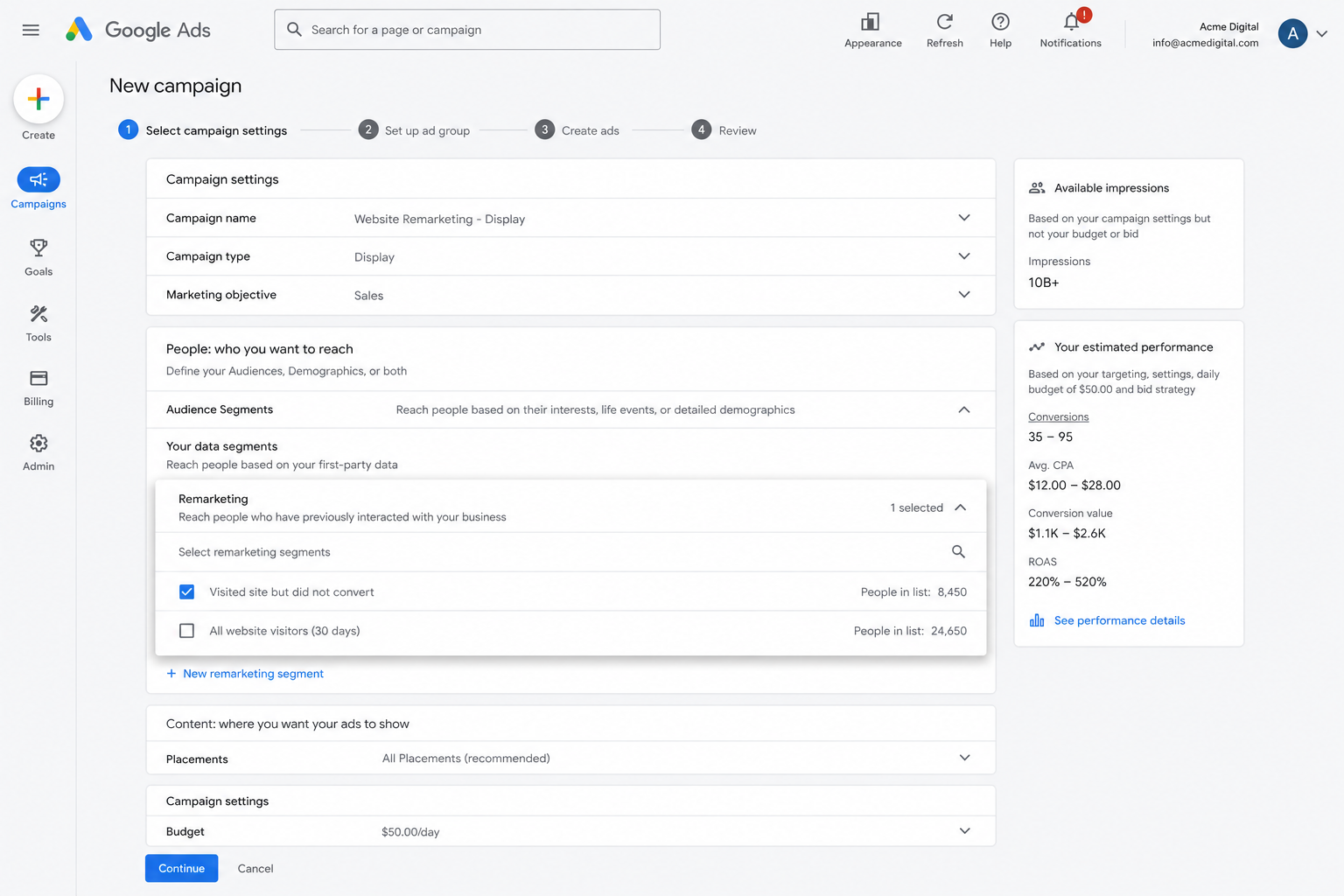
From there, you've got a few ways to bring them back into the fold:
- Search - Adjust your bids up or down for this audience the next time they search for your target keywords.
- Display - Show display ads to just this group as they browse other sites across the Google Display Network.
- YouTube - Serve YouTube ads specifically to people who visited but didn't convert, keeping your brand front of mind and pulling them back to your funnel.
Wrap Up
If you use HighLevel and want accurate conversion data in Google Ads, Converly is the simplest way to make that happen.
Conversions get sent straight to Google's servers, so ad blockers and privacy-focused browsers never get in the way, and Converly passes along the full set of lead details (name, email, phone, IP address, User Agent, and more) so Google has what it needs to match each conversion back to a real person and the campaign, ad, keyword, etc they clicked.
Setup takes just a few minutes and comes with a 14-day free trial, so give it a try today!
About the author

Aaron is the founder of Converly. With over 15 years of experience in digital marketing and SaaS, he's passionate about helping businesses track and optimise their ad conversions.