


Track Formstack form submissions as conversions in Google Ads
Learn how to send server-side conversions to Google Ads whenever a Formstack form is submitted on your website. No code required!
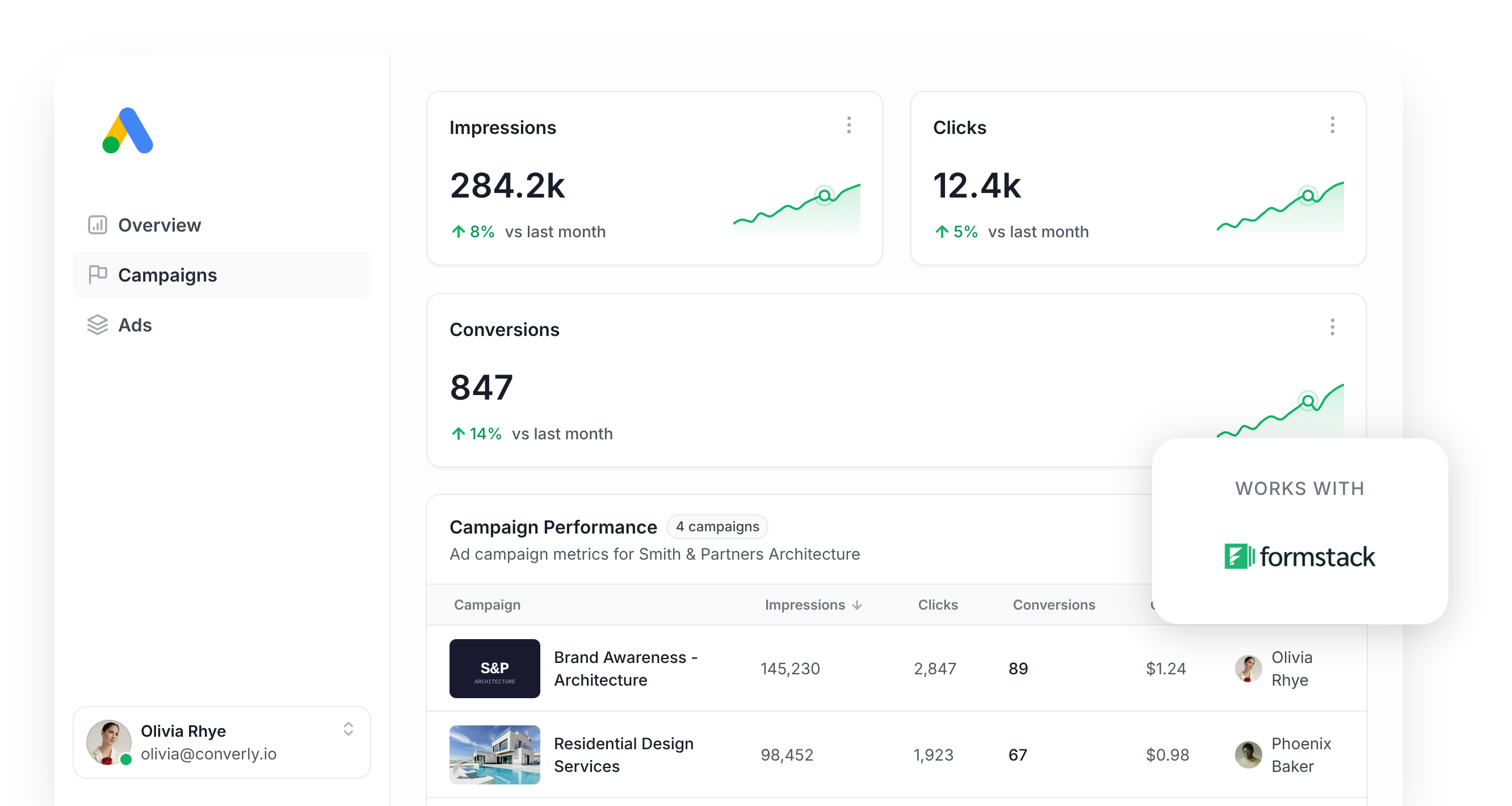
Running ads on Google is one of the fastest ways to bring in new leads, but getting conversion tracking right is oddly difficult.
Tools like Google Tag Manager expect you to write your own code to catch form submissions, then wire up triggers, tags and variables before anything actually works.
Simpler approaches, like monitoring visits to a thank-you page, are easier to setup but don't work very well. Studies show that as much as 30% of conversions never get counted this way, thanks to ad blockers, privacy tools built into browsers like Safari, or leads who click your ad on their phone and finish the form later on a laptop.
So how do you actually solve this?
This guide walks through the best way to send conversions to Google Ads when someone submits a Formstack form on your site, using a method called server-side tracking.
Why you need to send conversions to Google Ads server-side
If you want Google Ads to actually work for you, accurate conversion data is non-negotiable.
Google Ads runs on smart bidding, which pulls in thousands of signals (location, past purchases, time of day and plenty more) to figure out how likely a specific visitor is to actually convert on your website, then adjusts your bids up or down accordingly.
It's super powerful and can geuninely get you more leads at a lower cost, but it only works if you have solid conversion tracking in place. You need to tell Google "this person converted" and "this person didn't" so it can learn what a good lead actually looks like for your business.
The trouble with conventional methods (thank you page tracking, Google Tag Manager, etc) is that they rely on the conversion being sent to Google by the user's browser. That has a few problems:
- Ad Blockers — Browser extensions that block ads also stop the Google Tag from firing, so if a visitor to your website has one installed, nothing they do on your site gets tracked.
- Privacy Features in Browsers — Safari and similar browsers cap how long the Google Tag can track a visitor, often to just a single day. So if someone clicks your ad and converts 3 days later, that conversion can't be mapped back to the original ad click.
- Using multiple devices — A visitor might click your ad from their phone during lunch and then complete the Formstack form later that night on their laptop, and there's no way to connect those two moments because they happen in different browsers on different devices.
Server-side tracking sidesteps all of this. Rather than hoping the visitor's browser does what you want, you send the lead's details directly to Google's servers in a private message, so ad blockers and browser privacy settings simply don't get in the way.
And the results back that up. Google reports that businesses using server-side tracking typically see a 23% increase in recorded conversions and a 10% drop in cost per conversion, since Google's bidding algorithms finally have accurate data to learn from.
3 simple steps to send server-side conversions to Google Ads from Formstack
Here's how to get server-side conversion tracking running between Formstack and Google Ads in 3 easy steps.
Step 1: Build your Conversion Flow in Converly
Converly makes sending server-side conversions from Formstack to Google Ads a genuinely simple task.
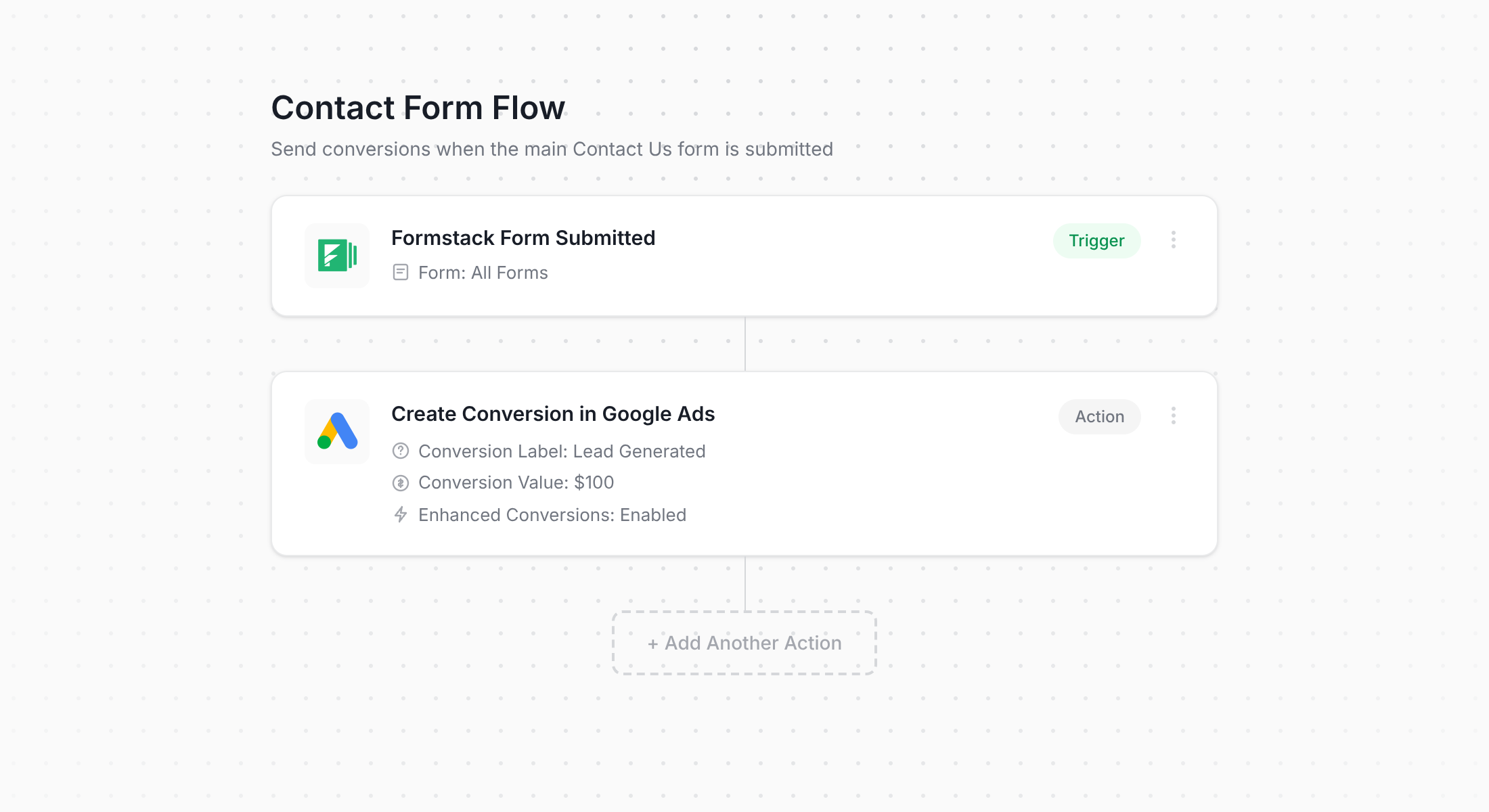
The screenshot above shows Converly's workflow builder in action. If you've used tools like Zapier or HubSpot Workflows before, the layout will feel familiar right away.
You simply pick your trigger (like a Formstack form submission), then choose the action you want it to kick off (like sending a conversion to Google Ads).
That's genuinely all it takes. A handful of clicks and you've got server-side conversion tracking live in Google Ads.
Step 2: Add the Converly code to your website
After your Conversion Flow is built and published, Converly gives you a little snippet of code to add to your site.
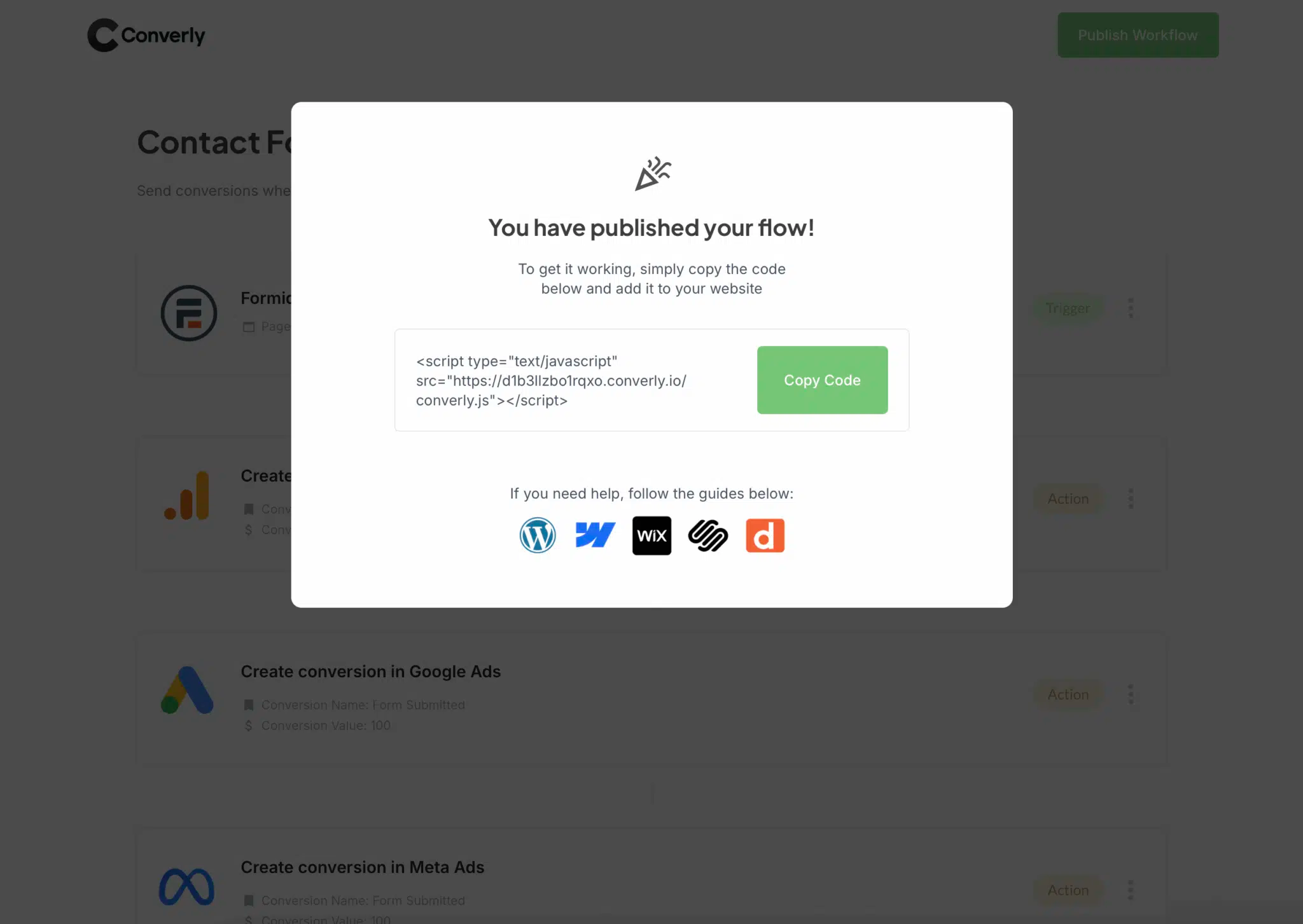
Sites built on platforms like WordPress, Webflow or Wix can usually paste this straight into the Header or Custom Code section of their CMS settings, or install it via a header/footer plugin. If you'd rather manage it through Google Tag Manager, that route works just as well.
Step 3: Test it works
To confirm everything is wired up correctly, head to your website and submit the Formstack form yourself.
Then jump back into your Conversion Flow, open the 3 dots menu in the top right corner, and choose View Logs.
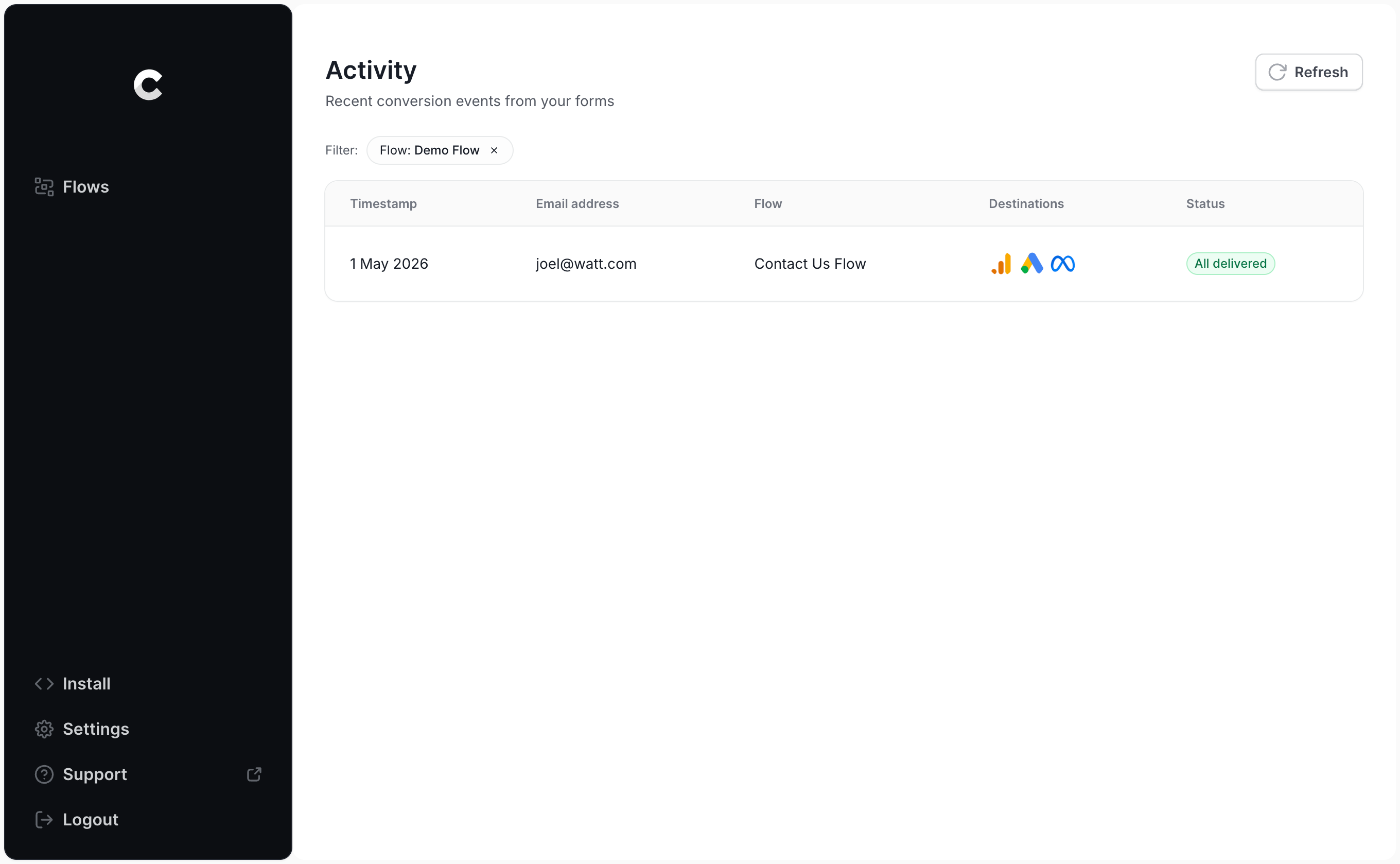
From the logs page, click into your test entry and you'll see the full details, including confirmation of whether it made it to Google Ads.
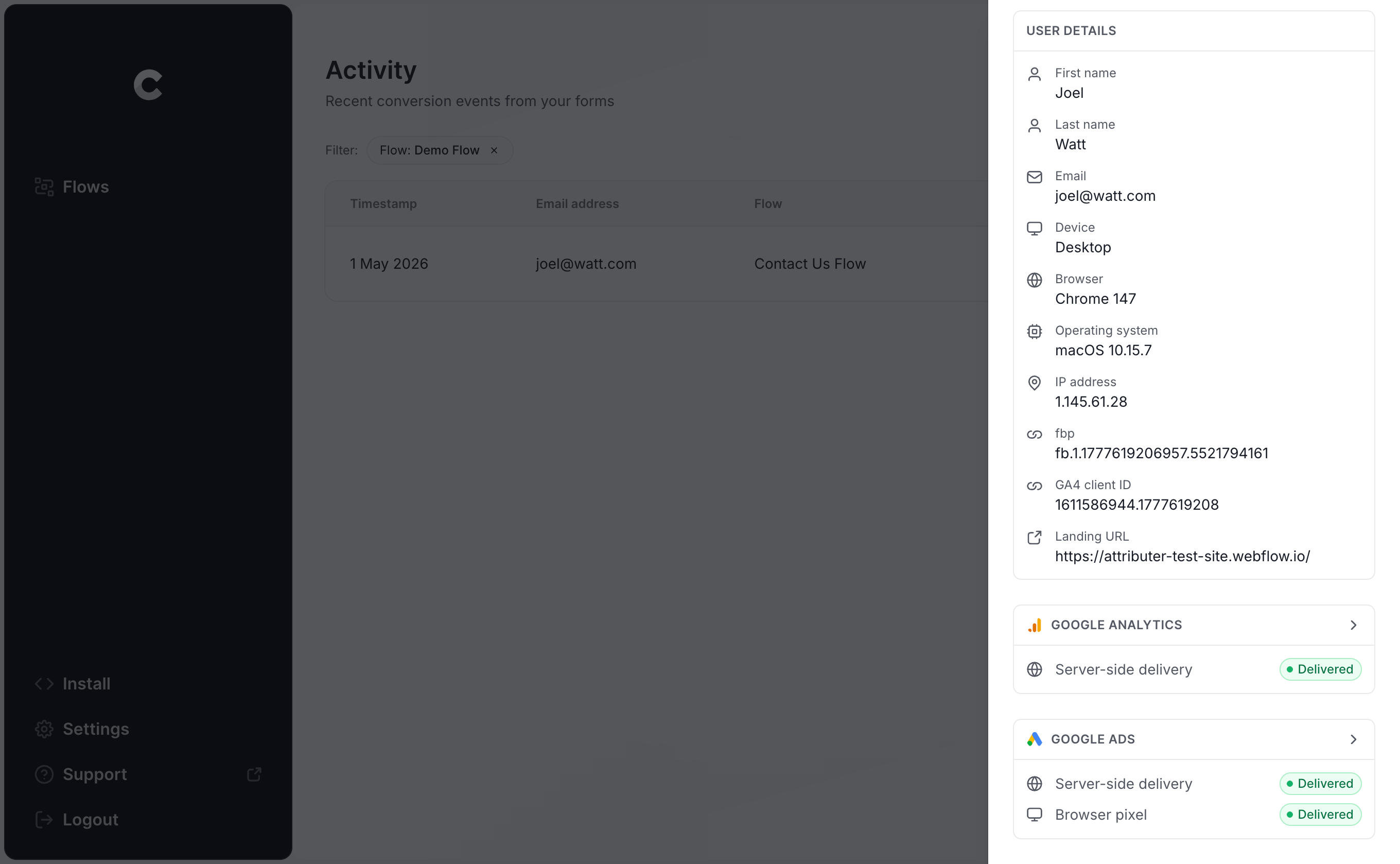
You can drill in even further to see exactly what data was sent to Google Ads and what response the server sent back.
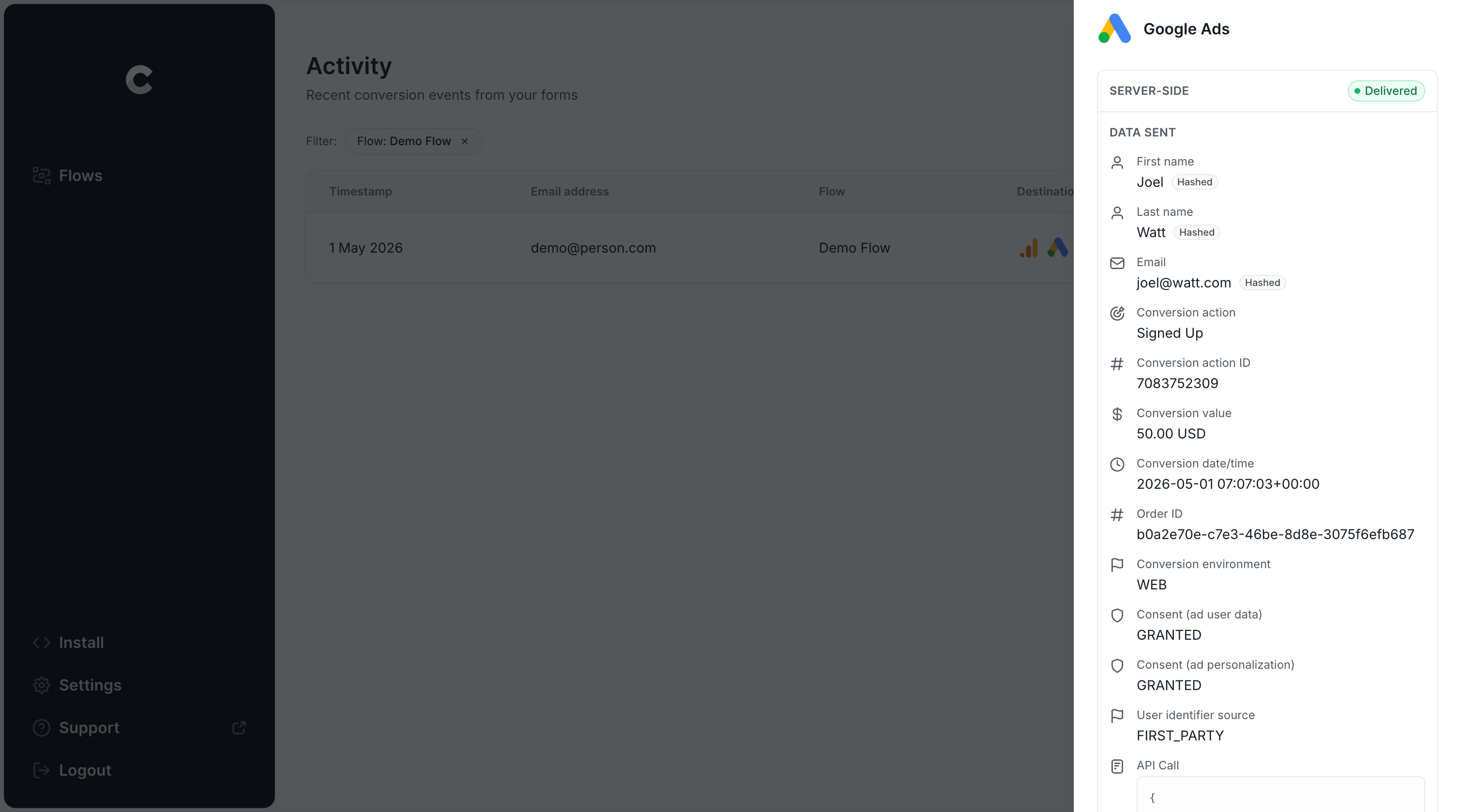
Once your test submission shows up in the log as successfully delivered, your conversion tracking is properly configured. The whole process, start to finish, usually takes less than 5 minutes.
Why Converly is the best way to send conversions to Google Ads from Formstack
There are some other ways to send Formstack conversions to Google Ads, so what makes Converly worth choosing? A handful of reasons stand out.
1. Easy to set up
Most teams default to Google Tag Manager for sending conversions to Google Ads, but that means writing code to detect form submissions, pulling the lead's name and email into the DataLayer, hashing everything with SHA-256 (Google requires it), and then configuring variables, triggers and tags on top of that.
If you're not already fluent in Google Tag Manager, that's a lot of hours you probably don't have.
Converly skips all of it. You simply choose a trigger (a Formstack submission), decide what should happen (a conversion sent to Google Ads), and you're finished. No custom code, no complicated setup, just working conversion tracking.
2. Not affected by ad blockers and privacy restrictions
If you rely on Google Tag Manager, or something as basic as thank you page tracking, then a meaningful chunk of your conversions simply won't reach Google. Ad blockers and privacy-first browsers will stop them.
One study examining over 7 million conversions found that tag-based tracking missed close to 30% of conversions. Ad blockers accounted for about 5% of that gap, with browser privacy settings responsible for the remaining 25% or so.
Converly avoids this entirely by sending conversions directly to Google's servers, which means ad blockers and privacy browsers cannot get in the way.
3. Works across devices
It's common for someone to discover your business on their phone and then wait until they're sitting at a computer to actually fill out your Formstack form.
Browser-based tools like Google Tag Manager have no way to connect those two sessions, since they happen on completely different devices.
Converly gets around this by sending identity data (like the lead's name, email and phone) directly to Google's servers, which enables Google to link the eventual conversion back to that original ad click on the phone. This means your ads get credited properly for the leads they actually generated.
4. Sends more data
Beyond the basics like name, email and phone, Converly also captures technical signals such as the GCLID, IP address and User Agent, and passes all of it through to Google Ads.
That extra context gives Google Ads a much stronger basis for matching conversions back to the original ad click, even when weeks have passed or the click happened on a different device entirely.
For you, that translates into more reliable conversion tracking and better data to build campaigns around.
5. Supports multiple tools and platforms
Converly connects with more than 100 form builders, scheduling tools, chat widgets and other website tools, Formstack included.
It can also route conversion events to Google Analytics, Google Ads, Meta Ads, LinkedIn Ads, Microsoft Ads and a range of other destinations.
So if you pick up a new tool down the line, or start advertising somewhere new, you won't need to rebuild your tracking from the ground up. Connecting it inside Converly only takes a few clicks.
6. Gives you a full conversion log and email alerts
Send conversions to Google Ads through something like Google Tag Manager and you're mostly flying blind on whether it's still working. You might test it thoroughly on day one, but unless you keep retesting every week, a small change (someone edits the Formstack form, a tag gets adjusted in Google Tag Manager, a setting shifts in Google Ads) can break your tracking without any warning.
Converly removes that guesswork. Every conversion gets logged, showing exactly what data was captured, what got sent to Google Ads, and how Google Ads responded. You can also switch on email alerts, either for every conversion or only when something fails, so you find out the moment your tracking breaks (instead of weeks later when you have no conversions in your Google Ads account).
3 things you can do when you properly send conversions to Google Ads from Formstack
Once you've got accurate conversion tracking flowing into Google Ads, a lot of new options open up.
1. Report on conversions by campaign, ad group, keyword, etc.
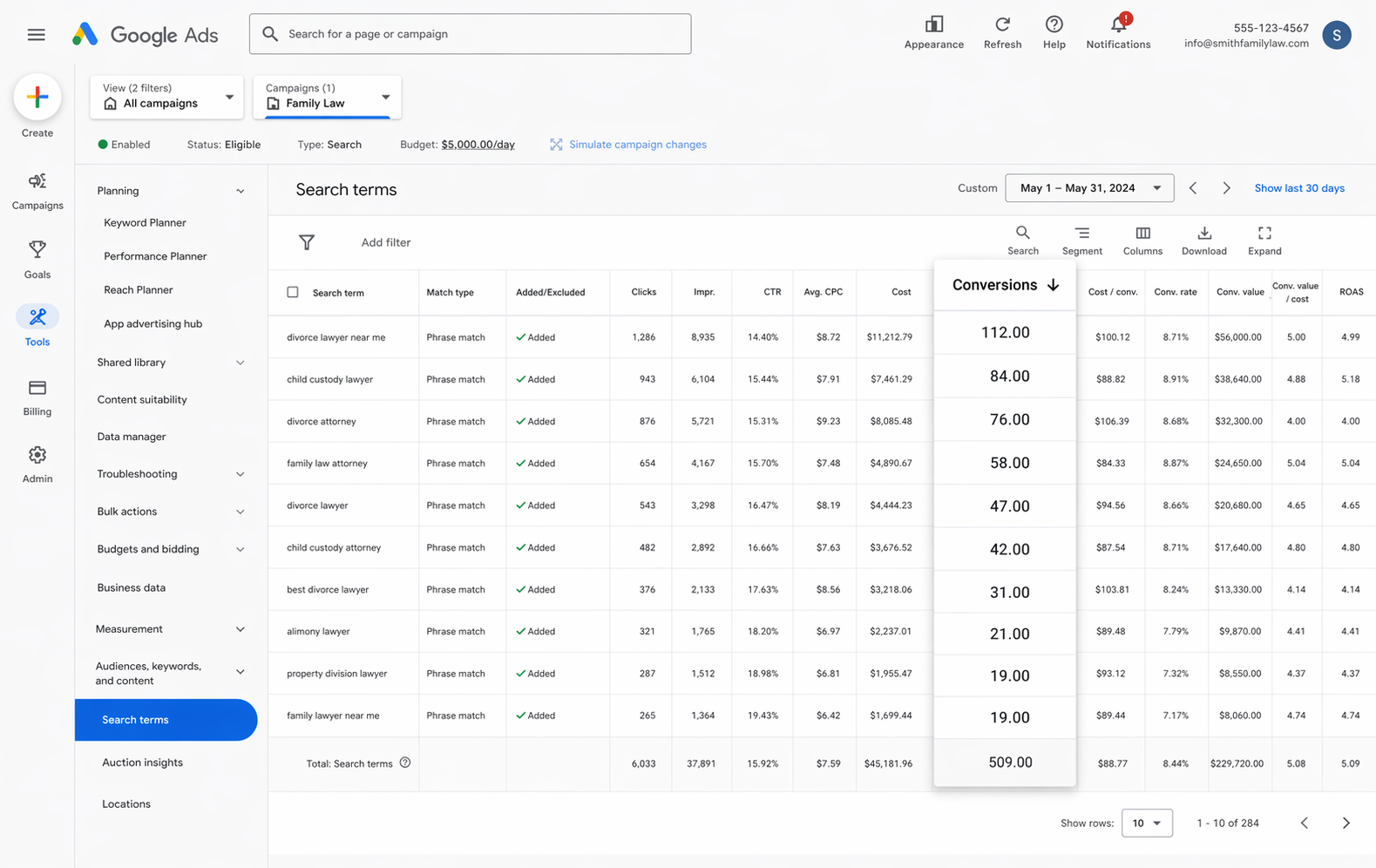
With reliable tracking in place, your Google Ads account starts showing you far more than just clicks and impressions. You'll see conversion counts, conversion rate, cost per conversion, return on ad spend and more, and you can break all of that down by campaign, ad group, keyword, ad and even country.
That gives you a much clearer picture of what's actually working in your Google Ads account, and where the real growth opportunities are hiding.
2. Use Google's Smart Bidding technology
With Manual bidding, you're basically telling Google "spend up to $3 per click," and it does that regardless of who the searcher is and how good a fit they are for your business.
Smart bidding flips that around. You give Google a target, like $45 per lead, and it handles the bidding for you in each auction. It factors in everything it knows about the searcher (age, location, device, interests, past purchases, etc) and decides whether to bid higher or lower based on how likely that person is to convert.
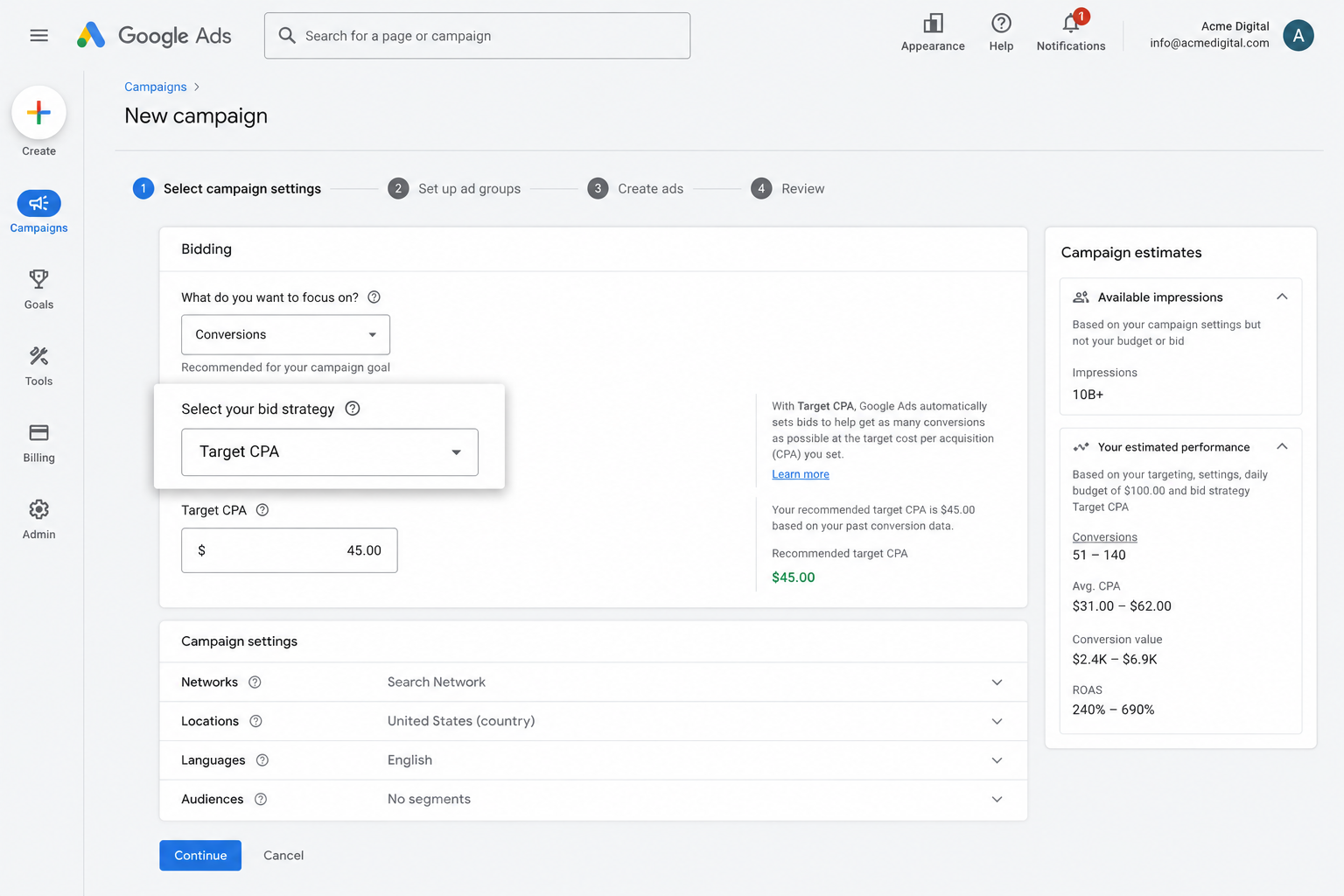
It's super powerful, but it only holds up if your conversion tracking is accurate. Without it, Google has no idea what a good lead looks like for you and will end up overpaying for the wrong clicks, which drains your budget and drives up costs.
Set up accurate server-side tracking with Converly and you can use Google's smart bidding options to generate more leads at a lower cost per conversion.
3. Retarget people who visited your site but didn't convert
Feeding accurate conversion data to Google Ads also lets you build remarketing lists made up of visitors who came to your site but never completed the Formstack form.
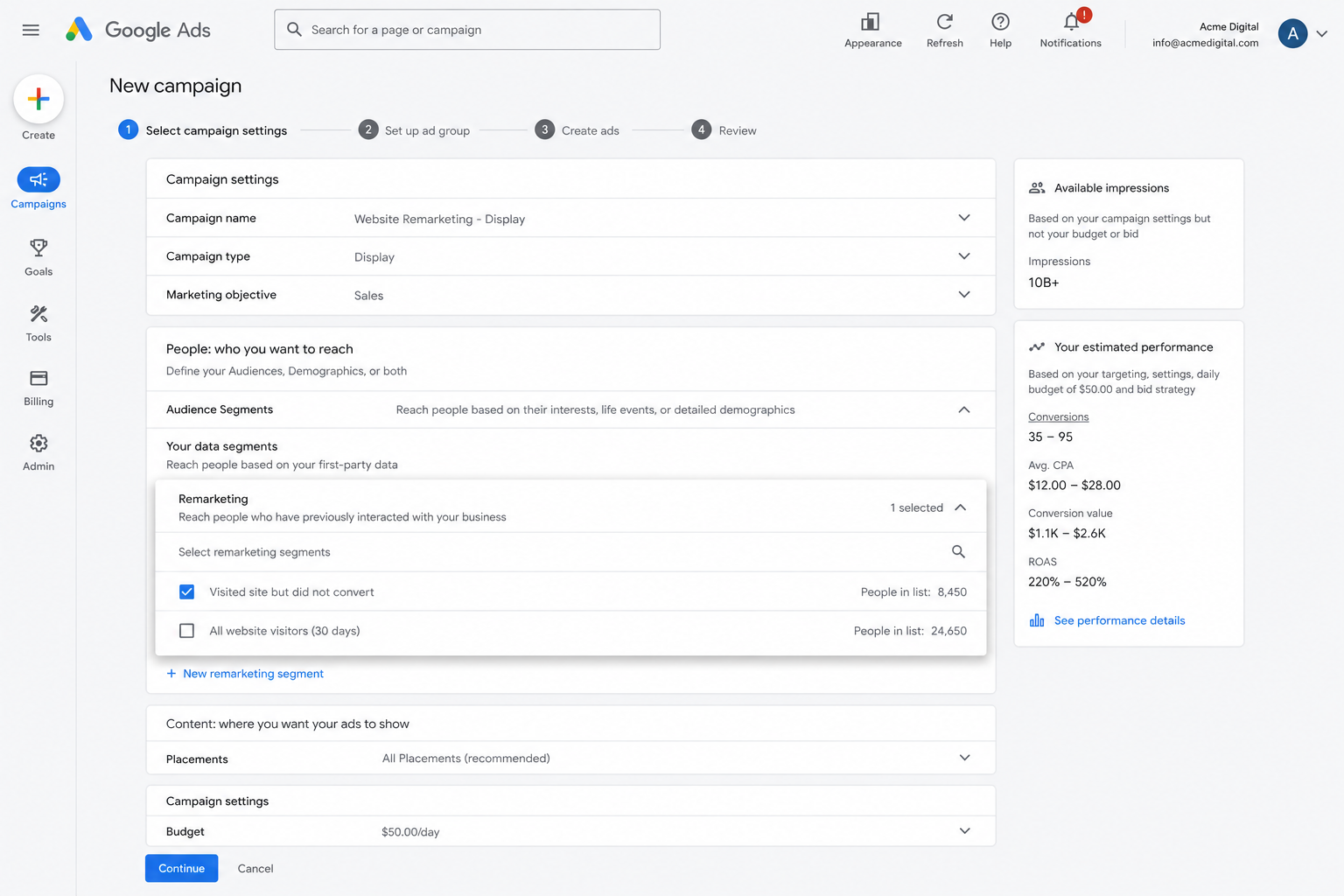
From there, you've got a few ways to bring them back:
- Search — Adjust your bids up or down for this audience the next time they search your keywords.
- Display — Run display ads across the Google Display Network aimed specifically at these visitors as they browse other sites.
- YouTube — Target this same group with YouTube Ads so they keep seeing your brand while watching videos.
Wrap Up
If you're looking to send accurate conversions to Google Ads every time a Formstack form gets submitted on your site, Converly is a solid way to get there.
Conversions go straight to Google's servers, so ad blockers and privacy browsers can't get in the way, and Converly sends a rich set of lead data (name, email, phone, IP address, User Agent and more) so Google has everything it needs to match the conversion back to the right ad click.
Best of all, it takes just a few minutes to set up and comes with a 14-day free trial, so give it a try today!
About the author

Aaron is the founder of Converly. With over 15 years of experience in digital marketing and SaaS, he's passionate about helping businesses track and optimise their ad conversions.