


Track Forminator submissions as conversions in Google Ads
Learn how to send server-side conversions to Google Ads whenever someone submits a Forminator form, poll, or quiz on your website. No code required!
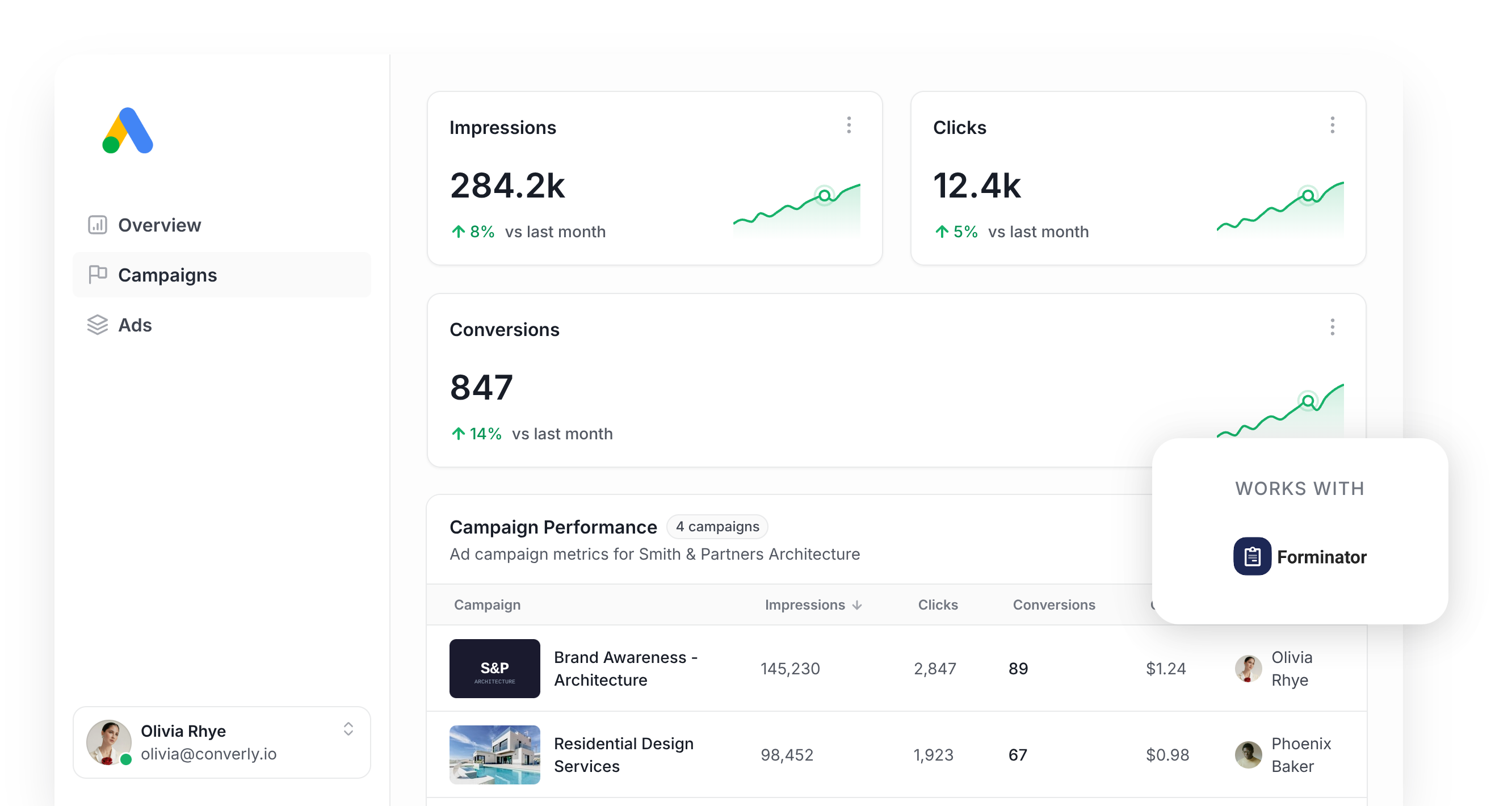
Google Ads can be one of the most reliable channels for bringing in new leads and customers, but getting conversion tracking right is the part most marketers get stuck on.
Use tools like Google Tag Manager and you're suddenly in the deep end of writing custom JavaScript to catch form submissions, pushing information into the DataLayer, and then wrestling with triggers, tags, variables, and a heap of other stuff to get the conversion over to Google Ads.
Even the simpler route of counting thank you page views isn't safe. Studies have found that approach can quietly lose up to 30% of your conversions thanks to ad blockers, browser-level privacy features (Safari is the obvious culprit), or someone tapping your ad on a phone and finishing the form on their laptop hours later.
So how should you actually handle this?
This guide walks through how to set up reliable conversion tracking in Google Ads whenever someone submits a Forminator form on your WordPress site, using a method called server-side tracking.
Why you need to send conversions to Google Ads server-side
Accurate conversion data is the foundation that everything else in Google Ads is built on.
Google's smart bidding engine pulls in thousands of signals about every searcher (their location, their browsing patterns, their purchase history, the device they're on, the time of day, and plenty more) to decide whether they're likely to convert into a lead for your business.
Based on that judgement, it bids more aggressively or pulls back to try to get you the most leads at the lowest cost.
For any of that to actually work though, you need accurate conversion tracking. Google needs to know 'this person converted into a lead and this person didn't'. Without that information, it has no way of learning what your ideal customer looks like.
The challenge with traditional setups (thank you page tracking, Google Tag Manager, and similar in-browser approaches) is that everything gets sent through the visitor's browser. That introduces a few real problems:
- Ad Blockers — When an ad blocker is installed, it stops the Google Tag from loading entirely, so none of the user's activity on your site (like submitting a form) can be tracked.
- Privacy Features in Browsers — Safari and other privacy-first browsers actively cap how long the Google Tag can keep tracking someone, often to just 24 hours. So if a person clicks your ad but doesn't convert until 3 days later, the conversion can't be tied back to the original click.
- Using multiple devices — A prospect might tap your ad on their phone during a break, then return to your site days later on their laptop and submit the form then. Browser-based tracking can't connect those two sessions because they happen on different devices.
Server-side tracking sidesteps all of this. Rather than depending on browser-based scripts that may or may not run in the visitor's browser, server-side tracking sends a direct, private message to Google's servers carrying the lead's details (which means it can't be interfered with by ad blockers or privacy settings).
The numbers back this up. According to Google's own research, switching to server-side conversion tracking delivers an average 23% lift in recorded conversions and a 10% drop in cost per conversion, because Google's algorithms finally have the data they need to understand what an ideal customer looks like for your business.
3 simple steps to send server-side conversions to Google Ads from Forminator
Here are the 3 steps for wiring up server-side conversion tracking between Forminator and Google Ads.
Step 1: Build your Conversion Flow in Converly
Converly is purpose-built for getting server-side conversions flowing from Forminator into Google Ads without any of the usual pain.
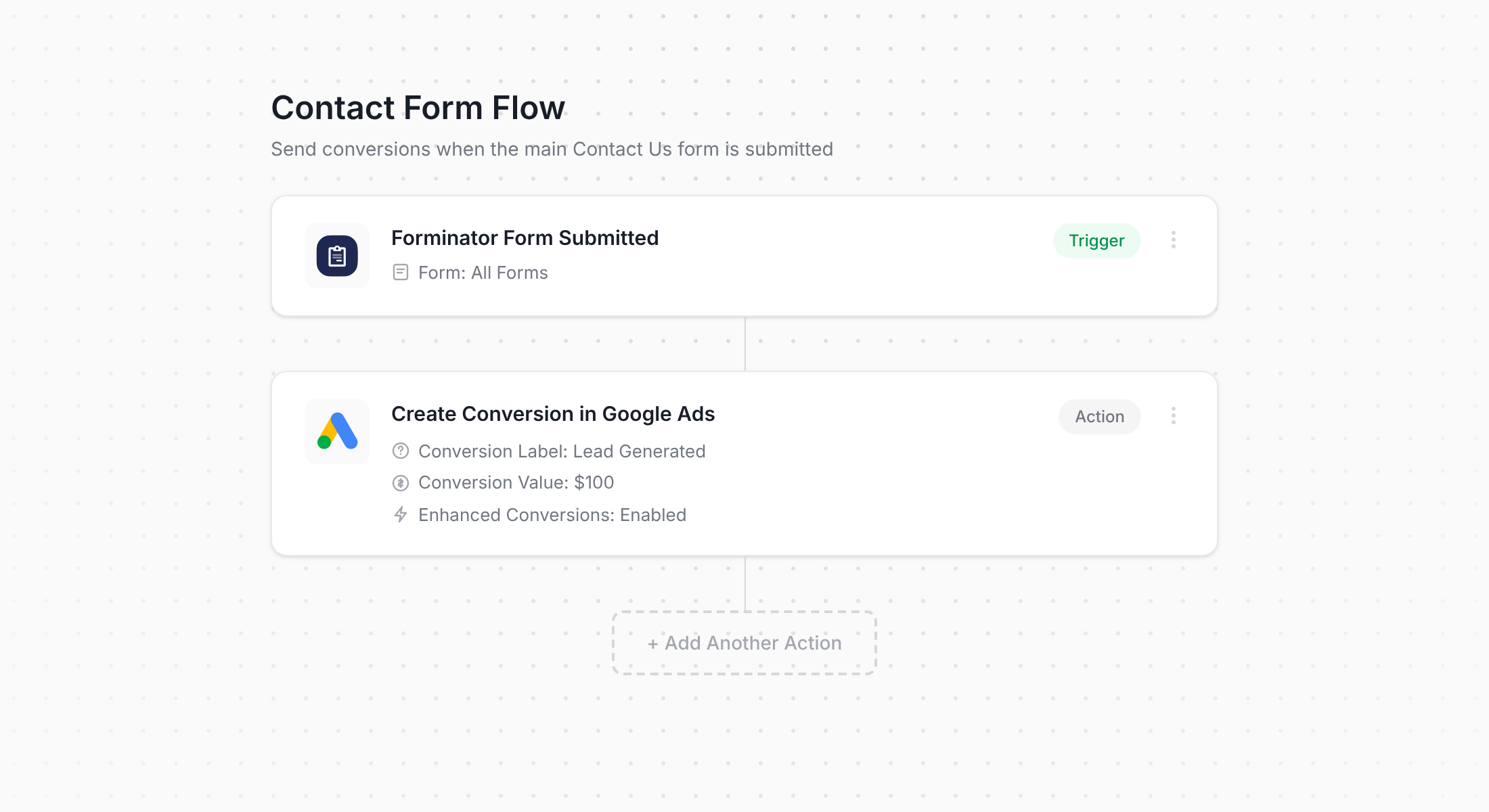
You can see in the screenshot above that Converly offers a straightforward workflow builder. If you've spent time in Zapier or HubSpot Workflows, this will feel completely familiar.
Just choose your trigger (in this case, a Forminator form being submitted), then pick the actions you want to run alongside it (such as pushing a conversion into Google Ads).
And that's really the whole thing. A handful of clicks and your server-side conversion tracking is live.
Step 2: Add the Converly code to your website
After your Conversion Flow is built and live, Converly gives you a small piece of code that needs to live on your WordPress site.
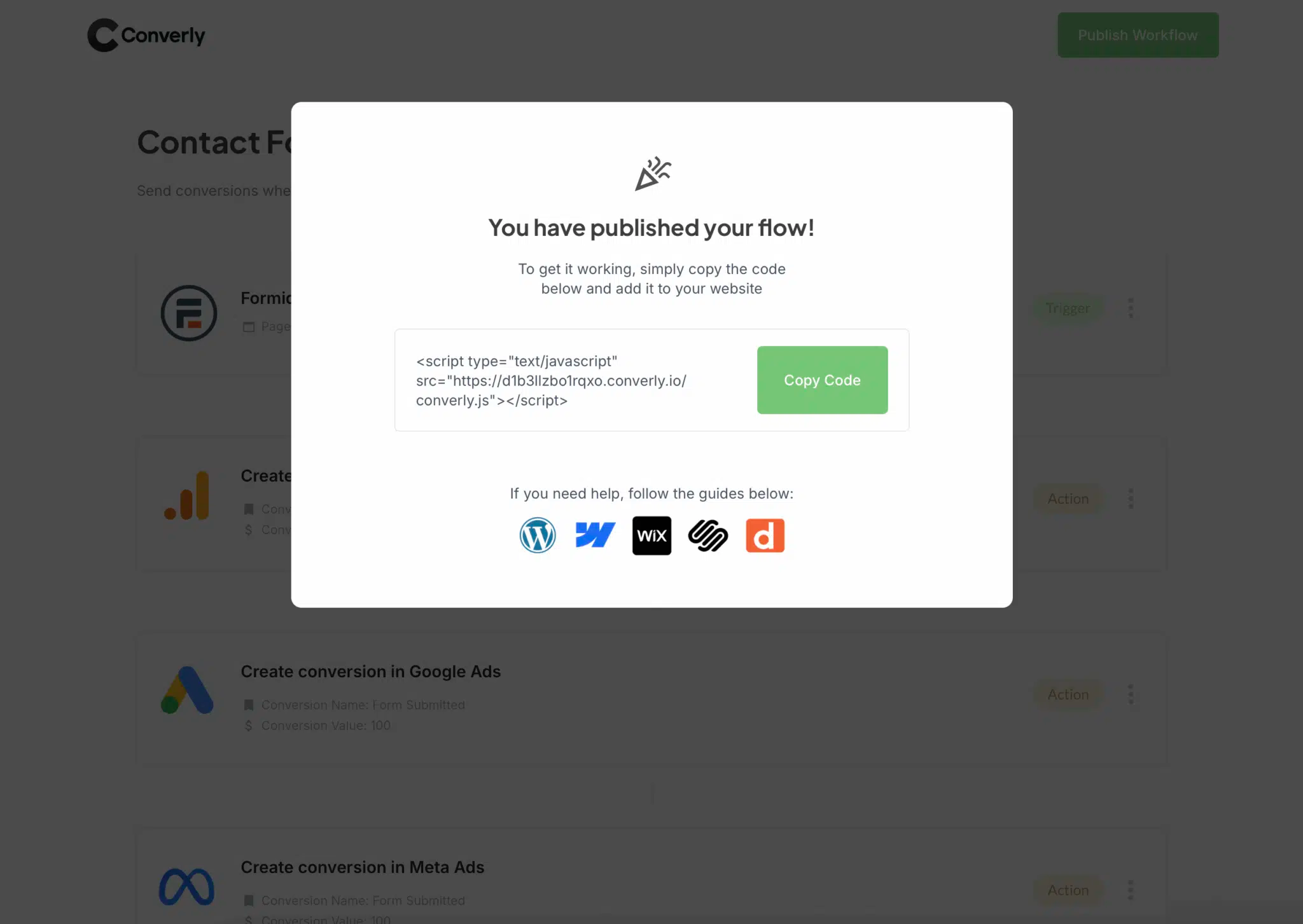
There are a few ways to get it onto your site. Many themes have a built-in header area in their settings where you can paste it, or you can install a free plugin like Insert Headers and Footers (also known as WPCode) and drop the snippet in there. Or if you're already running Google Tag Manager, that works perfectly too.
Step 3: Test it works
The last piece is a quick sanity check. Head over to your website and submit one of your Forminator forms as if you were a real lead.
Then jump back into your Conversion Flow, click the 3 dots menu in the top right corner, and select View Logs.
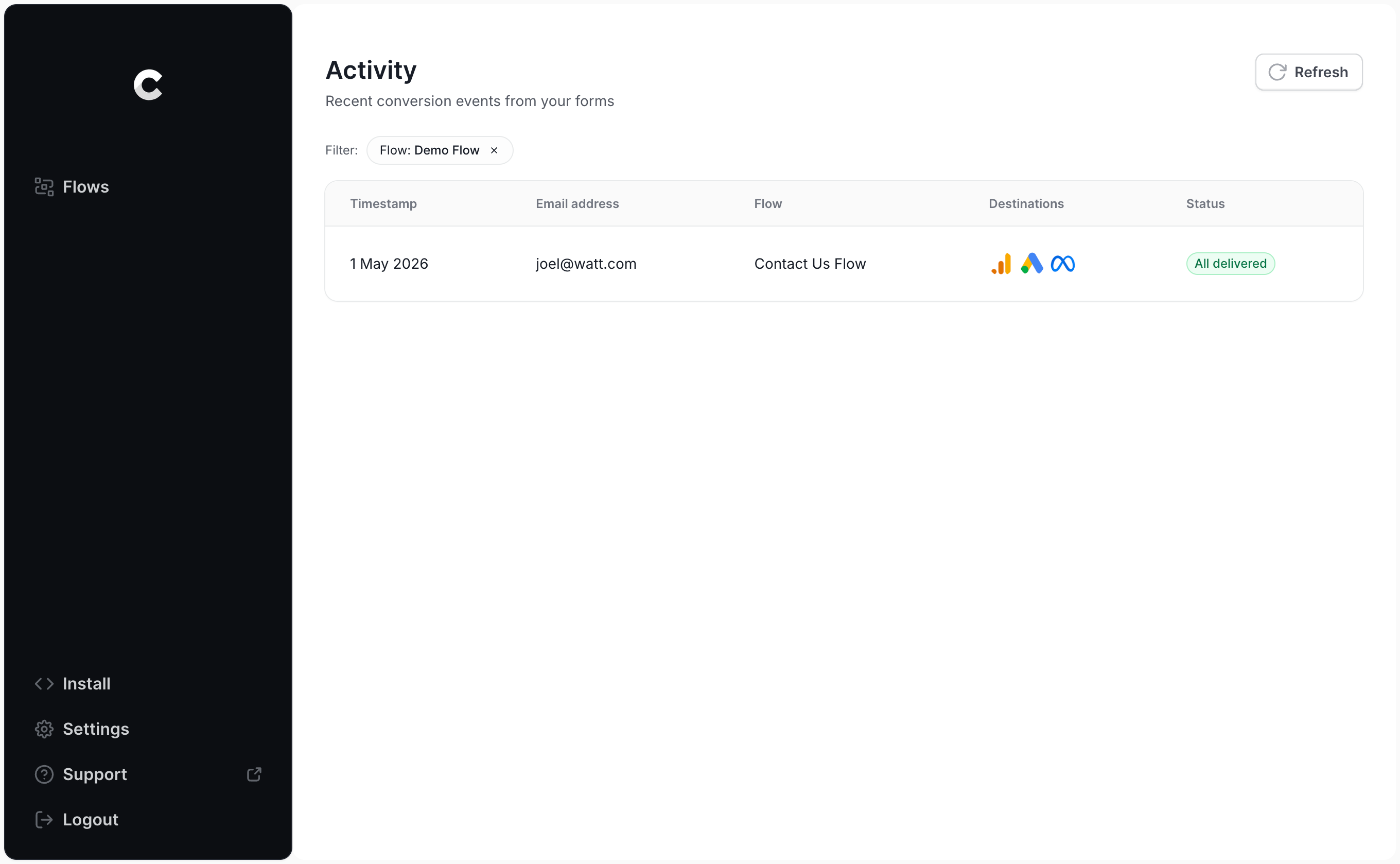
On the logs page, open up your test entry to inspect everything Converly captured about it, along with confirmation of whether the event was successfully delivered to Google Ads.
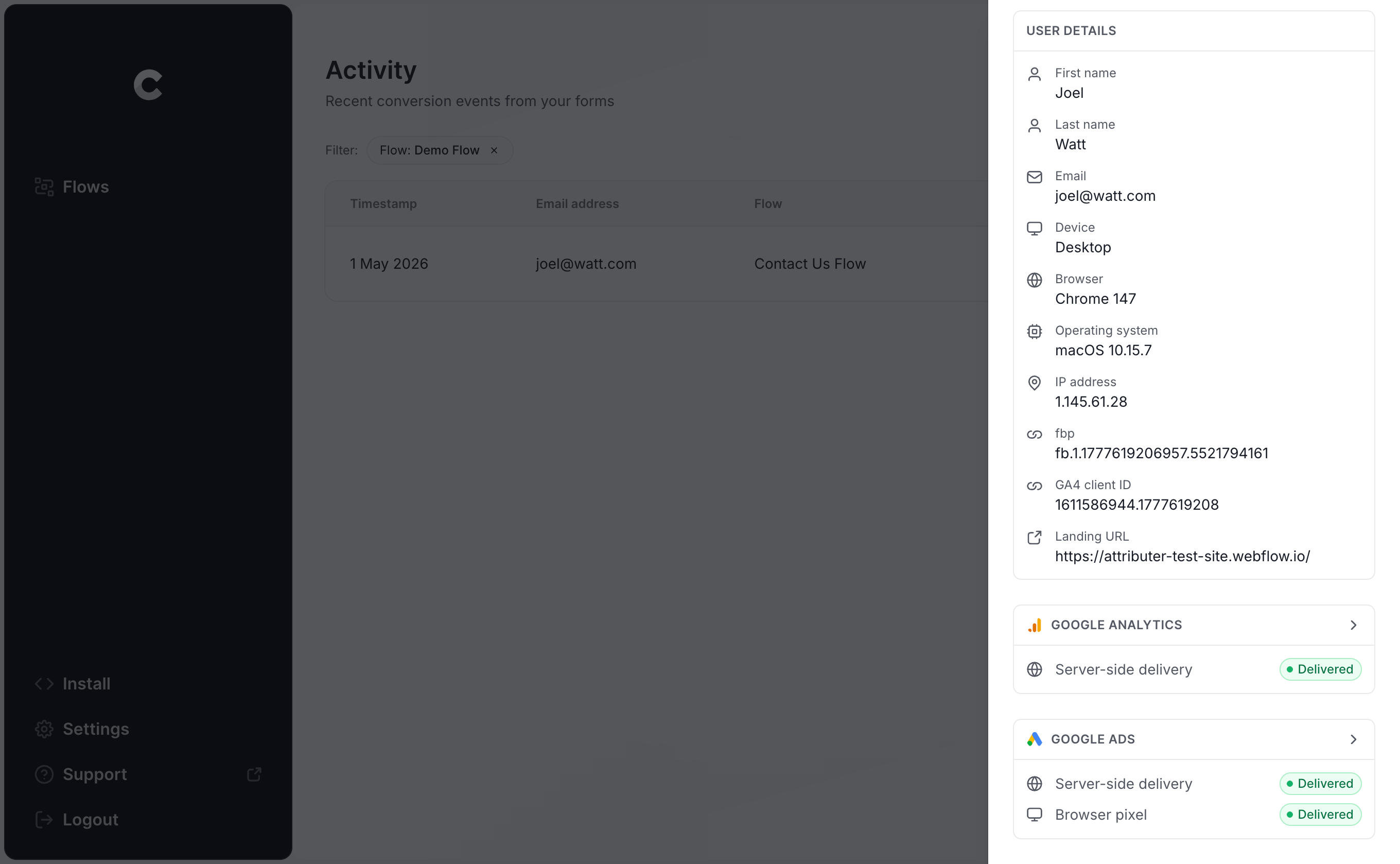
You can even dig a layer deeper and look at the exact payload that went out to Google Ads, the response Google sent back, and more.
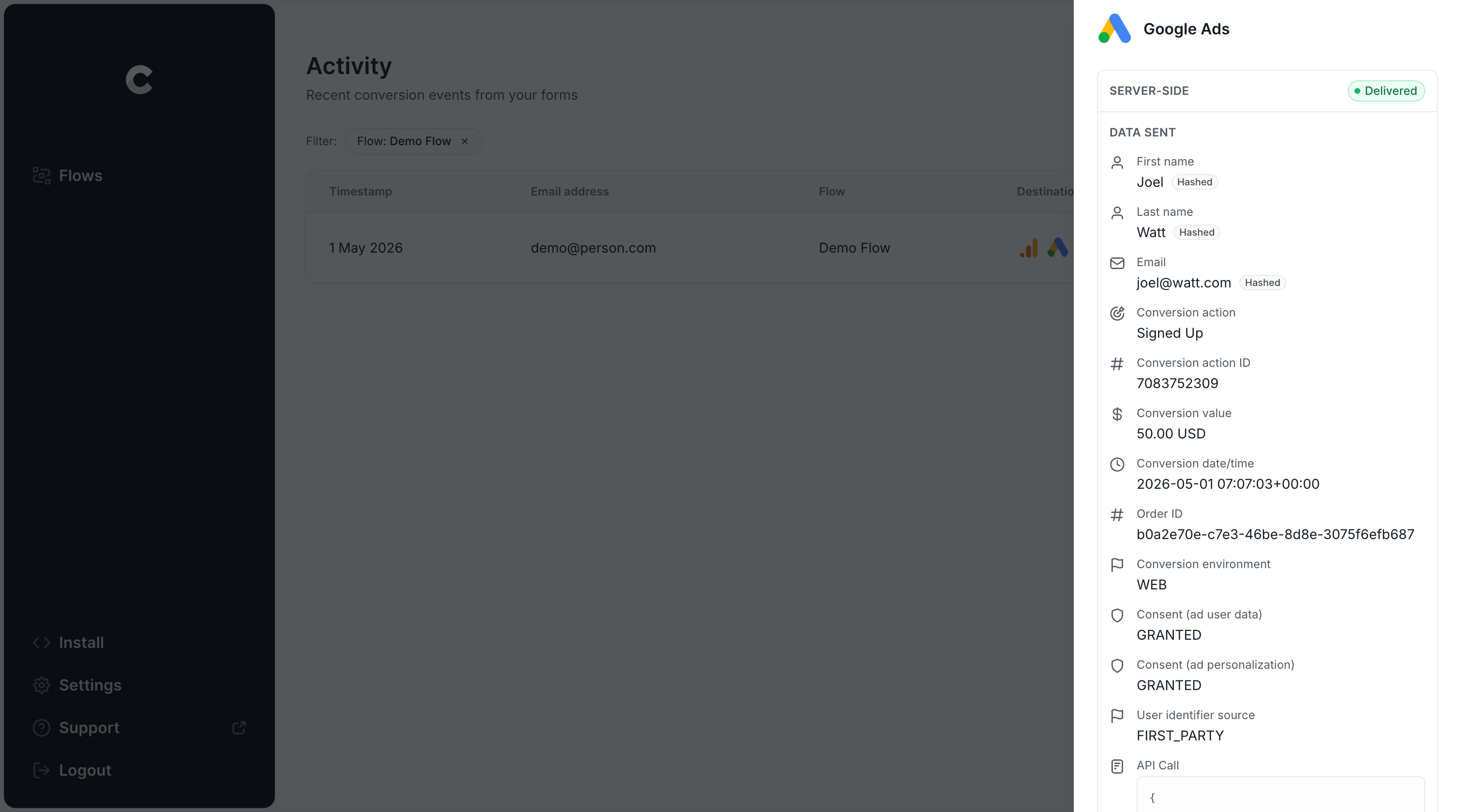
Seeing your test submission in the logs (with a confirmation that Google Ads accepted it) means your conversion tracking is wired up properly. From start to finish, the whole thing usually takes around 5-10 minutes.
Why Converly is the best way to send conversions to Google Ads from Forminator
Converly is certainly not the only option for pushing conversions from Forminator into Google Ads, so here's why we think it stands out from the alternatives:
1. Easy to set up
The default route most marketers consider is Google Tag Manager. But going that direction means writing custom JavaScript to catch Forminator's submission events (like the after_entry_saved event), pulling the lead's name and email out of the form, hashing all of it with SHA-256 (Google insists on this), and then layering on the right variables, triggers, and tags to get the data over to Google Ads.
If you can write Javascript and are an expert in Google Tag Manager, then you'll be fine. But if you're like most marketers (who can't write code and don't know what SHA-256 is), then learning how to do this is a huge distraction.
Converly makes it much easier. You simply pick your trigger (a Forminator submission on your site, for example) and choose your action (a conversion firing into Google Ads). No JavaScript, no fiddly configuration, just conversion tracking that works.
2. Not affected by ad blockers and privacy restrictions
If you use Google Tag Manager or thank you page visits to track conversions, you'll quietly lose a meaningful chunk of conversions before they ever reach Google (because ad blockers and privacy-respecting browsers stop the Google Tag from ever loading on your site in the first place).
One study that crunched over 7 million conversions discovered that browser-based tracking was missing roughly 30% of all conversions. Ad blockers accounted for about 5%, while the bulk (close to 25%) came down to browser-level privacy protections.
Converly avoids all of that by sending conversions directly to Google's servers, which means the data flows through unaffected by ad blockers or privacy-focused browsers (and you end up with substantially more accurate conversion numbers in Google Ads as a result).
3. Works across devices
It's incredibly common for someone to first stumble across your site on one device (maybe their phone during their commute) and then come back later on something else to actually fill out a form.
With browser-only setups like Google Tag Manager, those two visits can't be connected because they happened on totally different browsers and devices.
Converly handles this differently. It delivers the lead's identity (name, email, etc) straight to Google's servers, giving Google what it needs to stitch the conversion back to that initial ad tap on the phone, so your ads get proper credit for the work they actually did.
4. Sends more data
On top of the lead's name, email, and phone number, Converly also gathers technical details like the GCLID, IP address, and User Agent and forwards all of it to Google Ads.
The upshot is that Google Ads ends up with a rich picture of the lead who converted, giving it far more to work with when it comes to matching a conversion back to an ad click (even one that happened weeks earlier on a completely different device).
For you, that translates into more accurate conversion tracking and much better data to make decisions with inside Google Ads.
5. Supports multiple tools and platforms
Converly works with more than 100 different form builders, scheduling tools, chat widgets, and a whole lot more.
And the same goes for destinations. You can send conversion events into Google Analytics, Google Ads, Meta Ads, LinkedIn Ads, Microsoft Ads, and plenty of others.
The practical benefit for you is that adding a new tool to your site or starting advertising on a new ad platform doesn't mean tearing down and rebuilding your tracking. A few clicks inside Converly and the new connection is live.
6. Gives you a full conversion log and email alerts
When you push conversions to Google Ads through a tool like Google Tag Manager, you have no reliable way to tell whether it is still working. You can run a few tests at setup, but unless you go back and re-test every week, the tracking can break silently (someone tweaks the Forminator form, swaps out a tag in Google Tag Manager, or changes something inside Google Ads) and you would never know.
Converly removes that blind spot. You get a full conversion log that shows every submission that fired, the exact data Converly captured, what it sent over to Google Ads, the response Google Ads sent back, and more.
On top of that, you can turn on email notifications. Get one for every conversion delivered to Google Ads, or only when a send fails, so the moment your tracking stops working you will know about it.
3 things you can do when you properly send conversions to Google Ads from Forminator
Once you have proper conversion data flowing into Google Ads, you unlock a long list of capabilities that were essentially out of reach before.
1. Report on conversions by campaign, ad group, keyword, etc.
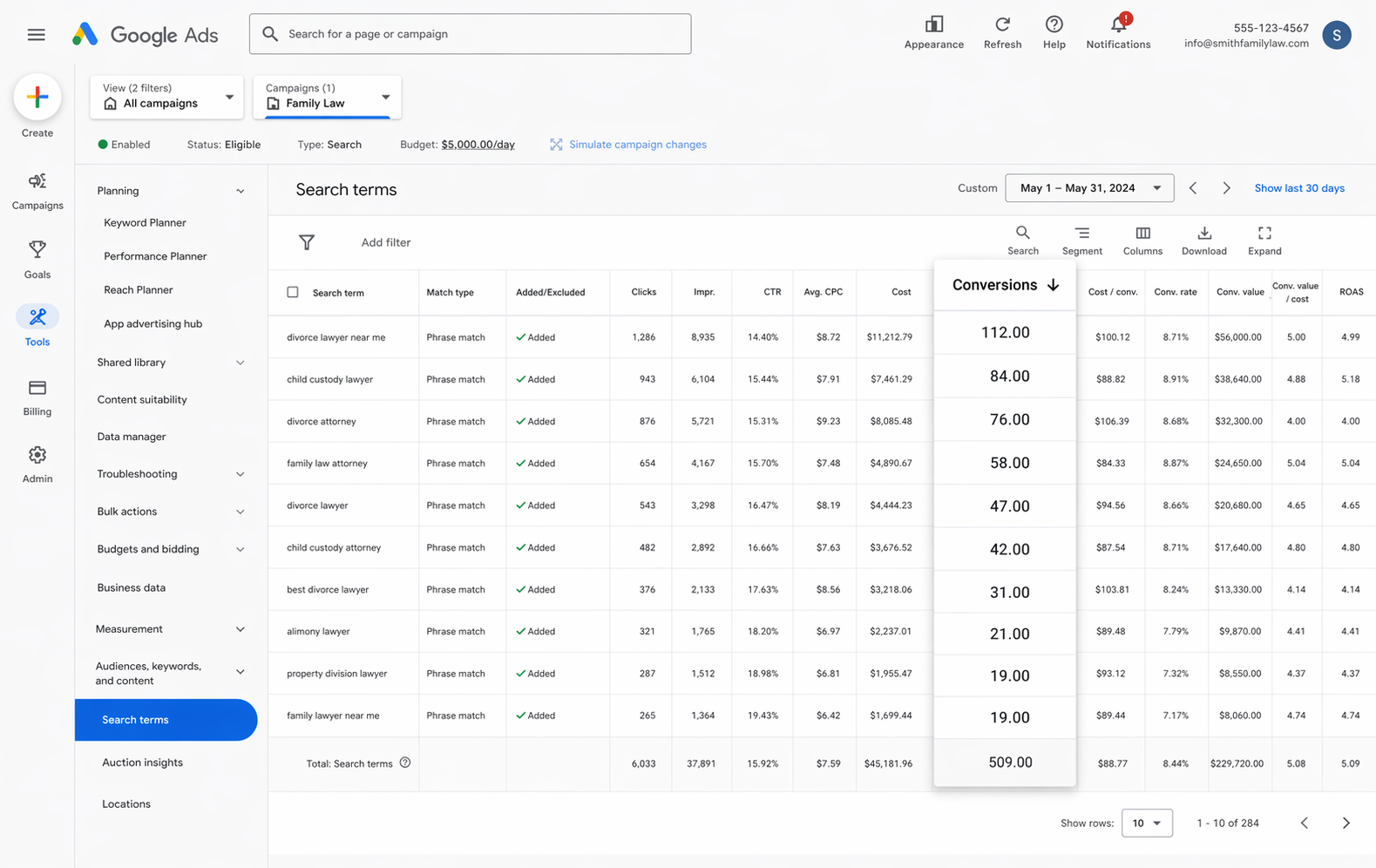
With real conversion tracking in place, your reports in Google Ads are no longer just about impressions and clicks. Now you can see conversion counts, conversion rates, cost per conversion, return on ad spend, and a lot more.
You can then slice all of that by campaign, ad group, keyword, individual ad, country, and many other dimensions.
That kind of visibility gives you a much clearer picture of what's actually working in your Google Ads and what isn't, and where your biggest opportunities to get more leads are.
2. Use Google's Smart Bidding technology
With manual bidding, you are essentially telling Google "I'll pay $3 a click". But with smart bidding, you tell Google what a lead is worth to you (say $45) and it handles bidding in the auction on your behalf.
It then weighs up everything it knows about the person searching (their age, location, device, interests, browsing history, purchase history, etc) and decides whether to bid higher or lower based on its prediction of whether they'll convert into a lead or not.
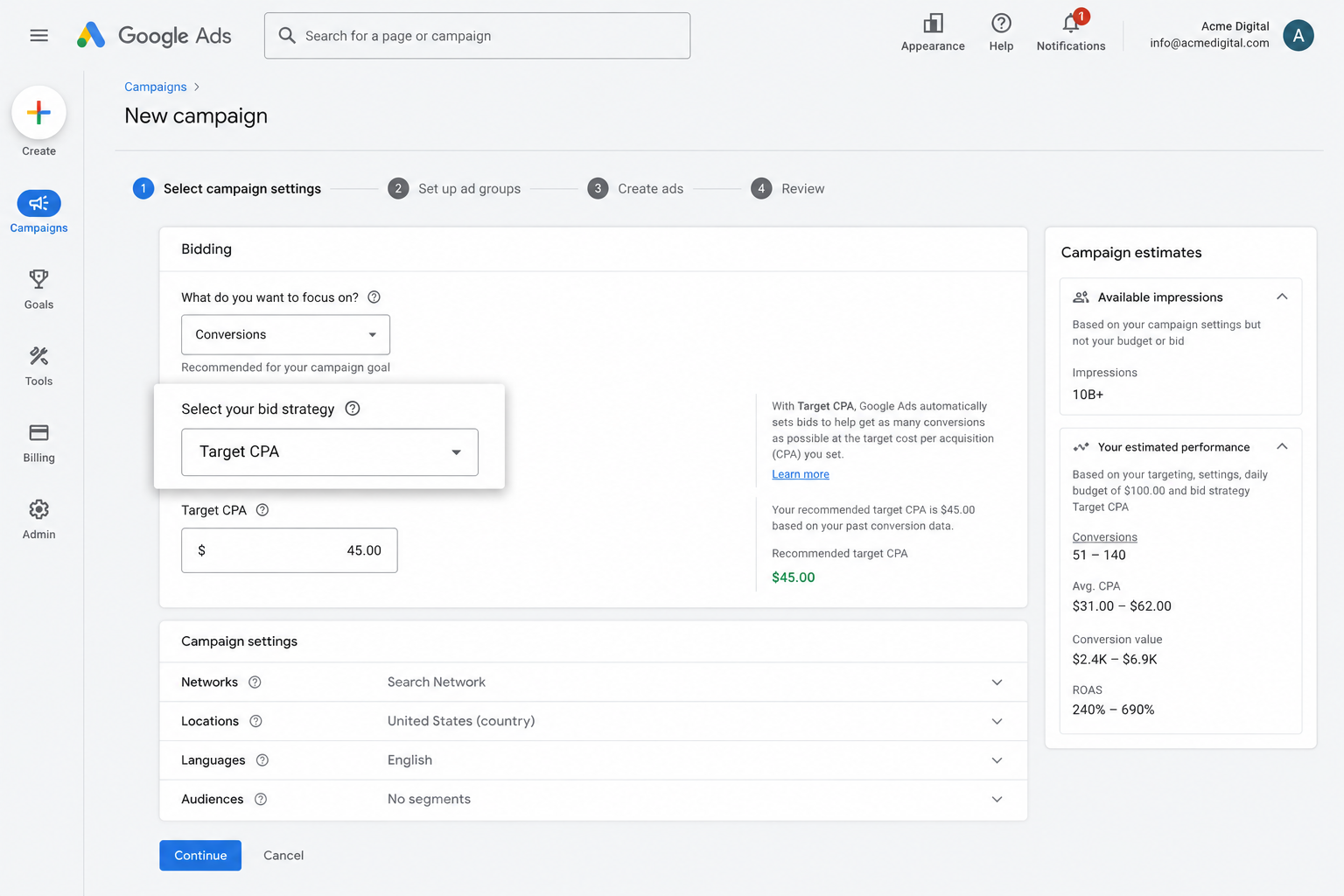
It's a super powerful system, but none of it works without solid conversion tracking. You need to be able to tell Google 'This person converted, and this person didn't' so that it knows what a good searcher looks like for your business.
By using Converly to send conversions directly to Google Ads' servers, you're giving the smart bidding algorithm the data it needs to do its job, which ultimately translates into more leads at a lower cost.
3. Retarget people who visited your site but didn't convert
Solid conversion data also unlocks the ability to build remarketing audiences of people who came to your site but never submitted a form.
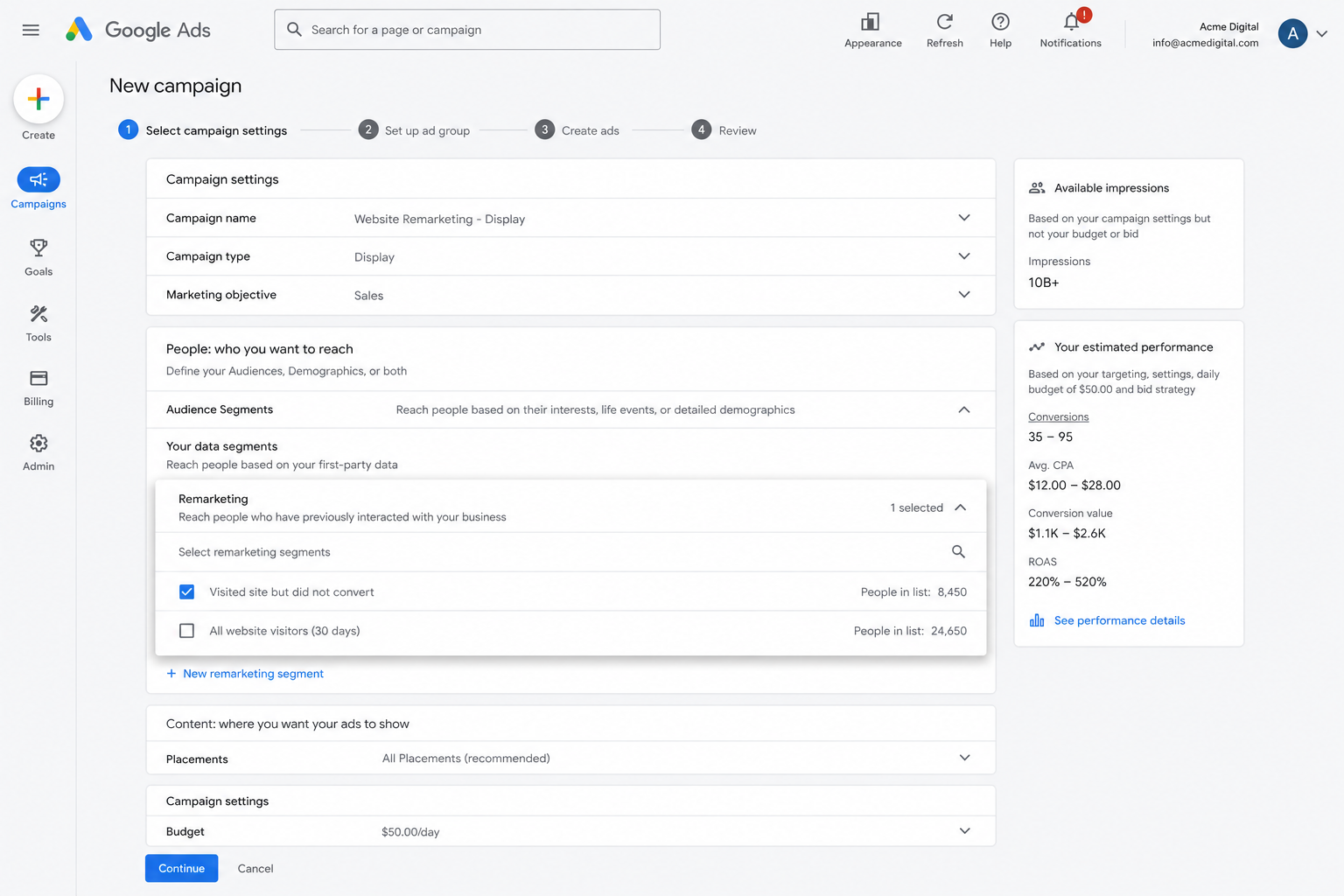
From there, you have plenty of options for re-engaging those visitors:
- Search — Bid up (or down, if you'd prefer) when these visitors search for your keywords again later.
- Display — Show display ads specifically to these people as they browse other sites across the web.
- Video — Serve YouTube Ads to this same group so your brand stays top of mind while they're watching videos.
Wrap Up
If you want every Forminator submission on your WordPress site to flow through as a conversion in Google Ads, Converly makes it easy.
Conversions go straight to Google's servers (so ad blockers and privacy-first browsers can't get in the way) and Converly sends plenty of data (name, email, phone, GCLID, IP address, User Agent, and so on) which gives Google the very best shot at tying each conversion back to the original ad click (even if it happened weeks earlier on a different device).
Best of all, you can have it up and running in just a few minutes and there's a 14-day free trial, so give it a try today!
About the author

Aaron is the founder of Converly. With over 15 years of experience in digital marketing and SaaS, he's passionate about helping businesses track and optimise their ad conversions.