


Track Formidable Forms submissions as conversions in ChatGPT Ads
Here's how to send server-side conversions to ChatGPT Ads whenever someone submits a Formidable Forms form on your WordPress website
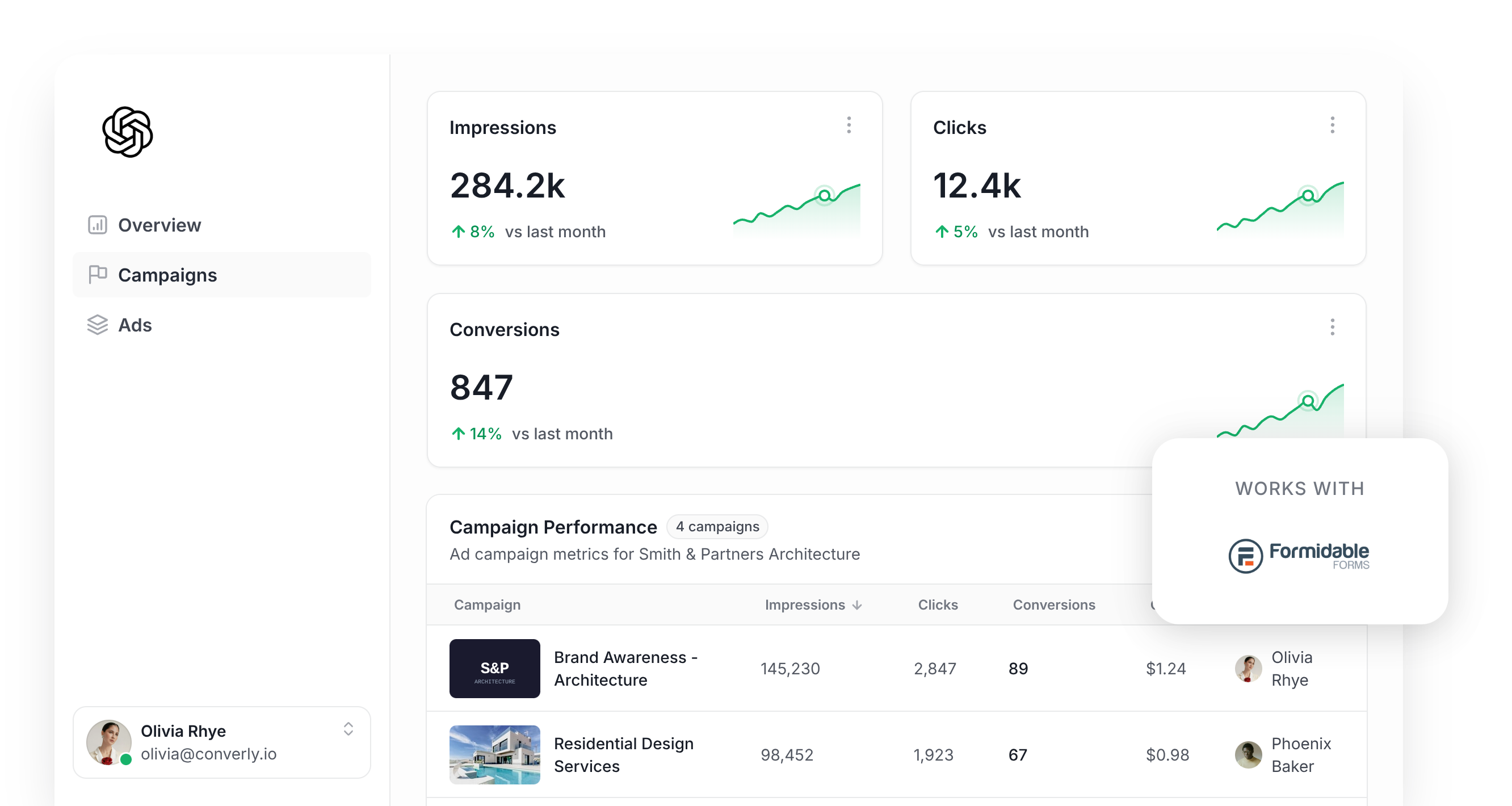
Are you planning to run ChatGPT Ads to bring in more leads for your business?
If you are, one of the very first jobs on your list should be getting conversion tracking set up properly. ChatGPT Ads relies on AI to work out which people are most likely to turn into leads, and then puts your ads in front of those people more often.
It's particularly important with ChatGPT Ads too, because you aren't choosing 'keywords' to bid on (you're basically just telling ChatGPT about your business and allowing it to decide which conversations your ads appear in). So if you don't have proper conversion tracking set up, then it has no way to know what kinds of conversations are generating leads.
So how do you set up proper, reliable conversion tracking in ChatGPT Ads?
In this article, we'll walk you through the simplest way to send a conversion to ChatGPT Ads whenever someone fills out a Formidable Forms form on your WordPress website.
3 simple steps to send proper, server-side conversions to ChatGPT Ads from Formidable Forms
Here's the easiest way to set it all up on your WordPress site with Formidable Forms:
Step 1: Build your Conversion Flow in Converly
Converly is a conversion tracking tool that makes it really simple to send proper, server-side conversions from Formidable Forms to ChatGPT Ads.
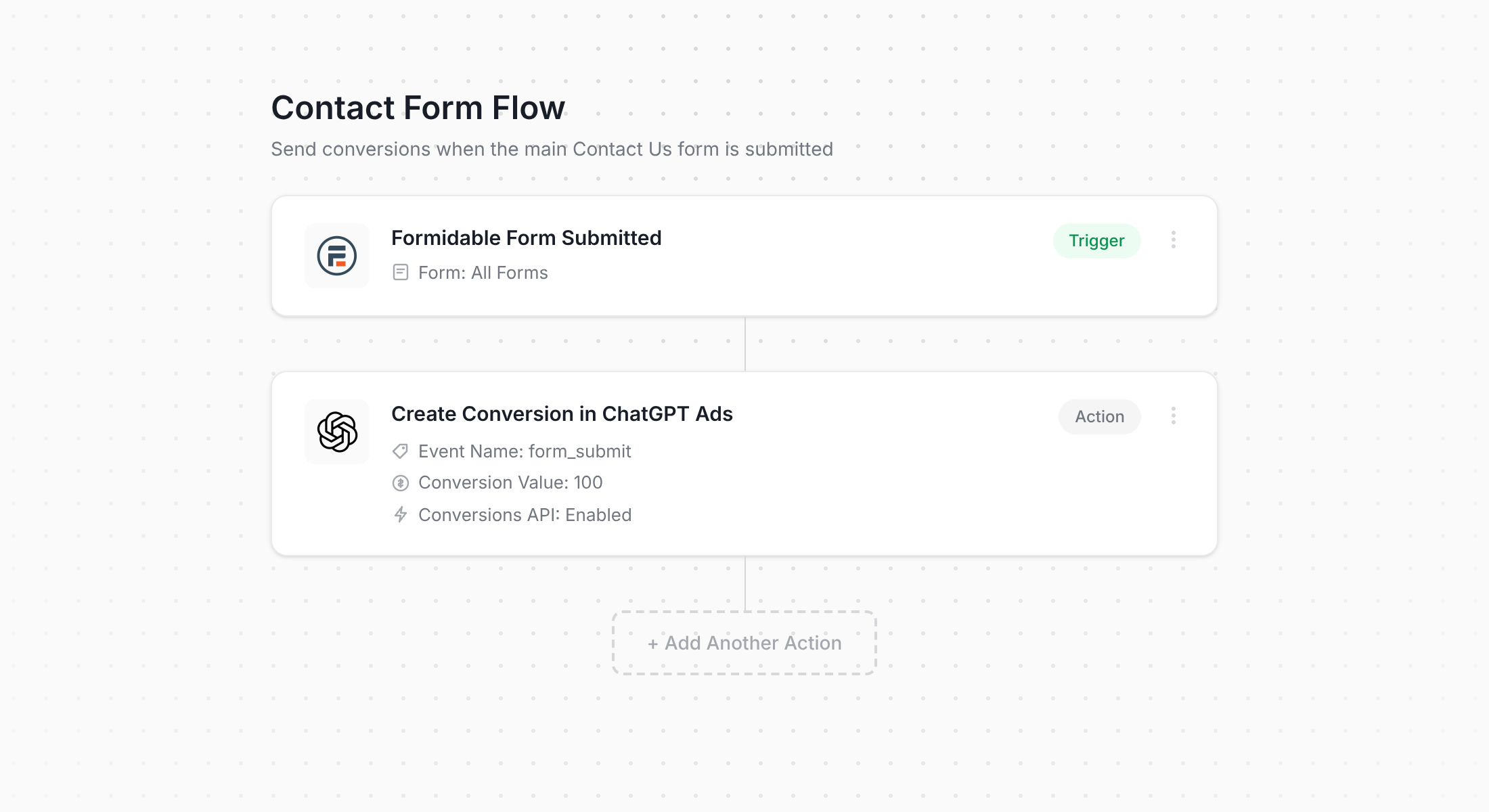
The screenshot above shows Converly's flow builder. Anyone who has put together a Zap in Zapier or an automation in their email marketing platform should feel right at home with it.
First you choose a trigger (like a visitor submitting a Formidable Forms form on your website), then you choose what should happen as a result (a conversion being sent to ChatGPT Ads). That really is the whole process, and in just a few clicks you'll have server-side conversion tracking up and running for ChatGPT Ads.
If you already use an AI assistant like ChatGPT or Claude, it's even easier. Install the Converly plugin, ask it to 'Set up ChatGPT Ads conversion tracking for my Formidable Forms', and it will build everything for you!
Step 2: Add the Converly code to your website
As soon as you've built and published your Conversion Flow, Converly will give you a short code snippet that needs to go on your website.
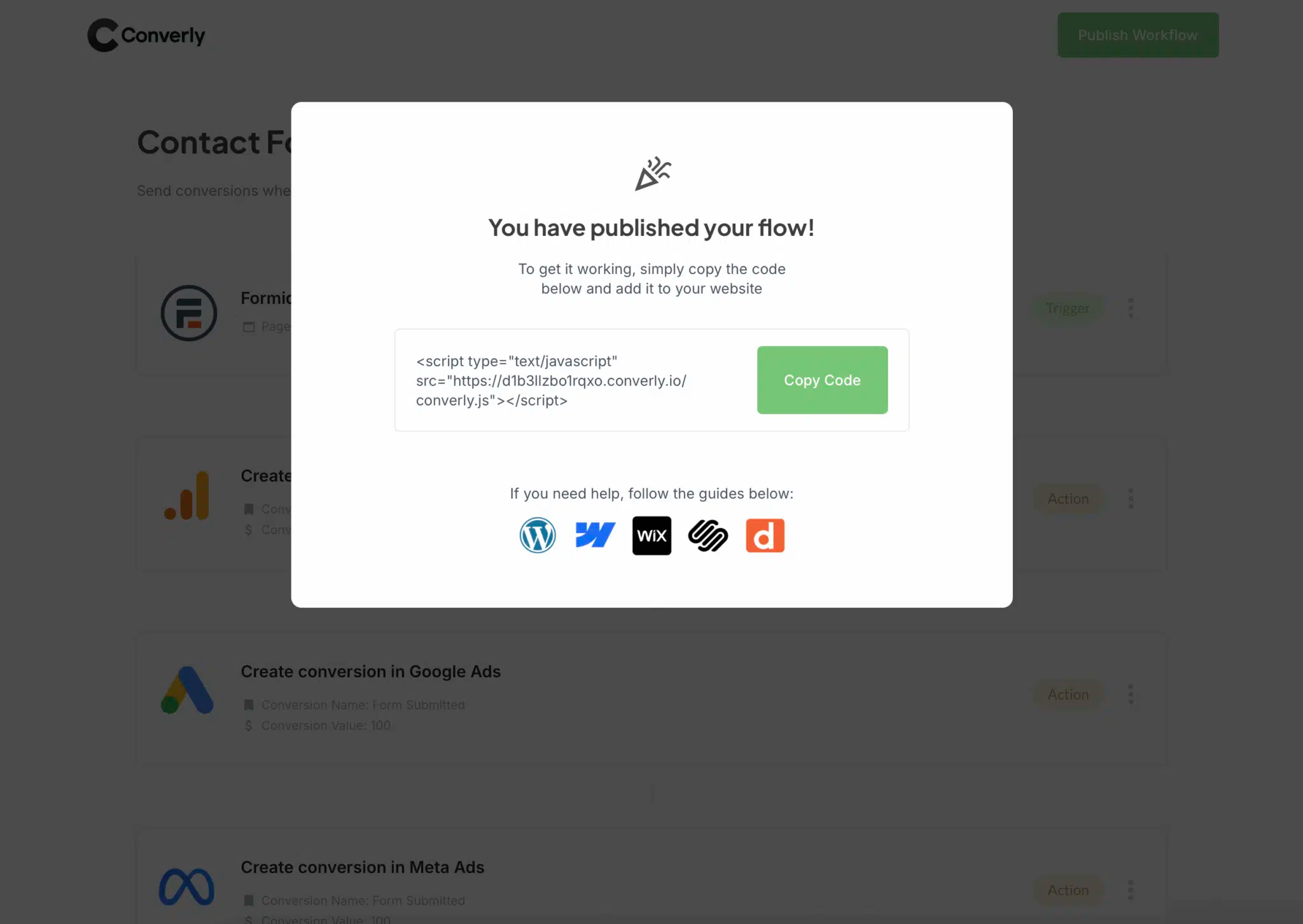
Because Formidable Forms runs on WordPress, you've got a few easy options for adding it. Plenty of themes include a Header Scripts or Custom Code field in their settings where you can paste the snippet, or you can install the free Converly WordPress plugin and it will add the code to your site (and allow you to manage everything through your WordPress dashboard).
And if your scripts are already managed through Google Tag Manager, you can add the snippet there instead.
Step 3: Test it works
The final step is to head over to your live website and submit one of your Formidable Forms forms yourself.
Then go back to Converly and click 'Logs' in the main menu.
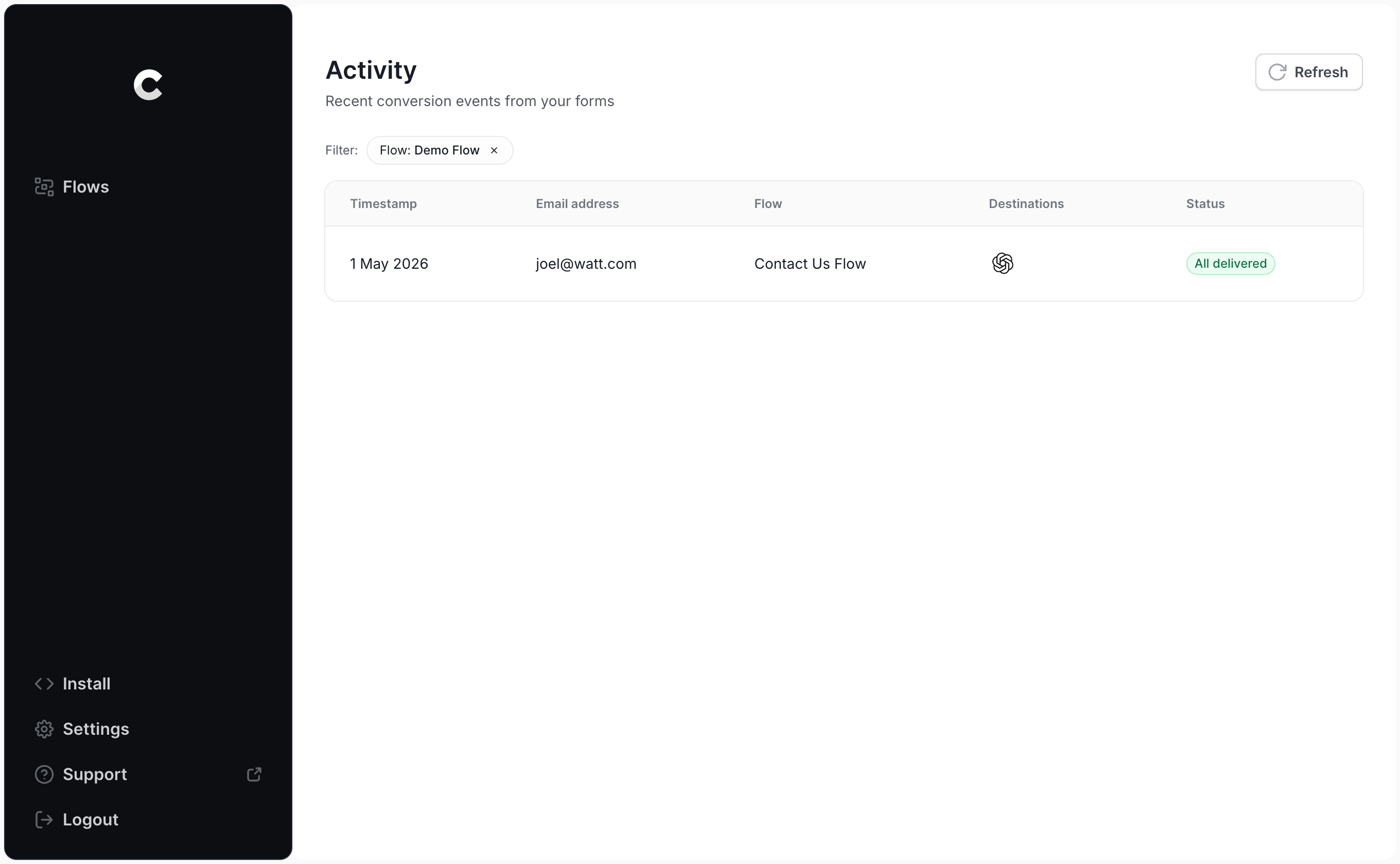
Look for your test submission in the list and click on it. You'll see everything Converly captured from the form, along with whether the conversion made it through to ChatGPT Ads.
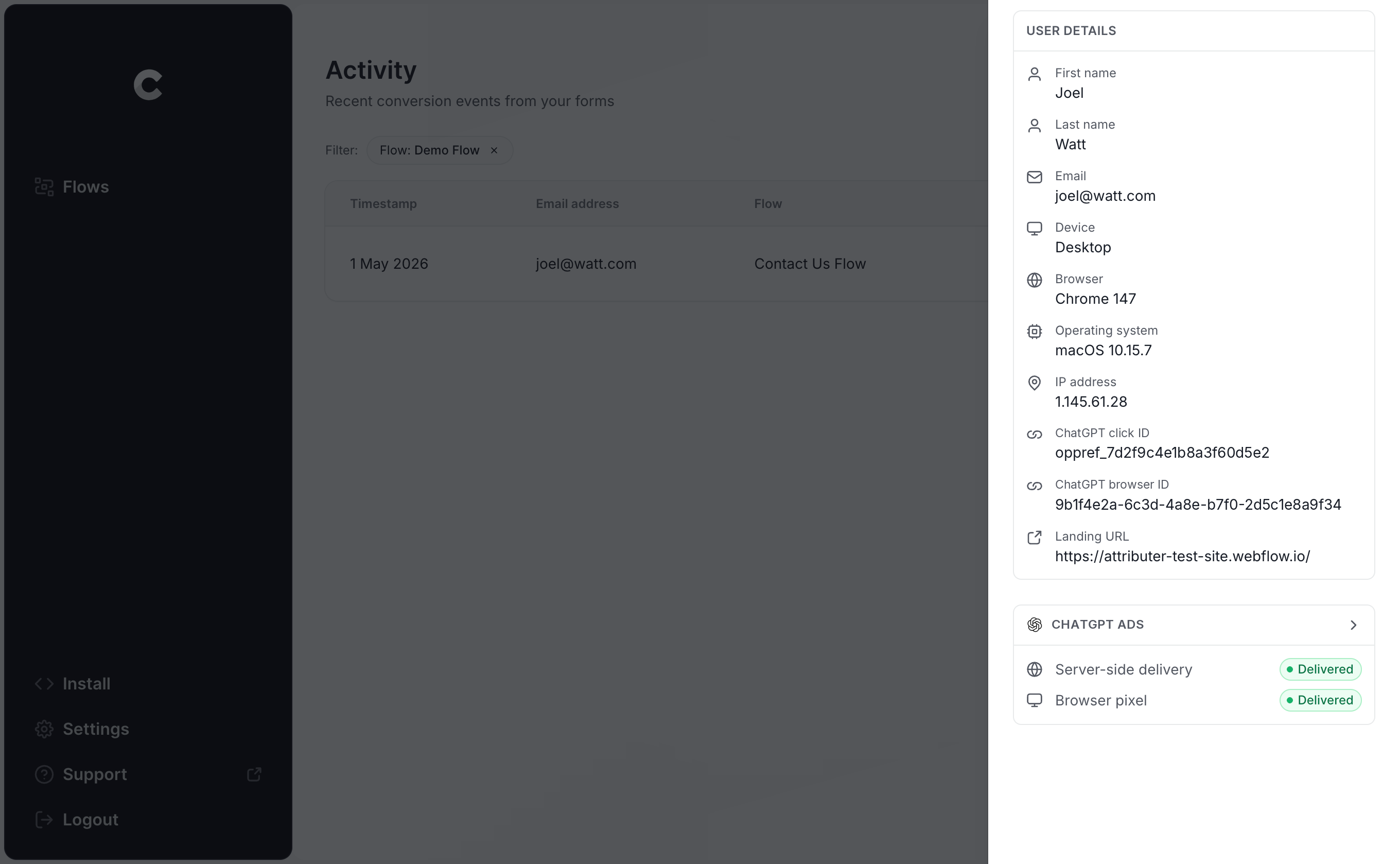
For a closer look, you can also open the exact payload Converly sent to ChatGPT Ads (including the click ID, browser ID and hashed email address) and the response that came back from OpenAI's server.
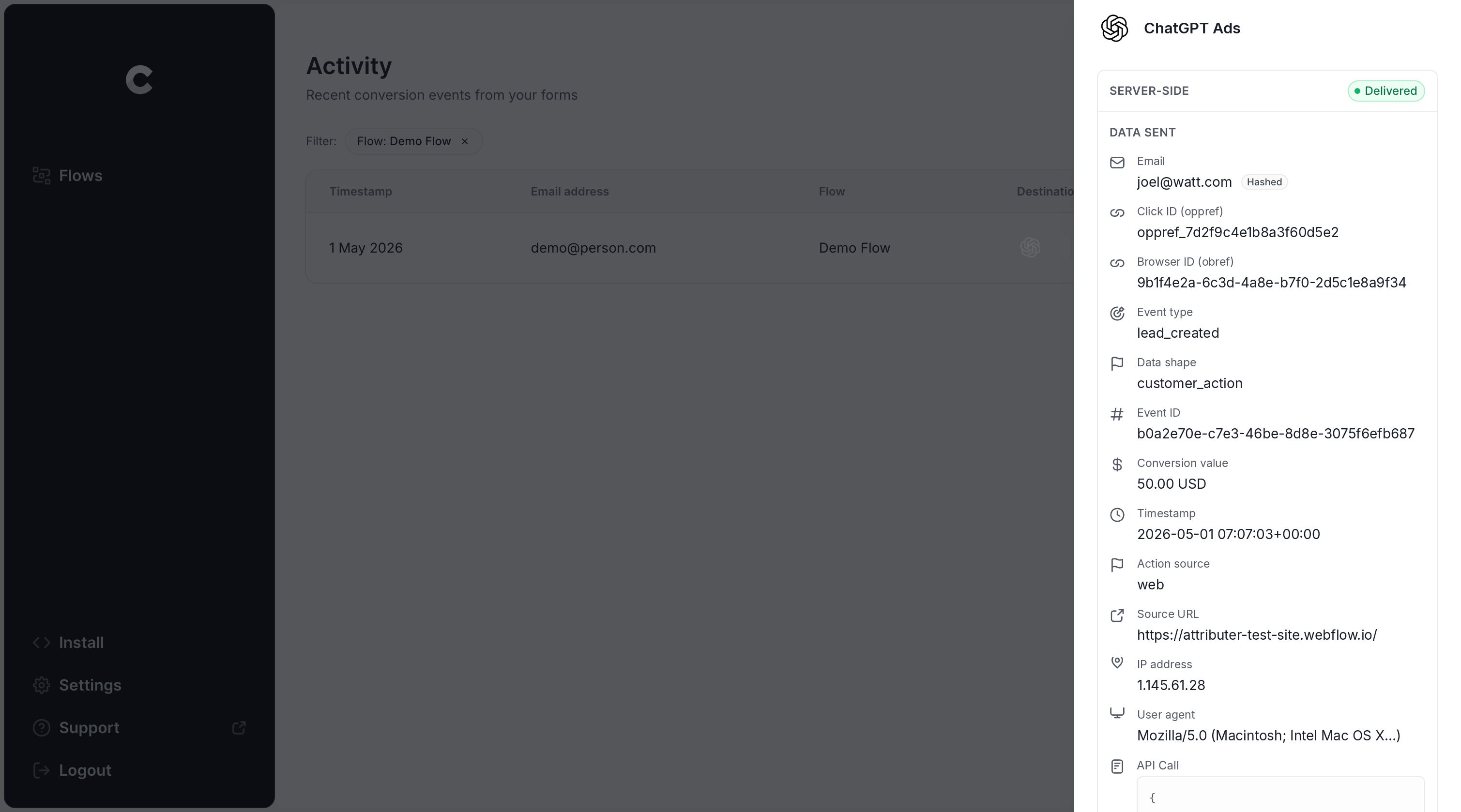
When your test appears in the log marked as successfully delivered to ChatGPT Ads, you're all set. The whole setup usually takes less than 5 minutes.
Why Converly is the best way to send conversions to ChatGPT Ads from Formidable Forms
There's more than one way to get a conversion to ChatGPT Ads when someone submits a Formidable Forms form, so why go with Converly? Here's what sets it apart:
1. Easy to set up
Building this yourself would take a lot of work. You'd have to write code that detects when a Formidable form has been submitted (which is tricky, because depending on your settings the form might submit over AJAX, show a success message, or redirect to another page). The code would then have to grab the click ID and browser cookie, extract the lead's name, email and phone number from the form, hash those values with SHA-256, structure the payload exactly the way OpenAI wants it, and finally send it to the Conversions API.
But with Converly, we take care of all of that headache for you. You just choose a trigger (a Formidable Forms submission) and an action (sending a conversion to ChatGPT Ads), and Converly handles the rest. No custom code, no API keys, just conversion tracking that works.
2. Not affected by ad blockers and privacy restrictions
If you only use the ChatGPT Ads Measurement Pixel (and don't also send conversions server-side via the Conversions API), a big portion of your conversions will never get to OpenAI, because blockers and privacy-first browsers prevent the Measurement Pixel from loading when a person visits your site (and if the pixel doesn't load, nothing the visitor does can be tracked).
In fact, one study looking at over 7 million conversions found that tracking in the browser missed about 30% of them. In other words, almost a third of your conversions would never get counted if you just used the Measurement Pixel alone.
Converly sends each conversion both ways (through the browser to the ChatGPT Measurement Pixel, and server-side to the Conversions API), so they reach ChatGPT Ads regardless of which ad blocker or privacy settings your visitors use.
3. Works across devices
Plenty of leads discover your website on one device (like browsing on their phone while waiting for a coffee) and then return on their computer later and convert then.
But if you're doing something like tracking thank-you page visits (which is one of the most common approaches), there's simply no way to tie that conversion back to the ad click, because the click and the submission happened in separate browsers on separate devices.
Converly solves this issue. It captures the click ID (known as the oppref) and sends it to ChatGPT Ads together with the lead's name, email and phone number, which gives ChatGPT Ads what it needs to match the conversion back to a real ChatGPT user and the specific ad they clicked, regardless of what device or browser it was on.
4. Gives you a full conversion log and email alerts
With most other ways of tracking ChatGPT Ads conversions (Google Tag Manager being a common example), there's no easy way to check that everything is still working.
You might test it all on the first day, but if someone later changes your Formidable form's On Submit setting from showing a message to redirecting to a page, or if someone rebuilds a landing page or adjusts something inside ChatGPT Ads Manager, your tracking can stop working and nobody would notice until it's too late (i.e. you start seeing 0 conversions in your reports days later).
Converly takes the guesswork out of it. You get a full log of every Formidable Forms submission, showing the data that was captured, exactly what was sent to ChatGPT Ads, and whether it was accepted.
You can also turn on email notifications so you get notified about every conversion that gets sent (or you can set it to only notify you if one fails). That way, if anything ever breaks, you'll know about it straight away.
5. Supports multiple tools and platforms
Converly can detect conversions in over 100 form builders, booking tools, chat widgets and other website tools. And it can send those conversions to ChatGPT Ads, Google Ads, Meta Ads, LinkedIn Ads, Microsoft Ads, Google Analytics and many more.
That means if you're also advertising on Google Ads or Meta Ads, you don't need a separate setup for each platform. Just add them as additional actions in your Conversion Flow and every Formidable Forms submission is sent to all of them at once. And when you want to test a new ad platform later on, it's a couple of clicks to get conversion tracking set up for that too.
6. Provides free support
The team behind Converly has more than 20 years of combined experience in analytics and conversion tracking, and they're available to help you get everything up and running. You can email us or book a call directly from inside the app.
Tools like Google Tag Manager don't come with anyone to help, so if something breaks, you're left to figure it out alone.
2 things you can do when you properly send conversions to ChatGPT Ads from Formidable Forms
When reliable conversion data starts flowing from Formidable Forms into ChatGPT Ads, a couple of really useful things open up that you couldn't do before.
1. See which campaigns and ads actually produce leads
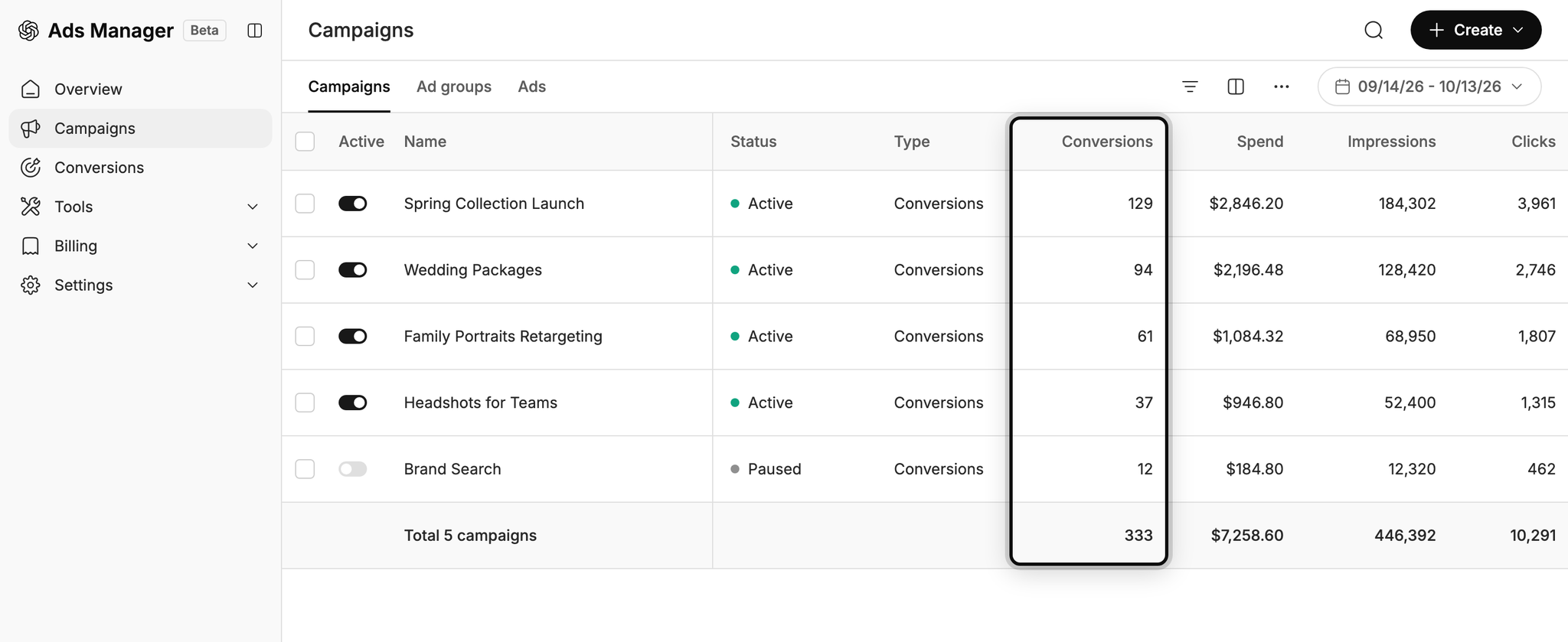
When conversion tracking isn't set up properly, all ChatGPT Ads can show you is impressions and clicks, which doesn't tell you much about whether your campaigns are actually working or not.
Once accurate conversion data is coming in, you can see exactly how many leads each campaign and ad is generating, what each of those leads costs, and where the best opportunities are to grow your lead volume.
2. Let OpenAI's algorithm find you more of the right people
ChatGPT Ads relies on AI to choose who sees your ads and which conversations they appear in.
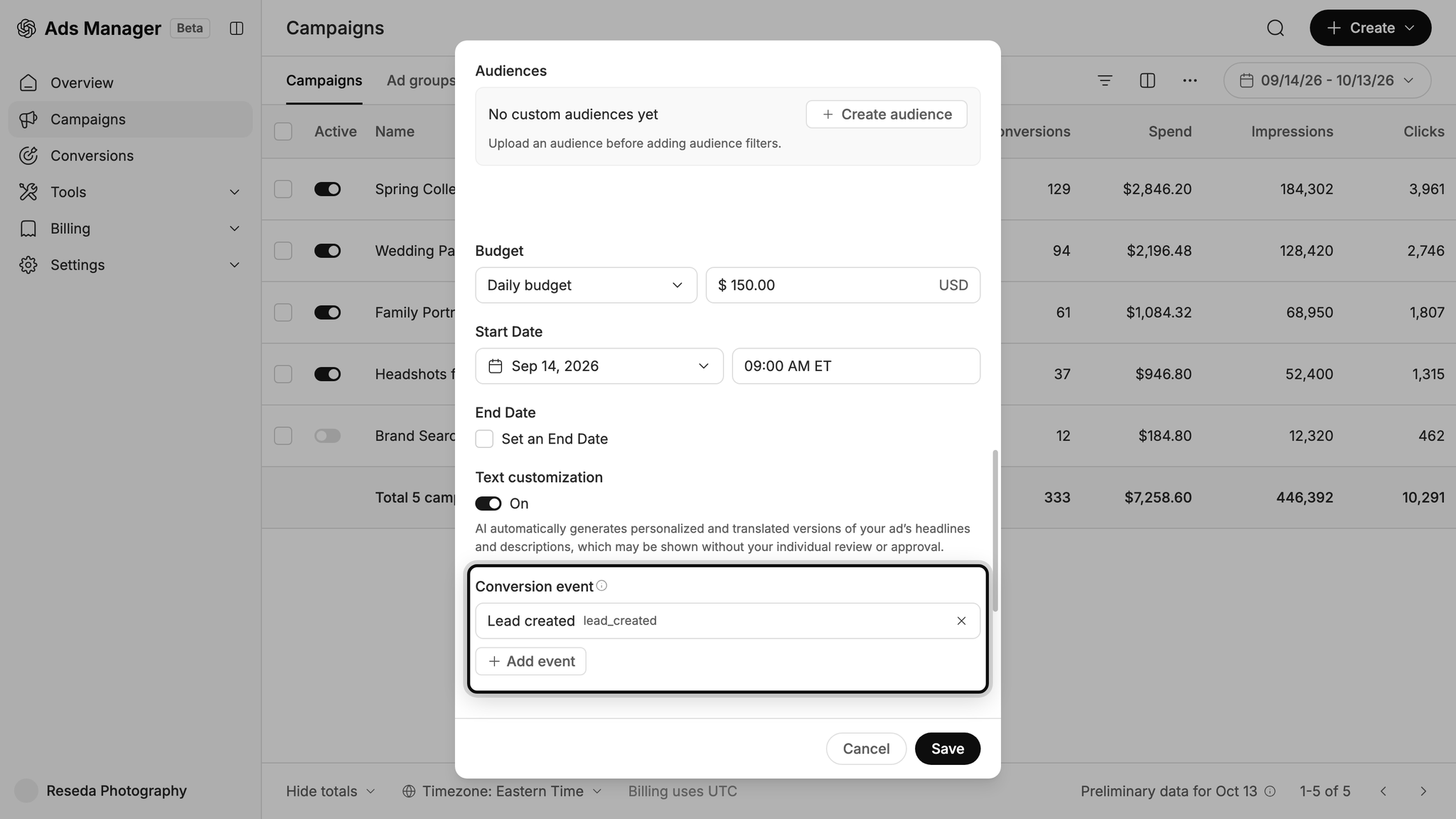
When your conversion tracking is set up correctly, that AI has the data it needs to learn what a good lead looks like for your business. It then starts putting your ads in front of more people just like them, so you end up with more leads for less money.
Wrap Up
If you'd like to send a conversion to ChatGPT Ads each time someone fills out a Formidable Forms form on your WordPress website, Converly is the simplest (and best) way to do it.
Since conversions are sent directly to OpenAI's servers, ad blockers and privacy-focused browsers can't get in the way. And since every conversion includes all the identifiers OpenAI uses for matching (the click ID, name, email address and more), each one has the best chance possible of being linked to a real ChatGPT user and the ad they originally clicked (and therefore, the best chance of actually being counted and showing up in your reports).
Best of all, it only takes a few minutes to set up and comes with a 14-day free trial (no credit card needed), so start your free trial today!
About the author

Aaron is the founder of Converly. With over 15 years of experience in digital marketing and SaaS, he's passionate about helping businesses track and optimise their ad conversions.