


Track Duda form submissions as conversions in Google Ads
Learn how to send server-side conversions to Google Ads whenever a lead completes a form on your Duda website. No code required!
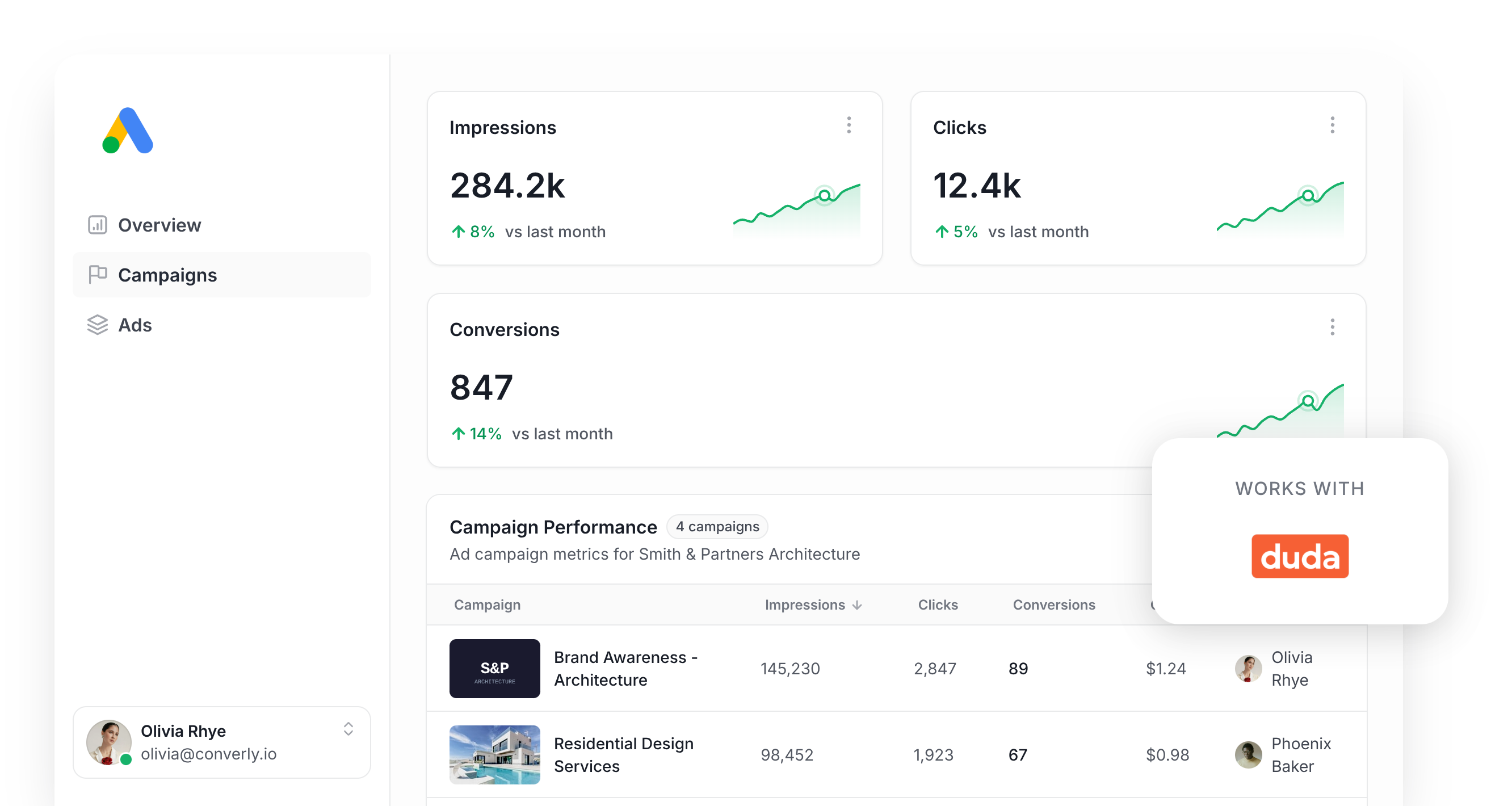
If you're pouring money into Google Ads to bring in leads, you need to know which campaigns are actually paying off and which ones are just burning budget.
The best way to do that is to set up conversion tracking in Google Ads. Weirdly enough though, it's quite hard to do.
Google Tag Manager can get you there, butit requires you to write custom code to listen for the form submission, push an event into the dataLayer, then wire up the tags, triggers, and variables to pass it all through.
Other shortcuts exist too, like watching for a thank you page visit or tracking a button click, but they're notoriously flaky. Between ad blockers, Safari's tracking restrictions, and leads who start browsing on one device and convert on another, you can lose close to 30% of your real conversions without ever knowing it.
Thankfully, there's a much easier way to do it, and you don't need a developer either.
This guide walks through setting up reliable server-side conversion tracking for Google Ads every time someone fills out a form on your Duda website.
Why server-side tracking matters for Google Ads
Conversion tracking isn't a nice-to-have anymore. It's the fuel that every other part of your Google Ads account runs on.
For instance, Smart bidding strategies in Google Ads (like Maximize Conversions or Target CPA) weigh up signals like location, device, time of day, and past purchase behavior to predict how likely someone is to convert, then adjusts your bids accordingly. It bids higher for searchers that are likely to convert (and therefore your ad shows more prominently) and lower for everyone else.
When set up properly, it's a genuinely effective way to bring in more leads without increasing spend. But it only works if the conversion data behind it is trustworthy. You need to accurately tell Google "this person converted" and "this person didn't" so it can learn what your ideal lead looks like and find more people like them.
The problem with browser-based tracking methods (like tracking thank you page visits) is that they all rely on the visitor's own browser to report the conversion back to Google, and that comes with a few issues:
- Ad blockers - If the visitor has an ad blocker installed in their browser (and many do) then it will block the Google Tag from loading on your site, which means anything they do (likely submitting a form) can't be tracked by Google.
- Browser privacy limits - Safari and other privacy-focused browsers cap how long the Google Tag can track a visitor, sometimes to a single day, so if someone who clicks your ad and converts a few days later, the conversion never gets match back to the original ad click.
- Multiple devices - Someone might click your ad on their phone while commuting, then come back later on their laptop to actually fill out your Duda form. Browser-based tracking has no way to connect those two visits since they happen on completely separate devices, so your ad gets no credit.
Server-side tracking skips the visitor's browser entirely. The lead's details get sent straight to Google's servers through a direct API call, which means ad blockers and privacy settings have no way to interfere.
It might sound technical, but the payoff is real. Google's own research shows server-side tracking typically delivers a 23% lift in recorded conversions and a 10% drop in cost per conversion, largely because the bidding algorithm finally has enough clean data to figure out who your best leads actually are and show your ads more prominently to people like them.
3 simple steps to send server-side conversions to Google Ads from Duda
Converly makes it easy to set up server-side tracking from Duda forms to Google Ads. Here's the process:
Step 1: Build your Conversion Flow in Converly
Converly makes it easy to fire a server-side conversion to Google Ads whenever someone submits a form on your Duda site.
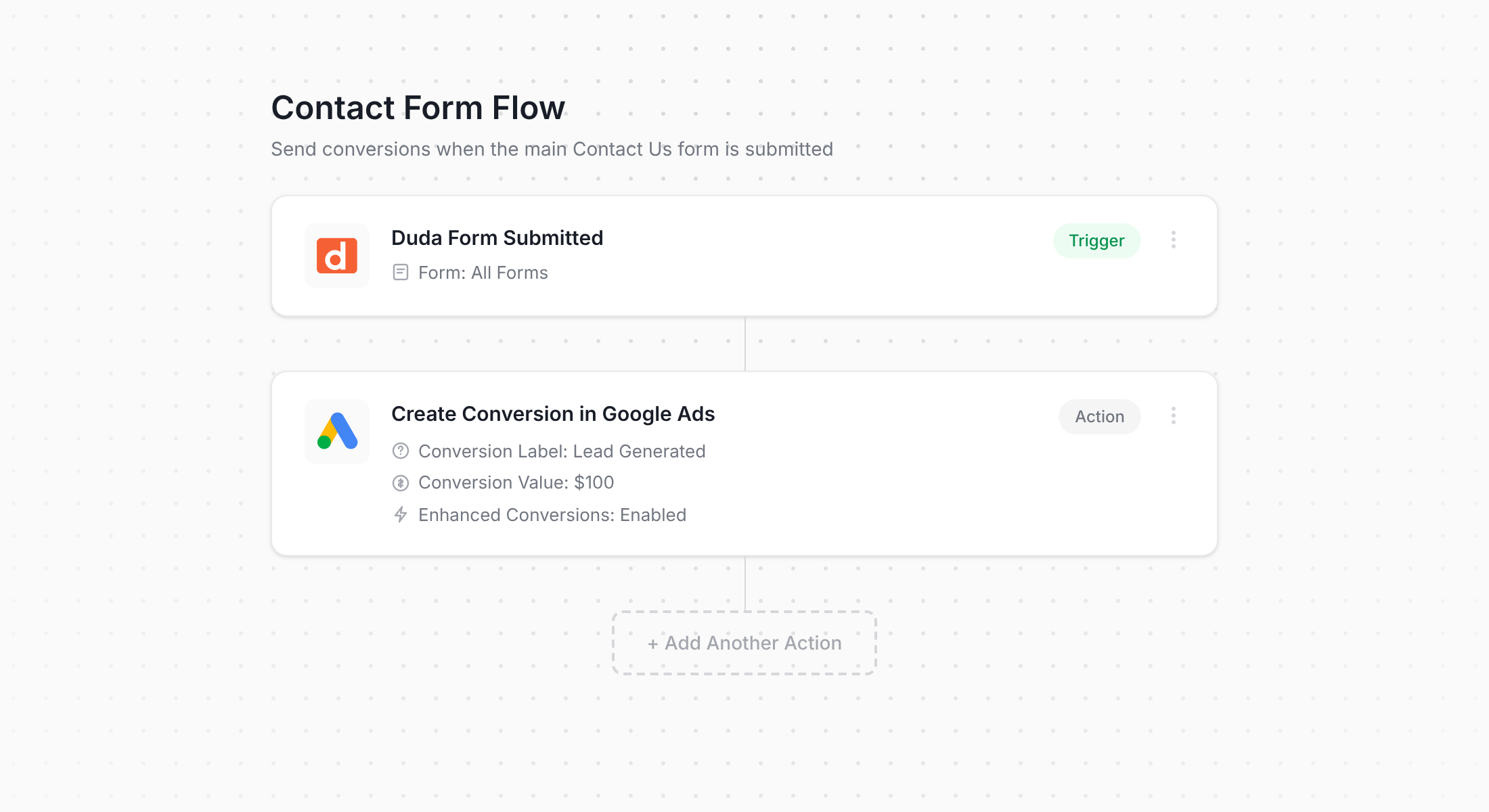
That's Converly's workflow builder above. If you've used something like Zapier or an email automation tool before, it should look pretty familiar.
You simply choose a trigger (like when a Duda form is submitted), then pick the action that should happen next (like sending a conversion to Google Ads).
That's the whole setup. Most people get it done in under 5 minutes.
Step 2: Add the Converly code to your Duda site
Once your Conversion Flow is live, Converly gives you a little bit of code to install on your website.
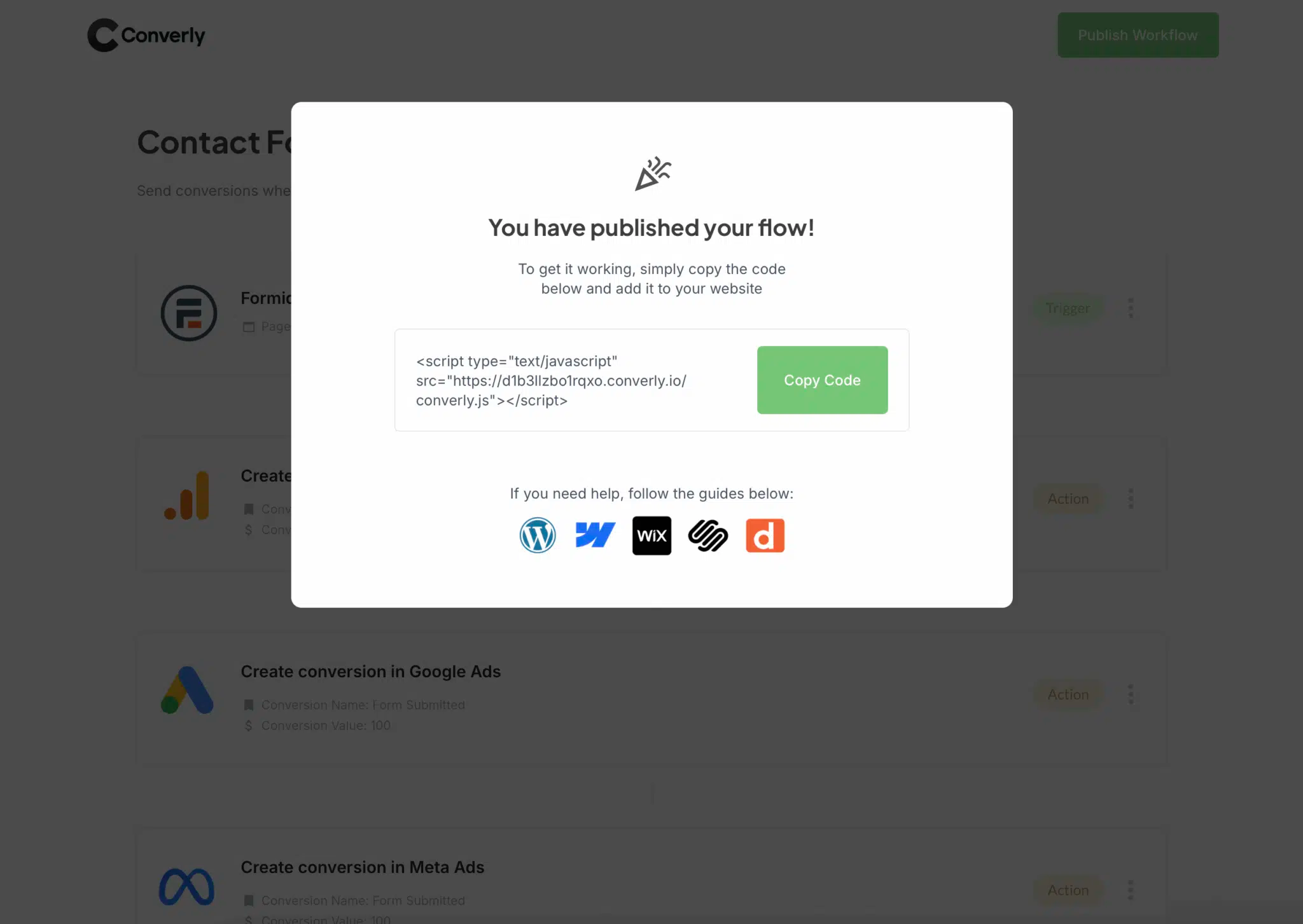
In the Duda editor, open your site settings and paste the snippet into the Head HTML section, then publish your site so it takes effect everywhere. If your team manages scripts through Google Tag Manager instead, you can drop the snippet in there just as easily.
Step 3: Test it works
With everything in place, head to your live Duda site and submit one of your forms as a test.
Then jump back into Converly, open the Conversion Flow, click the 3 dots menu in the top right corner, and choose View Logs.
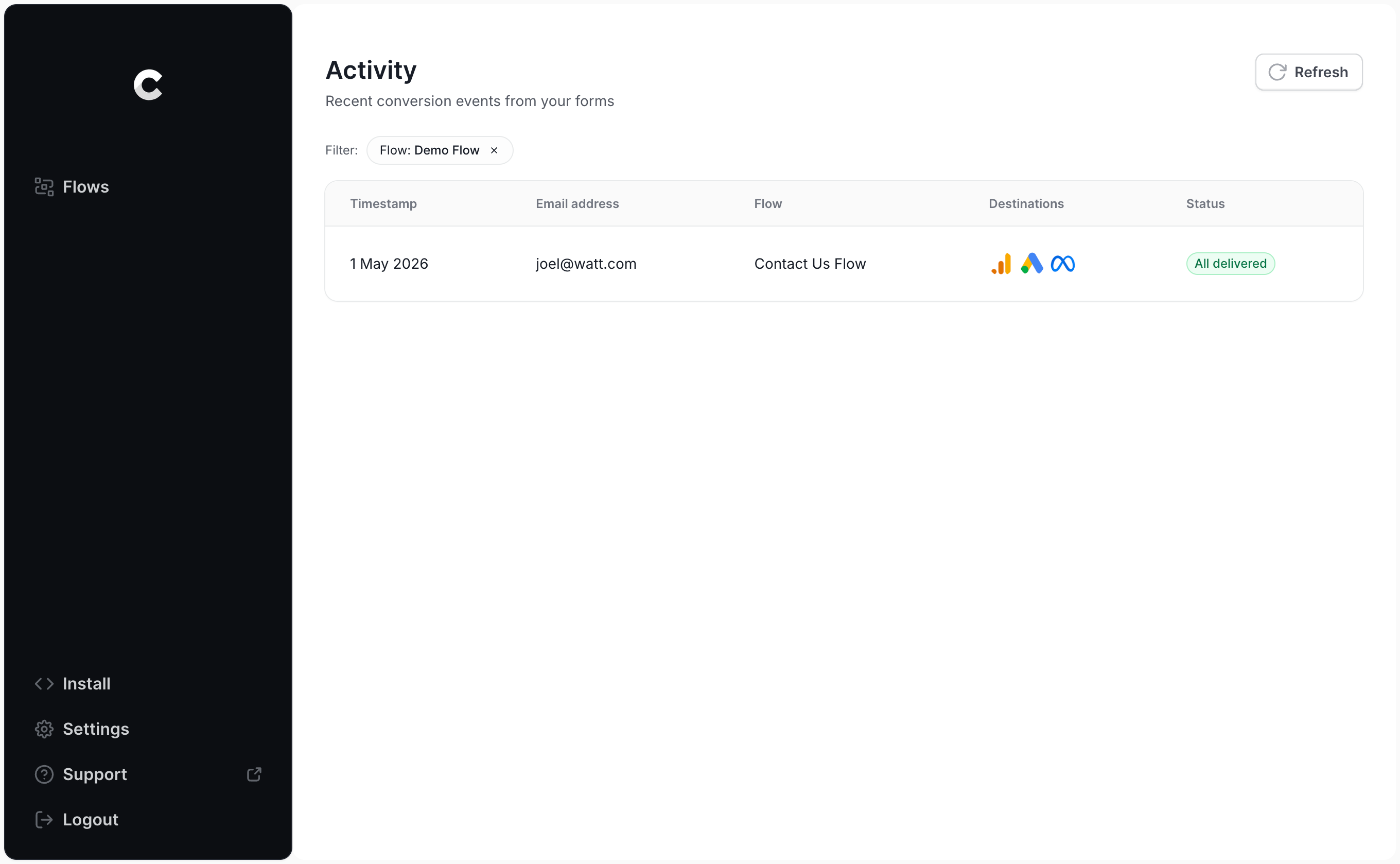
Click into the entry for your test submission and you'll see exactly what was captured and where it was sent.
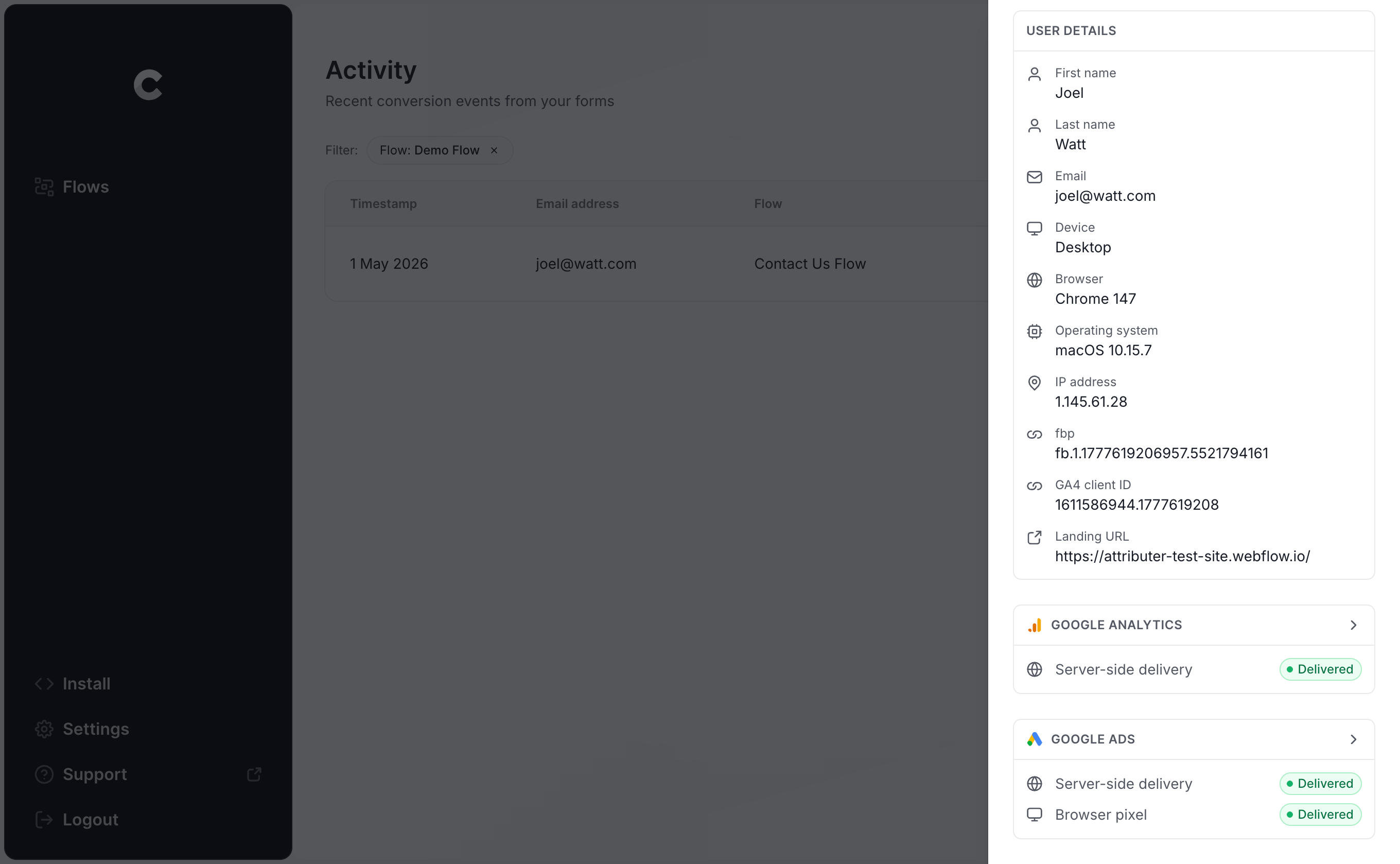
You can drill down even further to see the precise data that reached Google Ads and how their server responded.
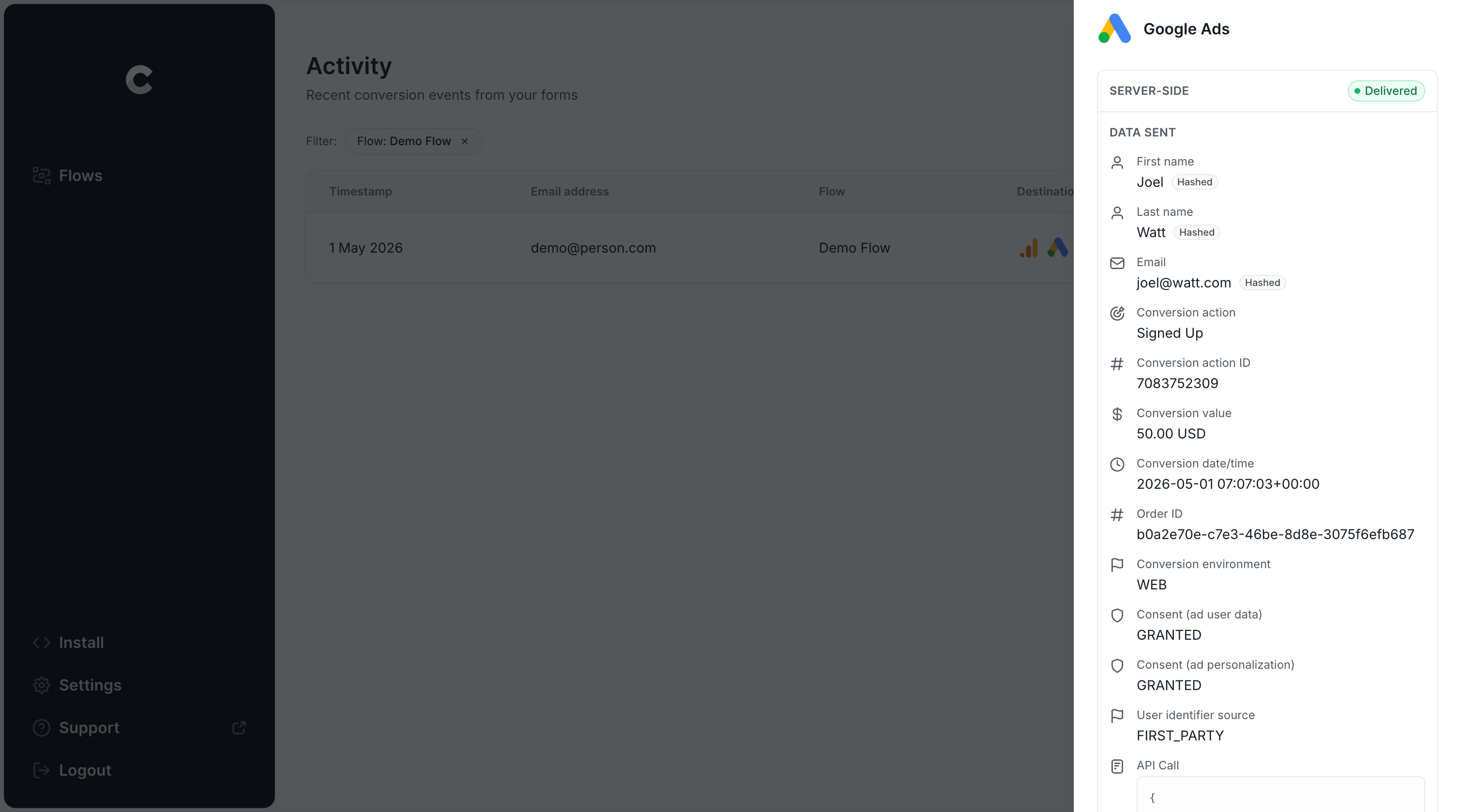
Once that test submission shows up in the log with a successful send to Google Ads, you're done. Most people wrap up the whole setup in under 5 minutes.
Why Converly is the best way to send conversions to Google Ads from Duda
There's more than one way of getting Duda form completions into Google Ads as conversions, so why choose Converly?
1. Easy to set up
If you use other tools like Google Tag Manager, you are hand-writing JavaScript to catch the Duda form submission and push the lead's name and email into the dataLayer, then pulling those values back out with dataLayer Variables, hashing them with SHA-256 (Google requires it), and then piecing together the Tags and Triggers to connect everything.
It's achievable, but if you're not already fluent in Google Tag Manager, you'll burn hours just figuring out where to start.
Converly skips all of that. You simply pick your trigger (a Duda form submission), pick your action (a Google Ads conversion), and you're finished. And if you already use an AI assistant like Claude or ChatGPT, you can connect it to Converly's MCP or CLI and just say something like 'Set up conversion tracking between Google Ads and Duda,' and it'll build, publish, and test the flow for you.
2. Not affected by ad blockers and privacy restrictions
With browser-based tracking (like using Google Tag Manager to track thank you page visits or button clicks), a real chunk of your conversions never make it to Google, because ad blockers and privacy-focused browsers stop the Google Tag from loading at all when someone lands on your site.
In fact, a study covering over 7 million conversions found browser-based tracking only managed to get about 70% of conversions through to Google Ads, meaning nearly a third would go missing.
Converly doesn't have that problem. It sends conversions directly to Google's servers, which means ad blocker or privacy browser in browsers can't get in the way.
3. Works across devices
It's common for a lead to first arrive on your website from one device (like their phone, for instance), but not actually complete a form until they're back at their desk later.
Browser-based tools like Google Tag Manager can't link those two events together, since they took place in separate browsers on separate devices. This means Google has no way to credit the conversion back to the original ad click.
Converly gets around this by passing the lead's details (name, email, and more) directly to Google's servers, giving Google what it needs to tie the conversion back to a real person and the original ad they clicked (even across different devices).
4. Sends more data
Beyond the lead's name, email, and phone number, Converly also captures technical signals like the Google Click ID (GCLID), IP address, and user agent, and passes all of it along to Google Ads with every conversion.
That matters because plenty of people share the same name, and just as many use multiple email addresses, so relying on those alone to match a conversion back to a real person and their ad click isn't 100% reliable.
So by sending the Google Click ID and the visitor's IP address, you are giving Google far more to work with when it comes to matching the conversion back to a real person and the ad they originally click, which ultimately means you get more accurate conversion tracking.
5. Supports multiple tools and platforms
Converly connects with more than 100 form builders, scheduling tools, chat bots and more (Duda included), and it can also conversion events out to Google Analytics, Google Ads, Meta Ads, ChatGPT Ads, LinkedIn Ads, Microsoft Ads, and several other destinations.
So when you pick up a new tool later on (like if you add a Calendly scheduling widget to your site), or start advertising somewhere new, you won't need to rebuild your tracking from scratch. Just connect it inside Converly and you're set.
6. Gives you a full conversion log and email alerts
If your tracking runs through Google Tag Manager, there's no easy way to tell it's still working once it's live.
You'll probably test it quite well on day one, but a change to your Duda form, a tweak inside GTM, or an edit in Google Ads can break everything, and you won't notice until your conversions drop to 0 (and Google goes crazy spending your budget trying to get the conversion numbers back up).
Converly closes that gap. Every conversion gets logged, so you can see exactly what data came in, what was sent to Google Ads, and how Google Ads responded. You can also turn on email alerts, either for every conversion or just the failures, so you're alerted about any issues as soon as they happen.
3 things you can do when you properly send conversions to Google Ads from Duda
Once real conversion data starts flowing into Google Ads, a lot more things become possible in your Google account. Here are 3 things you can do to improve your results:
1. Report on conversions by campaign, ad group, keyword, etc.
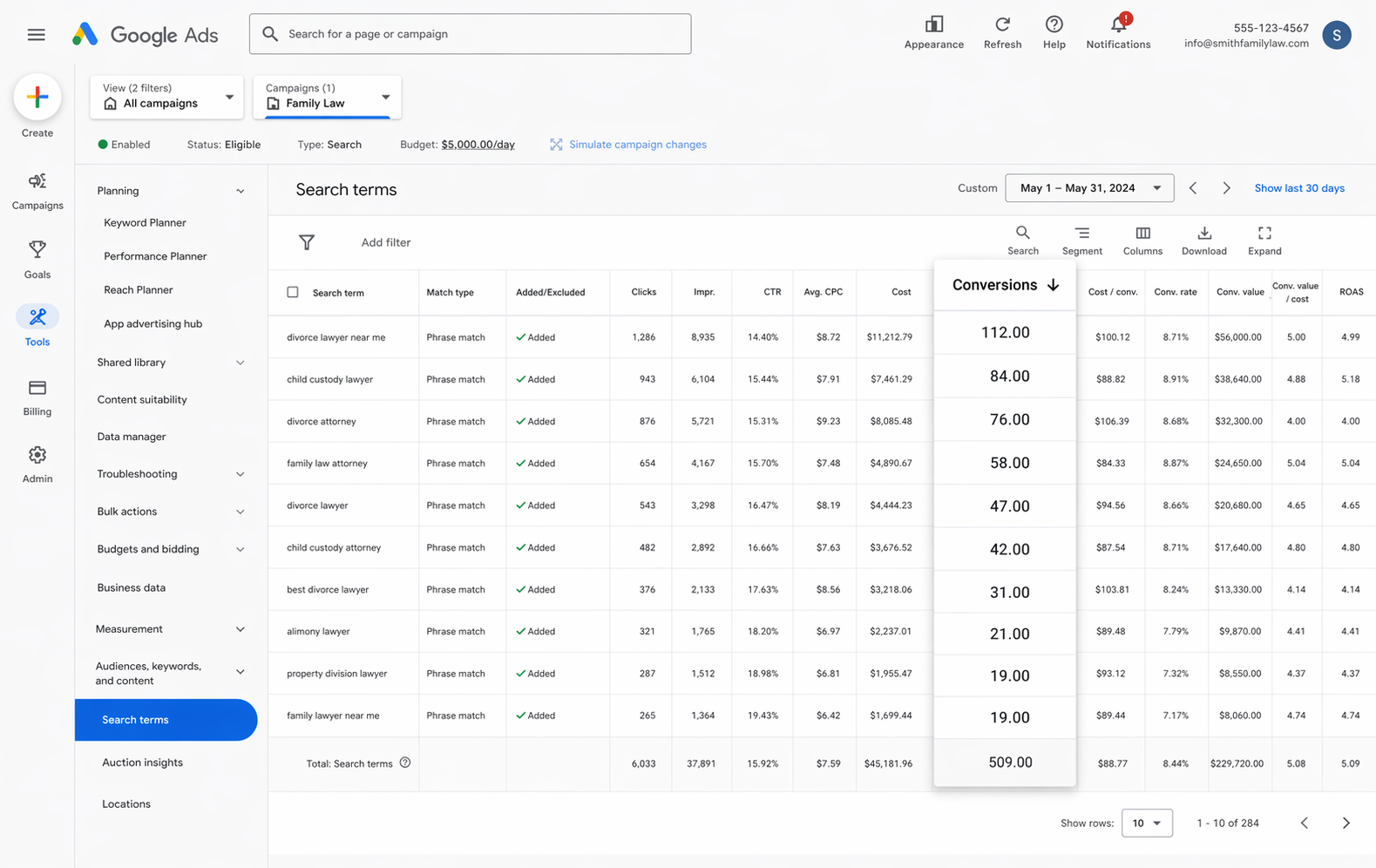
With accurate conversions flowing in, the reporting in your Google Ads account moves beyond just impressions and clicks. You get conversion counts, conversion rate, cost per conversion, return on ad spend, and more, and you can slice any of it by campaign, ad group, keyword, ad, country, and more to see exactly what's driving new leads.
That kind of visibility makes it much easier to spot what's working, what's underperforming, and where the biggest opportunities to get more leads are hiding.
2. Use Google's Smart Bidding technology
Manual bidding isn't a great way to run a Google Ads account. You're essentially telling Google 'bid up to $3 per click' regardless of who's actually searching or how likely they are to convert.
Smart Bidding is a far better approach. You give Google a target, like $45 per lead, and it handles the bidding for you. It weighs up details about the searcher (device, location, age, interests, past behavior) and decides who's worth a higher bid and who isn't.
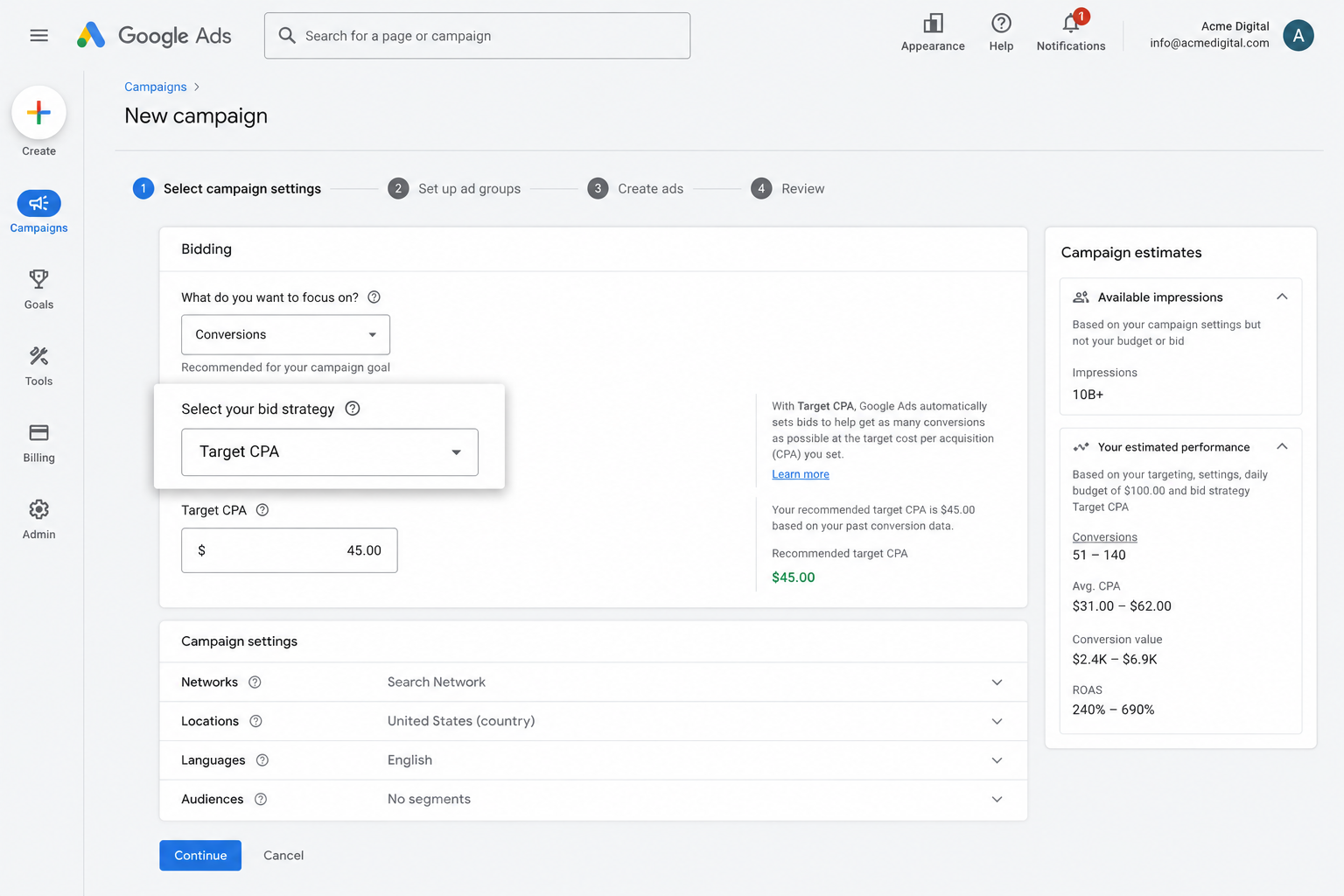
It's genuinely good at bringing in more leads at a lower cost, but only when the conversion data feeding it is accurate. If Google can't tell which clicks actually turned into leads, it can't learn what a good searcher looks like for your business, and you'll end up wasting budget on people who were never going to convert.
Setting up accurate, server-side tracking through Converly puts you in a position to actually benefit from Google's smart bidding and bring in more leads for less.
3. Retarget people who visited your site but didn't convert
Reliable conversion data also lets you build remarketing lists of visitors who reached your site but never got around to completing a Duda form.
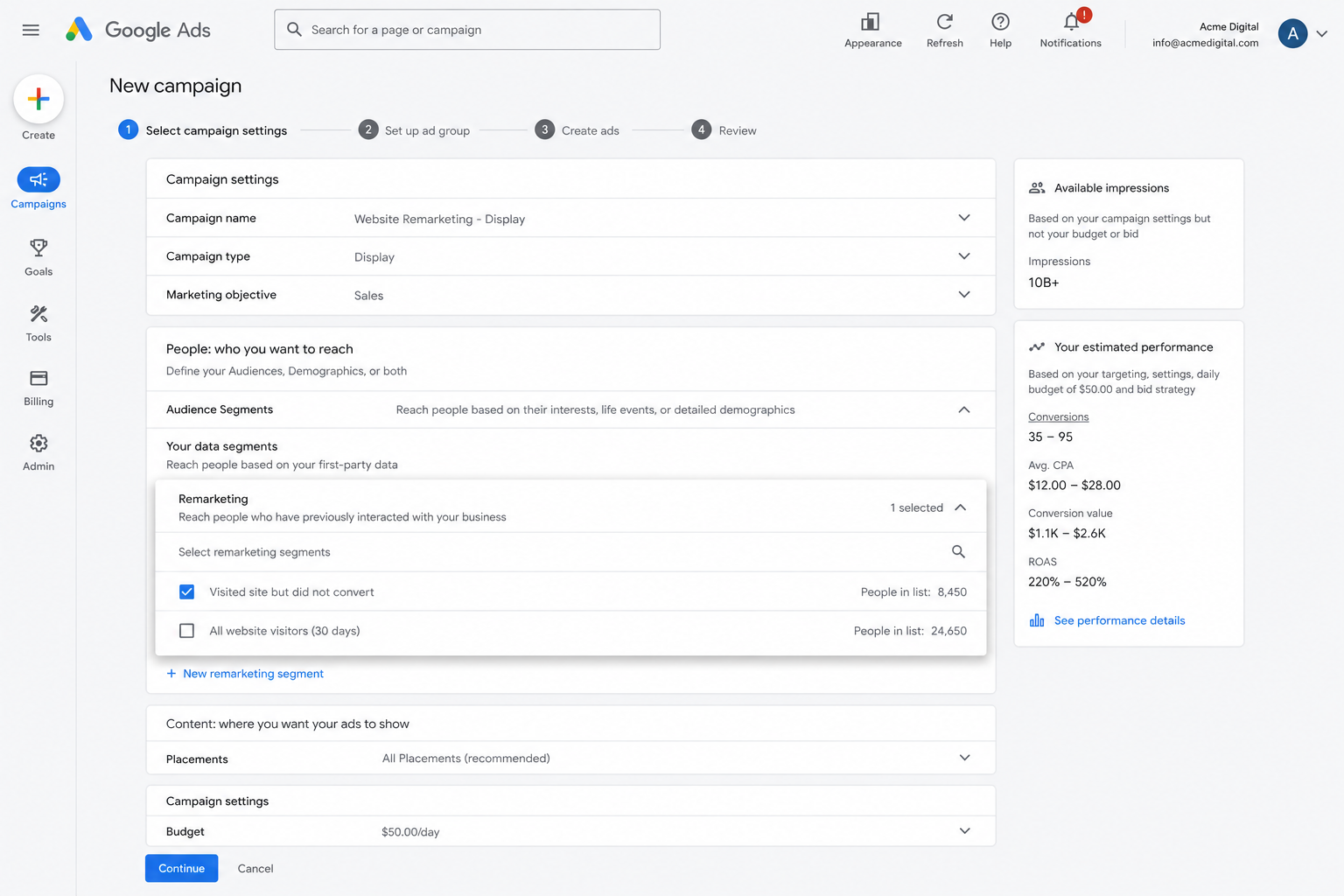
From there, you've got a few options for bringing them back:
- Search Ads - Raise or lower your bids for these visitors the next time they search your target keywords.
- Display Ads - Run banner ads across the Google Display Network so your brand stays visible while they browse other sites.
- YouTube Ads - Serve them YouTube ads to stay top of mind while they're watching video content.
Wrap Up
If you're after a simple, reliable way to send conversions to Google Ads whenever a lead completes a form on your Duda site, Converly is worth a look.
Conversions go straight to Google's servers, so ad blockers and browser privacy settings can't interfere, and Converly sends along a huge amount of detail about each lead (name, email, phone, IP address, user agent, and more) so Google has everything it needs to connect the conversion back to the original ad click, even if it was weeks later on a completely different device.
Setup takes just a few minutes, and it comes with a 14-day free trial (with no credit card required), so give it a try today!
About the author

Aaron is the founder of Converly. With over 15 years of experience in digital marketing and SaaS, he's passionate about helping businesses track and optimise their ad conversions.