


Track Contact Form 7 submissions as conversions in ChatGPT Ads
Learn how to send server-side conversions to ChatGPT Ads whenever someone submits a Contact Form 7 form on your WordPress site. No code required!
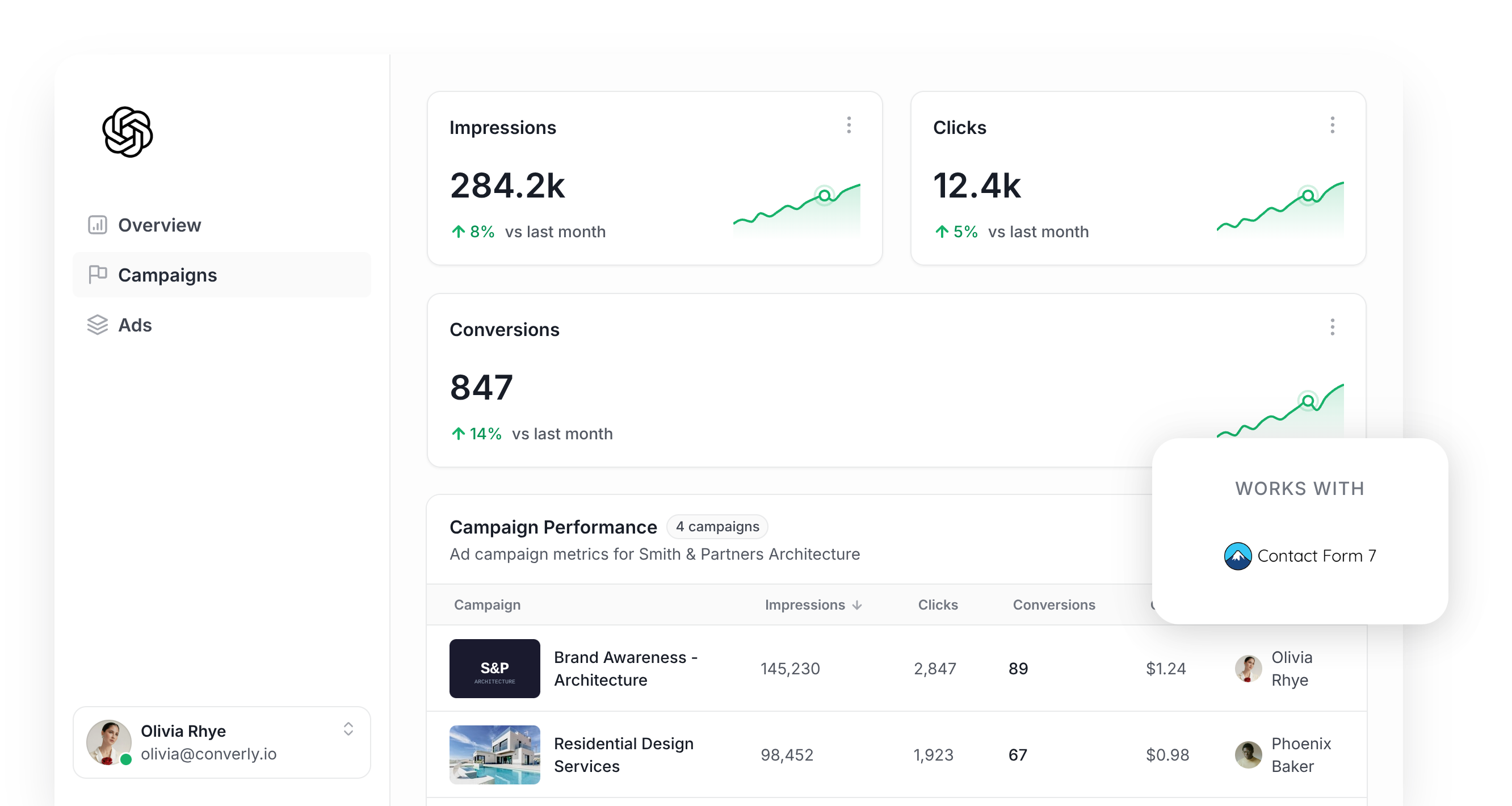
Thinking about using ChatGPT Ads to generate leads from your WordPress site? Before you spend a cent, you need to get your conversion tracking sorted.
Like most ad platforms today, ChatGPT Ads uses AI to work out who is most likely to convert and then shows your ads to people who look like them.
There's a catch, though. You need accurate conversion tracking for this to work. If ChatGPT Ads has no idea which clicks actually resulted in people becoming leads, it can't learn what your best leads look like, and it can't show your ads to people like them.
This matters even more with ChatGPT Ads than with platforms like Google Ads, because there are no 'keywords' for you to bid on. ChatGPT decides which conversations your ad appears in, and without conversion data, it has no way of telling which of those conversations actually produce leads for you.
So how should you track conversions in ChatGPT Ads, and what does it take to set it up?
This guide covers the most reliable way to send a conversion to ChatGPT Ads every time a Contact Form 7 form is submitted on your WordPress site. It uses an approach called server-side tracking, and it doesn't require any coding.
What proper conversion tracking looks like in ChatGPT Ads
There are really just 2 pieces to getting conversion tracking right in ChatGPT Ads. The first is delivery (i.e. making sure every conversion actually arrives at OpenAI), and the second is data (i.e. each conversion is sent with enough detail for ChatGPT Ads to connect it to a real person and the ad that person clicked).
Here's a closer look at both:
Ensuring proper delivery
The obvious approach is to put the ChatGPT Ads Measurement Pixel on your site and record a conversion whenever someone reaches your thank you page. Unfortunately, plenty of those conversions never make it back to OpenAI, for reasons like these:
- Ad Blockers: Visitors running an ad blocker never load the ChatGPT Ads pixel at all, so nothing they do on your site is recorded.
- Browser Privacy Features: Safari and other privacy-focused browsers cut the lifespan of tracking cookies right down. So someone who clicks your ad one week and comes back and fills out your Contact Form 7 form the following week can't be tied back to that click.
- Switching Devices: Lots of people see an ad on their phone and then return later on a desktop computer to submit the form. The pixel on the desktop browser knows nothing about the click that happened earlier on the phone, so the conversion and the click stay disconnected.
For this reason, OpenAI suggests sending each conversion down 2 paths. The first runs through the visitor's browser to the Measurement Pixel, the second goes straight from a server to OpenAI via the Conversions API (this is what 'server-side tracking' refers to). This way, if the browser path gets blocked the server-side path still gets through, which gives every conversion the highest possible chance of landing in ChatGPT Ads.
Sending the right data
A bare 'Form Submitted' event fired from a thank you page doesn't tell ChatGPT Ads who the lead was or which ad they responded to. To fix that, each conversion you send should include the lead's name, email address, and phone number, their IP address and User Agent, plus the ChatGPT click ID (known as the oppref). With those details attached, ChatGPT Ads can match the conversion to an actual logged in user and the exact ad they clicked, with 100% accuracy.
3 simple steps to send proper, server-side conversions to ChatGPT Ads from Contact Form 7
Now that you understand what a good conversion tracking setup looks like, here's how to get it working between Contact Form 7 and ChatGPT Ads using Converly:
Step 1: Build your Conversion Flow in Converly
Converly is a conversion tracking tool that makes it super easy to send proper, server-side conversions from Contact Form 7 to ChatGPT Ads.
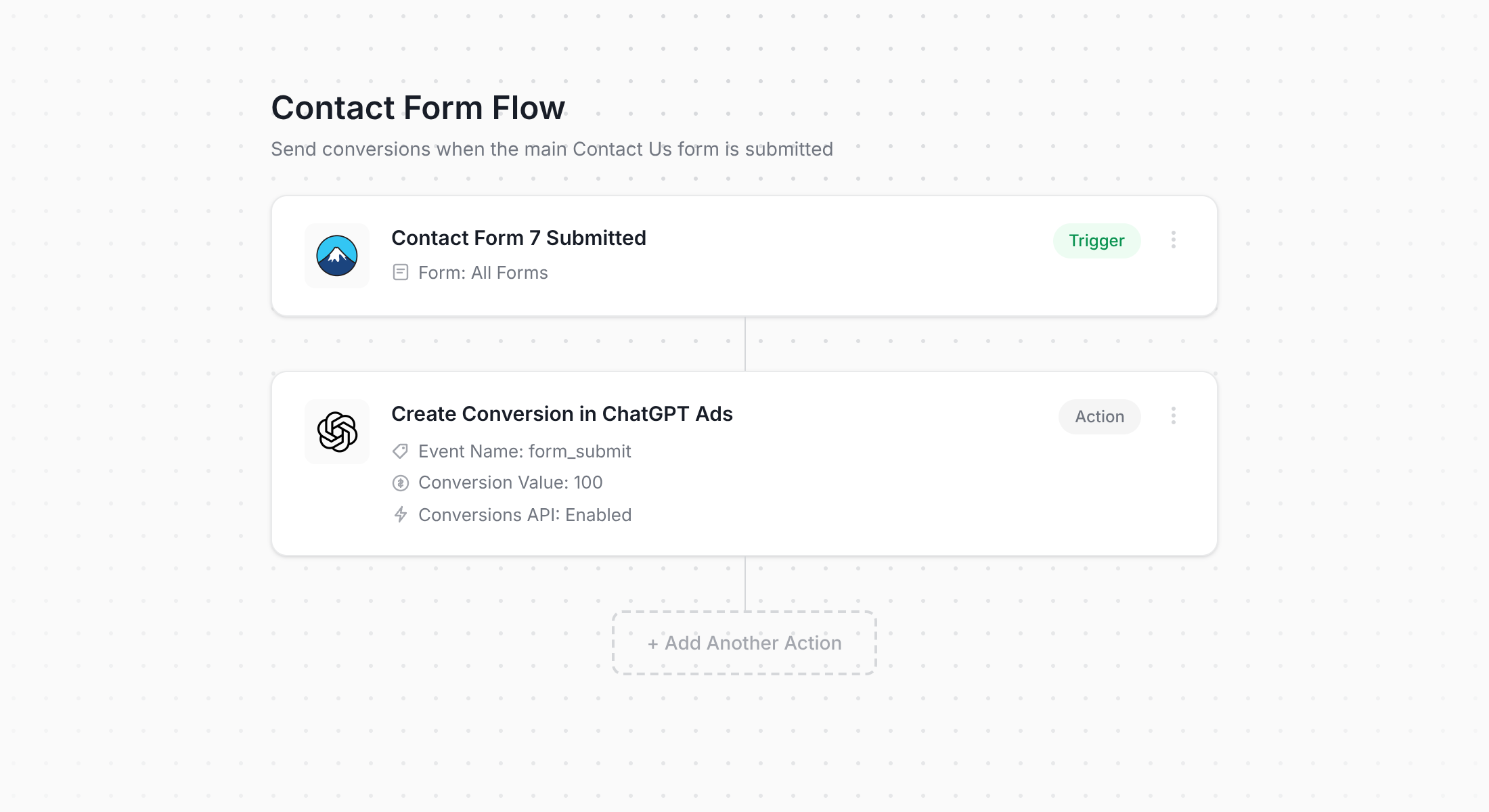
The screenshot above shows the Converly flow builder. Anyone who has put together a Zap in Zapier or a workflow in HubSpot will find their way around it straight away.
First, pick your trigger (a visitor submitting a Contact Form 7 form on your WordPress site) then choose what should happen next (a conversion being sent to ChatGPT Ads). That's genuinely the whole setup, and a couple of clicks later you have server-side conversion tracking for ChatGPT Ads in place.
Alternatively, if you use an AI tool like Claude or ChatGPT then you can install the plugin, ask it to 'Set up ChatGPT Ads conversion tracking for my Contact Form 7 forms', and it will build the flow for you!
Step 2: Add the Converly code to your WordPress site
Once your Conversion Flow is published, Converly gives you a small code snippet that needs to go on your website.
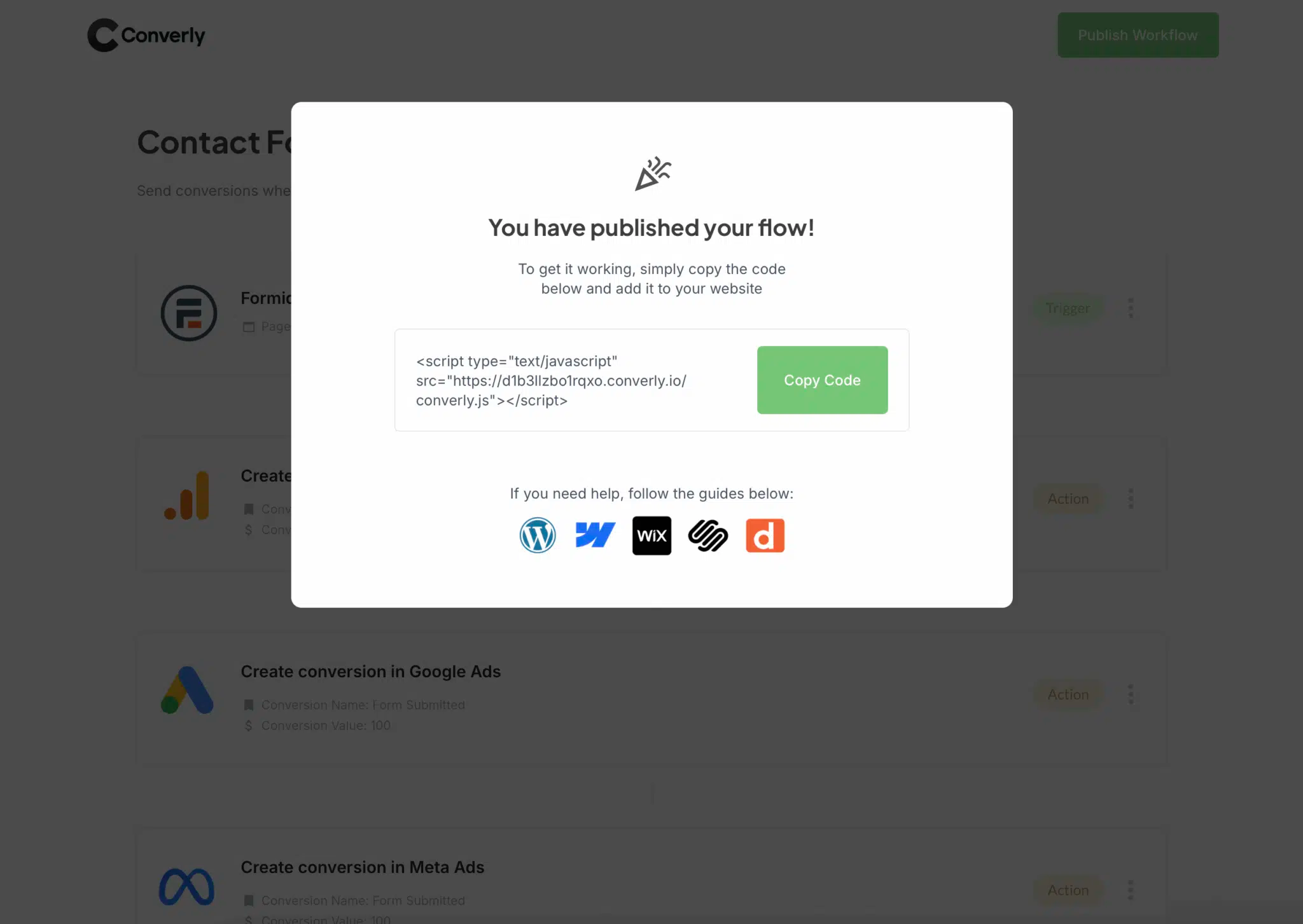
Because Contact Form 7 runs on WordPress, there are a few easy ways to install it. Many themes have a Header or Custom Code area in their settings where you can paste the snippet. If yours doesn't, a free plugin like Insert Headers and Footers will do the job. And if Google Tag Manager is already on your site, you can drop the snippet into a Custom HTML tag and load it from there.
Step 3: Test it works
Now it's time to check everything is working. Go to your WordPress site and submit a test entry through your Contact Form 7 form.
Then head back to Converly and select 'Logs' from the main navigation.
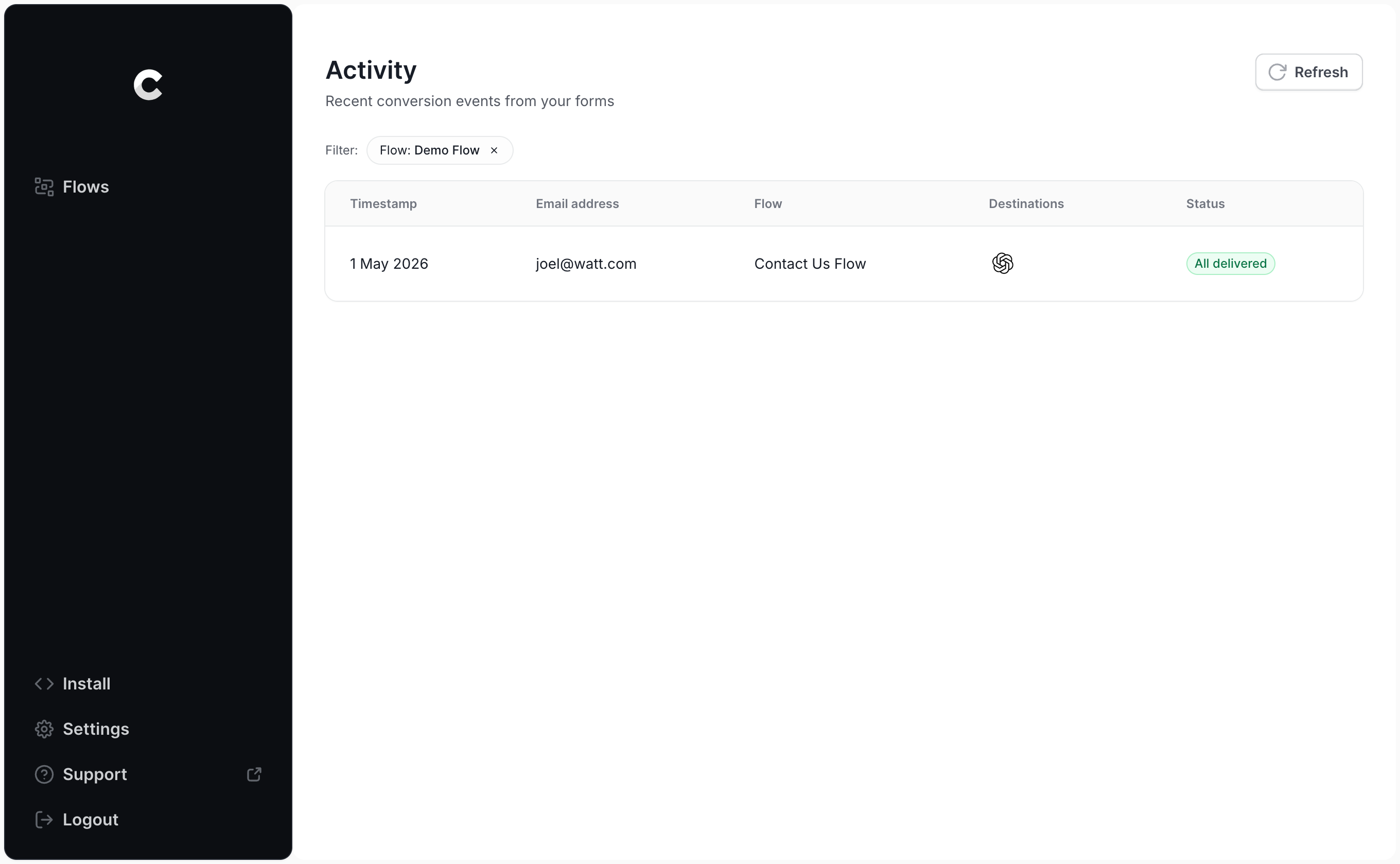
Locate your test submission on the logs page and open it. Converly shows you everything it collected, along with whether the conversion was successfully passed to ChatGPT Ads.
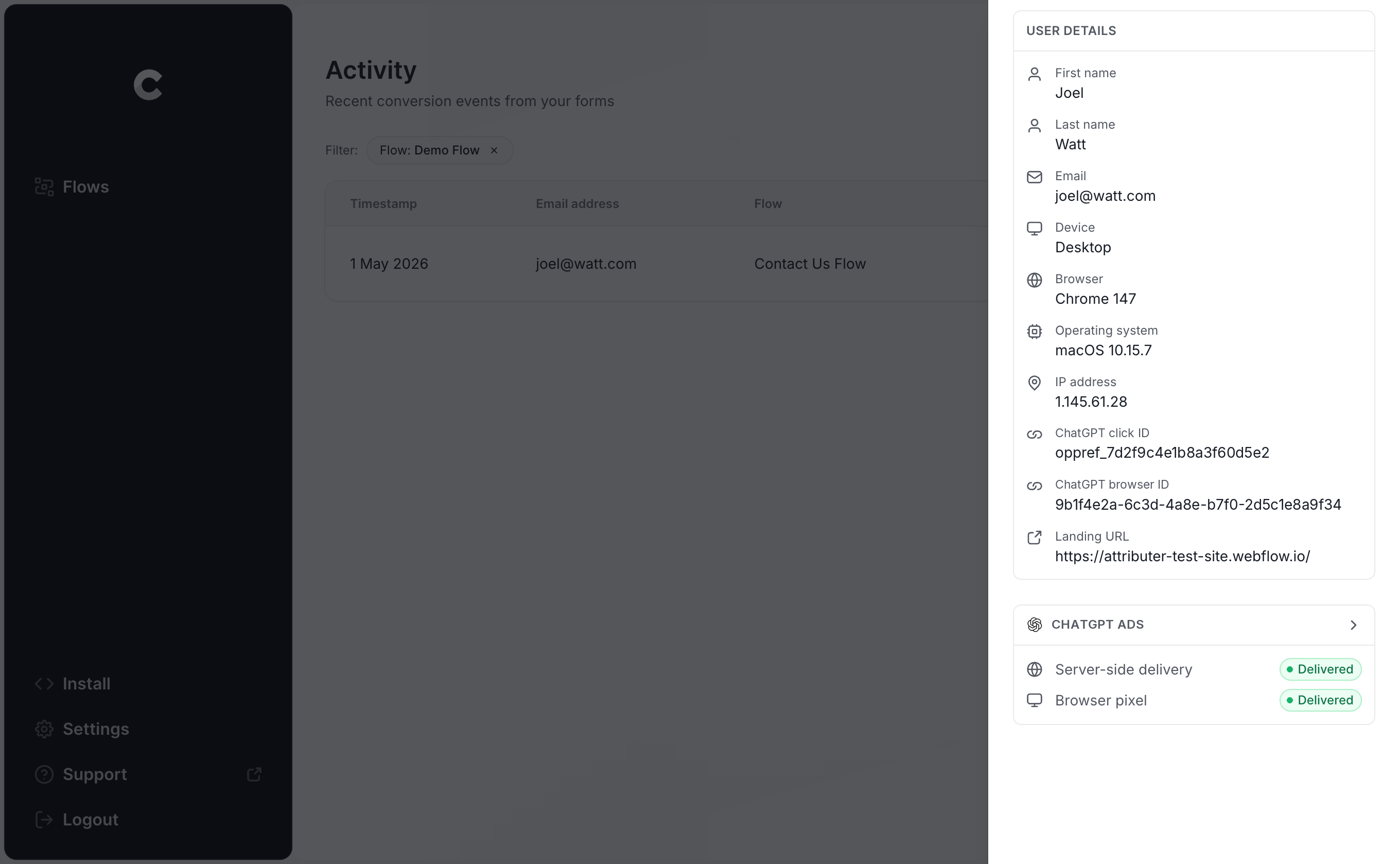
And if you want more detail, you can also inspect the exact payload Converly delivered to ChatGPT Ads (click ID, browser ID and hashed email address included) and the response that came back from OpenAI's server.
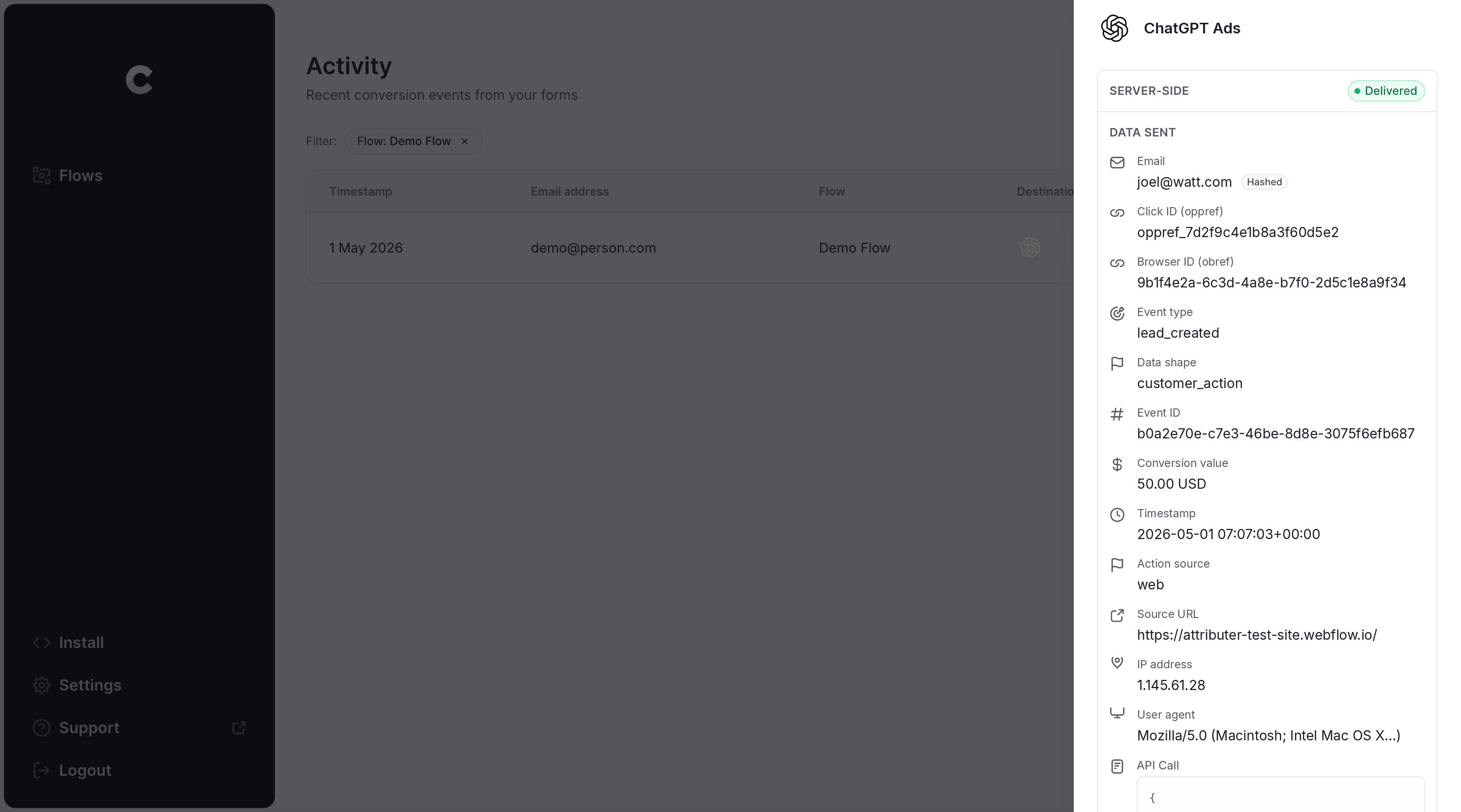
When the log shows your test entry was sent to ChatGPT Ads successfully, your conversion tracking is live. Most people get through the entire process in under 5 minutes.
Why Converly is the best way to send conversions to ChatGPT Ads from Contact Form 7
There's more than one way to get Contact Form 7 submissions into ChatGPT Ads as conversions. So what makes Converly the better option? Here's a rundown:
1. Easy to set up
Building this on your own means working directly with OpenAI's Conversions API. You'd need code that detects when a Contact Form 7 form is submitted, captures the click ID and browser cookie, normalises and SHA-256 hashes the name, email and phone, formats the payload precisely to OpenAI's spec, and then handles API keys, deduplication and retries as well.
Converly takes all of that off your plate. Choose a trigger (a Contact Form 7 submission) and an action (a ChatGPT Ads conversion) and Converly handles everything else. No developer, no custom code, and no API keys to babysit.
And if you already work with an AI tool like Claude or ChatGPT, it's even quicker. Install the Converly plugin, ask it to 'Set up ChatGPT Ads tracking for my Contact Form 7 forms', and it will do everything for you!
2. Not affected by ad blockers and privacy restrictions
When the ChatGPT Ads Measurement Pixel is your only source of conversions (with nothing going server-side through the Conversions API), a meaningful share of your conversions will never reach OpenAI (because ad blockers and privacy-first browsers simply stop the pixel from loading).
One study of over 7 million conversions found browser-based tracking failed to record roughly 30% of them. Put another way, you can expect to lose 30% of your conversions if you don't send conversions server-side as well.
Fortunately, Converly solves this problem for you. It delivers each conversion both ways, through the browser to the ChatGPT Measurement Pixel and from the server to the Conversions API. So regardless of what ad blocker or privacy settings a visitor has, the conversion has an excellent chance of getting through.
3. Works across devices
It's very common for someone to discover your site on one device (scrolling on their phone at lunch for instance) and then fill out your Contact Form 7 form later from their desktop.
Methods like tracking thank-you page visits can't connect those two things because the click and the conversion happened in separate browsers on separate devices.
Converly solves this problem too. It captures the click ID (the oppref) and sends it to ChatGPT Ads along with the lead's name, email address and phone number, giving ChatGPT Ads the data it needs to link the conversion to a real person and the ad they originally clicked.
4. Sends more data
As soon as a visitor arrives on your site, Converly records the ChatGPT click ID, the browser cookie set by the ChatGPT Ads pixel, and their user agent. When that visitor later submits a Contact Form 7 form, Converly matches this with the lead's name, email and phone and sends it all over to ChatGPT Ads with each conversion.
The result is that ChatGPT Ads can match each conversion back to the ad click that produced it with almost 100% accuracy, and the conversion numbers you see are ones you can trust.
5. Supports multiple tools and platforms
Converly connects with more than 100 form builders, scheduling tools, chat widgets and other lead capture tools. It can then deliver conversions to ChatGPT Ads, Google Ads, Meta Ads, LinkedIn Ads, Microsoft Ads, Google Analytics and a growing list of other platforms.
That means if Google Ads or Meta Ads are also part of your mix, you don't need a separate tracking setup for each. Just add them as additional actions in the same Conversion Flow and every Contact Form 7 submission goes to all of them together. And if you decide to start advertising on a new platform, adding it is a matter of a few clicks.
6. Gives you a full conversion log and email alerts
With most other ways of tracking ChatGPT Ads conversions (Google Tag Manager being a common example), you can't really tell whether things are still working. You can test it on day one, but if someone later changes a Contact Form 7 form, swaps out an API key, or adjusts a setting in ChatGPT Ads Manager, tracking can easily break and nobody would know.
Converly takes the guesswork out of it. Its conversion log lists every conversion from your Contact Form 7 forms, the data captured for each one, exactly what went to ChatGPT Ads, and whether it was accepted.
You can also turn on email notifications to get an email whenever a conversion is sent to ChatGPT Ads (or just when one fails). That way if anything ever breaks, you'll know straight away.
2 things you can do when you properly send conversions to ChatGPT Ads from Contact Form 7
When reliable conversion data is flowing from Contact Form 7 into ChatGPT Ads, two things become possible that you simply can't do without it.
1. See which campaigns and ads actually produce leads
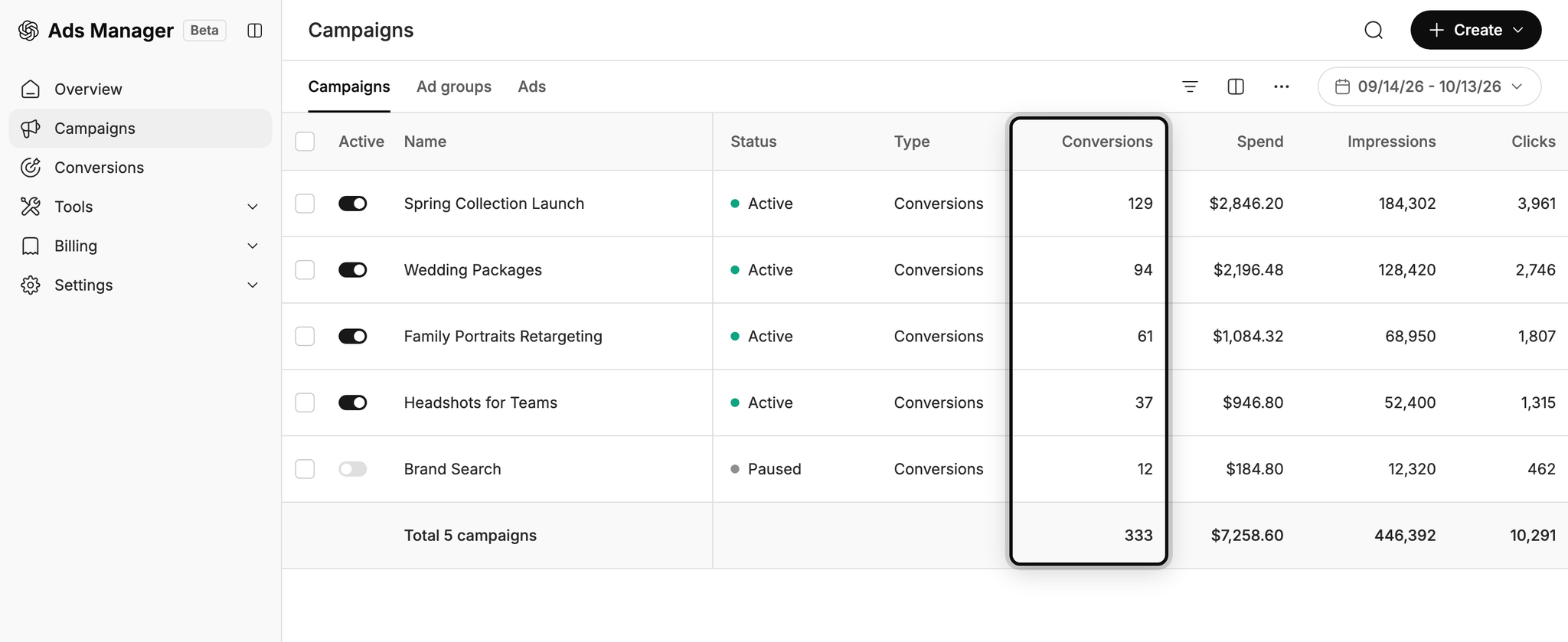
Without proper tracking, all ChatGPT Ads can report is impressions and clicks, and clicks alone won't grow your business.
Once accurate conversion data is in place, you can see the number of leads each campaign and ad is generating, what each of those leads costs, and where the best opportunities to scale are.
2. Let OpenAI's algorithm find you more of the right people
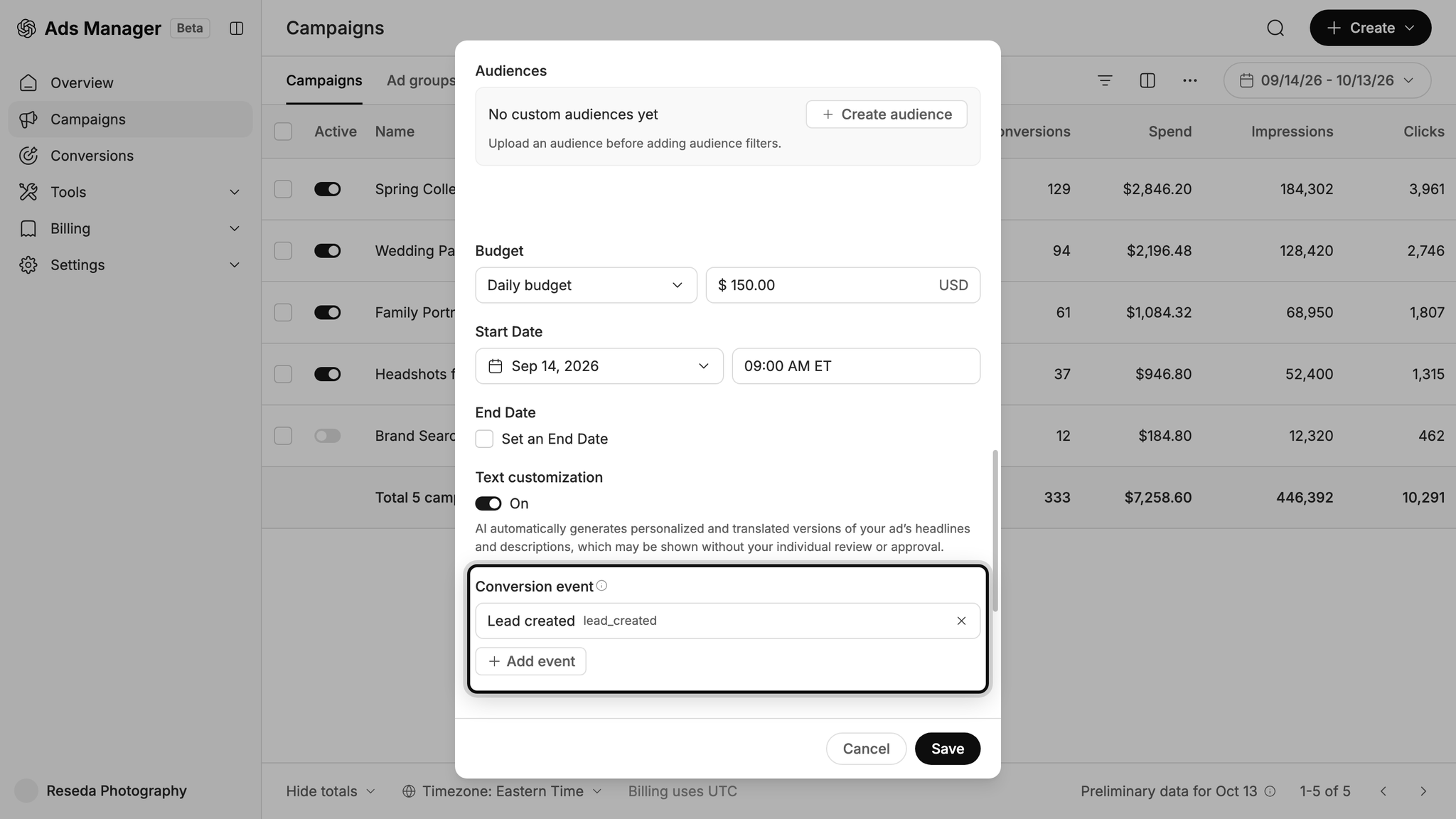
The AI behind ChatGPT Ads decides who sees your ads and what conversations they appear in, and every conversion you send it helps it get better at this.
Feed it proper conversion data and it learns what a great lead looks like for your business, and will start to serve your ads to more people like them. But if you have a weak conversion tracking setup then it won't have enough to go on, so it will keep putting your ads in front of the wrong people (pushing up your cost per lead and draining your marketing budget).
Wrap Up
If you want ChatGPT Ads to record a conversion every time a Contact Form 7 form is submitted on your WordPress site, Converly is the easiest and most effective way to do it.
Conversions go straight to OpenAI's servers, so ad blockers and privacy-focused browsers can't stop them. And because Converly passes all of the identifiers OpenAI depends on (the click ID, the lead's name, email and phone number, etc.), each lead has the best possible chance of being matched to the ad that brought them in.
Best of all, setup takes just a few minutes and you can try it free for 14 days (no credit card required), so start your free trial today!
About the author

Aaron is the founder of Converly. With over 15 years of experience in digital marketing and SaaS, he's passionate about helping businesses track and optimise their ad conversions.