


Track Cal.com bookings as conversions in Google Analytics
Use Converly to automatically send conversion events to Google Analytics whenever someone books a meeting through Cal.com on your website. No code or technical knowledge required!
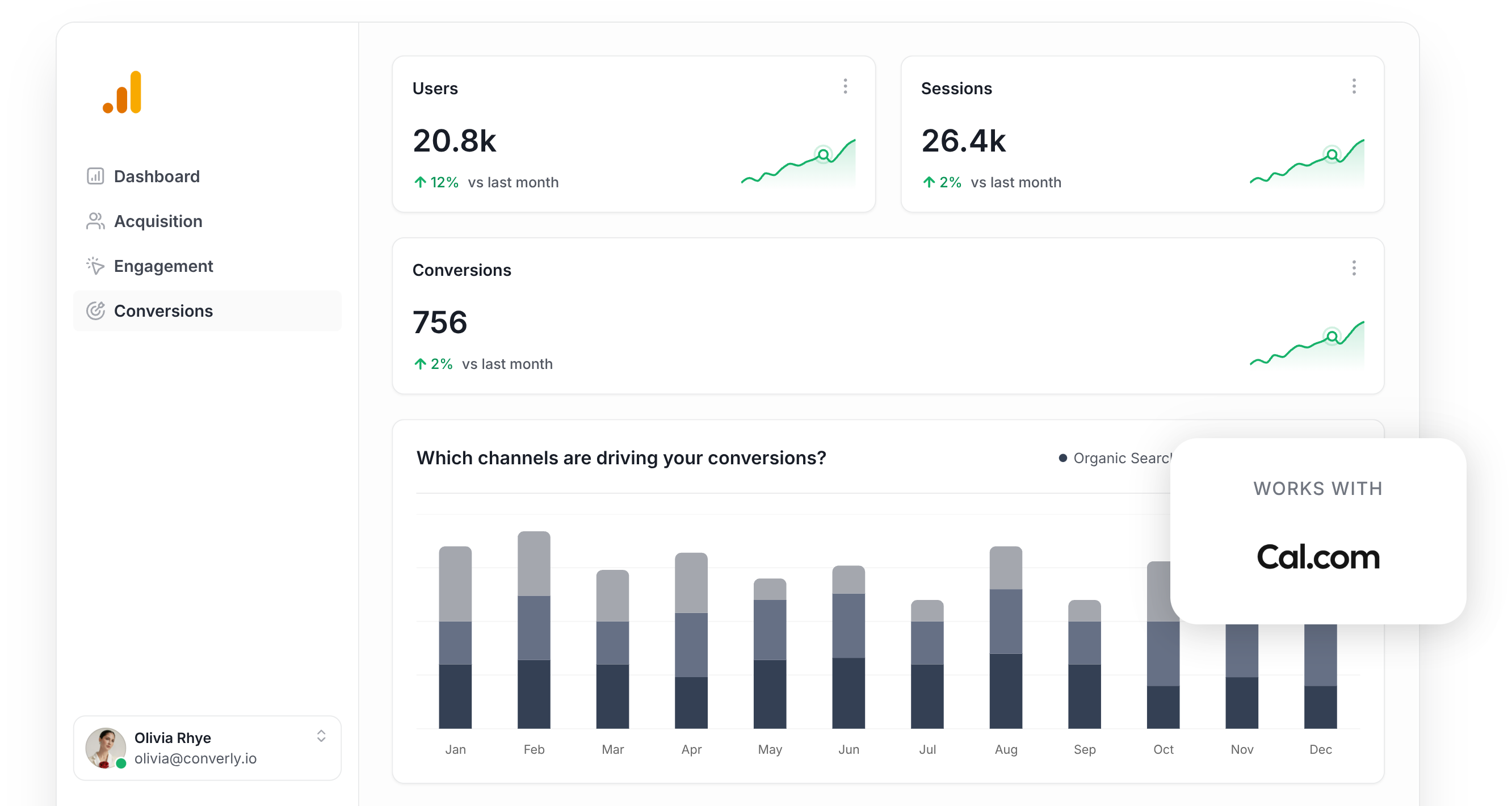
Struggling to understand how many of the new meetings landing in your calendar are actually being driven by the marketing you are investing in?
Whether your budget is going into Google Ads, Meta Ads, or content and SEO, knowing how many bookings each channel is delivering can completely reshape how you approach your marketing.
The good news? It's easy to make happen, and you do not need to be a developer to do it.
In this guide, we will walk you through how to use Converly to fire a conversion event into Google Analytics each time someone books a meeting through Cal.com on your site. Once it is up and running, you will have a clear view of exactly which campaigns, ads, and keywords are delivering real bookings for your business.
4 simple steps for tracking Cal.com bookings as conversions in Google Analytics
Here is how to get conversion tracking for Cal.com bookings running in Google Analytics in just 4 steps:
Step 1: Build your Conversion Flow in Converly
Converly is a tool that makes it easy to send conversion events to analytics tools and ad platforms (like Google Analytics) whenever a visitor takes a specific action on your site, such as booking a meeting through your Cal.com scheduler.
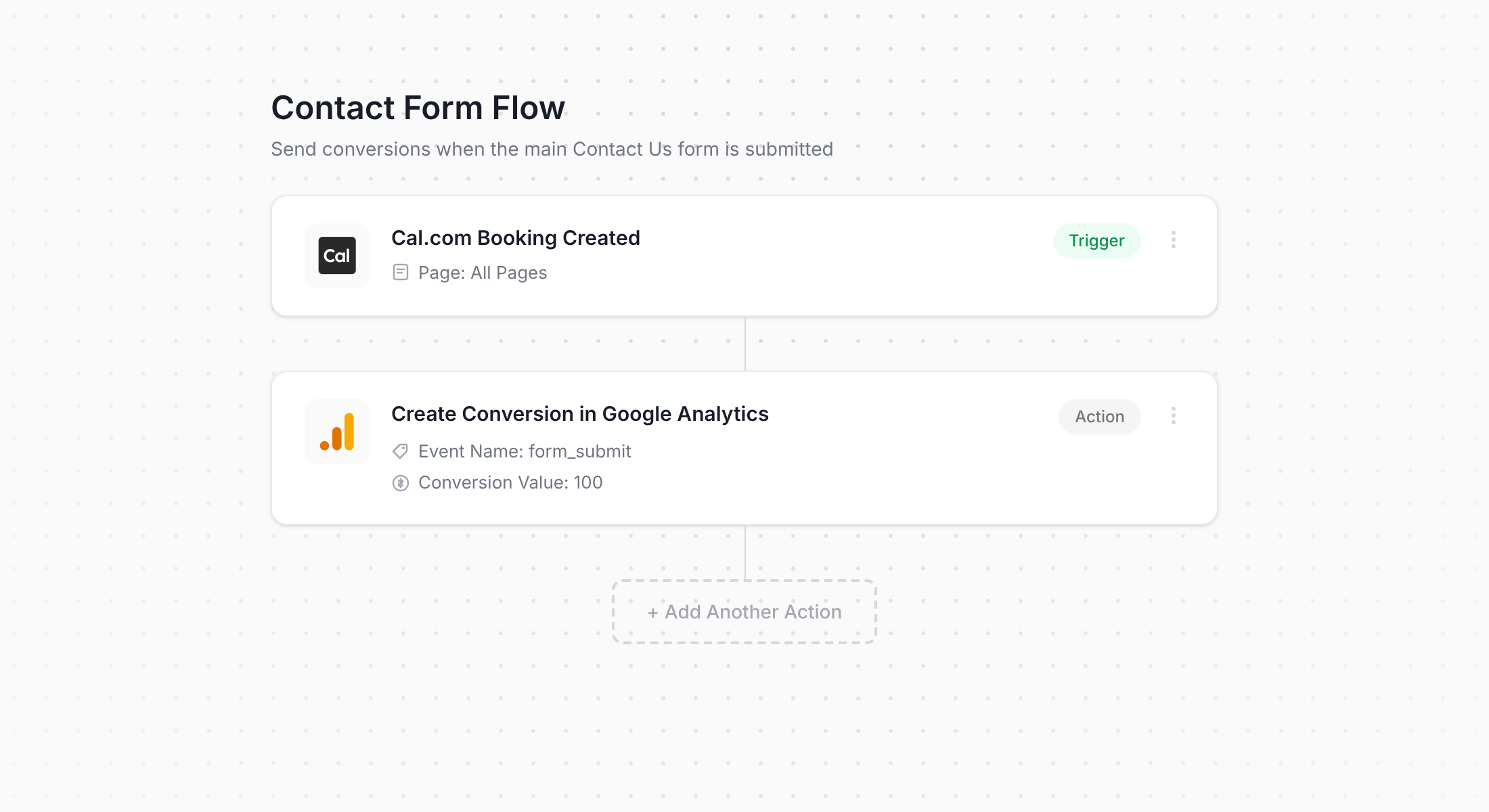
The screenshot above shows Converly's workflow builder, which has been built to feel simple and approachable. If you have spent any time with tools like Zapier or HubSpot Workflows, you will feel right at home with this within seconds.
All you have to do is choose a trigger (in this case, a booking through your Cal.com widget) and pick a destination for the conversion event (say, Google Analytics). Honestly, that is the entire setup.
Step 2: Install Converly on your website
Once your Conversion Flow is ready, Converly provides a small code snippet that needs to go onto your website.
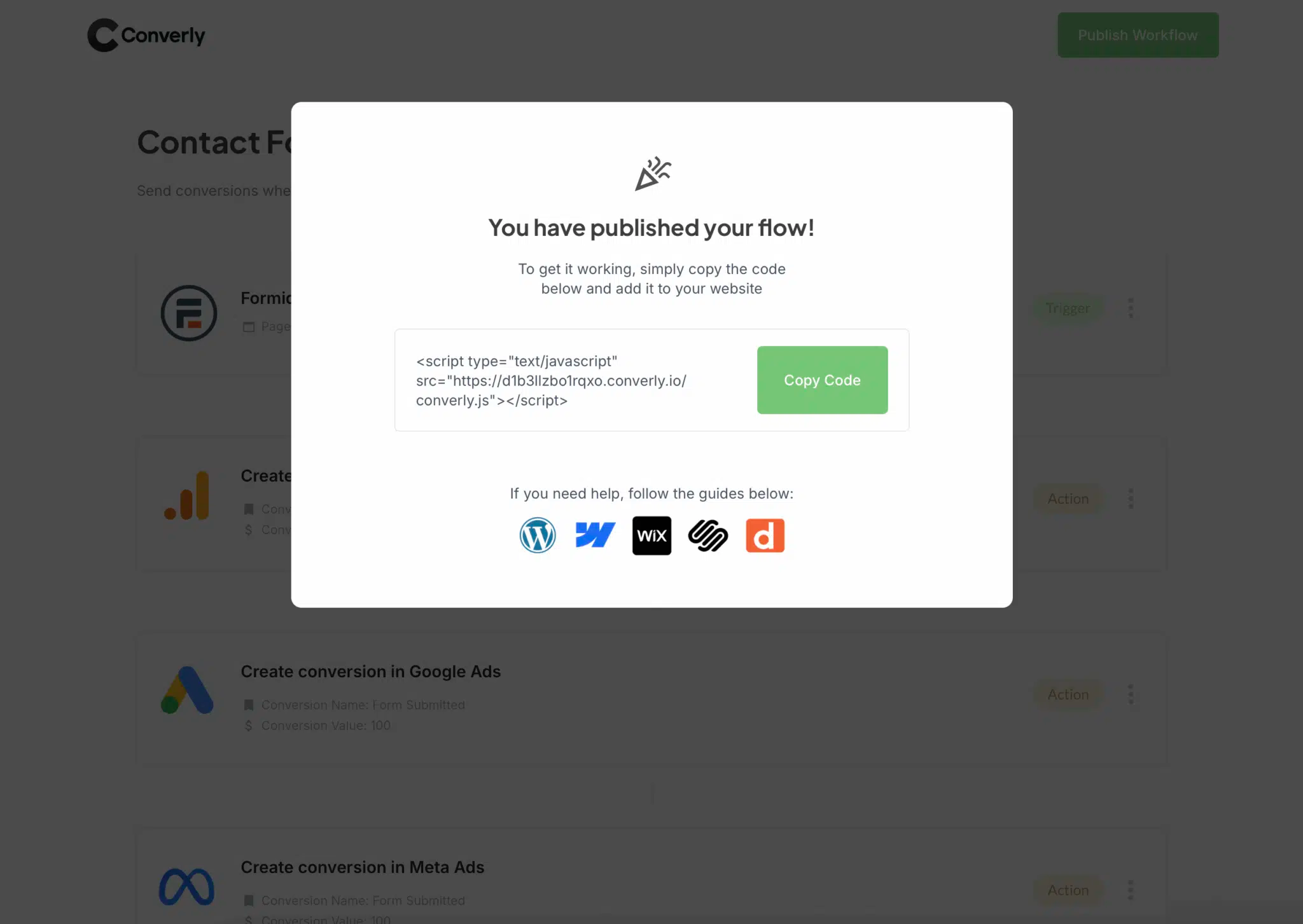
How you install it depends on the website builder you are running, but in the vast majority of cases you can just paste the code into your site settings in a section usually labeled something like Scripts, Header, or Custom Code. WordPress users can also install it through a plugin like Insert Header and Footer Code for an even easier path. And for people who prefer working inside Google Tag Manager, that route works just as well.
After the snippet is live on your site, Converly quietly handles the rest in the background. It watches for Cal.com bookings and automatically sends conversion data to Google Analytics (as well as any other destinations you have wired into your flow).
Step 3: Test it's working
Now that everything is in place, the next step is to make sure your bookings are actually being recorded.
The quickest way to confirm this is to open an incognito window, navigate to the page with your Cal.com scheduler, and book a test meeting.
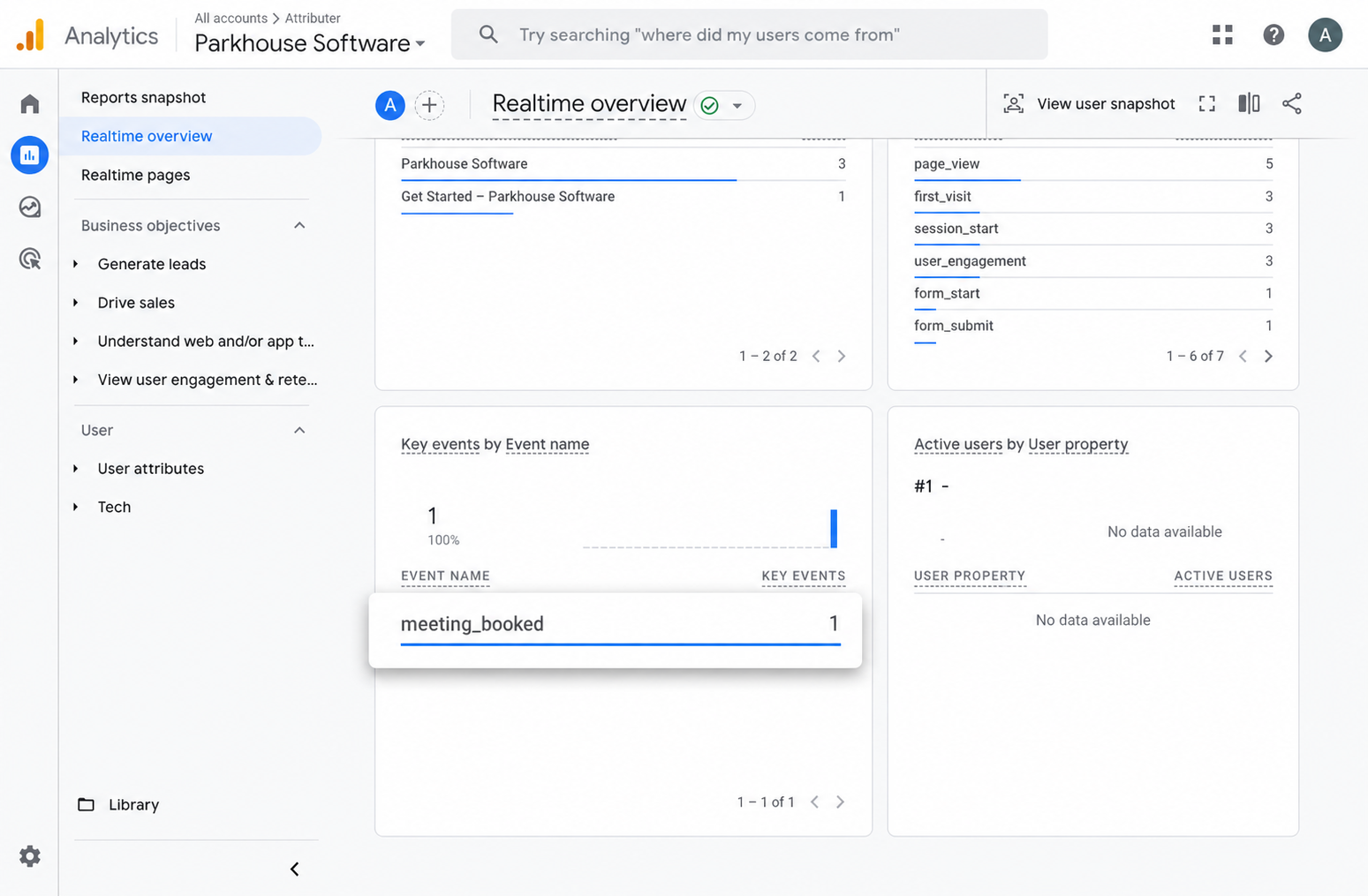
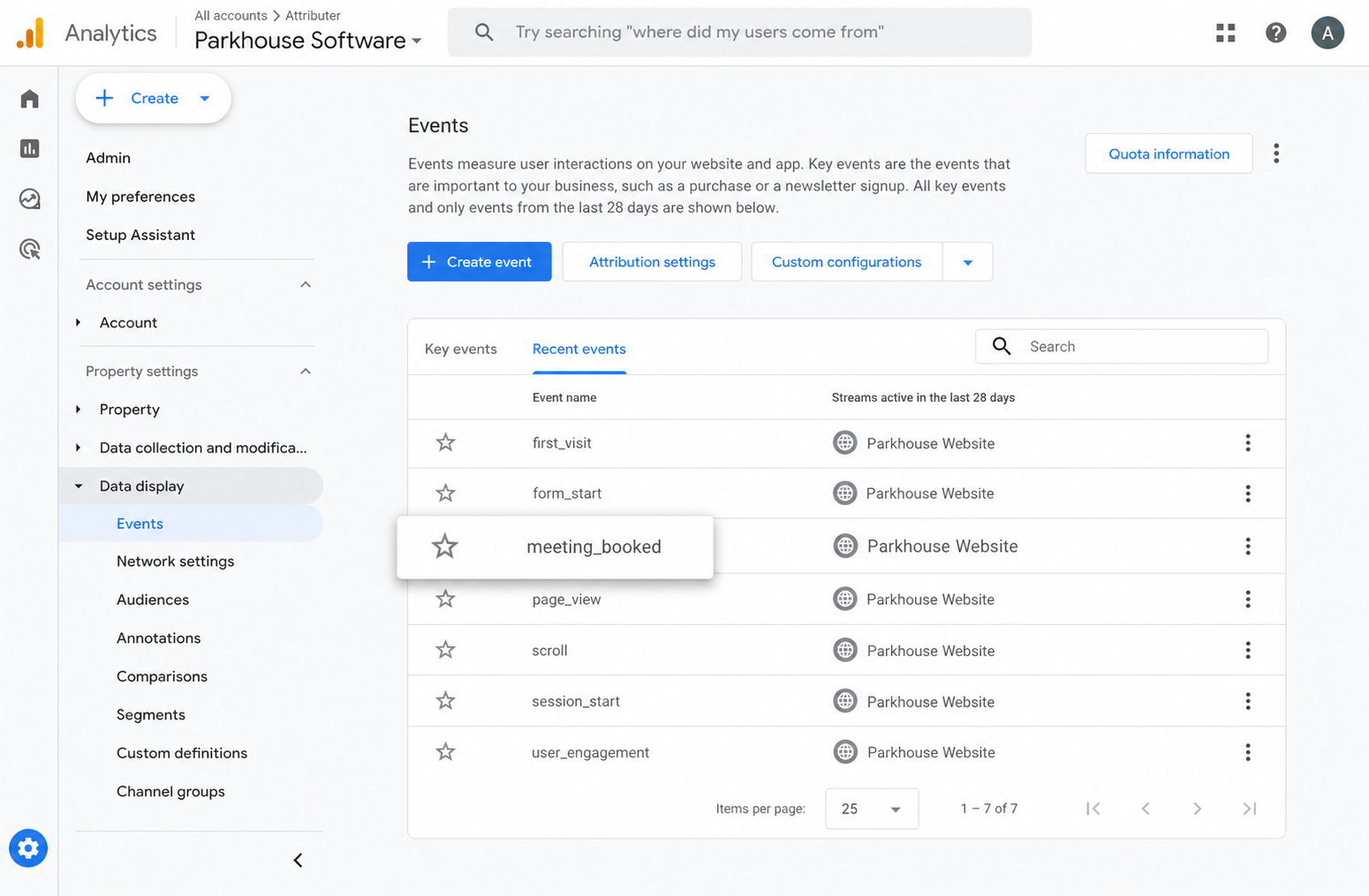
Then head over to Google Analytics, pull up the Real Time dashboard, and look at the Recent Events section. If your meeting_booked event is listed there, you can confidently say the setup is working and tracking as it should.
Step 4: Mark the event as a 'Key Event' (Optional, but recommended)
As a final step, we suggest marking the meeting_booked event as a Key Event within GA4. Doing this tells Google Analytics to treat it as a conversion, which opens up a range of additional reporting options (like adding it to your acquisition reports or using it as a conversion point when building funnels and path analysis).
To do it, jump into the Admin area of your GA4 property and click Events under the Data Display menu. Open the Recent Events tab, find your meeting_booked event (or whatever custom name you used), and click the small star icon next to it to mark it as a Key Event.
Why Converly is the best way to trigger conversions in Google Analytics
There is definitely more than one way to track Cal.com bookings as conversions in Google Analytics. Some teams configure custom thank-you URL redirects after a booking is confirmed, and others build event triggers inside Google Tag Manager.
So what makes Converly the better choice? Here are a few reasons:
1. No code or complicated setup
The alternative approaches for tracking Cal.com bookings as conversions generally require setting up post-booking redirect URLs, building custom event tags inside Google Tag Manager, or writing JavaScript that keeps an eye on the Cal.com embed for changes. If you are not a developer, any of that can feel like a heavy lift.
Converly removes all of that technical overhead. The workflow builder is visual, intuitive, and feels a lot like tools you probably already use every week, such as Zapier or HubSpot Workflows.
Just pick your trigger (a Cal.com booking) and decide what happens next (like firing a conversion event into Google Analytics). That is genuinely the whole process. No code, no wrestling with Tag Manager, no headaches.
2. More accurate conversion numbers
Rather than relying on a traditional browser tag (such as the Google Tag), Converly sends your conversions directly to Google Analytics' servers via the Measurement Protocol.
Why does that matter? Because tags get blocked. Ad blockers stop them from loading on your site, and modern browser privacy features (like Apple's Intelligent Tracking Prevention) prevent them from working properly too.
In fact, a study looking at over 7 million conversions found that tag-based setups were missing around 30% of conversions. Roughly 5% of those losses came from ad blockers, while the bigger chunk (around 25%) came down to browser-level privacy restrictions.
But by sending conversions server-side with Converly, those missing 30% show back up in your Google Analytics reports.
3. Supports multiple tools and platforms
Converly works with more than 50 different form builders, scheduling platforms and chat widgets. It is also able to send conversion events to a huge range of destinations, including Google Analytics, Google Ads, Meta Ads, LinkedIn Ads, and plenty of others.
In practice, that means whenever you bring a new tool into your stack or start advertising on a fresh platform, turning on conversion tracking is only ever a few clicks away.
4. Makes it easy to add conditional logic
Converly also makes it simple to build smart rules that fire different conversion events depending on the specific actions people take across your site.
For example, imagine you are running marketing for a financial planning firm. You could set up a conversion called Consultation Booked whenever a prospect schedules a meeting through Cal.com, plus a second conversion called Guide Downloaded whenever a visitor grabs one of your free planning resources.
By tracking those conversions separately, you get a much sharper view of which campaigns are pulling in your highest-value leads (booked meetings) versus the lower-intent ones (guide downloads).
5. Great support provided for free
If you have ever tried to get conversion tracking help from Google or Meta, you will know just how hard it is to get a useful response.
Converly operates very differently.
Our team brings more than 20 years of hands-on experience across advertising and analytics, and we genuinely care about getting you up and running. Whether you would prefer to sort things out over email or jump on a quick video call, we provide free support to make sure your tracking is set up properly and working as it should.
6. Gives you a full conversion log and email alerts
Send bookings to Google Analytics through something like Google Tag Manager and you have no real way of knowing whether it is still firing. A quick test on setup day proves it worked then, but unless you keep re-testing every week, your tracking can quietly fall over (someone edits the Cal.com scheduler, tweaks a tag in Google Tag Manager, or changes a setting inside Google Analytics) and the first sign of trouble would be empty reports.
Converly closes that gap. You get a full conversion log that lists every booking that came through, the exact data Converly captured for it, what it forwarded to Google Analytics, the response Google Analytics sent back, and more.
You can also flip on email notifications. Have one land in your inbox for every booking sent to Google Analytics, or set them to fire only when a send fails, so you find out the instant tracking breaks.
3 useful reports you can run when you track Cal.com bookings as conversions in Google Analytics
Having spent the past 15+ years leading marketing teams, I have pulled together a huge number of Google Analytics reports trying to understand where our visitors and leads were actually coming from.
Of all the reports I have built over that stretch, the three below have consistently delivered the most value. And once Cal.com bookings are being tracked as conversions in Google Analytics, you will be able to run them too.
1. Conversions by Channel
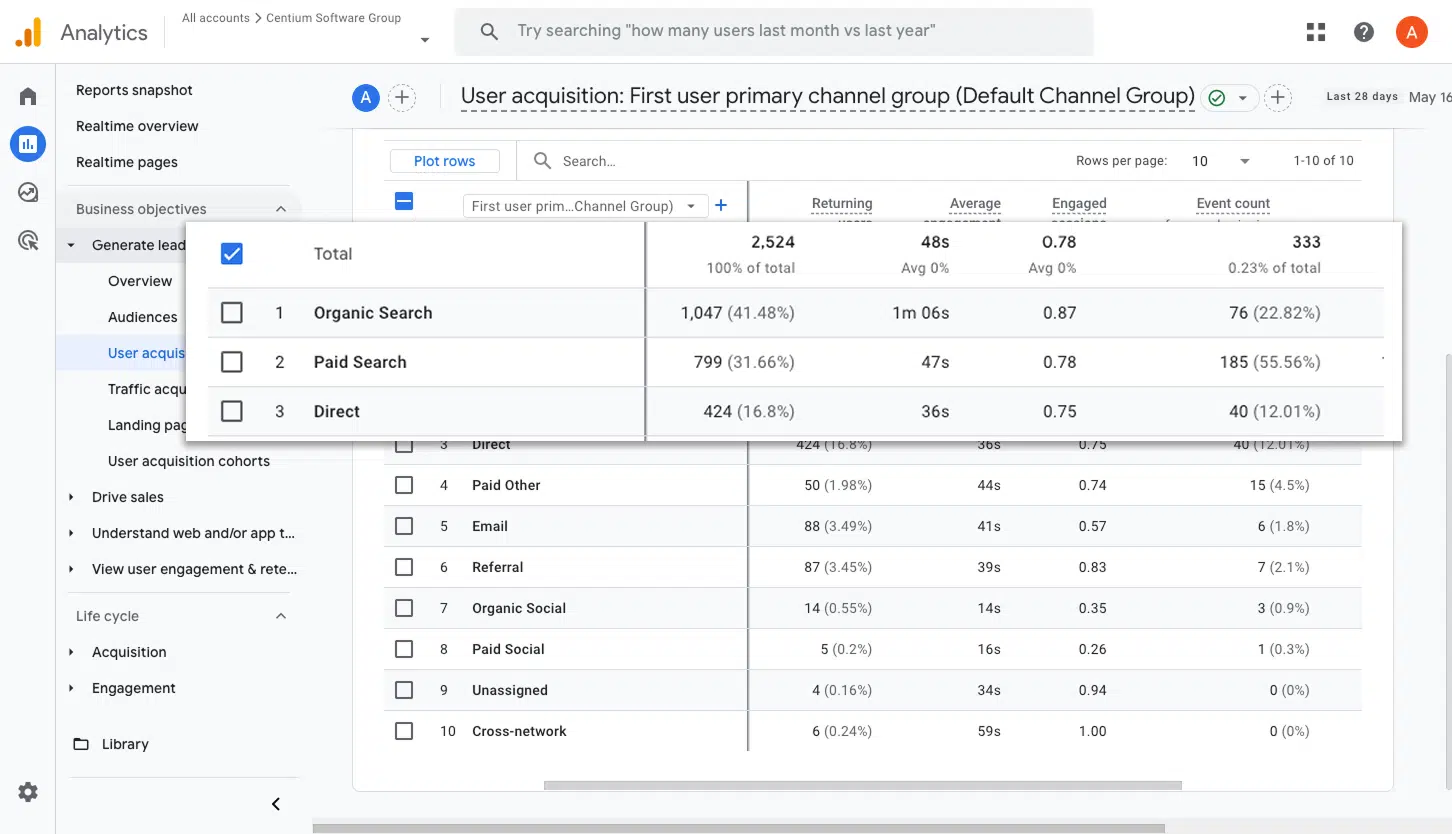
This report breaks down how many booked meetings are coming from each marketing channel, whether that is Organic Search, Paid Search, Paid Social, Organic Social, or anywhere else.
It is a great way to understand which channels are actually bringing in meetings for your business, and to spot the channels where there is room to generate more.
2. Conversions by Meta Ads Network
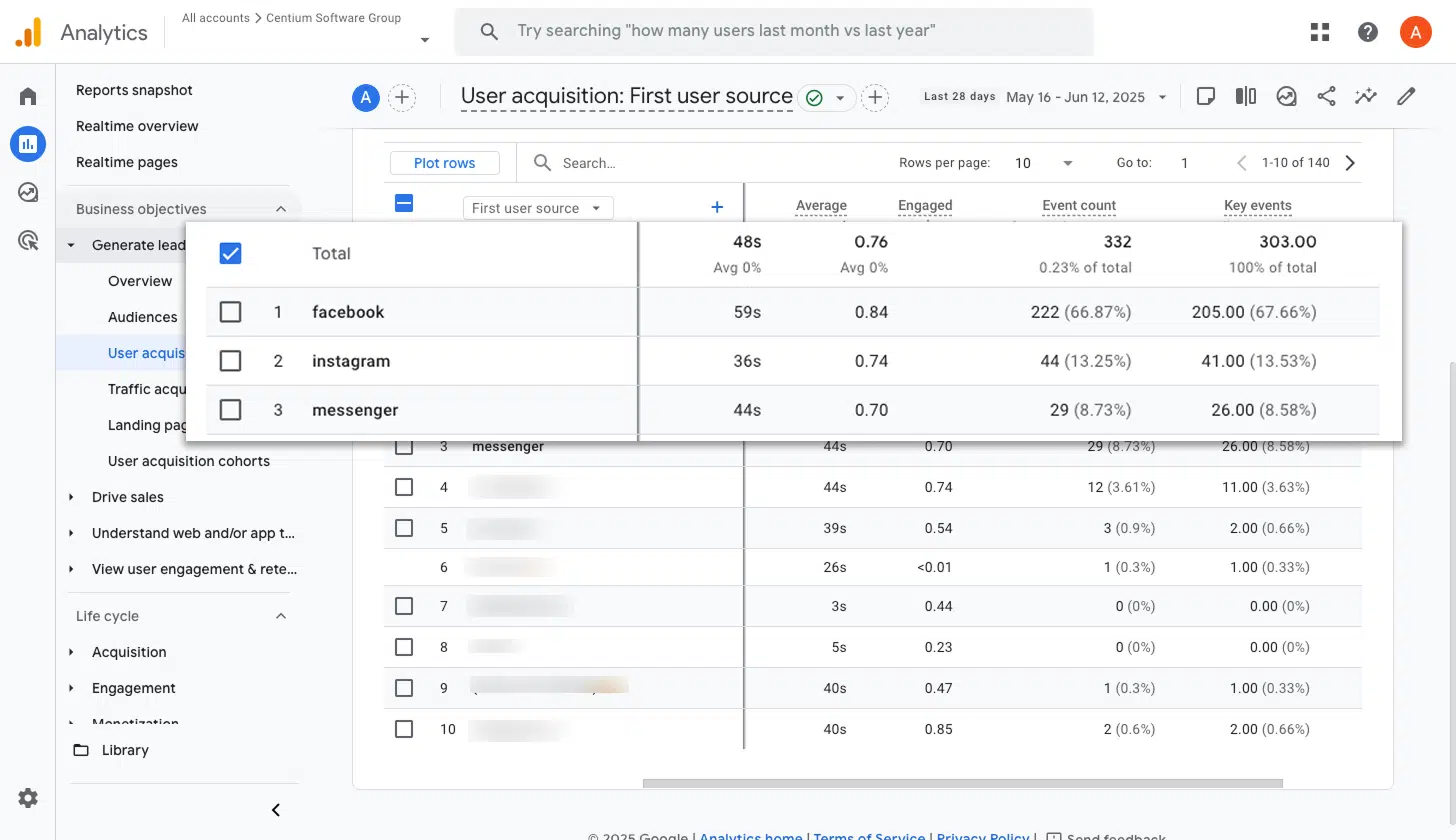
If you are running ads with Meta, those ads are most likely appearing across a handful of different networks, including Facebook, Instagram, Messenger, and WhatsApp.
Because each of those networks can perform very differently, it pays to understand which ones are actually driving new client meetings. This report lays that out clearly, making it easy to shift more budget onto the networks that are delivering and back off the ones that are not.
3. Conversions by Google Ads Campaign
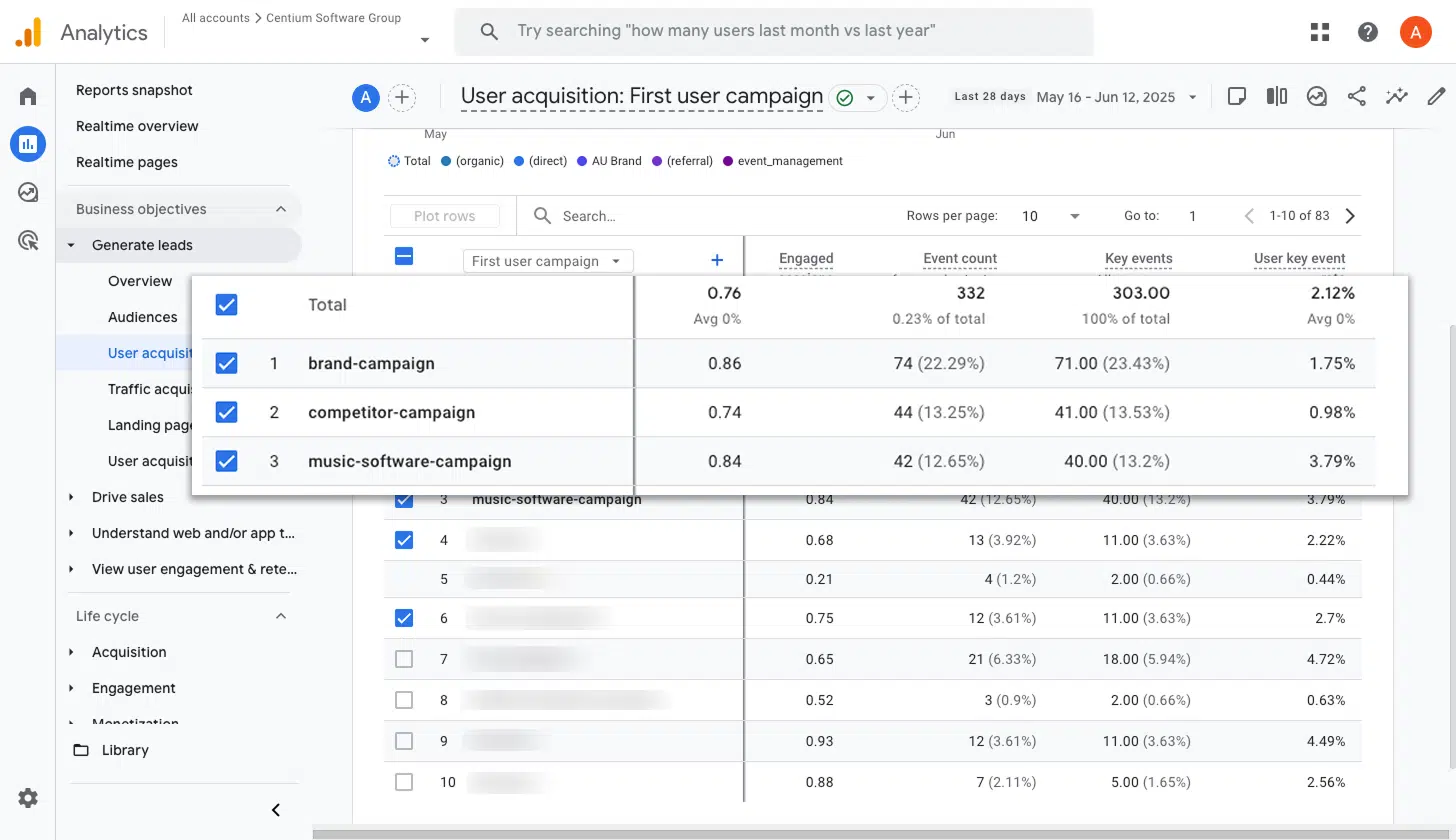
If Google Ads is part of your mix, chances are you have several campaigns running at the same time. Some might focus on different services you offer, others may split between branded and generic keywords, and a few might be pointed at specific geographic regions.
Knowing which of those campaigns are actually producing new client meetings is critical when you are deciding where to put your budget. This report breaks it down for you, showing conversions by campaign so you can confidently double down on the winners and cut back on the ones that are not pulling their weight.
Wrap up
With Converly, sending conversion events into Google Analytics every time someone books a meeting through Cal.com is quick and easy. No code to write, no complicated tools to configure, and no headaches along the way.
And if down the line you decide to start advertising on Google Ads, Meta Ads, or another platform, you can plug them into your existing Conversion Flow in just a few clicks. The same booking data will start flowing into those platforms automatically.
Fancy giving it a try? Converly comes with a 14-day free trial, and most people are fully set up within 10 minutes. Give it a shot and see how simple conversion tracking can really be.
About the author

Aaron is the founder of Converly. With over 15 years of experience in digital marketing and SaaS, he's passionate about helping businesses track and optimise their ad conversions.