


Track Tally Forms submissions as conversions in Google Ads
Learn how to send server-side conversions to Google Ads whenever someone submits a Tally form on your website. No code required!
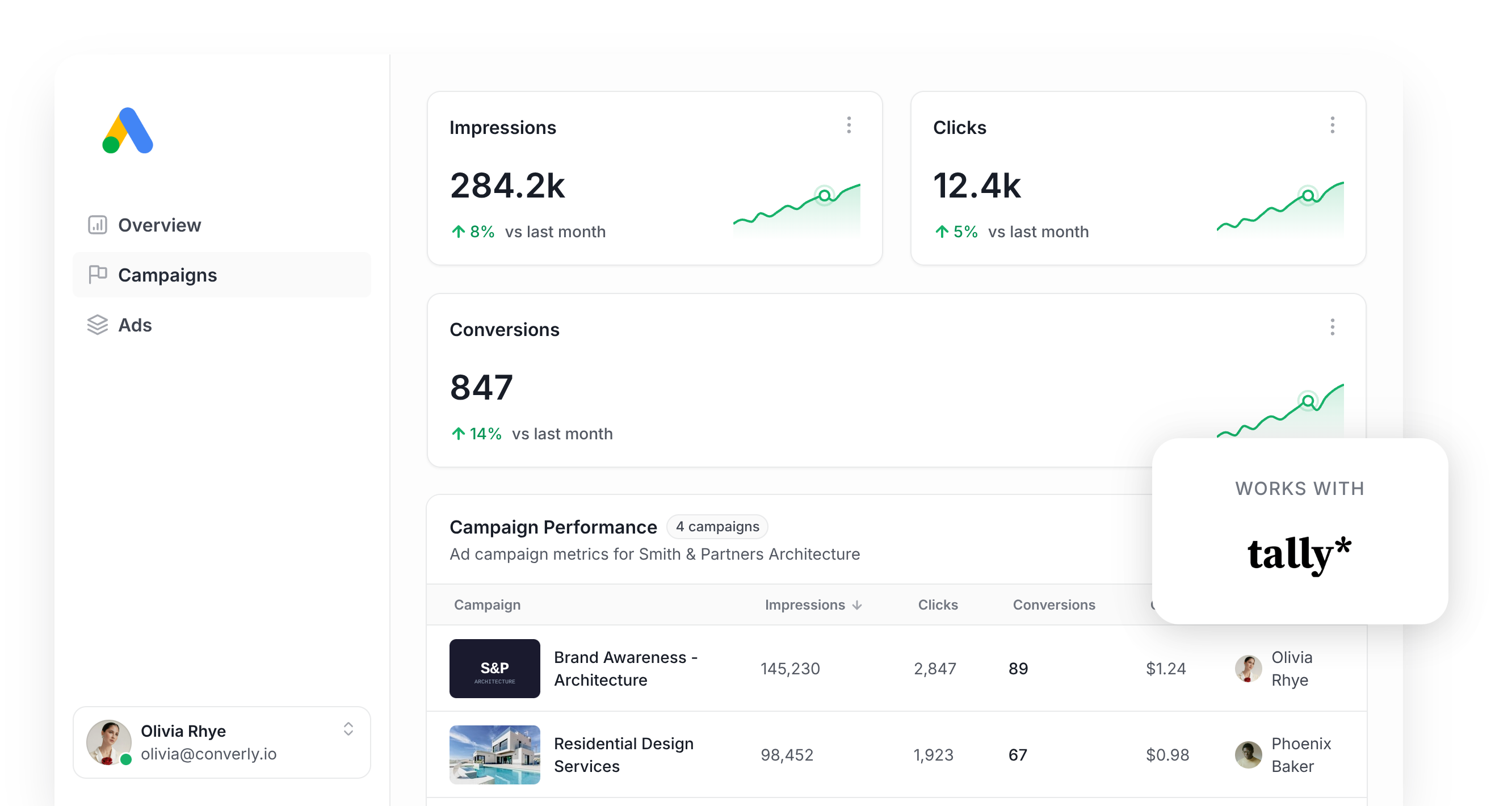
Google Ads can be a powerful channel for finding new leads and customers, but getting conversion tracking set up correctly is where most marketers hit a wall.
Solutions like Google Tag Manager expect you to write custom JavaScript that listens for form submissions, and then you're stuck wiring up triggers, tags, variables, and a long list of other fiddly settings.
Other approaches, like firing a conversion when someone hits a thank you page, are much easier to set up but can miss up to 30% of conversions because of ad blockers, browser privacy features (looking at you, Safari), and people who click your ad on one device but convert on another.
So what's the answer?
In this post, we'll walk you through a new, shockingly simple way to set up server-side conversion tracking in Google Ads whenever someone submits a Tally form on your site.
Why you need to send conversions to Google Ads server-side
Accurate conversion tracking is what makes or breaks your Google Ads results.
Under the hood, Google Ads runs a smart bidding system that weighs thousands of signals (where the user is located, their purchase history, the time of day, and plenty more) to decide whether someone is likely to buy from you. It then bids more aggressively for people who look like a great fit and pulls back on people who don't.
It's a super powerful system that can genuinely increase the number of leads you get, but it only works if you're sending accurate conversion numbers to Google. It needs you to tell it "this person converted, this one didn't" so it can learn what your ideal customer looks like.
The trouble with traditional tactics (like firing a tag on a thank you page or relying on Google Tag Manager) is that they push conversions through the visitor's browser. That approach runs into a few problems:
- Ad Blockers — Ad blockers stop the Google Tag from loading on your site, so if one of your website visitors is using one, none of the user's activity gets recorded (including form submissions).
- Privacy Features in Browsers — Browsers like Safari ship with privacy tech that prevents the Google Tag from tracking visitors beyond a single day, so if someone clicks your ad and converts 3 days later, the conversion can't be matched back to the original ad click.
- Using multiple devices — Plenty of people click an ad on one device (like their work laptop) but eventually convert on another device later on (like their phone or home computer). If you're using browser-based tracking, then there's no way to stitch those two events together as they happened in different browsers on different devices.
This is exactly why server-side tracking matters. Rather than hoping things fire correctly in the browser, you send a direct, private message to Google's servers with all the lead's details (name, email, phone, etc). This give Google the data it needs to track conversions across multiple devices and prevents ad blockers or browser privacy controls from interfering with the data.
The results back this up too. According to Google's own benchmarks, switching to server-side tracking typically delivers a 23% lift in recorded conversions and a 10% drop in cost per conversion, because Google's algorithms now have cleaner data to optimise against.
3 simple steps to send server-side conversions to Google Ads from Tally Forms
Here are 3 quick steps for getting server-side conversion tracking running between Tally Forms and Google Ads.
Step 1: Build your Conversion Flow in Converly
Converly is purpose-built for getting server-side conversions from Tally Forms into Google Ads with minimal effort.
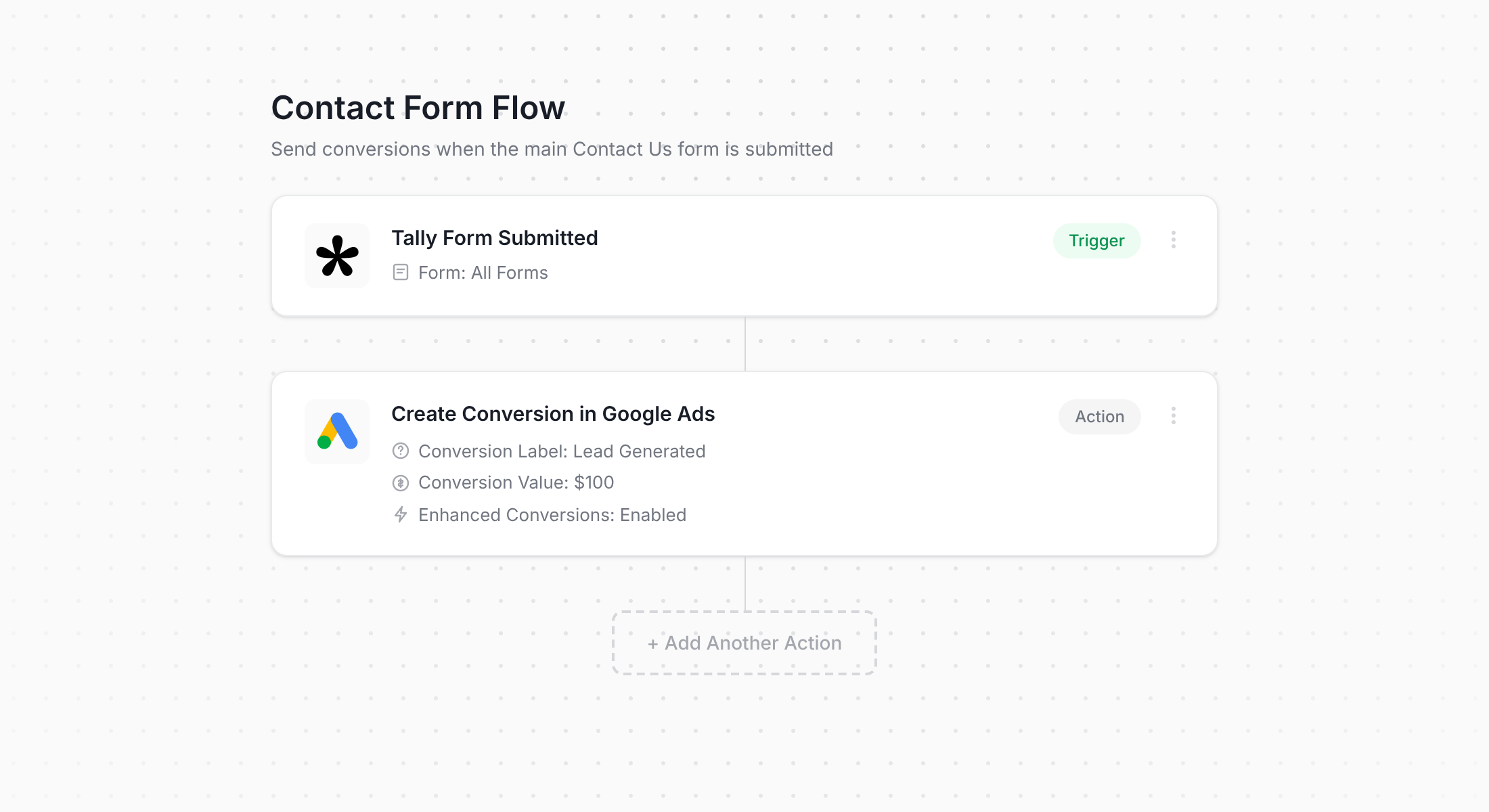
As the screenshot above shows, Converly gives you a simple workflow builder that should feel right at home if you've spent time building automation in tools like Zapier or HubSpot.
You simply choose a trigger (i.e. a Tally form being submitted) and then add the actions you want to run alongside it (such as firing a conversion to Google Ads).
That's really the whole story. A handful of clicks and your server-side conversion tracking for Google Ads is live.
Step 2: Add the Converly code to your website
Once your Conversion Flow is published, Converly provides you a small snippet of code that you need to add to your site.
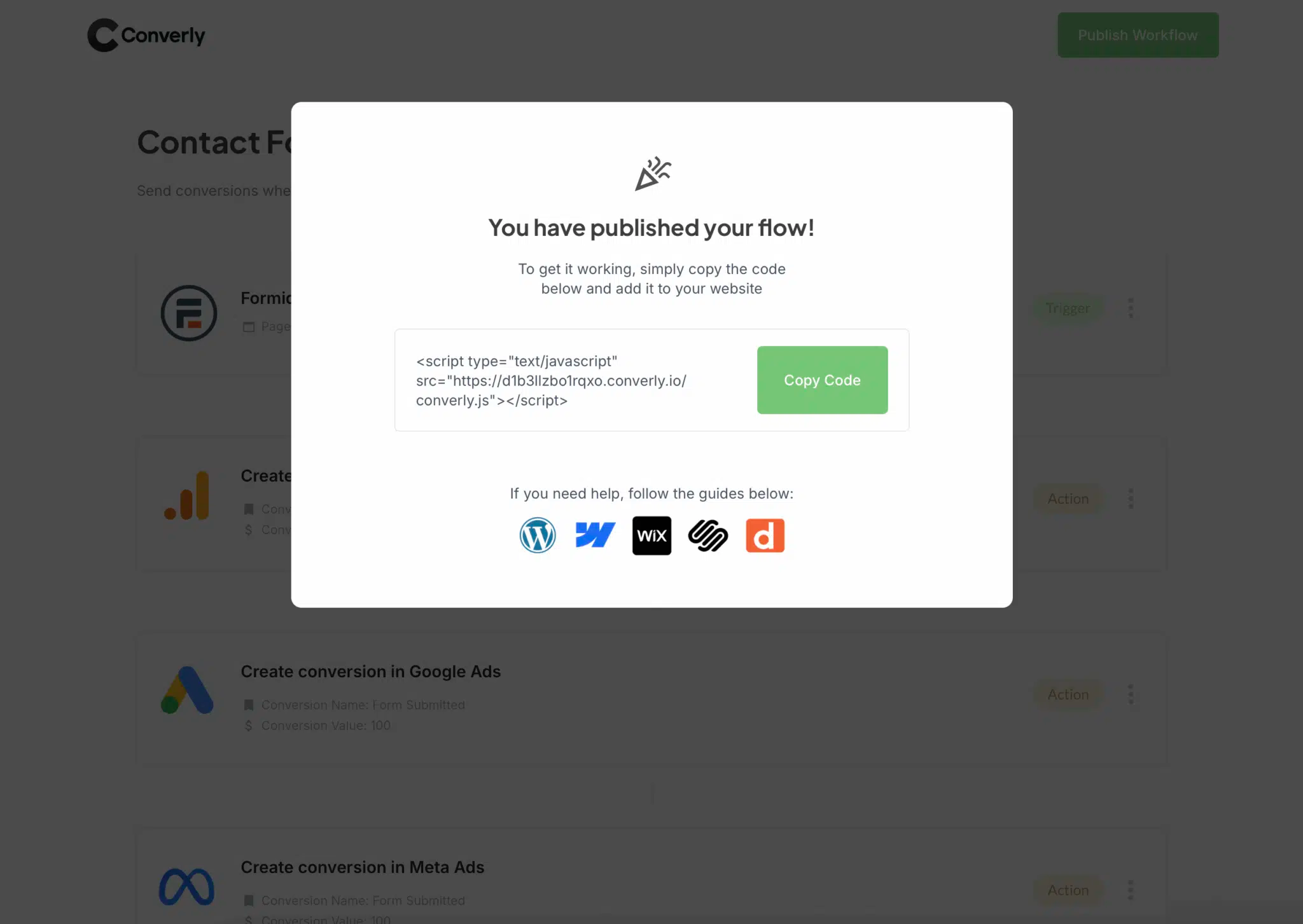
Because Tally forms are usually embedded on your marketing site, you'll want to add the snippet to whichever site hosts the embed. So if you're embedding Tally on a Wix, Webflow or Squarespace site (for example), you should be able to just paste the code into a custom code section in your website settings. WordPress users can also use plugins like Insert Header and Footer Code, or if you've already got Google Tag Manager running, that works as well.
Step 3: Test it works
The final check is to head over to your site and submit the Tally form yourself.
Once done, jump back into Converly, open your Conversion Flow, click the 3 dots menu in the top right, and choose View Logs.
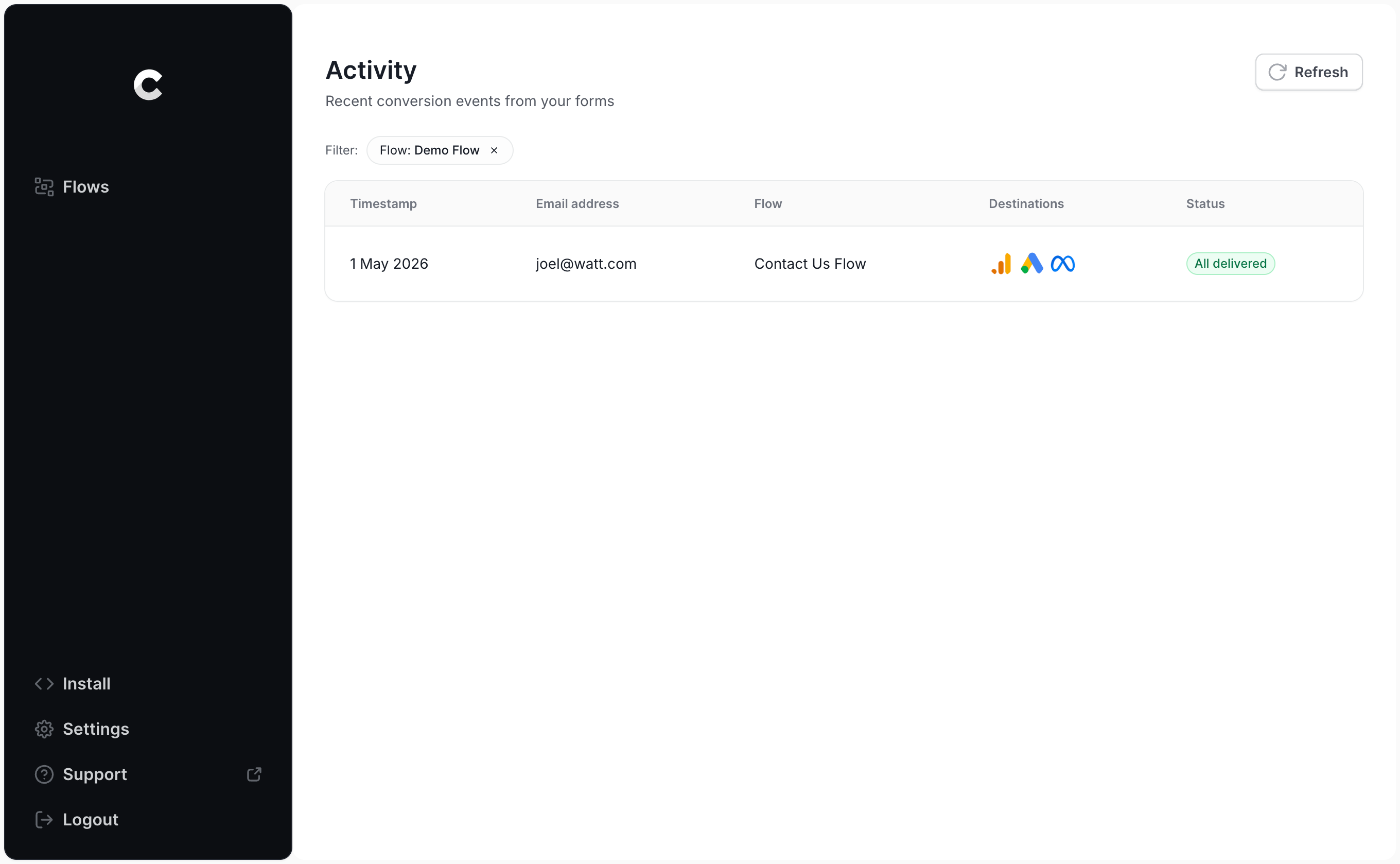
From there, click into your test entry and you'll see all the details, including whether the conversion was successfully delivered to Google Ads.
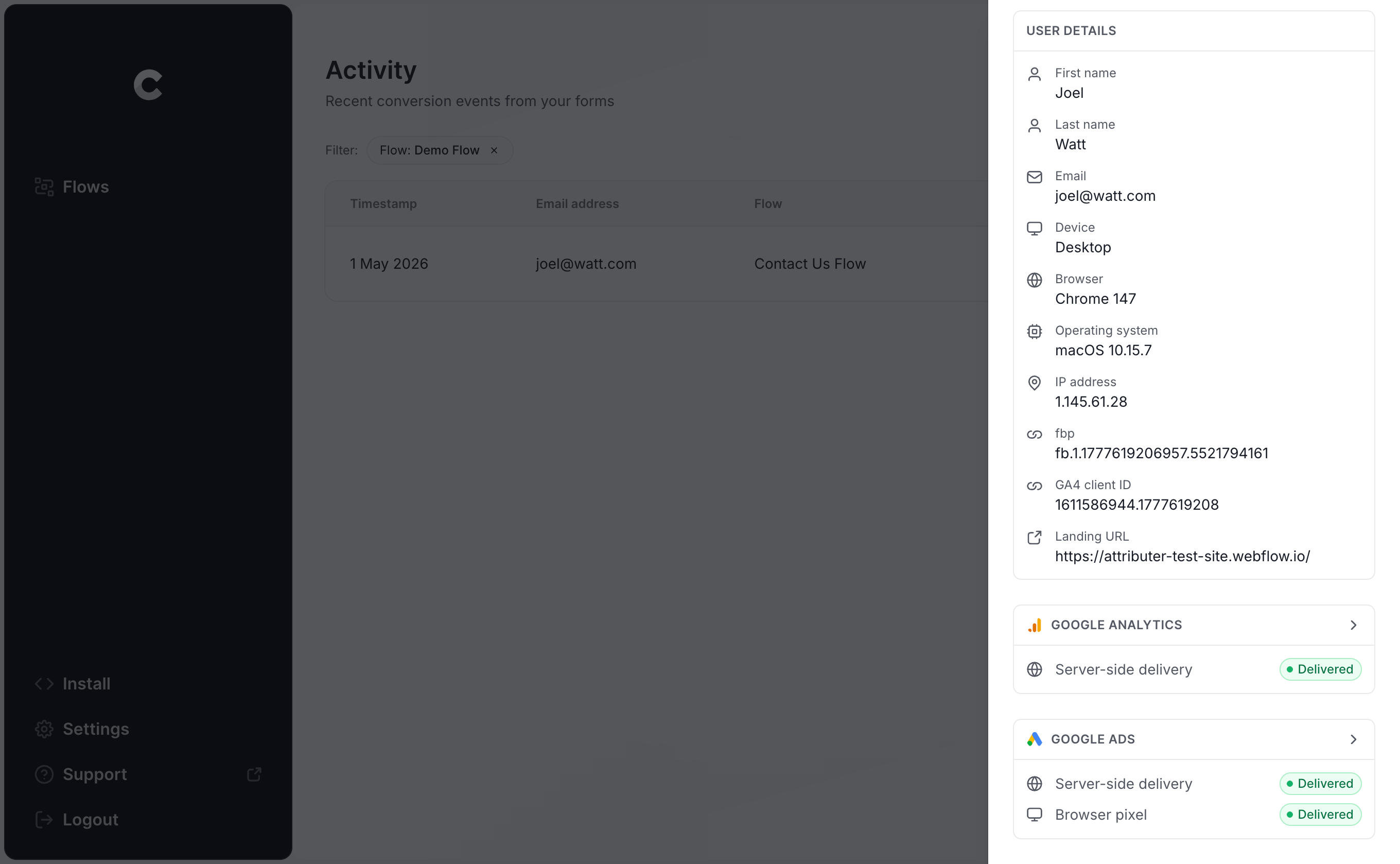
You can dig even deeper to inspect the exact payload that went out to Google Ads, the response that came back, and so on.
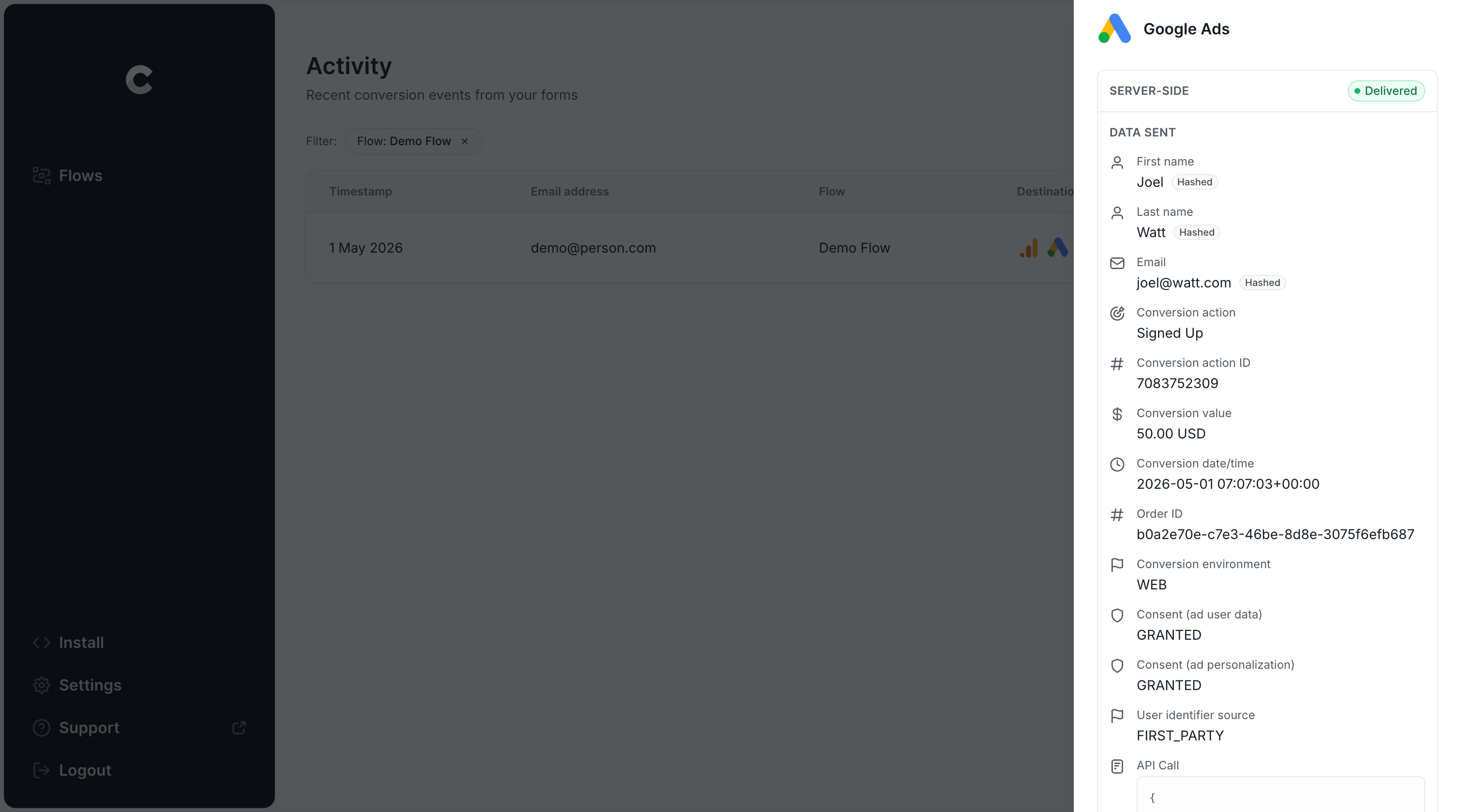
If your test submission shows up in the log and Google Ads accepted it, you've got conversion tracking properly set up!
Why Converly is the best way to send conversions to Google Ads from Tally Forms
There are a few different routes you could take to send conversions to Google Ads when a Tally form gets submitted, so what makes Converly worth choosing? A handful of reasons stand out:
1. Easy to set up
Most people reach for Google Tag Manager first, but the truth is that Tally embeds make GTM significantly harder than it already is. Tally forms typically load inside an iframe, which means form submission events fire inside that iframe and never reach the listeners GTM has set up on the parent page. You can work around it with postMessage events, but that's custom JavaScript you have to write and maintain.
And even if you did do that, you still need to hash the lead's name and email with SHA-256 (Google requires it) and wire up variables, triggers, and tags. Unless you can write custom JavaScript and live and breathe GTM, this is virtually impossible.
Fortunately, Converly handles all of that technically complexity for you. You simply pick your trigger (a Tally form submission on your site) and choose what should happen next (a conversion sent to Google Ads). No custom code, no iframe gymnastics, just straightforward conversion tracking.
2. Not affected by ad blockers and privacy restrictions
If you're leaning on Google Tag Manager (or going basic with thank you page tracking), a meaningful slice of your conversions never make it back to Google because ad blockers and privacy-first browsers stop the Google Tag from loading in the first place.
One study that looked at over 7 million conversions found that tag-based tracking was missing about 30% of conversion. Roughly 5% of that came from ad blockers, while the bigger chunk (around 25%) was driven by browser-level privacy restrictions.
Converly avoids both problems entirely by sending the conversion straight to Google's servers, bypassing ad blockers and privacy restrictions and giving you a much more accurate picture of what's actually happening.
3. Works across devices
It's pretty normal for a lead to discover your site on one device (their phone during their commute, perhaps) and only fill out the form later when they're at a computer.
If your tracking lives in the browser (Google Tag Manager being the obvious example), there's no way to connect those two sessions because they happen on different machines.
Converly, on the other hand, sends identity data like name and email directly to Google's servers, so Google can match the conversion on the computer back to the original ad click on the phone.
The end result is that your campaigns end up getting proper credit for the leads they actually generated.
4. Sends more data
Beyond the lead's name, email, and phone, Converly also pulls in technical signals like the GCLID, IP address, and User Agent and ships those off to Google Ads as well.
That gives Google a much richer profile of the person who converted, which means it's far more likely to be able to tie the conversion back to the original ad click, even one that happened on a different device several weeks ago.
The payoff for you is more accurate conversion tracking and noticeably better data for Google smart bidding algorithms to work with (which ultimately means they can get you more leads at a lower cost).
5. Supports multiple tools and platforms
Converly supports over 100 form builders, scheduling platforms, chat widgets, etc.
And on the destination side, it can ship conversion events to Google Analytics, Google Ads, Meta Ads, LinkedIn Ads, Microsoft Ads, and a long list of other platforms.
So if you ever add a scheduling widget or chat tool to your site, or you start advertising on a new ad network, you won't have to start over. A few clicks inside Converly and your conversion tracking on the new tools is up and running.
6. Gives you a full conversion log and email alerts
Rely on a tool like Google Tag Manager to send your conversions to Google Ads and you have no dependable way of knowing it is still firing. A few tests at setup confirm it works that day, but unless you keep checking, your tracking can break without a sound (a change to the form, a tweak in Google Tag Manager, or an edit inside Google Ads) and you would have no clue.
Converly clears that up for you. You get a full conversion log that shows every conversion that fired, exactly what data Converly captured, what it sent to Google Ads, the response Google Ads sent back, and more.
You can also turn on email notifications. Get an email for every conversion sent to Google Ads, or set them to fire only on a failed send, so the moment your tracking breaks you will know about it.
3 things you can do when you properly send conversions to Google Ads from Tally Forms
Once you've got real, trustworthy conversion data flowing into Google Ads, a whole bunch of new things become possible.
1. Report on conversions by campaign, ad group, keyword, etc.
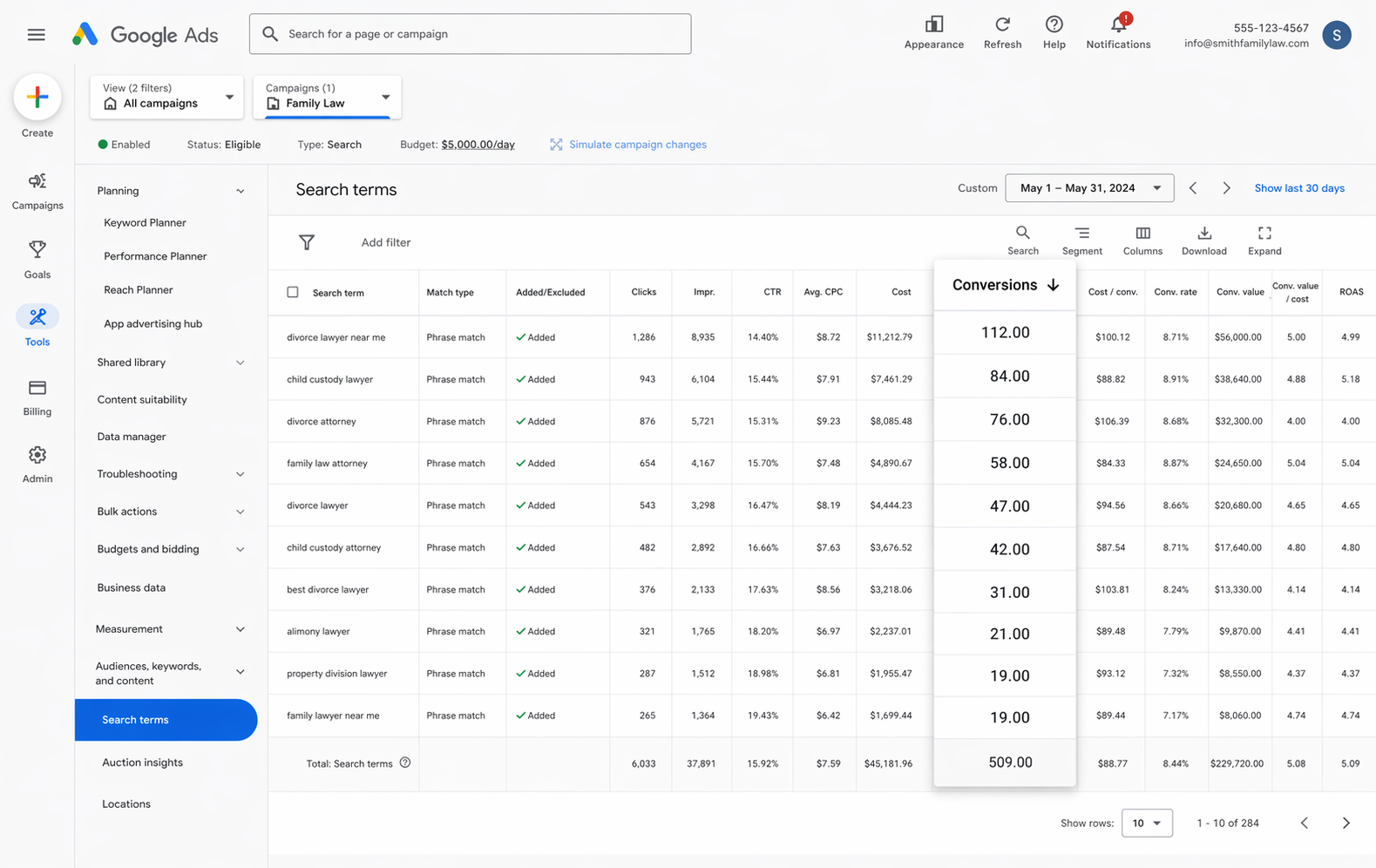
With reliable conversion tracking in place, your Google Ads reports go way beyond the basic impressions and clicks. You'll see conversion counts, conversion rates, cost per conversion, return on ad spend, and quite a bit more.
And you can see all of that data broken down by campaign, ad group, keyword, individual ad, country, and so on.
It's a much richer view into how your Google Ads are actually performing and where your biggest opportunities to grow are.
2. Use Google's Smart Bidding technology
Instead of manual bidding where you say something like "I'll pay $3 per click", Google's smart bidding lets you specify the outcome you care about (say, $45 per conversion) and Google handles the auction bids on your behalf.
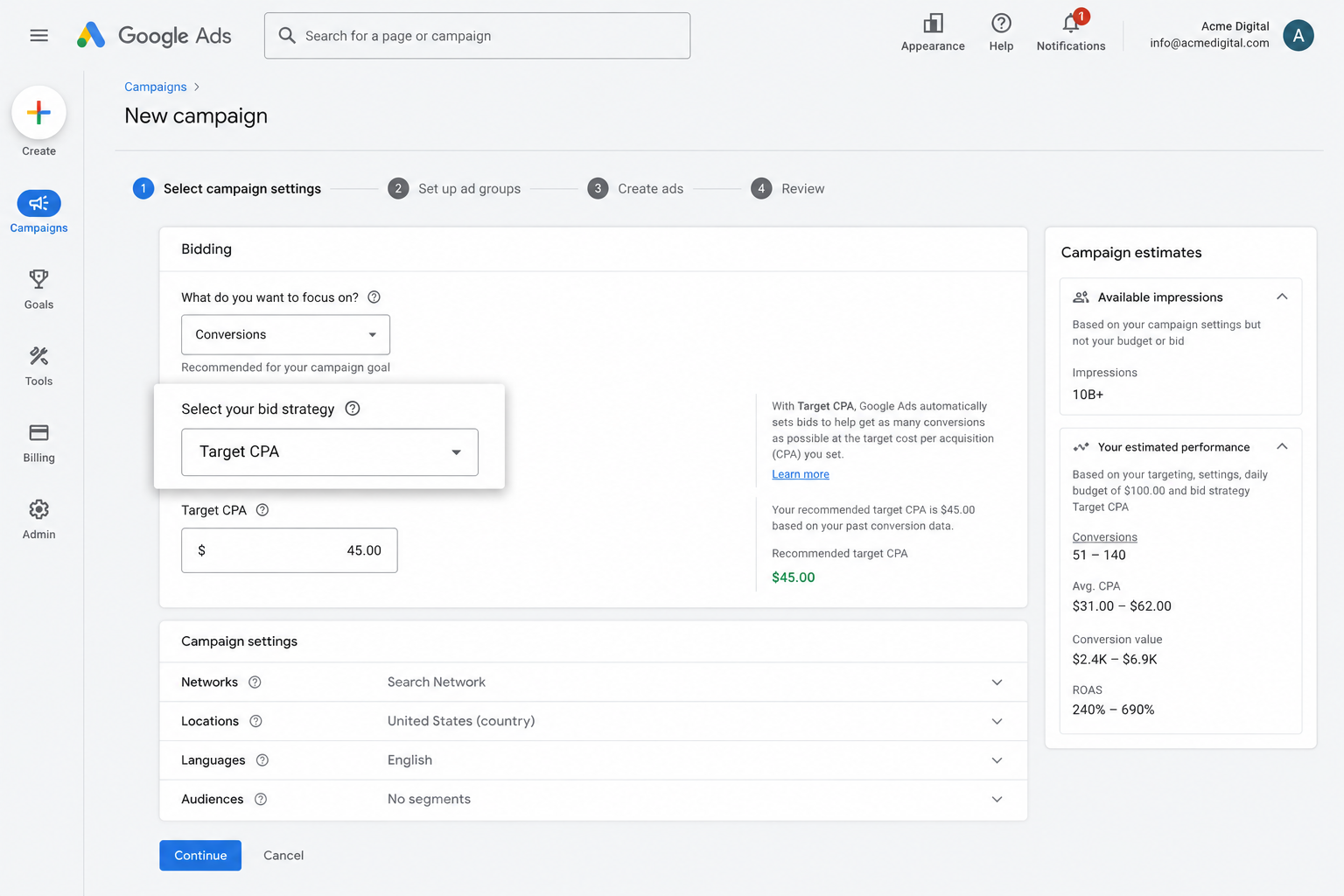
Behind the scenes, Google considers everything it knows about the searcher (age, location, device, purchase history, and so on) and decides whether to bid aggressively or hold back based on how likely they are to convert.
It's a super powerful system, but it only works if you have accurate conversion tracking. Without it, Google doesn't know what an ideal customer looks like for your business, so it ends up bidding too high on the wrong audiences and burning your budget.
By using Converly to implement server-side conversion tracking, you give Google's smart bidding the data it needs to deliver more leads at a lower cost.
3. Retarget people who visited your site but didn't convert
With accurate conversion data flowing in, you can also build remarketing lists of visitors who landed on your site but didn't go on to complete a form and convert.
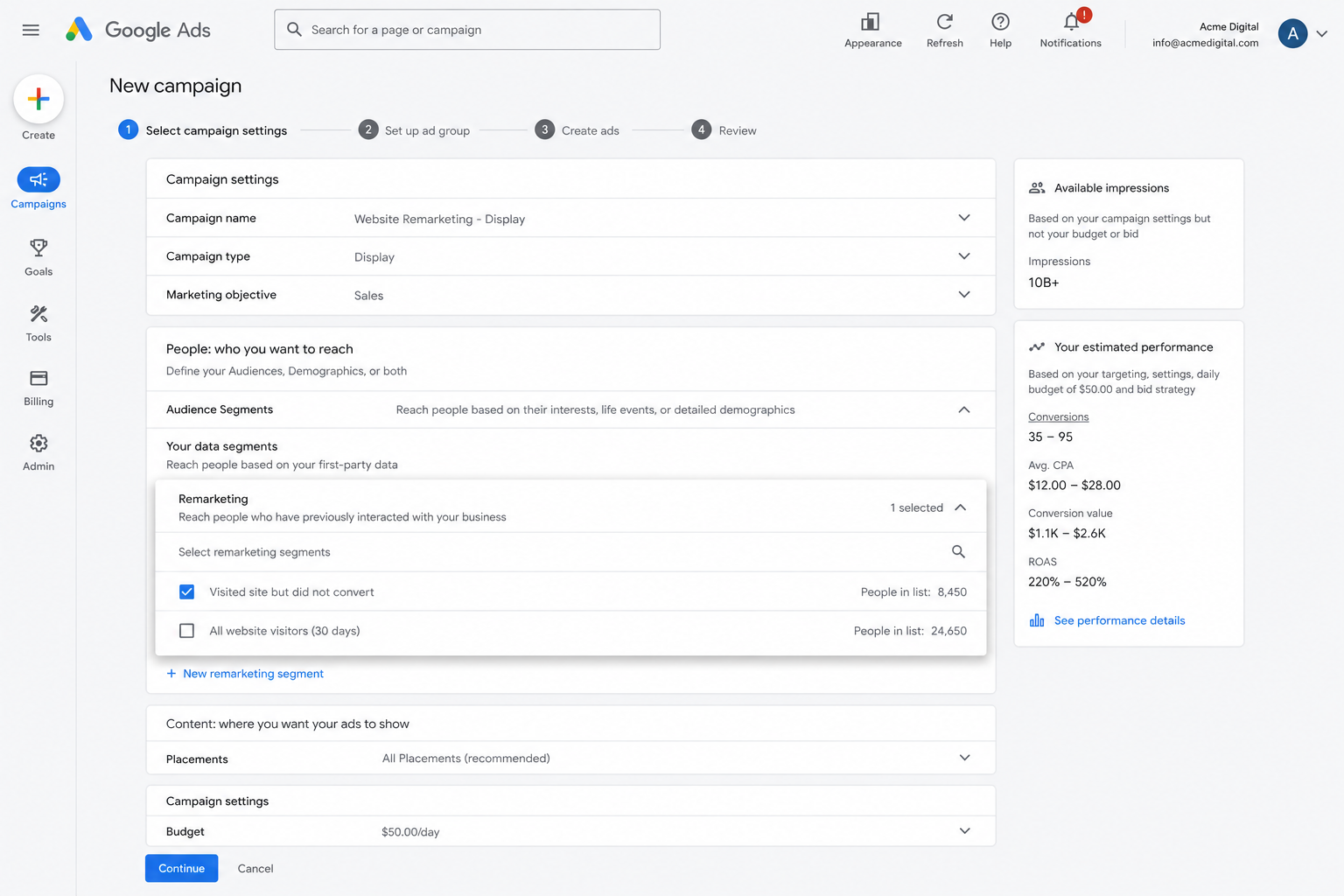
You can then go after those people through several different channels, including:
- Search — You can bid higher (or lower) for these visitors the next time they search your keywords.
- Display — You can serve display ads to them as they browse the web, keeping your brand front and centre.
- YouTube — You can run YouTube ads aimed only at this group, so they keep seeing your message inside YouTube.
Wrap Up
If your goal is to send a conversion to Google Ads every time a Tally form gets submitted on your site, Converly is a really clean way to make it happen.
It sends conversions directly to Google's servers so ad blockers and privacy-focused browsers can't get in the way, and it sends a ton of information about each lead (name, email, phone, IP address, Google Click ID, User Agent, and more) so Google has the best possible shot at matching the conversion back to the original ad click (even if they happened on different devices weeks apart).
The best part? It only takes a few minutes to set up and comes with a 14-day free trial, so give it a spin today!
About the author

Aaron is the founder of Converly. With over 15 years of experience in digital marketing and SaaS, he's passionate about helping businesses track and optimise their ad conversions.