


Track Pipedrive form submissions as conversions in Google Ads
Learn how to send server-side conversions to Google Ads whenever someone submits a Pipedrive form on your website. No code required!
Are you struggling to set up proper conversion tracking in Google Ads when someone submits a Pipedrive form on your site?
You could go the Google Tag Manager route, but you'll find yourself writing custom code to detect form submissions, then configuring triggers, tags, variables, and a long list of other fiddly settings.
There are easier methods, like counting thank you page visits for example, but they can miss as much as 30% of your conversions thanks to ad blockers, privacy protections built into browsers like Safari, and people who click your ad on their phone but only convert later from their laptop.
So what should you do instead?
In this guide, we'll walk you through a better approach. You'll learn how to reliably send a conversion to Google Ads every time somebody submits a Pipedrive form on your website, using a technique called server-side tracking.
Why you need to send conversions to Google Ads server-side
Everything that performs well in Google Ads requires accurate conversion tracking to work.
Google's Smart Bidding technologies (like Maximize Conversions, Target CPA, etc.) evaluate hundreds of signals about every searcher (their location, their purchase history, the time of day, and much more) to estimate how likely they are to convert. Based on that estimate, Google then bids higher or lower in each ad auction.
It's a super powerful way to get more leads at a lower cost, but none of it works unless Google can see who converted and who didn't. If your conversion tracking isn't accurate, then Google can't learn what an ideal lead looks like for you and will end up bidding higher for the wrong people.
The problem is that most tracking methods (such as counting thank you page visits or using Google Tag Manager) send conversions to Google via the visitor's browser. And the browser is an unreliable messenger for a few reasons:
- Ad blockers. If a visitor has an ad blocker installed, the Google Tag never loads, and nothing they do on your site gets tracked.
- Browser privacy features. Safari and similar browsers restrict how long the Google Tag can remember a visitor, sometimes to just 24 hours. Someone who clicks your ad on Monday and submits your form on Thursday looks like a brand new visitor, so the conversion never gets linked back to the ad.
- Multiple devices. Plenty of leads click your ad on one device and convert on another, like clicking on a work computer and submitting the form later from a phone. The browser has no way to connect those 2 sessions.
Server-side tracking gets around every one of these problems. Instead of routing the conversion through the visitor's browser and just hoping it works, you send the lead's details directly to Google's servers in a private message. The browser is never involved, so ad blockers and privacy settings have nothing to block.
The impact is significant too. According to Google's own numbers, businesses that adopt server-side tracking record around 23% more conversions and see cost per conversion drop by about 10%. The improved data quality means Google's algorithms learn faster who your ideal customers are and get better at putting your ads in front of them.
3 simple steps to send server-side conversions to Google Ads from Pipedrive
Connecting Pipedrive and Google Ads with server-side conversion tracking takes just 3 steps.
Step 1: Build your Conversion Flow in Converly
Converly exists to make sending server-side conversions from Pipedrive to Google Ads as simple as possible.
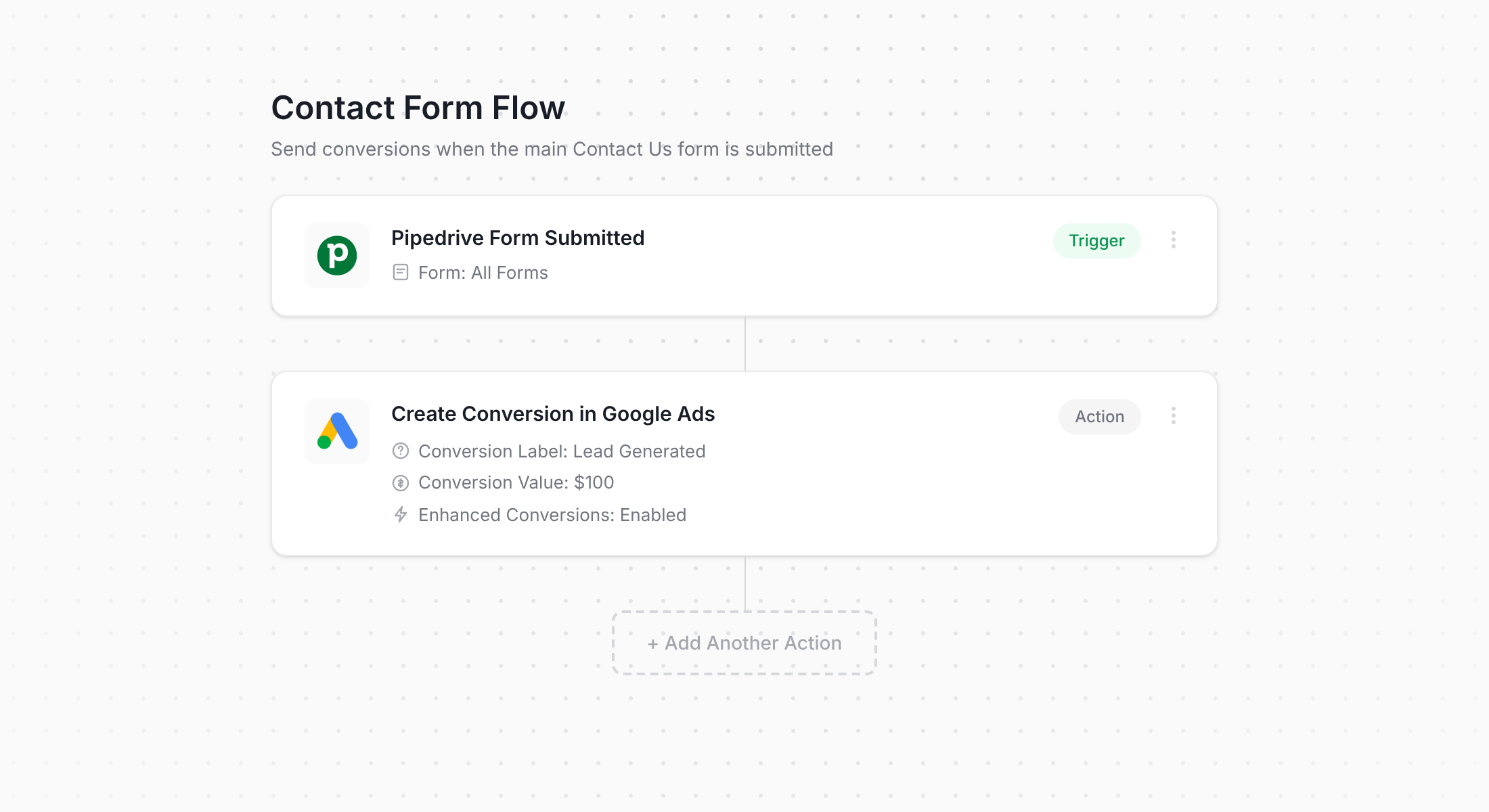
The screenshot above shows Converly's conversion flow builder. If you've spent any time in Zapier, or used Pipedrive's own workflow automations, you'll feel right at home.
First, you pick a trigger (like when somebody submits one of your Pipedrive forms) and then you pick what happens next, like sending a conversion through to Google Ads.
And that's the entire setup. A few clicks and your server-side conversion tracking is up and running.
Step 2: Add the Converly code to your website
Once your Conversion Flow is built and published, Converly gives you a small snippet of code to add to your website.
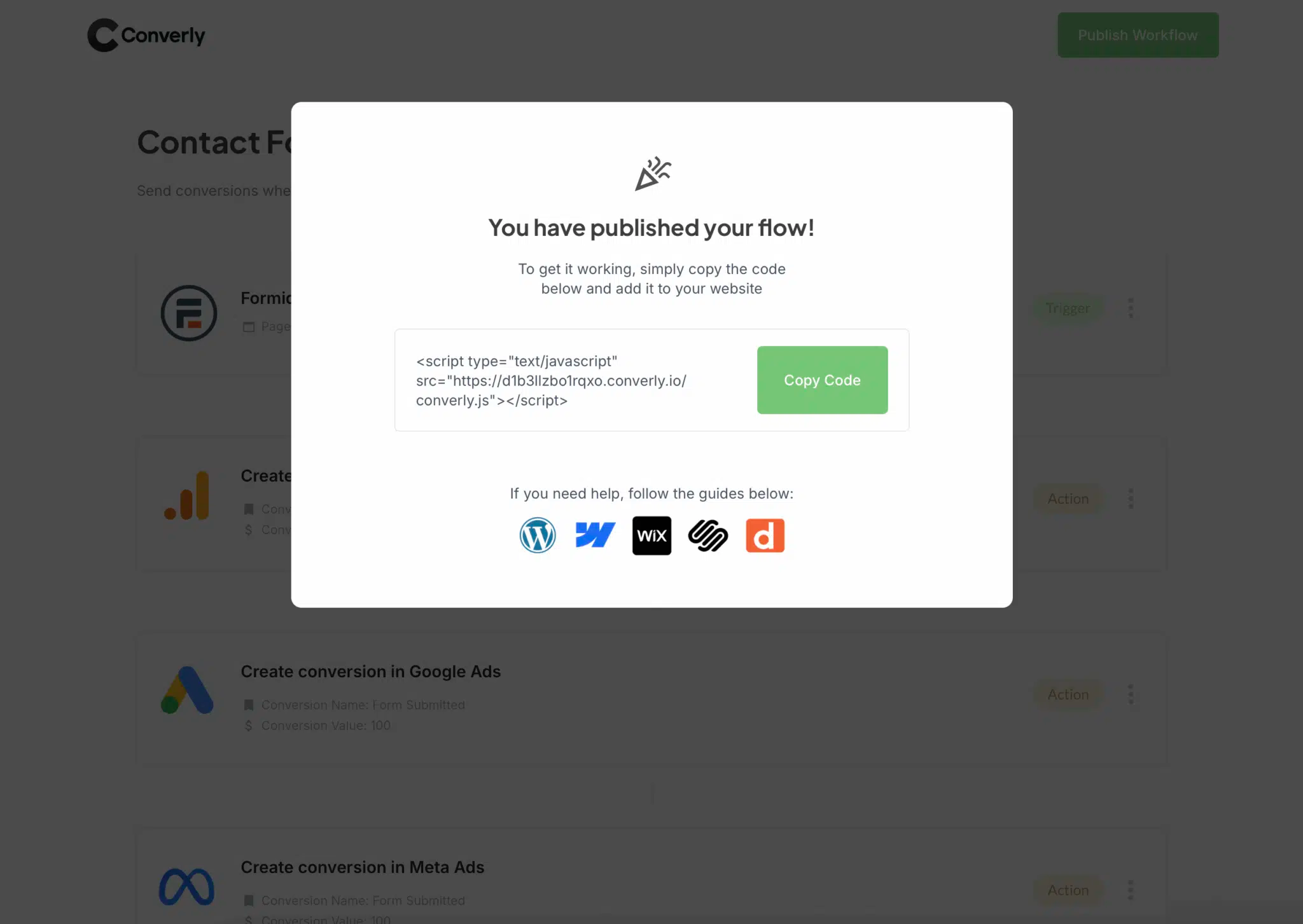
Exactly where you put it depends on which website builder you use, but it's rarely difficult. WordPress users can drop it into the Header or Custom Code area of their theme settings, or use a lightweight header/footer plugin. Platforms like Wix, Squarespace and Webflow all have a Custom Code section that does the same job.
Step 3: Test it works
The final step is confirming everything is connected properly. Head to your website and submit one of your Pipedrive forms as a test.
Now go back to your Conversion Flow, click the 3 dots menu in the top right corner, and select View Logs.
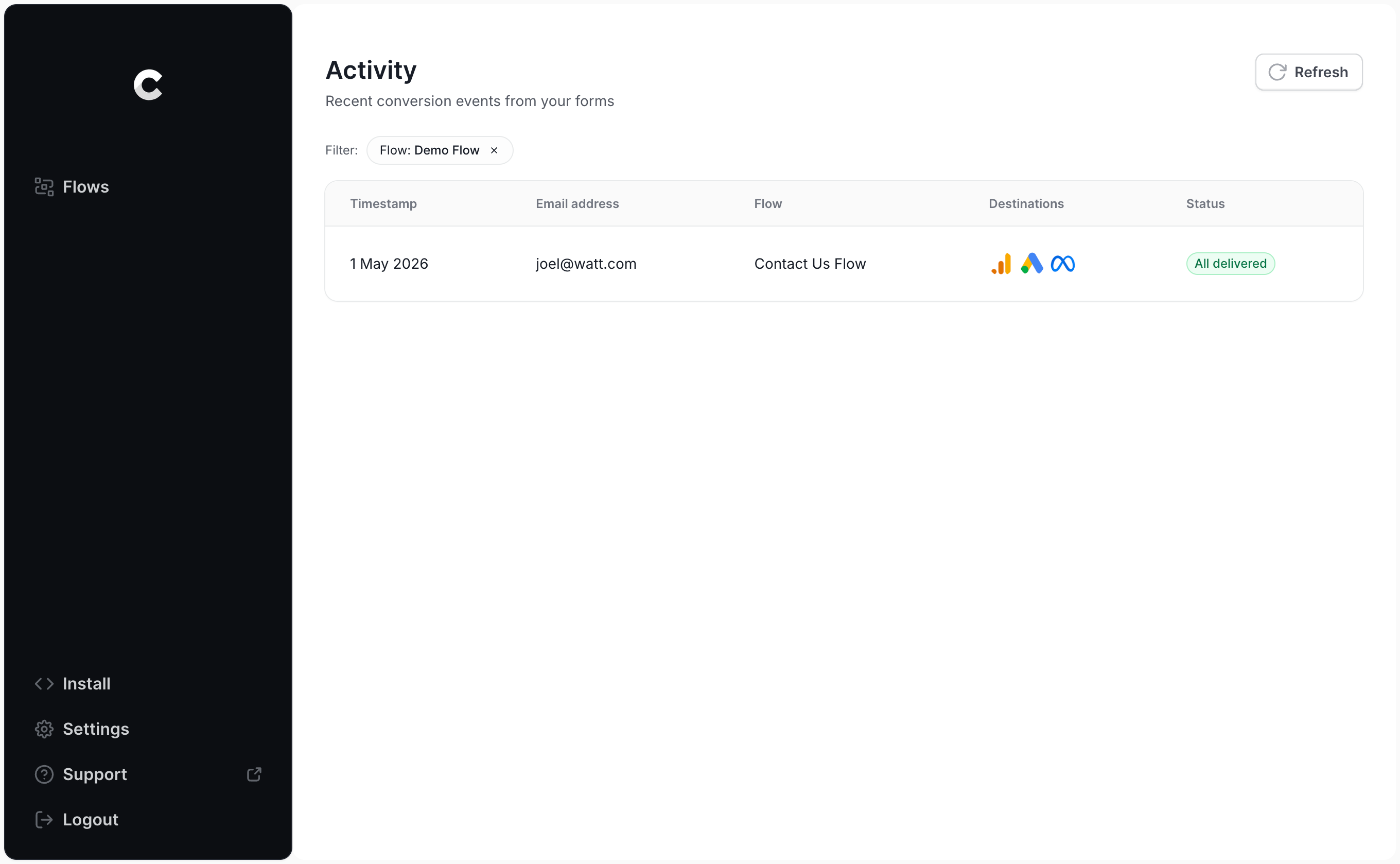
You'll see your test submission listed on the logs page. Click into it, and you can review everything about that entry, including whether it was successfully delivered to Google Ads.
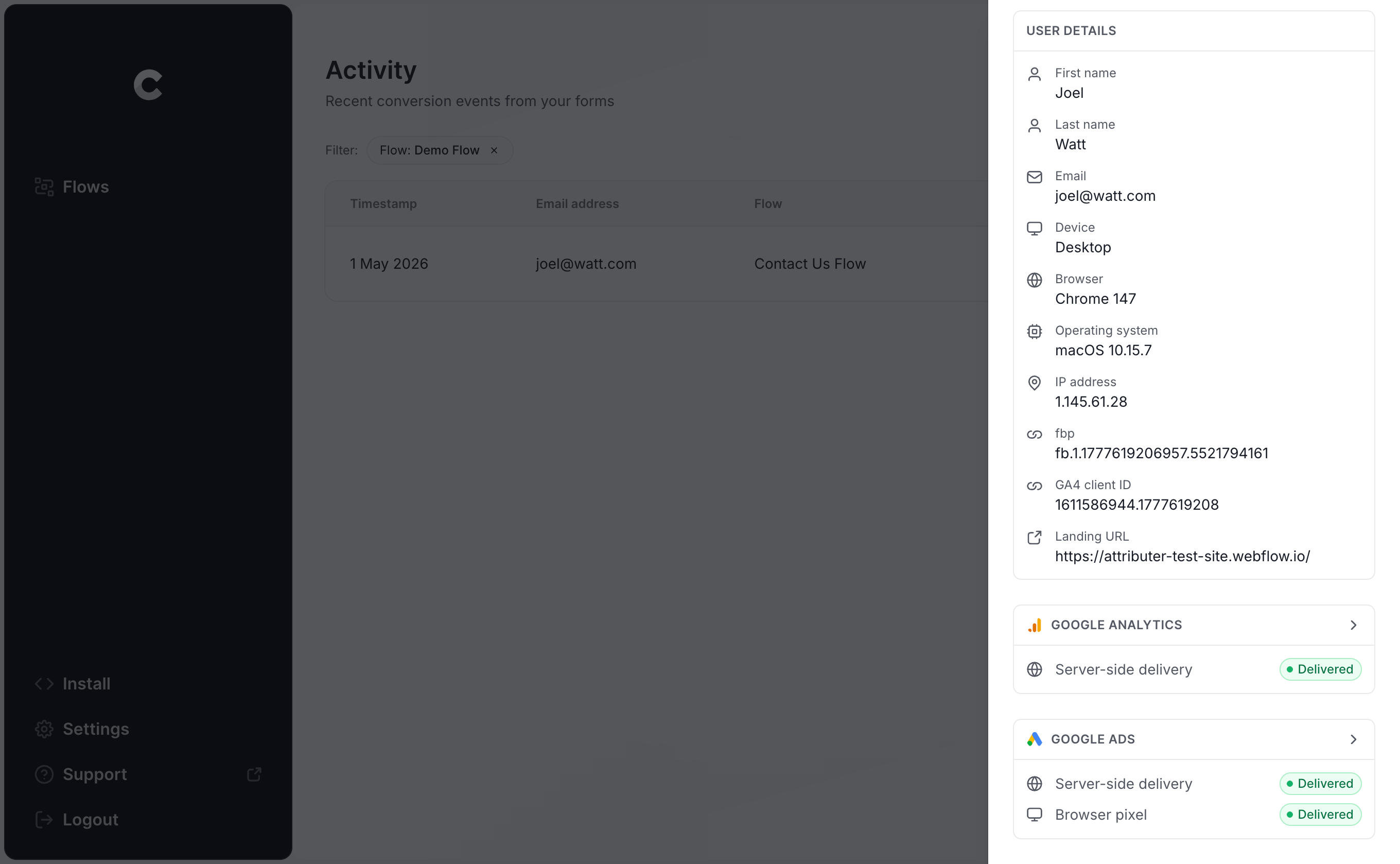
And if you want the full picture, keep clicking through. You can see the exact information that went to Google Ads, the response that came back from Google's servers, and more.
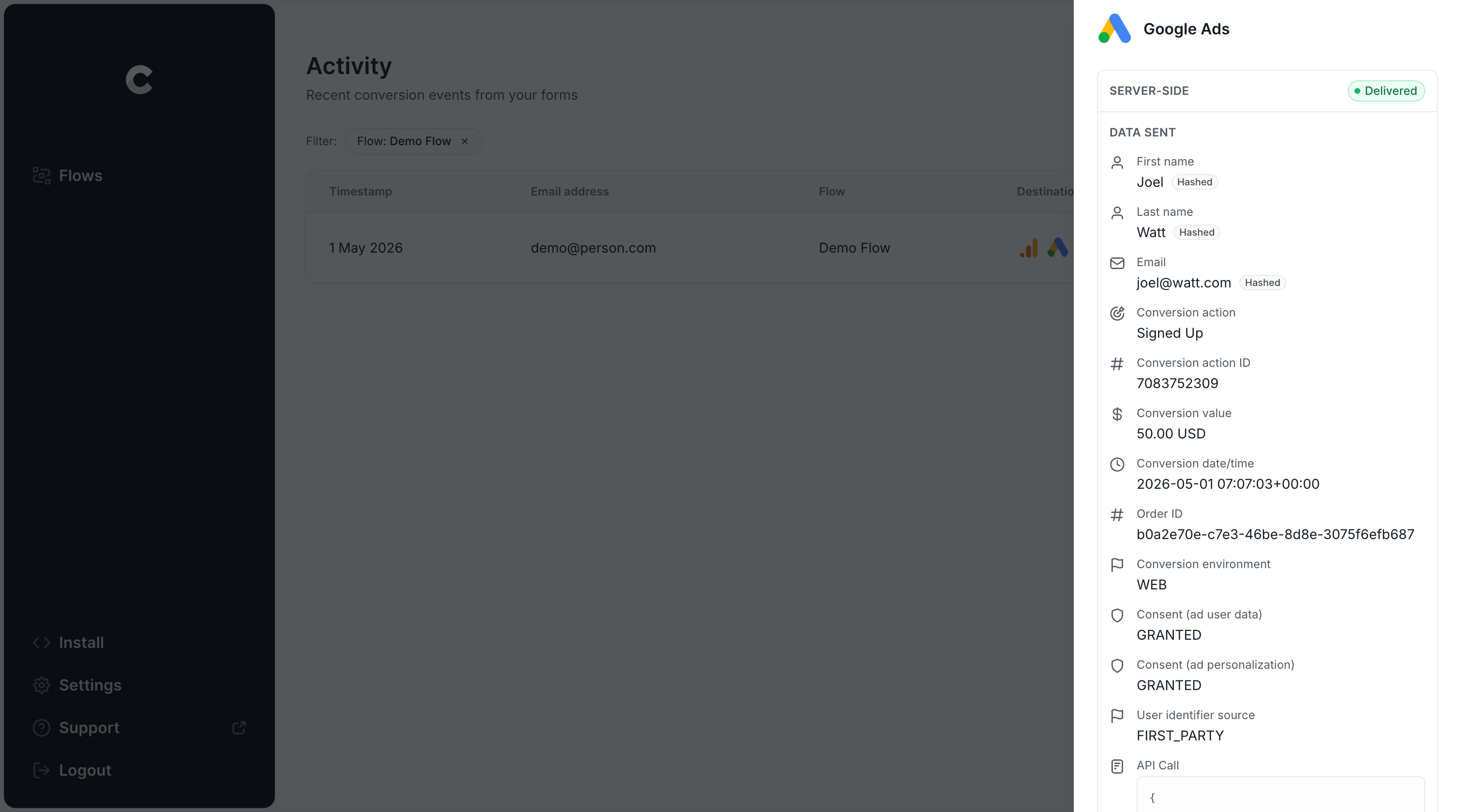
Once your test entry appears in the log with a successful send to Google Ads, you're done! Most people get through this whole setup in under 5 minutes.
Why Converly is the best way to send conversions to Google Ads from Pipedrive
There's more than one way to get a conversion into Google Ads when somebody submits a Pipedrive form, so what makes Converly the right choice? Here's what sets it apart:
1. Easy to set up
The standard approach is to use Google Tag Manager to fire conversions into Google Ads. In practice, that means writing custom code to detect the form submission, extracting the lead's name and email into the DataLayer, figuring out SHA-256 hashing (Google requires personal data to be hashed), and then building out all the variables, triggers and tags to pass everything through.
For anyone who doesn't spend their days inside Google Tag Manager, that's a serious time sink.
Converly is much simpler. You pick a trigger (a Pipedrive form being submitted) and the outcome you want (a conversion in Google Ads). There's no code, no complicated configuration, just tracking that works.
2. Not affected by ad blockers and privacy restrictions
With Google Tag Manager (or something as basic as counting thank you page visits), a meaningful share of your conversions never make it to Google.
This is because ad blockers and privacy-focused browsers stop the Google Tag from loading, which means it can't track anything that visitor does on your site.
A study covering more than 7 million conversions put the loss from tag-based tracking at roughly 30%. About 5% of that came from ad blockers, while the remaining 25% or so was caused by privacy protections inside the browser itself.
Converly sidesteps the entire problem by delivering conversions directly to Google's servers. Because the browser isn't involved, ad blockers and privacy settings can't interfere, and your conversion numbers end up much closer to the truth.
3. Works across devices
People rarely stick to one device. A lead might tap your ad on their phone during their commute, browse for a bit, and then wait until they're back at a computer to fill out your Pipedrive form.
Browser-based tracking (like using Google Tag Manager) sees those 2 visits as 2 completely different people, because they happened in different browsers on different devices.
Converly solves this by passing identity details like name and email straight to Google's servers. That gives Google what it needs to link the conversion back to the original ad click on the phone, so your campaigns finally get credit for the leads they actually generated.
4. Sends more data
To maximize the odds of Google matching each conversion to the original ad click, Converly sends a rich set of data with every conversion. Alongside the lead's name, email and phone number, it also captures technical signals like the GCLID, IP address and User Agent, and delivers all of it to Google Ads.
The more Google knows about each converted lead, the better it gets at connecting that conversion back to the original ad click, even when the click happened weeks earlier on a different device.
The result for you is cleaner tracking and stronger data for Google's Smart Bidding algorithms to optimize against.
5. Supports multiple tools and platforms
Converly integrates with over 100 form builders, scheduling tools, chat widgets and more, and it can deliver conversion events to Google Analytics, Google Ads, Meta Ads, LinkedIn Ads, Microsoft Ads and a long list of other platforms.
That means adding a new tool to your site (say, a Calendly booking widget) or expanding to a new ad channel like Meta or LinkedIn never requires starting over. It's a few clicks in Converly and your tracking is live.
6. Gives you a full conversion log and email alerts
One of the biggest weaknesses of a Google Tag Manager setup is that you can't easily tell whether it's still working. You test it once when you build it, but from that point on it can silently break (a form gets edited, a tag gets changed, a setting in Google Ads gets tweaked) and nothing warns you.
Converly fixes that with a complete conversion log. You can see every conversion that happened, what data Converly captured, what data was sent to Google Ads, whether it was successfully received, etc.
On top of that, there are email notifications. You can get an email for every conversion sent to Google Ads, or only when a send fails, meaning you'll know the moment your tracking has a problem.
3 things you can do when you properly send conversions to Google Ads from Pipedrive
With accurate conversion data flowing into Google Ads, you unlock a set of capabilities that simply weren't available before.
1. Report on conversions by campaign, ad group, keyword, etc.
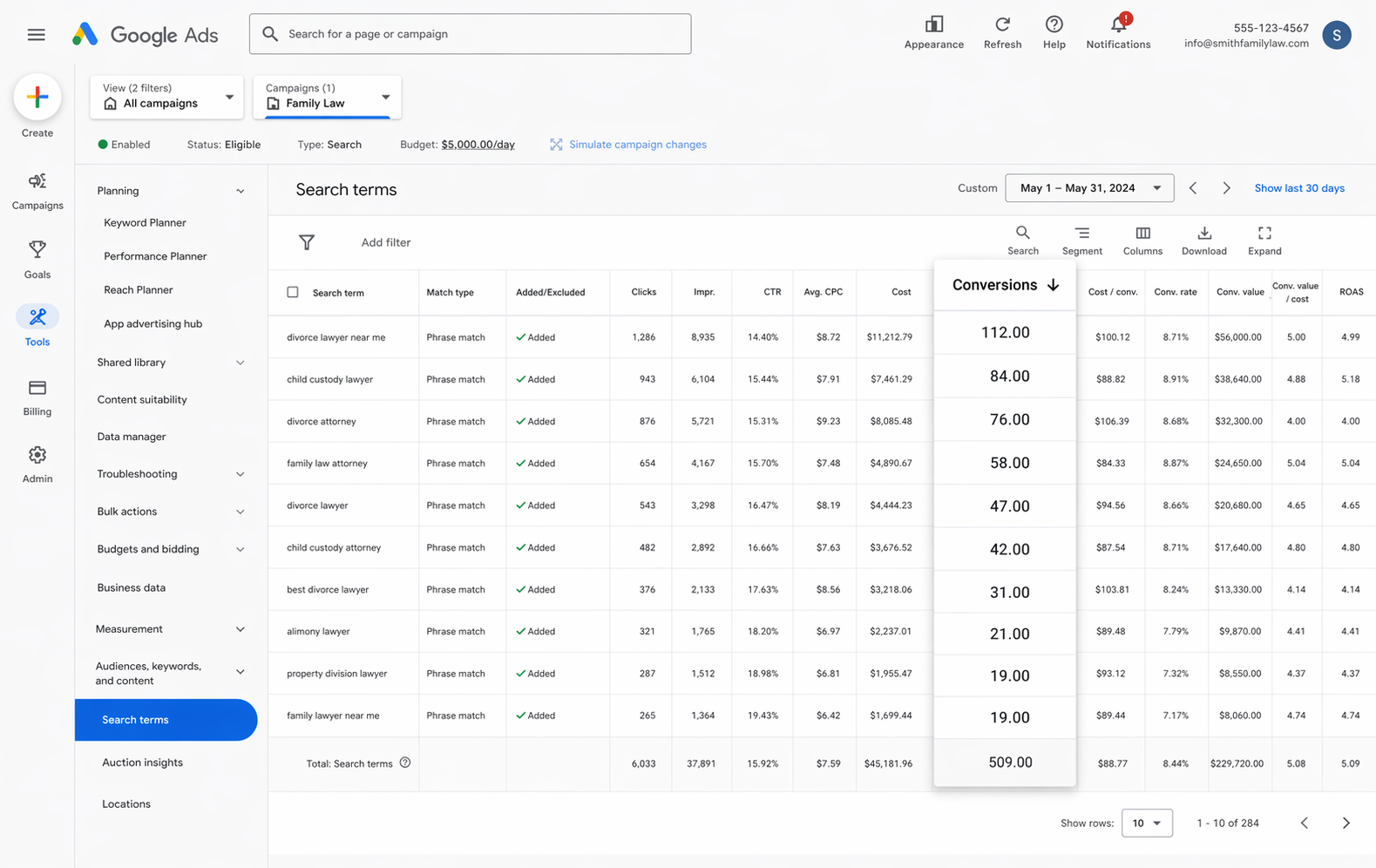
Once tracking is in place, Google Ads starts showing you what matters (conversions, conversion rate, cost per conversion, return on ad spend and more).
You can also break those metrics down by campaign, ad group, keyword, individual ad, geography and more, so it's easy to spot what's performing and what's burning budget.
With that level of visibility, you know exactly which campaigns are working and which ones aren't, and where your biggest opportunities to get more leads are.
2. Use Google's Smart Bidding technology
Manual bidding is essentially you telling Google "I'll pay $3 per click" and leaving it at that. Smart bidding works differently. You give Google the outcome you're after, maybe $45 per conversion, and it handles the bidding in every auction on your behalf.
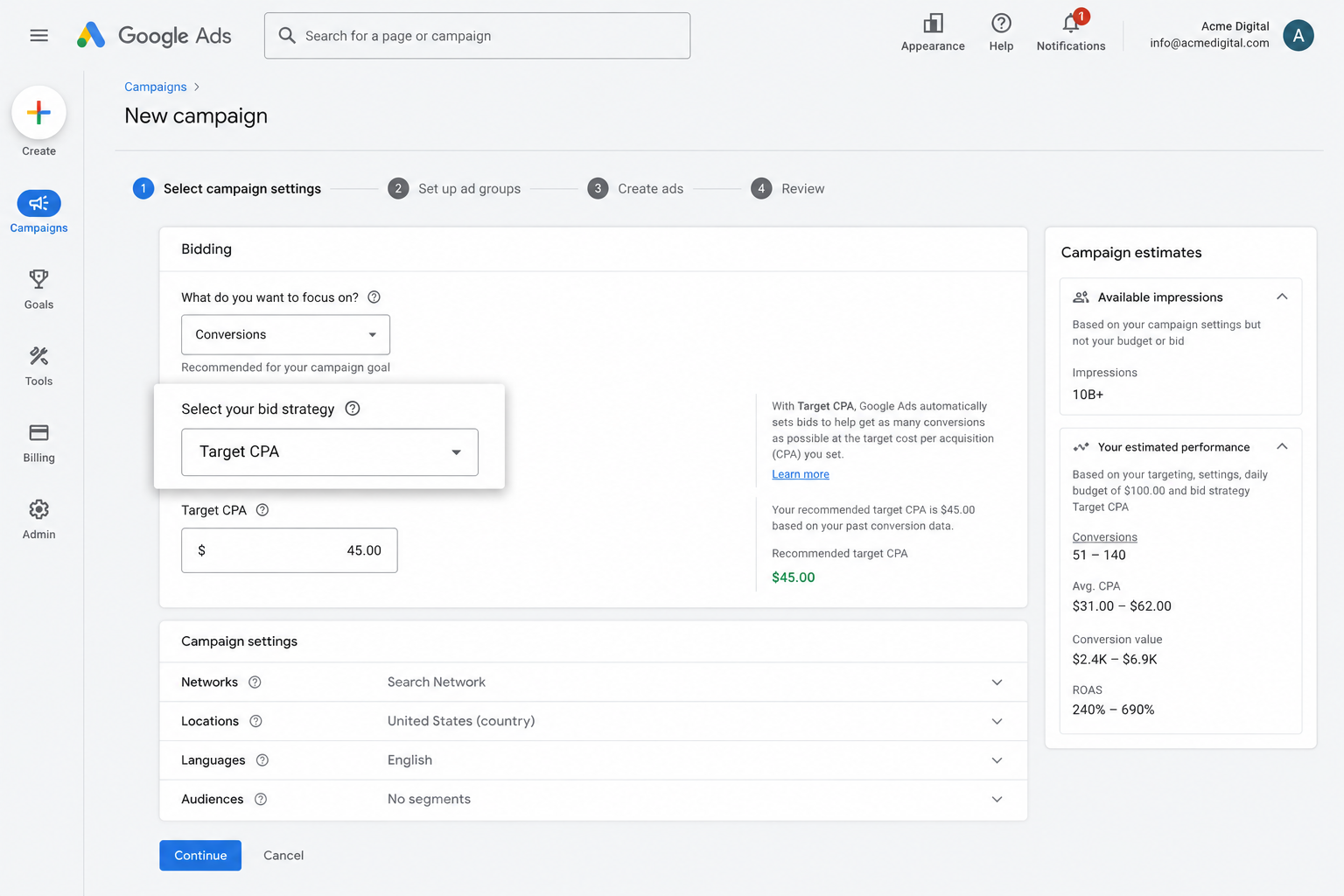
Behind the scenes, Google weighs up everything it knows about each searcher (their age, location, device, purchase history and so on) and bids more or less depending on how likely that person is to convert.
It's proven to get more leads at a lower cost, but only when it's fed good conversion data. Without it, Google has no idea what a valuable searcher looks like for your business, so it bids hard on the wrong clicks and your budget disappears with little to show for it.
Accurate server-side tracking through Converly gives smart bidding exactly the fuel it needs to bring in more leads for less.
3. Retarget people who visited your site but didn't convert
Sending accurate conversion data to Google Ads also unlocks remarketing lists, which let you re-engage the visitors who left your site without converting.
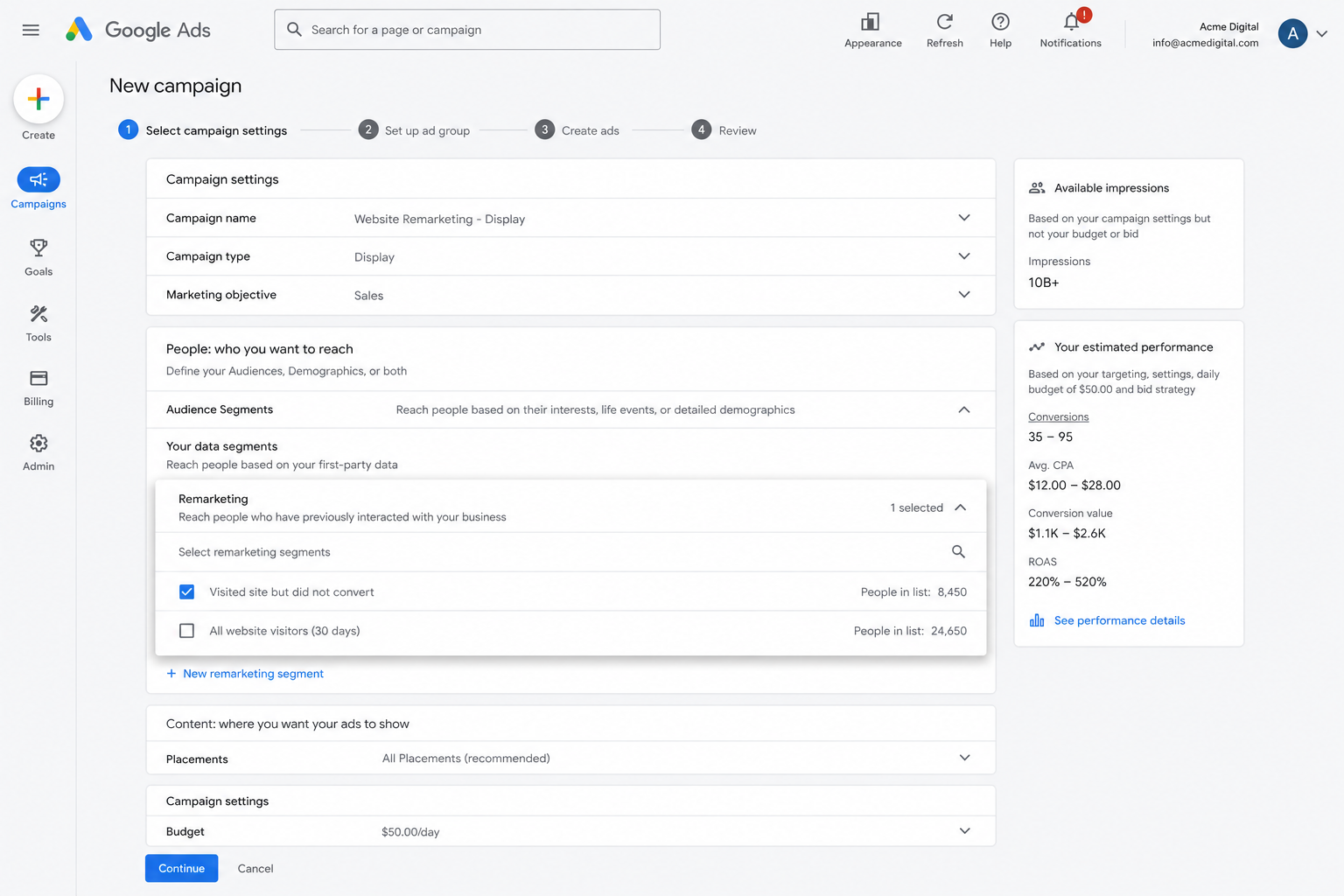
There are a few different ways to put those lists to work:
- Search. Adjust your bids up (or down) for these visitors the next time they search for your keywords.
- Display. Serve display ads across the Google Display Network exclusively to this audience, keeping your brand visible as they browse the web.
- YouTube. Target this group with YouTube ads so your brand stays front of mind while they watch.
Wrap Up
If you want a conversion recorded in Google Ads every time somebody submits a Pipedrive form on your website, Converly makes it genuinely simple.
Conversions are delivered straight to Google's servers (so ad blockers and privacy-focused browsers can't interfere), and detailed information about each lead (name, email, phone, GCLID, IP address, User Agent and more) is sent along with each conversion, giving Google everything it needs to reliably match the conversion back to the original ad click.
Setup takes only a few minutes and there's a 14-day free trial, so give it a go today!
About the author

Aaron is the founder of Converly. With over 15 years of experience in digital marketing and SaaS, he's passionate about helping businesses track and optimise their ad conversions.