


Track Jotform submissions as conversions in Google Ads
Learn how to send server-side conversions to Google Ads whenever someone submits a Jotform on your website. No code required!
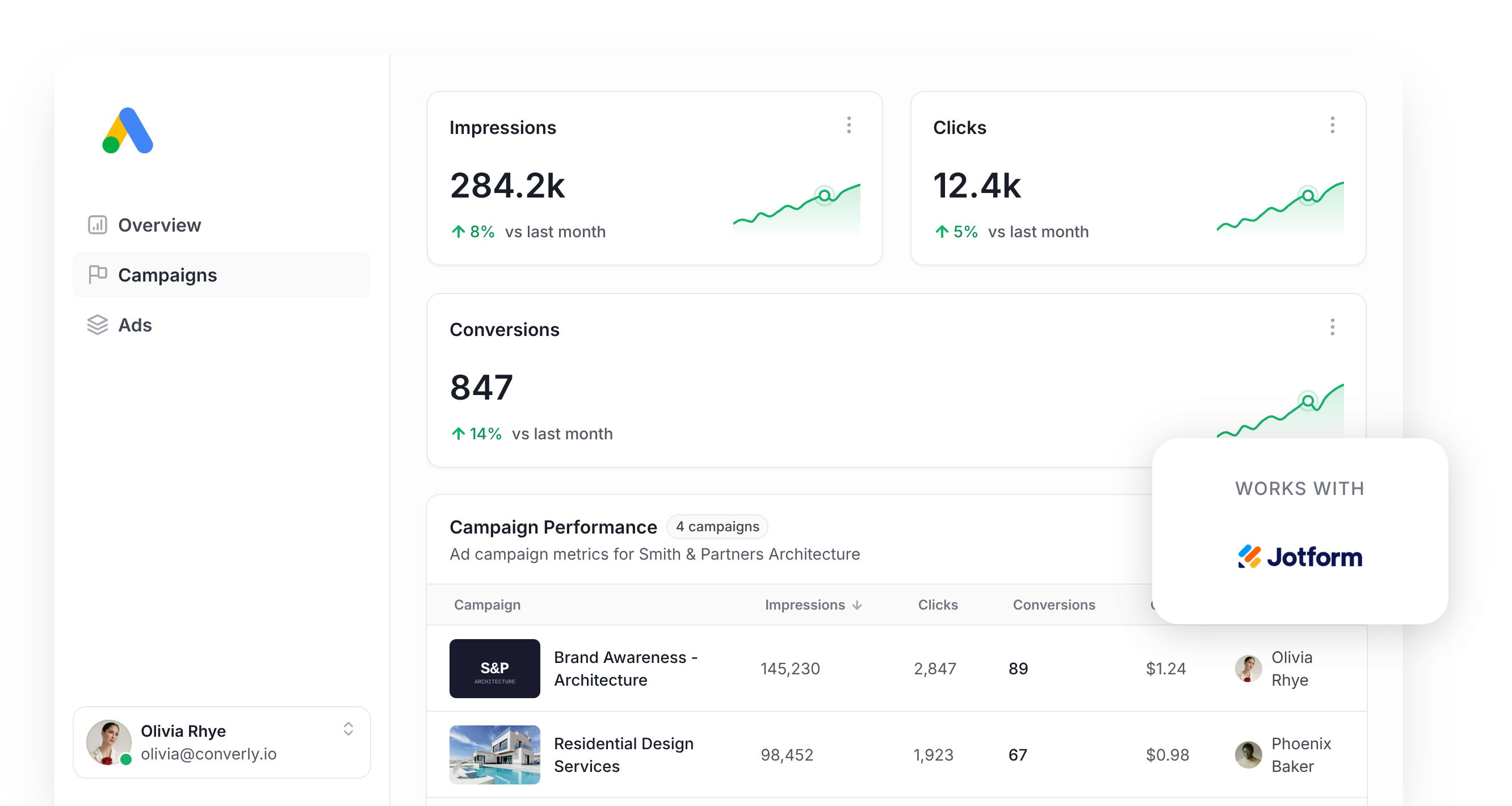
Google Ads is one of the best channels for generating new leads and customers, but getting conversion tracking set up properly is genuinely hard.
Tools like Google Tag Manager require you to write custom JavaScript to detect form submissions, and then you have to configure triggers, tags, variables, and a bunch of other complicated pieces.
There are simpler approaches, like firing a conversion when someone visits a thank you page, but they can miss up to 30% of conversions because of ad blockers, browser privacy features (Safari is a major culprit), or people clicking your ad on their phone and converting days later on a laptop.
So what are you supposed to do?
Fortunately, there is a better way. In this article we'll show you how to set up proper conversion tracking in Google Ads when someone submits a Jotform on your website, using an approach called server-side tracking.
Why you need to send conversions to Google Ads server-side
Accurate conversion tracking is essential if you want to succeed with Google Ads.
Google Ads uses smart bidding technology that analyses thousands of signals (the user's location, their purchase history, the time of day, etc) to figure out whether a given searcher is likely to buy your product or service, and it then bids higher or lower based on whether it thinks the person is a good fit for your business.
It's crazy powerful, but for it to work properly the algorithm needs accurate conversion data. You need to be able to tell it "this person converted and this person didn't" so it knows what a good lead actually looks like for your business.
The issue with other conversion tactics (like tracking thank you page visits or running Google Tag Manager) is that they send conversions to Google through the user's browser and that approach has problems:
- Ad Blockers — Ad blockers stop the Google Tag from loading on your website, which means it can't track anything someone using an ad blocker does on your site (including submitting a form).
- Privacy Features in Browsers — Browsers like Safari have built-in technologies that prevent the Google Tag from tracking visitors for more than a day (so if someone clicks your ad and converts 3 days later, the conversion can't be matched back to the original ad click).
- Using multiple devices — A person might click your ad on their work computer but eventually convert from their home computer (or their phone), which means the original click can't be linked to the later conversion.
This is exactly why server-side tracking matters. Instead of relying on things happening inside the browser and hoping it all works, you essentially send a direct, private message to Google's servers containing the lead's details. This means the information can't be blocked by ad blockers or privacy settings and Google has the data it needs to match ad clicks to conversions (even if they happen on different devices weeks apart).
The performance gains are well documented. Google's own data shows that server-side tracking typically produces a 23% lift in total recorded conversions and a 10% reduction in cost per conversion (because Google's algorithms now have more accurate data to learn from and can serve your ads to the right people).
3 simple steps to send server-side conversions to Google Ads from Jotform
Here's how to get server-side conversion tracking running between Jotform and Google Ads in 3 quick steps.
Step 1: Build your Conversion Flow in Converly
Converly is built specifically to make sending server-side conversions from tools like Jotform to Google Ads as painless as possible.
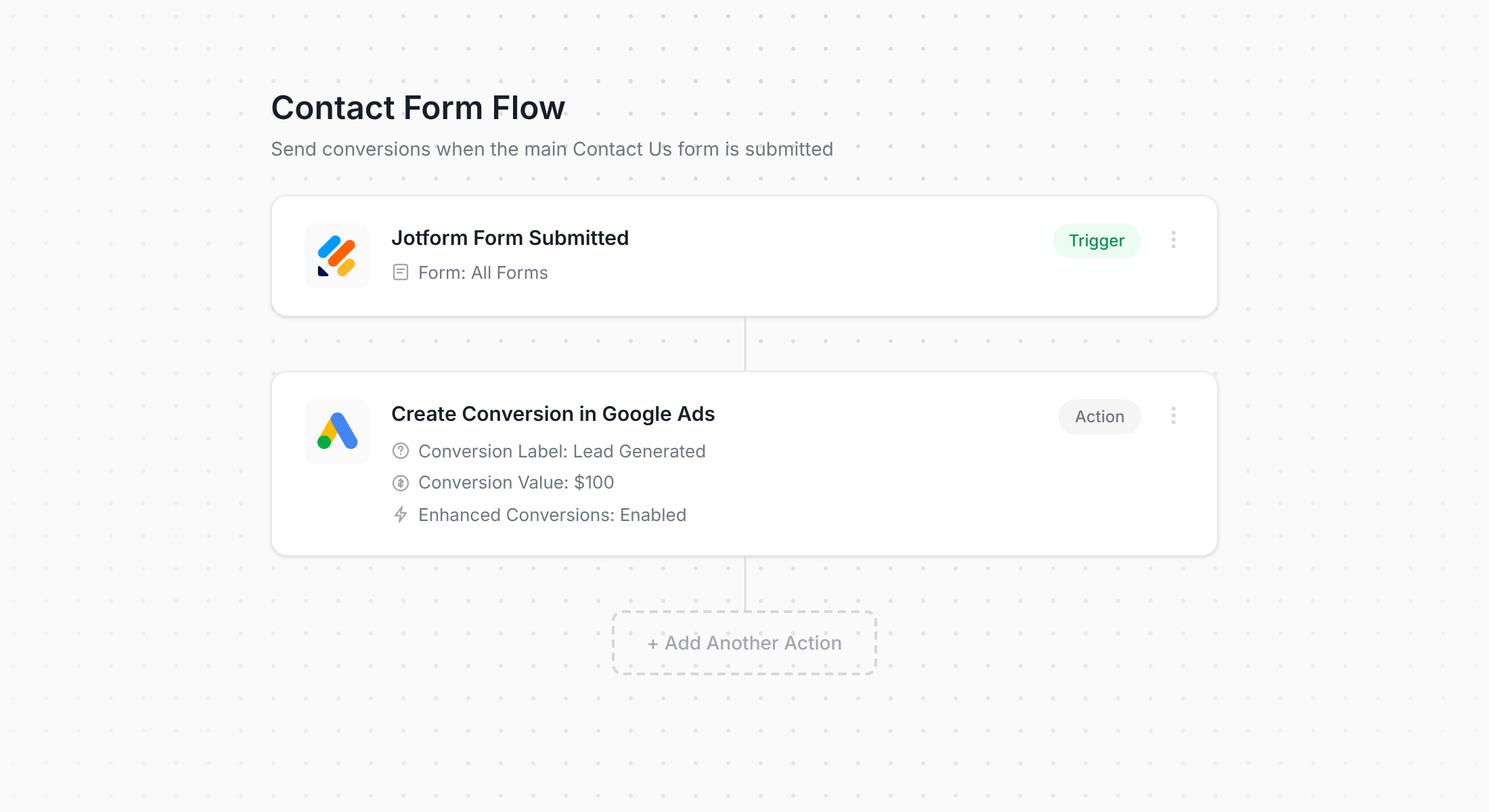
The screenshot above shows the Converly conversion flow builder, which will look immediately familiar if you've spent any time building automations in tools like Zapier or HubSpot.
You start by selecting a trigger (in this case, a Jotform submission), then add the action you want to happen afterwards (firing a conversion event to Google Ads).
And that really is the whole thing. A couple of clicks and you have configured your server-side conversion tracking in Google Ads.
Step 2: Add the Converly code to your website
After publishing your Conversion Flow, Converly will hand you a short snippet of code that needs to go on your site.
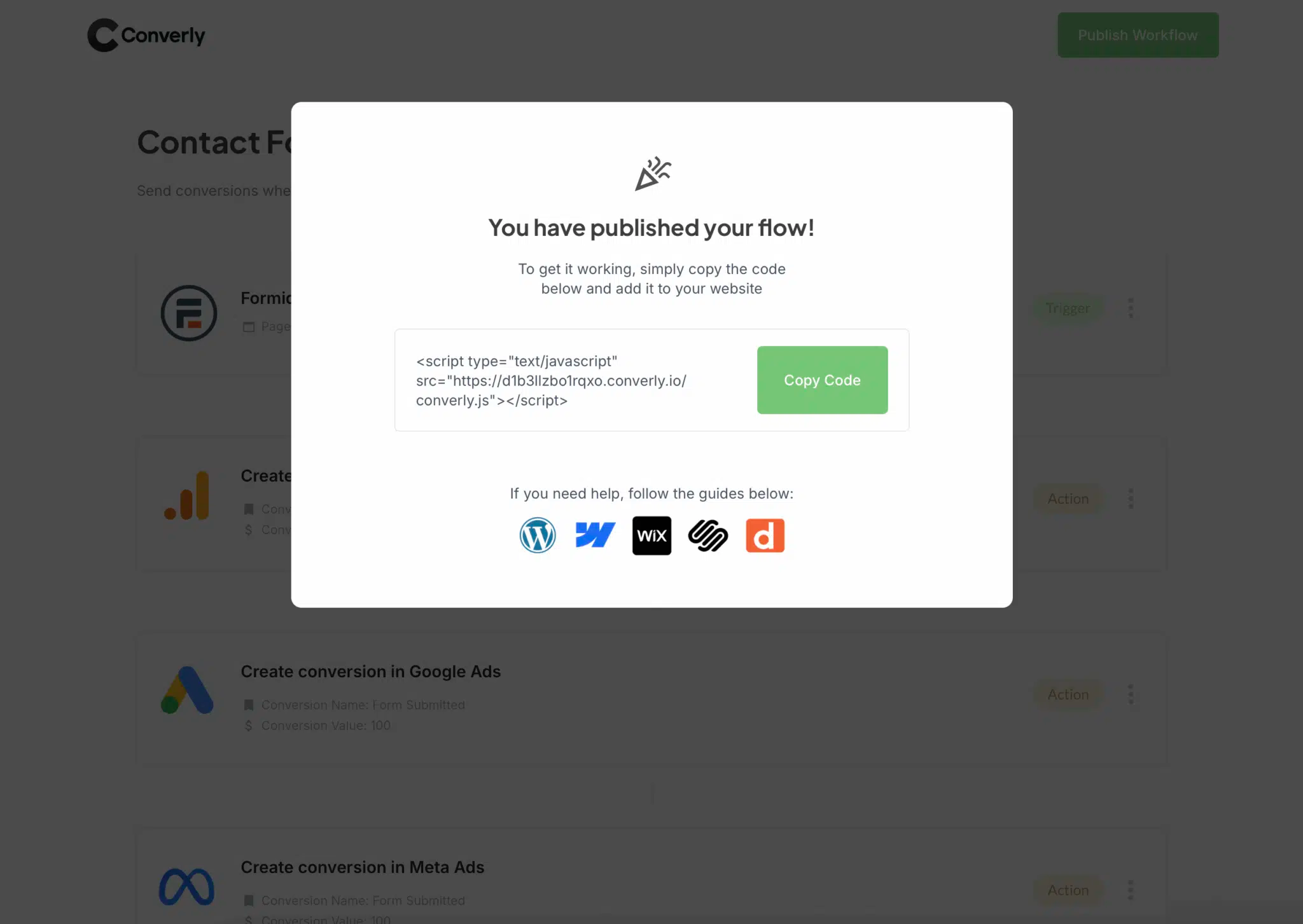
Because Jotform is a hosted form builder, you need to add the code to whatever website you are embedding the Jotform on (likely your main marketing site). So if your form sits on a site powered by WordPress, Webflow, Squarespace, Wix, etc, you paste the code into that site's header or custom code area. If you already run Google Tag Manager on the site, you can deploy it through there as well.
Step 3: Test it works
Now it's time to verify the setup. Head over to the page where your Jotform lives and submit it like a normal visitor would.
Then jump back into Converly, open your Conversion Flow, click the 3 dots menu in the top-right corner, and choose View Logs.
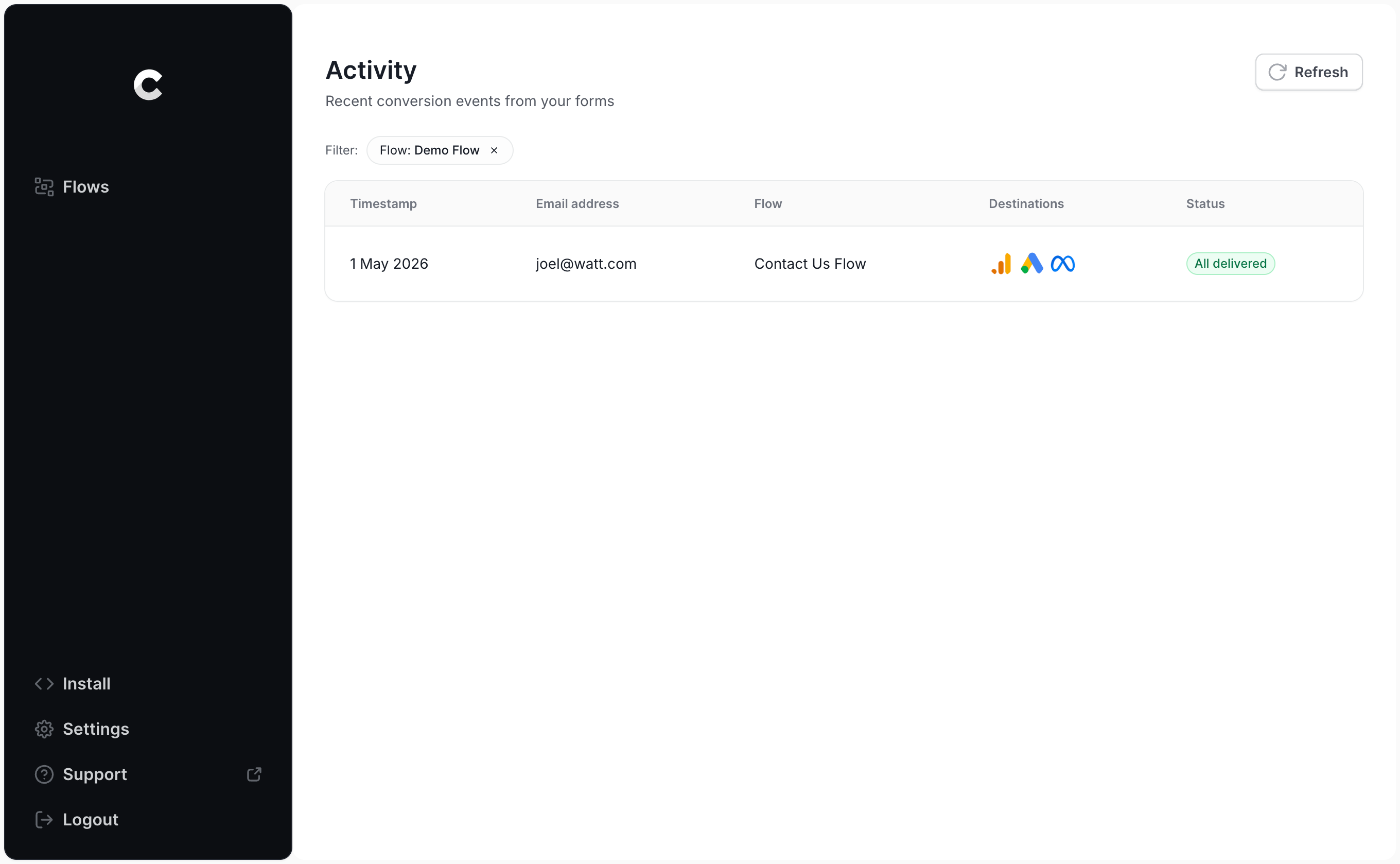
On the logs screen, click into your test submission and you'll see all the data captured for that lead, plus whether the conversion successfully reached Google Ads.
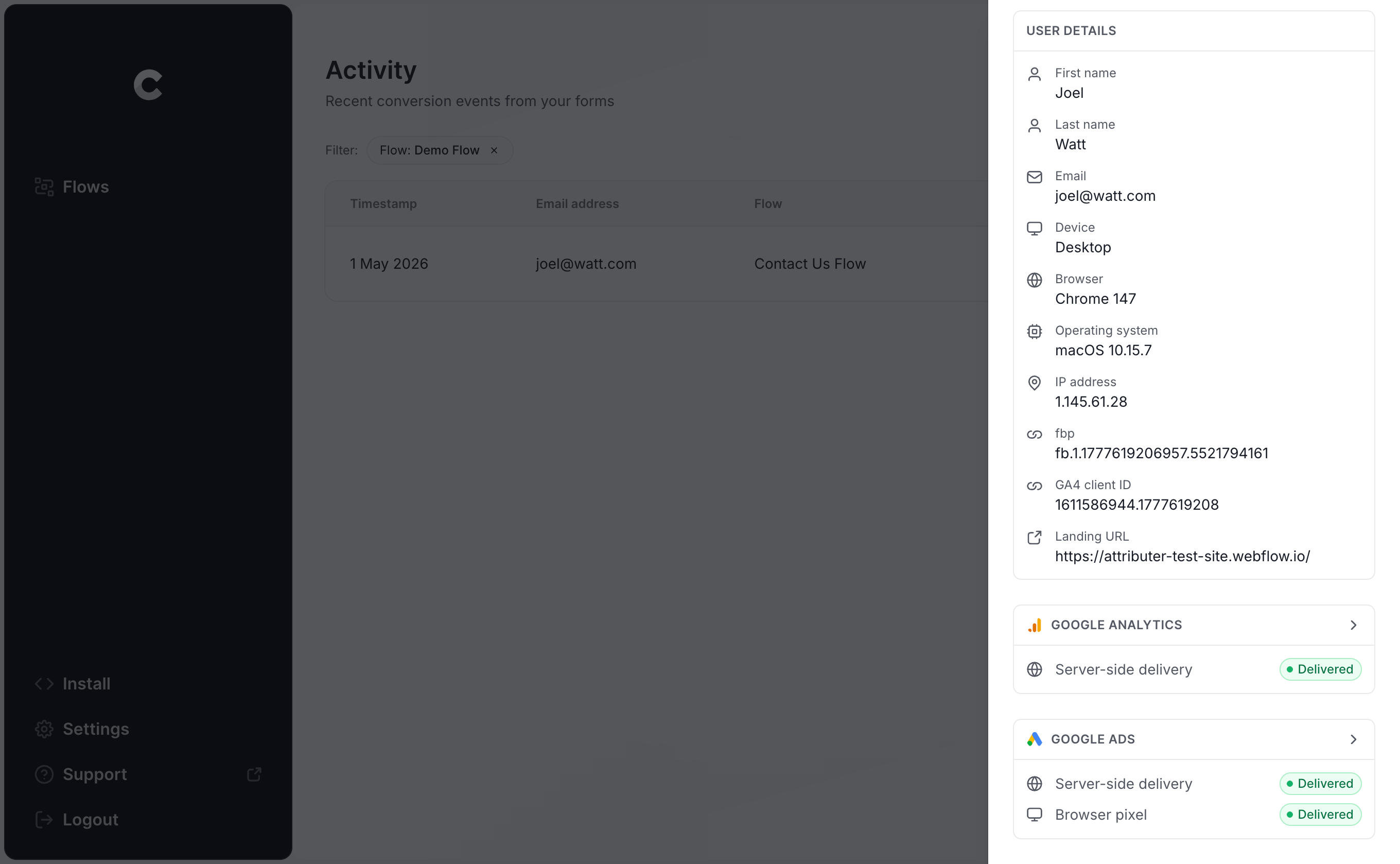
Drill in one level deeper and you can inspect every field that was sent to Google, along with the exact response that came back from their servers.
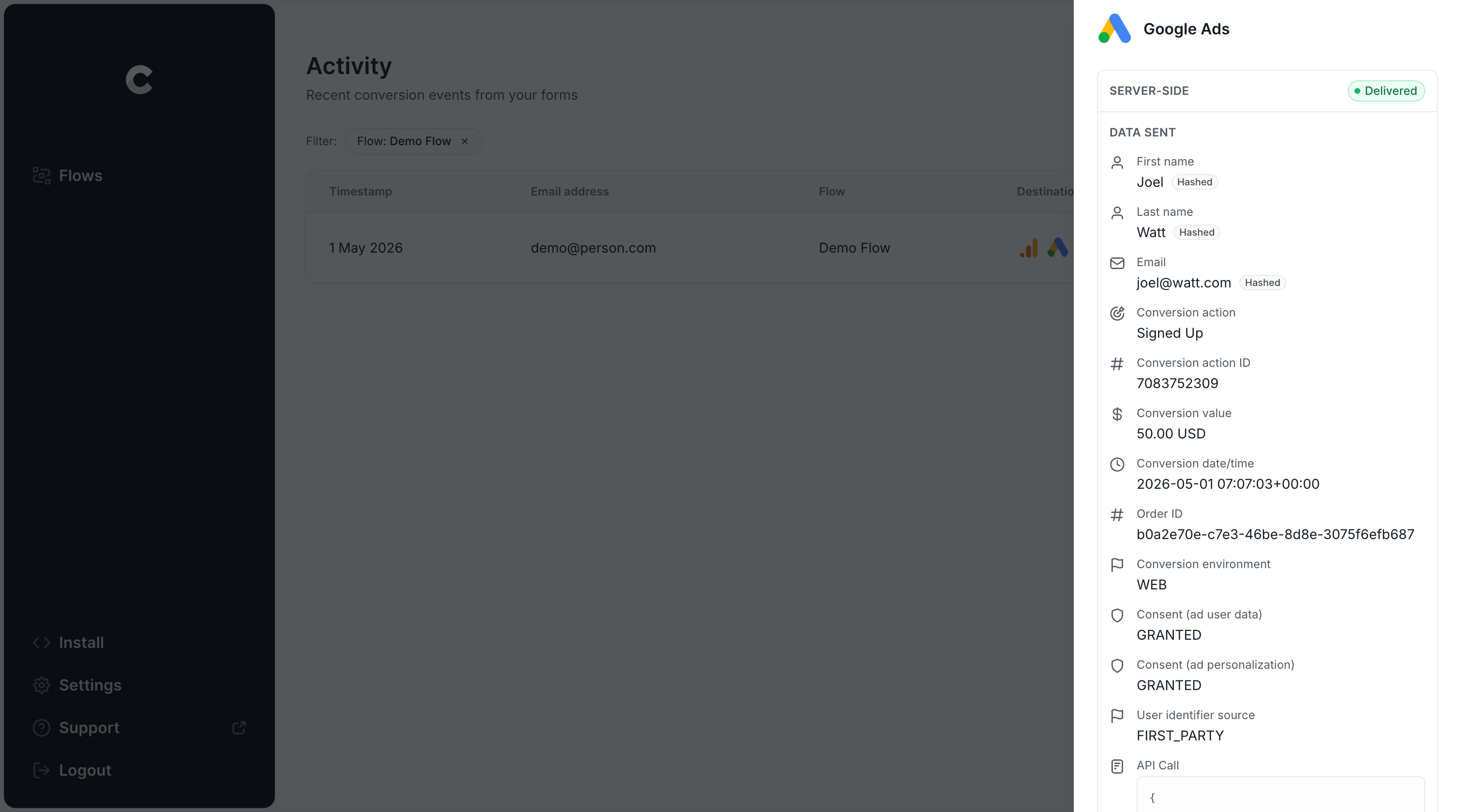
As long as your test submission appears in the log and shows as successfully delivered to Google Ads, you're done. Start to finish, this whole setup typically takes under 5 minutes.
Why Converly is the best way to send conversions to Google Ads from Jotform
There are other ways to send conversions to Google Ads when someone submits a Jotform on your site, so why pick Converly over the alternatives? A few reasons stand out:
1. Easy to set up
The default approach most marketers reach for is Google Tag Manager. But setting that up means writing JavaScript to listen for form submission events, pulling name and email fields out of the form, hashing those fields with SHA-256 (Google requires it), and then stitching together variables, triggers and tags inside GTM.
And it gets harder with Jotform specifically. Jotform forms are almost always embedded inside an iframe, which adds an extra layer of pain. Cross-origin restrictions mean the parent page can't see what's happening inside the iframe, so GTM event listeners can't pick up submissions without messy postMessage workarounds.
Converly sidesteps all of that by integrating with Jotform's API. You simply pick your trigger (a Jotform being submitted), choose what should happen (a conversion firing in Google Ads), and you're done. No JavaScript, no postMessage gymnastics, no GTM configuration to maintain.
2. Not affected by ad blockers and privacy restrictions
Anyone relying on Google Tag Manager (or worse, thank you page tracking) is silently losing a chunk of their conversion data every day, because ad blockers and privacy-first browsers stop the Google Tag from firing.
In fact, one study covering more than 7 million conversions put the loss rate at around 30% for tag-based tracking. Roughly 5% of that was ad blocker activity, and the remaining 25% was browsers blocking trackers for privacy reasons.
Converly avoids all of this entirely. The conversion goes directly from Converly's servers to Google's, so ad blockers and browser privacy features have nothing to interfere with.
3. Works across devices
It's increasingly common for someone to discover your business on one device and then submit your form from a different one. They might be scrolling on their phone in the morning, but wait until they are sitting down at a desktop later that day to actually complete the form.
Browser-based tracking can't see across that gap. As far as Google Tag Manager is concerned, the phone session and the desktop session are two unrelated people.
Converly handles this by sending identity information (name, email, etc.) straight to Google's servers. Google can then match that data back to the original ad click, even when it happened on a totally different device, so your campaigns get credit for the conversions they actually drove.
4. Sends more data
On top of sending the lead's name, email, and phone, Converly also bundles in technical signals like the GCLID, IP address, and User Agent string with every conversion.
That extra context gives Google's matching algorithms a lot more to work with. Even when the original ad click happened weeks ago on a separate device, Google has a much better shot at tying it back to the right conversion.
That ultimately means you get better conversion data inside Google Ads and a much stronger foundation for optimisation (particularly for Google's automated bidding technology).
5. Supports multiple tools and platforms
Converly works with over 100 form builders, scheduling apps, chat tools, and similar lead-capture apps.
On the destination side, it can push conversion events into Google Analytics, Google Ads, Meta Ads, LinkedIn Ads, Microsoft Ads, and a long list of other platforms.
So when you eventually launch a new ad channel or maybe add a chat or scheduling tool to your site, you aren't rebuilding everything from scratch. You just add the new destination to your existing Conversion Flow and you're up and running.
6. Gives you a full conversion log and email alerts
Push conversions to Google Ads with a tool like Google Tag Manager and there is no real way to tell whether it is still working. You can test it thoroughly the day you set it up, but unless you keep re-testing, your tracking can break in silence (someone changes the form, edits a tag in Google Tag Manager, or adjusts something in Google Ads) and you would be none the wiser.
Converly takes the guesswork out of it. You get a full conversion log that captures every conversion that fired, the exact data Converly recorded, what it sent across to Google Ads, the response Google Ads returned, and more.
You can also switch on email notifications. Get one for every conversion sent to Google Ads, or set them to fire only when a send fails, so you find out the instant your tracking stops working.
3 things you can do when you properly send conversions to Google Ads from Jotform
Once you have trustworthy conversion data flowing into Google Ads, a whole set of capabilities suddenly opens up that simply weren't possible before.
1. Report on conversions by campaign, ad group, keyword, etc.
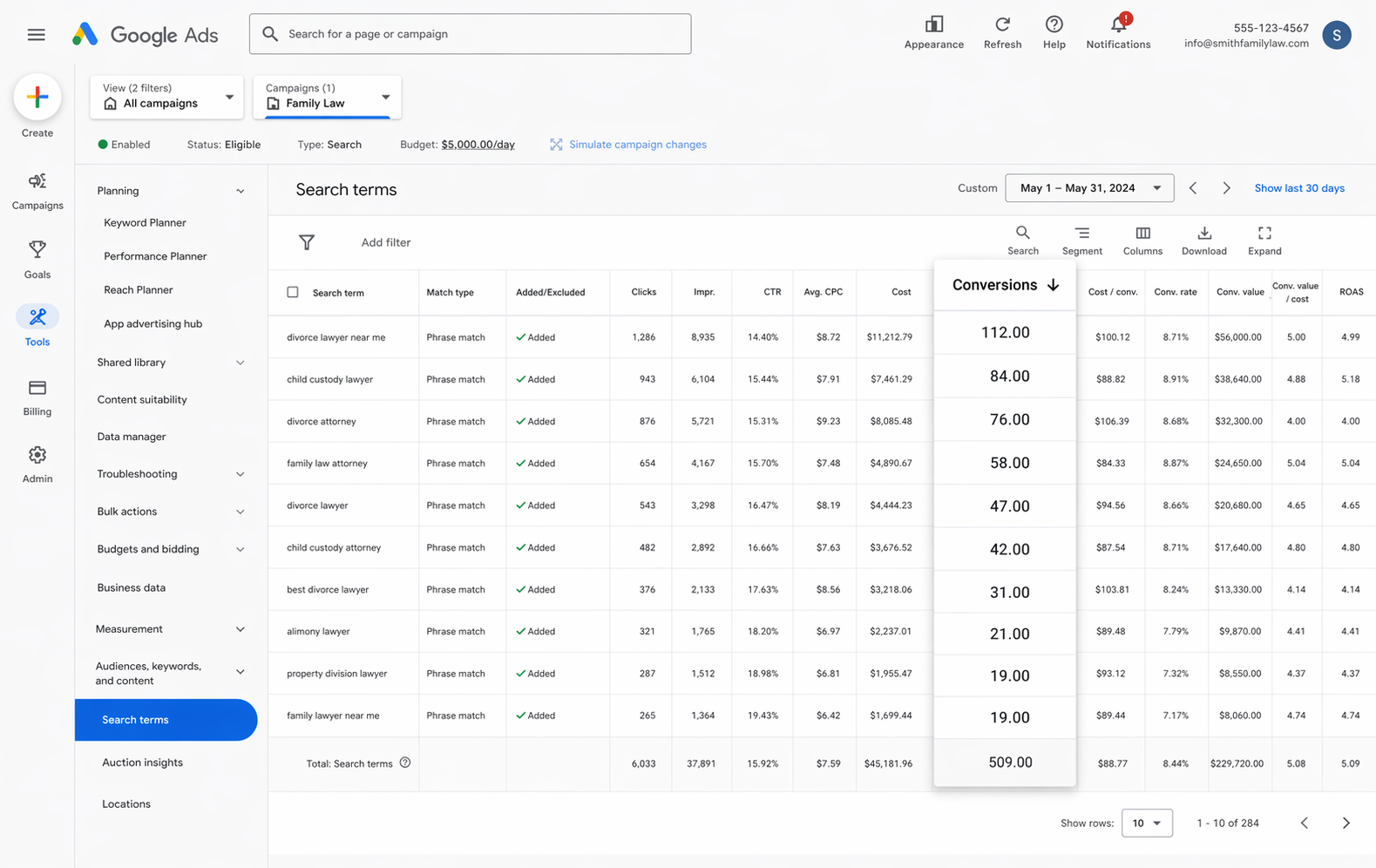
With proper conversion tracking in place, your Google Ads reporting goes way beyond impressions and clicks. You can pull conversion count, conversion value, conversion rates, cost per conversion, return on ad spend, and plenty more.
You can also slice all of that by campaign, ad group, keyword, individual ad, country, and a heap of other dimensions.
You ultimately get much deeper insight into which parts of your account (i.e. which campaigns, ads, keywords, etc) are actually working and where the biggest opportunities to scale are hiding.
2. Use Google's Smart Bidding technology
Manual bidding means a maximum cost per click (i.e. $3 per click) and hoping for the best. Smart bidding flips that around: you tell Google your goal (something like "I want leads at $45 each") and Google then bids in every auction on your behalf.
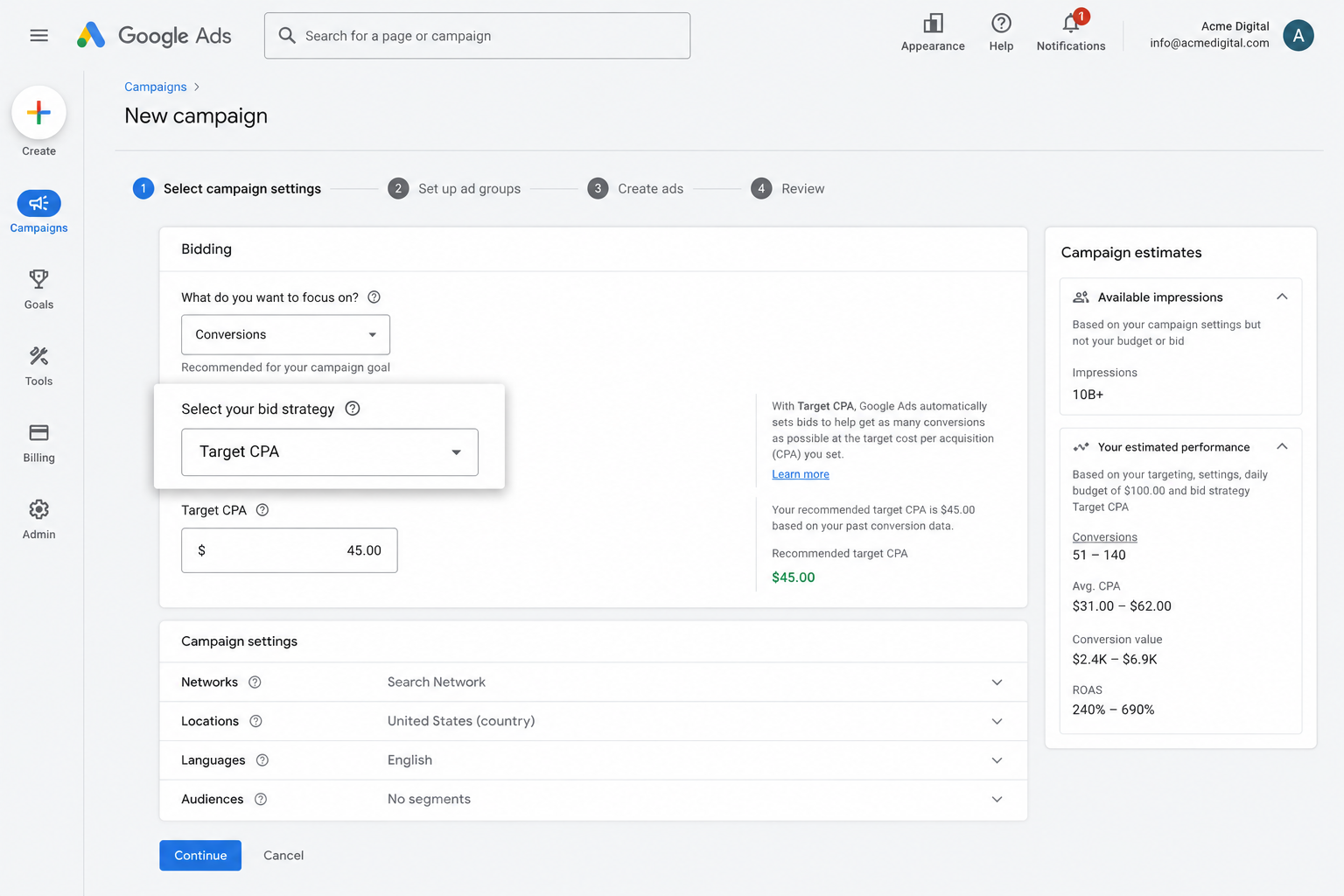
Google factors in everything it knows about the person searching (their age, location, device, what they've bought before, etc.) and adjusts the bid up or down based on how likely they are to convert for you.
It's an incredibly powerful system (Google's own data suggests conversion rates can improve by 25% and cost per acquisition decreases by 35%), but it only works if you have accurate conversion tracking. Without it, Google has no real picture of what a quality lead looks like for your business, so it ends up bidding aggressively on bad clicks and burning through your budget.
By using Converly to send server-side conversions to Google Ads, you give Google's Smart Bidding technology the data it needs to optimise your ad delivery, which usually means more leads at a lower cost per conversion.
3. Retarget people who visited your site but didn't convert
Accurate conversion data also lets you build remarketing audiences of people who landed on your site but didn't submit a form and convert.
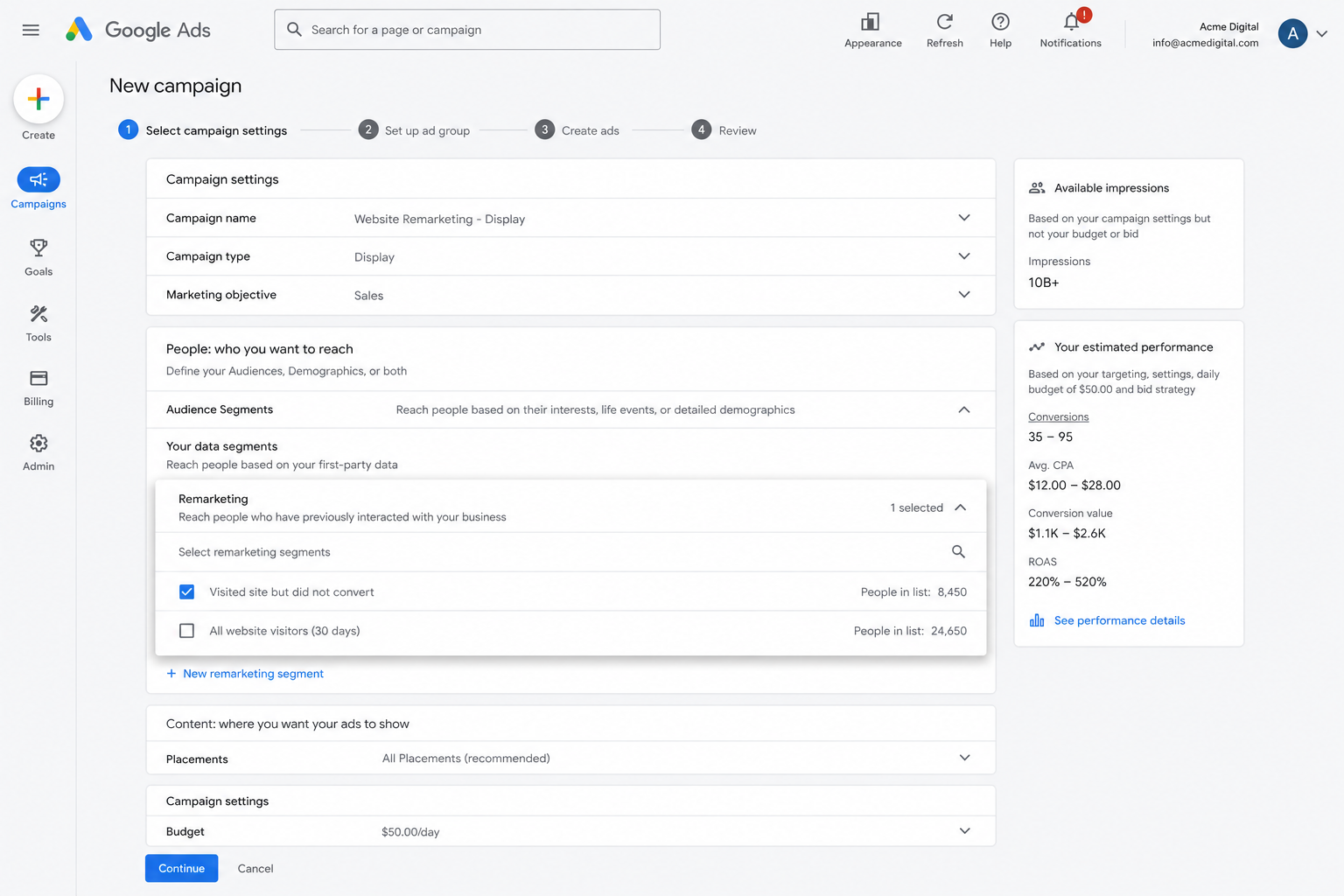
You can do a couple of things with a list like that, including:
- Search — Adjust your bids up (or down) for these visitors when they search for your keywords again later.
- Display — Run display ads across the Google Display Network that target only these visitors, keeping your brand in front of them as they browse the web.
- YouTube — Serve YouTube ads exclusively to this audience so your brand keeps showing up in their video sessions.
Wrap Up
Looking for a reliable way to register a conversion in Google Ads each time a Jotform gets submitted? Converly is a solid option worth considering.
Because everything is delivered server-side, ad blockers and privacy-focused browsers can't get in the way of your data. And with rich identity signals attached to every event (name, email, phone, IP, User Agent, and so on), Google has all the context it needs to tie each conversion back to the click that drove it (even if the conversion happened on a different device weeks later).
Setup takes only a few minutes, and you get 14 days free to try it out. Give it a go today!
About the author

Aaron is the founder of Converly. With over 15 years of experience in digital marketing and SaaS, he's passionate about helping businesses track and optimise their ad conversions.